
Selecting the right document destruction tool is a critical step in securing sensitive personal data and maintaining corporate compliance. To choose the right Bonsaii shredder, you must match your daily document volume, security requirements, and physical workspace constraints to the machine’s motor run time, sheet capacity, and cut type.
For residential workspaces in Singapore, such as space-conscious HDB flats or condominiums, a compact, quiet cross-cut model that operates in short bursts is often the most practical choice. Conversely, a small business or shared commercial office requires a heavy-duty micro-cut machine equipped with active cooling systems, a high-capacity waste bin, and robust safety mechanisms to handle continuous, multi-user demands. Identifying these environmental factors beforehand prevents the frustration of frequent motor pauses or the unnecessary expense of an oversized machine.
Quick Decision Guide: Home Office vs. Small Business
The operational threshold between a home office and a small business comes down to the frequency of use and the volume of paper processed in a single session. A home office typically involves a single user who shreds documents intermittently. This includes occasional tasks like destroying utility bills, expired credit cards, medical records, or home-delivery labels. For these light-to-moderate needs, a shredder that operates for a few minutes before requiring a cool-down period is perfectly adequate and keeps the physical footprint minimal.
Products mentioned in this guide
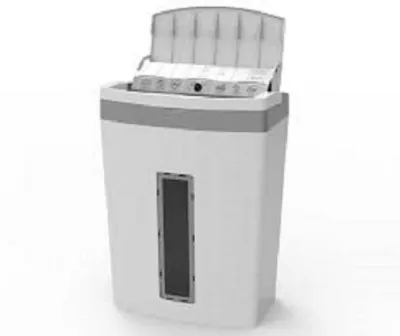
Prices are valid at publication and may change. Please refer to the product page for the latest price.
A small business, even one with just a few employees, operates under different dynamics. Multiple team members may rely on the same machine to destroy client contracts, financial statements, or HR records daily. This environment demands a machine built for heavy, continuous volume and daily reliance, where a short duty cycle would stall office productivity. Selecting the correct Bonsaii model hinges on matching these specific environmental demands to the machine’s motor endurance, bin capacity, and security level.
Investing in a machine that does not align with your actual usage can lead to operational issues. Over-specifying for a home office wastes valuable floor space and budget, often costing upwards of several hundred Singapore dollars for commercial features you may never fully utilize. On the other hand, under-specifying for a business environment by using a light-duty home model leads to premature motor burnout, frequent thermal shutdowns, and constant workflow interruptions. Assessing your daily throughput is the first step toward making a cost-effective decision.
Key Specifications to Evaluate in Bonsaii Shredders
Understanding the technical specifications on a product label allows you to compare models objectively and select a machine that handles your workload without strain.

Security Levels and Cut Types
Paper shredders are classified by security levels under the international DIN 66399 standard, which dictates how small the paper particles are after passing through the blades. Cross-cut shredders, typically rated at DIN P-3 or P-4, slice paper diagonally from two directions to produce small, rectangular strips. This cut type is highly effective for general household documents, junk mail, and standard office paperwork, making it incredibly difficult for anyone to reassemble the pages.
For highly sensitive data, micro-cut shredders (typically rated at DIN P-5 or higher) provide a much greater level of security. These machines use precision-engineered blades to turn a single sheet of paper into thousands of tiny, confetti-like particles. Micro-cut models are essential for destroying proprietary business files, legal contracts, and medical records. However, because they perform more complex cuts, micro-cut machines generally operate at slightly slower feed speeds than cross-cut models, which is a practical trade-off to consider based on your data sensitivity.
Continuous Run Time and Cooling Systems
The continuous run time, or duty cycle, of a shredder refers to the maximum duration the motor can run before it must shut down to cool. This limit is governed by the motor’s design and the efficiency of its internal cooling system. When a shredder runs continuously, friction and electrical resistance generate heat; once the internal temperature reaches a safety threshold, a thermal overload switch triggers to prevent permanent motor damage.
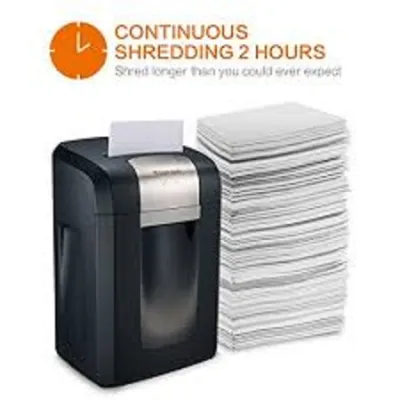
Home-use models are generally engineered for shorter, intermittent bursts, typically offering a run time of 3 to 10 minutes followed by a cool-down period of 30 to 40 minutes. Commercial-grade models feature advanced cooling systems, such as dual-fan setups or heavy-duty induction motors, allowing them to run continuously for 20, 30, or even 60 minutes. Before purchasing, verify the exact continuous run time and required cool-down periods in the manufacturer’s specifications to ensure the machine can handle your largest batch of documents without pausing.
Sheet Capacity and Bin Volume
Sheet capacity indicates the maximum number of paper sheets the shredder can accept in a single pass. This rating is typically based on standard 80gsm paper. Forcing more sheets than the rated capacity into the feed slot strains the motor, dulls the blades, and is the primary cause of paper jams. It is best practice to operate the machine at roughly 70% to 80% of its maximum sheet capacity to prolong the lifespan of the motor and cutting cylinders.
Waste bin capacity, measured in liters, determines how often you will need to empty the machine. A larger bin reduces maintenance interruptions but increases the physical size of the unit. In compact workspaces, you must balance bin volume with the physical footprint of the machine. A slim 15-liter model fits easily under a standard desk, whereas a 30-liter commercial unit requires a dedicated floor space. Measure your available floor area and consider whether a pull-out drawer or a lift-off head design is more convenient for your physical layout.
Selecting a Model for Your Home Office
Residential workspaces in Singapore present unique challenges, primarily regarding space constraints and noise control. Whether you reside in a compact HDB flat or a condominium, finding a dedicated spot for office equipment requires careful planning. A home office shredder should have a streamlined, compact footprint that allows it to slide under a study table or fit neatly into a closet corner when not in use.
Noise level is another critical factor when working in a shared household. High-decibel machinery can disrupt family members, wake sleeping children, or interfere with virtual meetings and phone calls. When browsing models, check the decibel (dB) ratings provided by the manufacturer. A quiet motor operating under 60 to 65 dB ensures that you can destroy documents at any time of day without causing a disturbance in your living space.
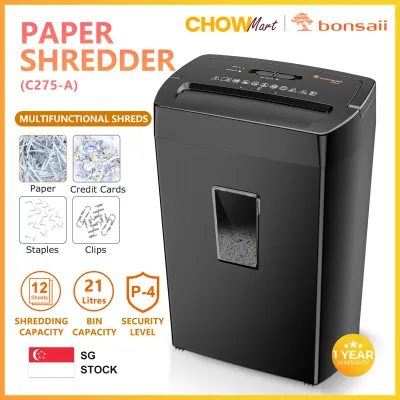
For typical home use, your daily shredding volume is likely low to moderate. You may only need to shred a handful of pages at a time. A standard cross-cut (DIN P-4) model with a sheet capacity of 6 to 10 sheets per pass and a continuous run time of 3 to 5 minutes is generally more than sufficient. This specification easily handles daily mail, bank statements, and personal records without requiring a large budget or taking up excessive space.
Convenience features can greatly improve the user experience in a home setting. Look for models equipped with auto-start and auto-stop sensors, which automatically activate the blades when paper is inserted and shut them down once the cycle is complete. An easy-pull waste bin with a transparent viewing window is also highly beneficial, as it allows you to monitor the fill level at a glance and prevents paper from backing up into the cutter. Always verify the exact dimensions and weight on the product listing to ensure the unit fits your intended storage space.
Upgrading to Small Business Demands
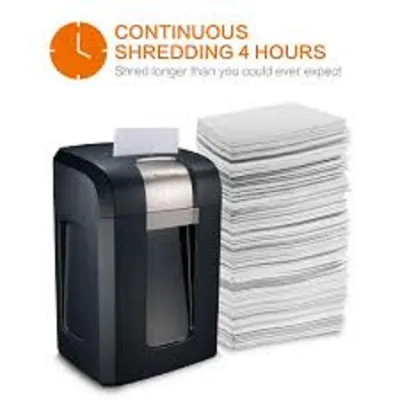
Commercial environments and multi-user offices require a shift in priorities toward durability, speed, and continuous performance. When multiple employees rely on a single shredder, a machine with a short run time will quickly become a bottleneck. Small businesses should look for commercial-grade models that offer extended continuous run times of 30 to 60 minutes, ensuring the machine can handle bulk shredding tasks, such as end-of-month file cleanouts, without overheating.
Paper jams are a major source of frustration and lost productivity in a busy office. To mitigate this, prioritize models equipped with active anti-jam technology. Features like auto-reverse functions automatically detect when the paper load is too thick, reversing the motor to back out the sheets before a jam can lock up the blades. Overload protection sensors also prevent the machine from starting if too many sheets are inserted, protecting the internal gears from excessive wear.
Mobility and waste management are equally important in a shared office. A business shredder should feature a large waste bin, typically 20 to 30 liters or more, to minimize the frequency of emptying. Because these machines are heavier, look for models equipped with heavy-duty, 360-degree casters. This allows staff to roll the shredder between different desks, copy rooms, or departments as needed, and lock the wheels in place once positioned.
Modern business documentation often includes non-paper media. A commercial shredder must have the capability to safely destroy credit cards, CDs, DVDs, and pages bound with staples or small paperclips. High-durability steel cutters can process these materials without dulling. Finally, always verify the manufacturer’s warranty terms before purchasing. Many residential-grade shredders have warranties that are voided if the machine is used in a commercial or multi-user environment. Ensure the model you select is explicitly certified and covered for business use.
Essential Maintenance and Safety Practices
To ensure your shredder operates reliably and safely throughout its lifespan, you must perform routine maintenance and adhere to basic safety guidelines. Neglecting simple care steps can lead to decreased cutting efficiency, frequent jams, and premature motor failure.
- Monitor Bin Levels: Empty the waste bin before the shredded paper reaches the maximum fill line. Allowing the bin to overfill causes paper to back up into the cutting blades, which can damage the gears, strip the motor, or cause severe jams that are difficult to clear.
- Clear Paper Dust: Over time, fine paper dust accumulates in the feed slot and around the cutting cylinders. After unplugging the unit, use a soft brush or a vacuum cleaner attachment to clear away dust and small paper fragments from the entry area.
- Lubricate the Blades: Apply shredder lubricant sheets or specialized shredder oil only if explicitly recommended by your specific model's user manual. Never use aerosol lubricants, WD-40, or flammable oils, as the friction and heat generated by the motor can ignite these substances, posing a severe fire hazard.
- Observe Safety Boundaries: Keep hands, long hair, ties, necklaces, and loose clothing far away from the feed slot. These items can easily become caught in the rotating blades. Always turn off and unplug the unit when it is not in use, before emptying the bin, or when performing any physical cleaning.
- Address Jams Safely: If a jam occurs, use the manual reverse function to back the paper out. If you must clear paper manually, unplug the shredder first. Never use metal tools, scissors, or screwdrivers to pry paper out of the blades, as this can permanently chip or dull the cutting cylinders.
For any complex troubleshooting, unusual motor noises, or persistent error lights, consult the specific Bonsaii user manual. Following the manufacturer’s designated care guidelines protects your investment and ensures your warranty remains valid.
Frequently Asked Questions (FAQ)
Can I shred credit cards and staples in all Bonsaii models?
No, material compatibility varies significantly across different models. While many mid-range and heavy-duty Bonsaii shredders feature solid steel cutters that easily process staples, paperclips, and plastic credit cards, entry-level or light-duty models may only be rated for paper. Feeding hard materials into a model designed strictly for paper will dull the blades, damage the internal plastic gears, and void your warranty. Always check the specific compatibility icons on the top of the machine or consult the user manual before attempting to shred non-paper items.
What should I do if the shredder overheats and stops?
If your shredder stops running and the overheat indicator light turns on, the machine’s thermal protection sensor has engaged to prevent motor damage. Turn off the power switch, unplug the unit from the wall outlet, and let it rest undisturbed. The cooling process typically takes between 30 and 50 minutes, depending on the ambient room temperature and the specific model. Once the machine has fully cooled, plug it back in and resume operation, making sure to reduce the number of sheets fed per pass to avoid triggering the sensor again.
Is a micro-cut shredder worth the investment for a home office?
Whether a micro-cut shredder is worth the extra cost depends entirely on the sensitivity of the documents you handle. If your home office involves managing highly confidential client data, financial files, legal documents, or medical records, the advanced security of a P-5 micro-cut model offers peace of mind by turning pages into unreadable confetti. However, if your primary goal is simply destroying standard utility bills, junk mail, and general household paperwork, a standard P-4 cross-cut model is more cost-effective, processes sheets faster, and requires less frequent bin emptying because the larger shreds pack down more easily.
Community discussion
Share your experience or ask a question. Comments are reviewed before publication.