
Selecting the right art glove for digital drawing requires balancing material friction, hand size, and screen compatibility to ensure a seamless workflow. While many options look identical at a glance, subtle differences in fabric density, seam placement, and wrist elasticity can significantly impact your comfort during long drawing sessions. A well-fitting glove acts as a bridge between your hand and your tablet, reducing friction while maintaining the precise control needed for digital illustration.
To find the ideal glove, you must evaluate how different materials interact with your specific tablet screen, whether you use a smooth glass display or a textured matte protector. Understanding the structural differences between specialized art brands, budget multi-packs, and original equipment manufacturer (OEM) options will help you make an informed decision. By focusing on observable fit and material quality, you can select a glove that enhances your drawing experience without causing hand fatigue.
Why You Need an Art Glove for Digital Drawing
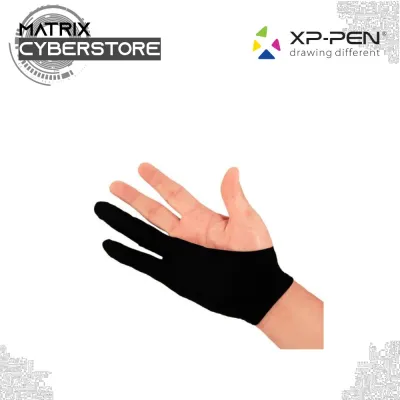
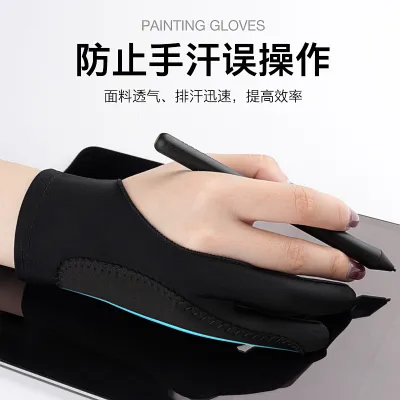
Using an art glove is not just a matter of professional aesthetics; it serves several practical functions that directly improve your digital drawing workflow. The primary benefit is friction reduction. When drawing on a glass or matte screen, the natural moisture and texture of your skin can cause your hand to stick or stutter as you drag it across the surface. An art glove, typically covering the ring and pinky fingers, allows your hand to glide smoothly, enabling long, continuous strokes that are essential for clean line art.
Products mentioned in this guide
![[SG 🚚] Tablet Drawing Glove 3 Sizes Black Blue Grey Pink Anti-fouling Painting Glove](https://img.lazcdn.com/g/p/ffde7deb36148a37346321dbff445f8d.jpg_400x400q80.jpg_.webp)

Prices are valid at publication and may change. Please refer to the product page for the latest price.
Another critical function is the prevention of sweat and oil transfer. Human skin naturally secretes oils, which accumulate on the tablet screen over time. These smudges not only degrade the optical clarity of your display but can also interfere with the capacitive touch sensitivity of modern tablets, leading to unresponsive touch gestures or accidental inputs. By wearing a glove, you create a barrier that keeps the drawing surface clean and ensures the screen responds only to your stylus.
Additionally, an art glove provides a layer of physical protection for both your hand and your device. While modern tablet screens are highly scratch-resistant, microscopic dust particles or jewelry can still cause minor abrasions during repetitive drawing motions. The soft fabric of a glove cushions your hand against the hard screen surface, reducing the physical strain of resting your palm on a solid display for hours at a time.
Key Features to Evaluate in Art Glove Brands
When comparing different art glove options, the material composition is the first feature to analyze. Most high-quality gloves are made from synthetic blends, such as Lycra, nylon, or spandex, which offer excellent elasticity and shape retention. The fabric must be thin enough to remain breathable, preventing your hand from overheating, yet dense enough to provide a reliable barrier against skin oils. If the material is too thin, it may not offer sufficient touch rejection on capacitive screens, causing the tablet to register your palm as an active input.

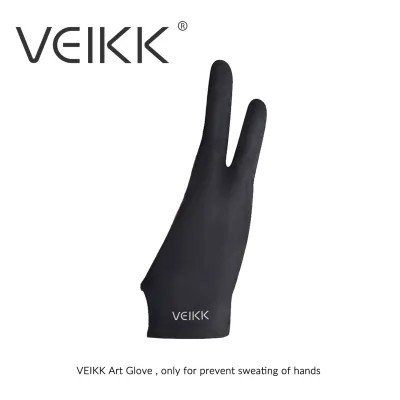
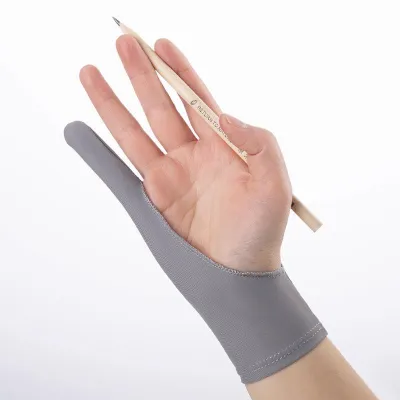
Finger coverage configuration is another design element to consider. The standard two-finger design covers the ring and pinky fingers, leaving the thumb, index, and middle fingers free to grip the stylus naturally. This configuration is ideal for most artists as it maintains tactile feedback where it matters most. However, some manufacturers offer three-finger variants or gloves with extended palm padding, which can be beneficial if you have a unique grip style or require extra cushioning along the outer edge of your hand.
Seam placement and stitching quality can make or break the comfort of an art glove. Poorly placed seams can rub against your skin or drag along the screen surface, creating unwanted friction and irritation. Look for gloves with flatlock stitching or seamless designs along the outer edge of the pinky finger. Additionally, ensure that the fabric near the base of your fingers is not so thick that it interferes with the physical side buttons on your stylus, which can disrupt your shortcut workflow.
Finally, evaluate the wrist elasticity and edge finishing of the glove. A high-quality glove should feature a reinforced cuff that holds the glove securely in place without constricting blood flow. If the wrist band is too loose, the glove will slide down your hand or roll up at the edges during active drawing movements, requiring constant adjustment. Look for double-stitched hems and elasticized borders that maintain their tension even after multiple stretches and washes.
Matching the Glove to Your Drawing Tablet and Style
Your choice of art glove should align closely with the specific screen surface of your drawing tablet. Smooth glass screens, such as those found on standard iPads or high-end pen displays, offer very little natural resistance, meaning a high-glide Lycra glove is ideal for maximizing speed and smoothness. Conversely, if you use a textured, paper-like screen protector, the increased surface friction will wear down delicate fabrics more quickly. For textured screens, look for gloves made from denser, more abrasion-resistant nylon blends that can withstand the rougher surface without pilling.
The physical size and form factor of your tablet also dictate your glove requirements. If you work on a compact, standalone tablet, your hand will frequently move off the screen and onto the surrounding bezel or desk. A lightweight, highly flexible glove is perfect for these quick transitions. For large pen displays or drafting monitors where your entire forearm rests on the screen, you may want a glove with a longer wrist cuff to prevent your lower arm from sticking to the glass during sweeping shoulder-driven strokes.
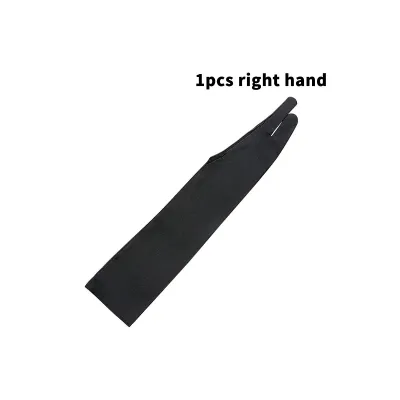
Handedness compatibility is a simple but crucial detail to verify before purchasing. Many art gloves feature a symmetrical, reversible design that can be worn on either the left or right hand simply by flipping the glove inside out. However, some premium brands offer asymmetrical, anatomically correct cuts tailored specifically to the left or right hand. These specialized cuts often provide a superior fit around the thumb web and wrist, but you must ensure you select the correct orientation for your drawing hand.
Your personal stylus grip style should also influence the thickness of the glove you choose. If you hold your pen very close to the nib, a thick glove can bunch up between your fingers, reducing your control and altering your grip angle. Artists who prefer a tight, low grip should opt for ultra-thin, second-skin fabrics that preserve maximum tactile feedback. If you hold the stylus further up the barrel, a slightly thicker, padded glove can provide comfortable cushioning for your palm without affecting your pen control.
Common Art Glove Brand Categories and What to Expect
The market for art gloves generally falls into three distinct categories, each catering to different user needs and budgets. Specialized digital art brands focus heavily on ergonomic design, using premium stretch fabrics and advanced seam placement to maximize comfort. These brands often incorporate extra layers of fabric on the palm side to enhance touch rejection on capacitive screens. While these gloves are typically sold individually and carry a higher price tag, they offer the most refined fit and durability for professional illustrators.
Budget-friendly multi-packs are a popular alternative, often sold in sets of two, three, or more on online marketplaces. These gloves prioritize basic friction reduction and are highly cost-effective, making them ideal for students, hobbyists, or artists who frequently misplace their accessories. While they perform the core function of gliding smoothly across the screen, they may feature simpler stitching patterns that can wear out faster, and their touch rejection capabilities may be less consistent than specialized options.
Original equipment manufacturer (OEM) bundles are gloves produced directly by tablet manufacturers, often included in the box with a new pen display. These gloves are designed to work seamlessly with the specific screen coatings of that manufacturer’s devices. They are generally of reliable quality, but they are often produced in a single, “one-size-fits-all” medium size, which may not provide an optimal fit for artists with exceptionally small or large hands.
When evaluating user feedback across these categories, pay close attention to comments regarding long-term elasticity and seam durability. High-quality gloves should maintain their shape after weeks of daily use, whereas lower-grade fabrics may stretch out and become loose around the fingers. Look for reviews that mention whether the fabric pills when used on matte screens, as pilling can create a rough texture that defeats the purpose of wearing a glove.
How to Test and Maintain Your Art Glove
Once your art glove arrives, perform a few immediate checks to verify its fit and functionality before committing to a long drawing session. Put the glove on and hold your stylus in your normal drawing grip. Ensure that you can easily access and press any physical buttons on the pen without the fabric catching or blocking your thumb and index finger. Slide your hand across your tablet screen in various directions; the movement should feel completely smooth, with no snagging or resistance from the seams.
Next, assess the overall tightness of the glove to prevent physical discomfort. The fabric should hug your hand snugly without pulling tightly at the webbing between your fingers. If you feel any restriction in your blood flow, experience tingling in your fingertips, or notice deep red indentations on your wrist after a few minutes, the glove is too small. A glove that is too tight can cause hand fatigue, cramping, or joint strain during extended use, so it is vital to exchange it for a larger size if necessary.
To extend the lifespan of your art glove, proper maintenance is essential. Because the glove absorbs sweat and skin oils, it must be washed regularly to maintain its hygiene and fabric elasticity. Always follow the manufacturer’s specific washing guidelines, but as a general rule, hand washing in cold water with a mild detergent is the safest method. Avoid using fabric softeners, bleach, or harsh chemicals, as these can break down the synthetic fibers and ruin the stretch properties of the material.
Air drying is highly recommended for all art gloves. Never place your glove in a mechanical dryer, as the high heat can melt or warp the elastic fibers, leading to severe shrinkage and loss of shape. Lay the glove flat on a clean towel in a well-ventilated area away from direct sunlight. Over time, even well-maintained gloves will show signs of wear, such as pilling, loose threads, or a stretched-out cuff. When the fabric becomes too thin to prevent touch inputs or begins to snag on your screen, it is time to replace it.
Frequently Asked Questions (FAQ)
Can I use a regular winter or sports glove for digital drawing?
Using a standard winter or sports glove for digital drawing is generally not recommended due to differences in material thickness and texture. Winter gloves are designed for insulation, making them far too thick and bulky to allow for a precise grip on a stylus. They also trap heat quickly, leading to sweaty hands that can ruin your drawing experience. Sports gloves, on the other hand, often feature rubberized grips or textured palms designed to increase friction, which will cause your hand to stick to the glass screen rather than glide smoothly.
Do art gloves work with all screen protectors?
Art gloves are compatible with almost all screen protectors, but their performance and wear rate will vary depending on the surface texture. On smooth glass protectors, the glove will glide effortlessly, providing a seamless drawing experience. On matte or paper-like screen protectors, the textured surface increases friction, which can cause the glove’s fabric to wear down or pill more quickly over time. Ensure your screen protector is clean and free of deep scratches, as rough edges can snag the delicate synthetic fibers of your glove.

Community discussion
Share your experience or ask a question. Comments are reviewed before publication.