
Selecting the right art glove requires balancing material friction, hand dimensions, and screen compatibility. A high-quality glove ensures your hand glides effortlessly across your drawing surface while preventing natural skin oils from smudging the display. To make the right choice, you must evaluate how the glove interacts with your specific tablet setup, the breathability of its fabric, and how securely it fits your hand.
While a basic art glove is a relatively small investment—often costing between S$10 and S$25—choosing the wrong one can lead to hand fatigue, skin irritation, or frustrating touch-rejection issues. By focusing on physical properties and observable performance checks, you can find an accessory that seamlessly integrates into your creative workflow.
Understand the Core Benefits and Limitations of an Art Glove
Friction is the primary enemy of smooth digital linework. When drawing on a bare glass screen, the friction coefficient changes constantly depending on skin temperature and moisture. An art glove provides a consistent, low-friction barrier that standardizes your hand’s movement. On matte or paper-feel screen protectors, which already have a textured surface, the glove prevents your skin from catching on the micro-textures, preserving both your comfort and the protector’s lifespan.
Products mentioned in this guide
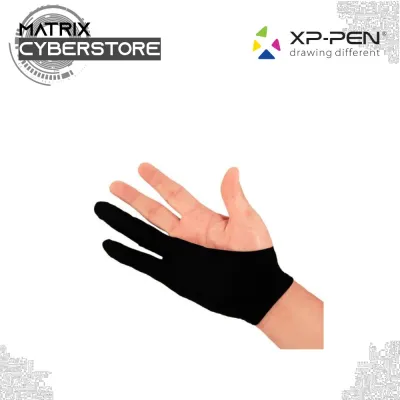
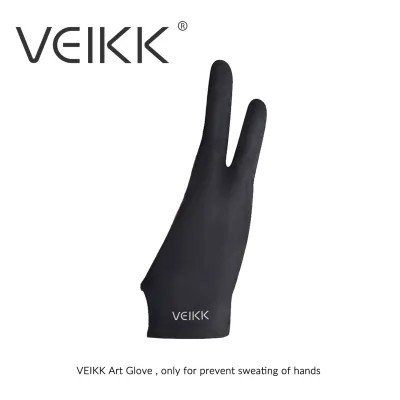
![[SG 🚚] Tablet Drawing Glove 3 Sizes Black Blue Grey Pink Anti-fouling Painting Glove](https://img.lazcdn.com/g/p/ffde7deb36148a37346321dbff445f8d.jpg_400x400q80.jpg_.webp)
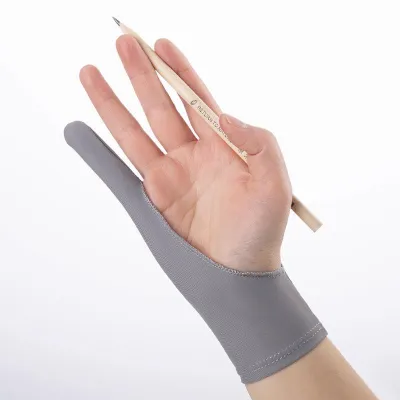
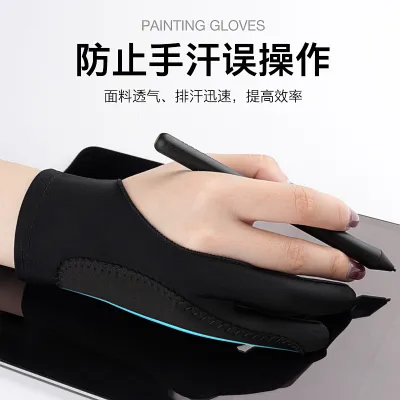

Prices are valid at publication and may change. Please refer to the product page for the latest price.
Smudge prevention is another critical factor. During long drawing sessions, the side of your hand rests continuously on the screen. This transfers sweat, sebum, and dead skin cells to the display, creating cloudy patches that distort color accuracy and interfere with stylus tracking. In warm or humid environments, such as Singapore, this moisture buildup happens rapidly, making a physical barrier essential for maintaining screen hygiene.
However, it is vital to understand what an art glove cannot do. A standard fabric glove is not an electronic palm rejection device. It does not emit a signal to override your tablet’s touch sensors. Instead, it relies on the thickness and density of its fabric to prevent your skin’s natural electrical capacitance from triggering the screen. If your tablet has highly sensitive touch settings, or if you press down heavily, a thin glove may still allow phantom inputs. Understanding this distinction helps you set realistic expectations and configure your tablet’s software settings accordingly.
Evaluate Fabric, Breathability, and Construction Quality
The performance of an art glove depends heavily on its textile composition. Most high-quality gloves utilize a blend of synthetic fibers, primarily Lycra, spandex, and nylon. Lycra and spandex provide the necessary multi-directional stretch, allowing the glove to conform to the contours of your hand without restricting movement. Nylon adds durability and structural integrity, ensuring the glove retains its shape after repeated stretching. To check the quality of these stretch properties, gently pull the fabric in both directions; it should immediately snap back to its original shape without leaving loose, saggy pockets.

Breathability is paramount for prolonged body contact. Because the glove covers a portion of your hand for hours at a time, heat buildup can cause discomfort and sweating. Look for lightweight, moisture-wicking fabrics that pull sweat away from the skin and allow air to circulate. If the fabric is too dense or lacks breathability, moisture will trap inside, eventually soaking through the glove and transferring to your screen, defeating the purpose of the accessory.
Stitching and seam placement require close inspection. Poorly placed seams can rub against your skin, causing irritation during long drawing sessions. More importantly, thick or rough seams resting on the screen can create physical drag or even scratch delicate screen coatings. Look for gloves with flatlock stitching or seamless construction along the outer edge of the pinky finger. This ensures that the part of the glove in constant contact with the drawing surface is entirely smooth.
Some gloves feature anti-slip elements, such as small silicone patterns on the palm or fingers. While these grips can help you maintain a secure hold on a slippery stylus, they can be counterproductive if they extend to the side of the hand that rests on the screen. Any silicone or rubberized material touching the display will cause sudden sticking and ruin your drawing flow. For digital art, ensure that any grip elements are strictly confined to the gripping fingers and completely absent from the sliding edge of the hand.
Determine the Right Fit, Sizing, and Finger Coverage
Art gloves generally come in two-finger or three-finger configurations. The classic two-finger design covers the pinky and ring fingers, leaving your thumb, index, and middle fingers free to grip the stylus naturally. This configuration provides the ideal balance between screen protection and tactile feedback, as your primary gripping fingers remain in direct contact with the pen. Three-finger designs, which also cover the middle finger, are less common but can be useful if your specific pen grip causes your middle finger to drag along the screen.
To find the correct size, you must measure your hand accurately rather than guessing based on standard glove sizes. Use a flexible measuring tape to measure two key dimensions: the width of your palm across the knuckles (excluding the thumb) and the length from the tip of your middle finger to the crease of your wrist. Compare these measurements directly to the manufacturer’s sizing chart. A glove that is too tight will restrict blood flow and cause hand fatigue, while a glove that is too loose will bunch up, slide down, and create folds of fabric that interfere with your drawing.
Pay close attention to the elasticity at the wrist and knuckles. The wrist band should be wide and gently elasticized to distribute pressure evenly. A thin, tight elastic band can pinch the skin and restrict circulation, leading to numbness during extended use. The finger sleeves should taper naturally to fit snugly around your fingertips without pulling back or creating empty space at the tips, which can catch on the edge of your tablet.
Consider the hand orientation of the glove. Ambidextrous designs are symmetrical, allowing you to wear the glove on either your left or right hand. While highly versatile and convenient, they may not offer the same ergonomic fit as dedicated left-handed or right-handed gloves. Dedicated designs are pre-shaped to match the natural curvature of a specific hand, reducing fabric bunching in the palm area and providing a more seamless drawing experience.
Check Hardware and Screen Protector Compatibility
The interaction between your glove and your tablet setup depends heavily on your screen surface. Bare glass screens, common on many modern pen displays and consumer tablets, have a high gloss finish that is highly susceptible to oil smudges and friction. For these screens, a smooth, low-friction fabric like high-grade Lycra is essential to ensure a fluid glide. Conversely, textured paper-feel screen protectors have a rougher surface designed to mimic the resistance of paper. This texture can act like fine sandpaper, wearing down soft fabrics over time. If you use a textured protector, look for a glove with reinforced stitching and a slightly denser nylon blend to withstand the abrasive surface.
Capacitive touch screens present a unique challenge. These screens detect the electrical charge of your skin to register touch inputs. If your glove is too thin or made of highly conductive material, the screen may still detect your palm through the fabric, resulting in accidental brush strokes or canvas movement. To prevent this, verify if the glove features a double-layered or padded pinky and palm area. This extra thickness physically distances your skin from the screen, effectively blocking the capacitive transfer without requiring bulky materials.
Your glove must not interfere with your stylus or tablet controls. Ensure that the open fingers of the glove allow you to maintain a secure, comfortable grip on your stylus’s rubberized grip area. The fabric should not block your ability to press the stylus’s side buttons or access physical shortcut keys on the tablet’s bezel. When your hand rests in a natural drawing position, the glove should slide smoothly over physical buttons without accidentally depressing them.
Additionally, consider the charging ports and cable connections on your tablet. A bulky glove wristband can sometimes catch on right-angle cables or low-profile ports, especially on smaller, compact tablets. Choosing a glove with a streamlined, low-profile wrist cuff ensures complete freedom of movement around all physical hardware connections.
Test and Validate Your Glove's Performance
Once you purchase an art glove, you should perform a series of practical, observable tests to verify its quality and compatibility before committing to a long project. Begin with the “glide test.” Place your hand on your tablet screen and slide it diagonally from one corner to the other in a single, continuous motion. The movement should feel perfectly uniform, with no sticking, stuttering, or sudden changes in resistance across different areas of the screen.
Next, conduct a “smudge test” during an active drawing session. Draw continuously for at least 30 minutes in your normal working environment. Afterward, inspect the screen under a bright light. There should be no visible oil streaks, sweat marks, or cloudy patches along the path where your hand rested. If you notice moisture transferring through the fabric, the glove’s material is either too thin or lacks sufficient moisture-wicking capabilities.
To verify touch rejection, perform the “phantom touch check.” Open your drawing software, select a highly sensitive brush tool, and rest your gloved hand heavily on the canvas while keeping your stylus away from the screen. Move your hand slightly as if preparing to draw. The software should not register any accidental marks, zoom adjustments, or canvas panning. If phantom touches occur, you may need a glove with a thicker, double-layered palm.
Finally, assess the overall comfort and physical safety of the glove. After an hour of continuous wear, remove the glove and inspect your hand. Check for red marks, skin irritation, or deep indentations along your knuckles, fingers, and wrist. Your skin should feel dry and comfortable, with no signs of excessive heat buildup or restricted circulation. If you experience any tingling or numbness, discontinue use immediately and select a larger size.
Frequently Asked Questions (FAQ)
Can I use a regular winter or sports glove for digital drawing?
While it may be tempting to repurpose an existing glove, regular winter or sports gloves are poorly suited for digital drawing. Winter gloves are designed for thermal insulation, making them far too thick and bulky for the precise, delicate movements required in digital art. This bulk severely limits your tactile feedback and control over the stylus. Furthermore, many modern winter gloves feature conductive threads in the fingertips to allow smartphone use; these threads will actively trigger unwanted touch inputs on your drawing tablet. Sports gloves often include heavy rubberized grips or textured palms that will stick to your screen rather than gliding smoothly across it.
How should I clean and maintain my art glove?
Proper maintenance is essential to preserve the elasticity and hygiene of your art glove. Always check the manufacturer’s care label for specific instructions before washing. As a general rule, hand-washing is the safest method to prevent damage to the delicate synthetic fibers. Wash the glove in lukewarm water using a small amount of mild, liquid detergent. Gently squeeze the soapy water through the fabric without wringing or twisting, which can warp the seams and stretch out the finger sleeves. Rinse thoroughly with cold water, then lay the glove flat on a clean towel to air-dry. Avoid using a clothes dryer, fabric softeners, or bleach, as high heat and harsh chemicals will rapidly degrade the elastic fibers and ruin the glove’s fit.
Community discussion
Share your experience or ask a question. Comments are reviewed before publication.