
Selecting the ideal writing tablet for your child requires balancing developmental benefits, physical durability, and screen technology. The term “writing tablet” spans a wide range of devices, from simple pressure-sensitive screens that mimic a physical etch-a-sketch to advanced digital canvases used by professional illustrators. Choosing the right device depends on matching these technologies to your child’s age, motor skills, and learning goals.
To make an informed decision, you must evaluate the screen’s visual properties, the stylus design, and the overall physical resilience of the device. A well-chosen tablet can support handwriting practice, reduce paper waste, and foster artistic expression, while an unsuitable one may quickly end up forgotten in a drawer or damaged by daily use.
Quick Guide: Matching Tablet Types to Your Child's Needs
Understanding the distinct categories of writing tablets is the first step in narrowing down your options. These devices are not one-size-fits-all; they are built on fundamentally different technologies that cater to specific developmental stages and use cases. By identifying where your child sits on this spectrum, you can avoid overspending on features they do not need or buying a device they will quickly outgrow.
Products mentioned in this guide
![[✅SG Ready Stock] 8.5 inch / 12 inch LCD Pad Writing Tablet For kidsKids Drawing Pad Portable Electronic Tablet Board](https://img.lazcdn.com/g/p/fee43f1d7f9017a12c1bc992432adbda.jpg_400x400q80.jpg_.webp)
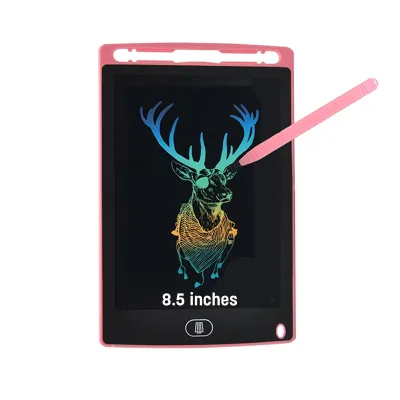
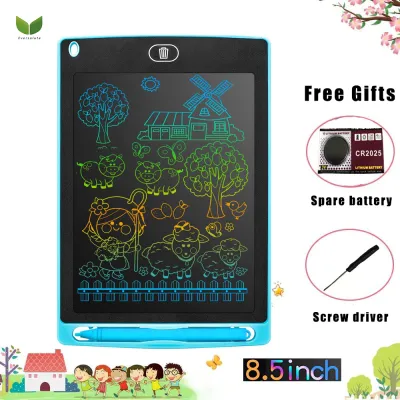
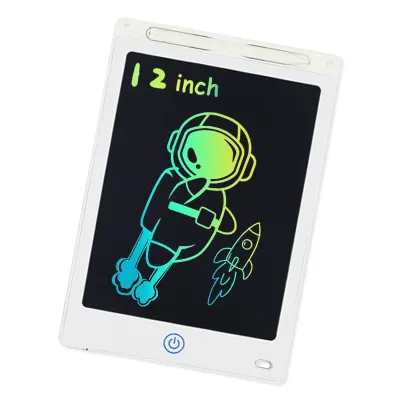
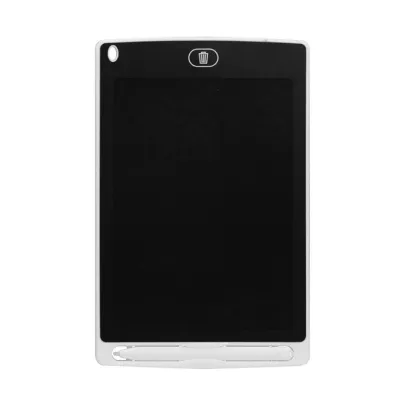
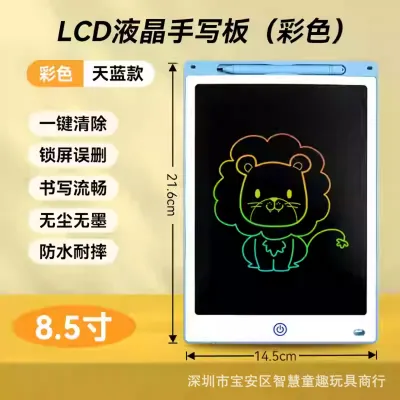
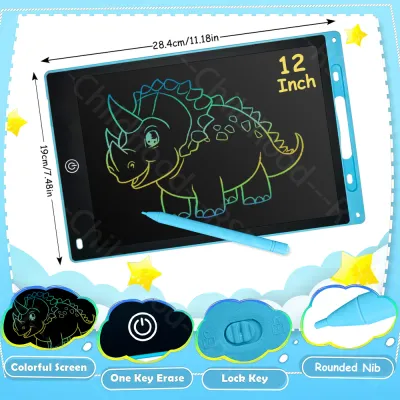
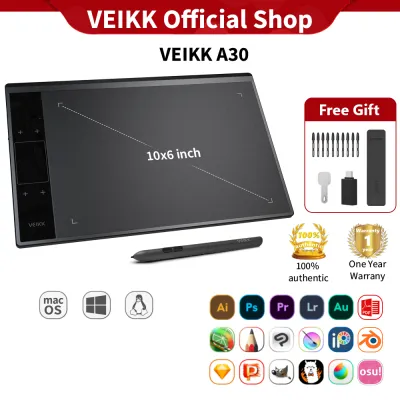
Prices are valid at publication and may change. Please refer to the product page for the latest price.
Before looking at specific brands, categorize your search into one of three primary technology groups: LCD doodle boards, E-Ink writing tablets, or pen displays. Each category serves a distinct role in a child’s educational and creative journey, offering unique trade-offs in functionality, cost, and durability.
LCD Doodle Boards
LCD doodle boards are the most basic and accessible devices in the writing tablet category. They utilize a non-backlit liquid crystal film that reveals a contrasting color when pressure is applied by a plastic stylus or even a fingernail. Because these screens rely entirely on reflected ambient light, they emit zero blue light, making them exceptionally gentle on young eyes.
These boards are highly portable, lightweight, and incredibly energy-efficient. A single pre-installed coin-cell battery (typically a CR2025 or CR2032) can power the single-button erase function for tens of thousands of cycles, often lasting over a year without needing a replacement. Their primary limitations are functional: they generally do not allow users to save individual drawings, do not support advanced pressure sensitivity, and display work in either a single color or fixed multi-color zones.
E-Ink Writing Tablets
E-Ink writing tablets use electronic paper displays to provide a highly realistic, paper-like writing experience. The matte screen surface minimizes glare from overhead lights, offering high-contrast text that is highly readable even in bright environments. This makes E-Ink an excellent option for school-aged children who need to read digital worksheets, practice spelling, or take extensive notes without eye fatigue.
Unlike simple LCD boards, E-Ink devices feature robust page-saving capabilities, folder organization, and cloud synchronization. They provide a distraction-free environment because they lack the high-refresh-rate screens needed for video streaming, social media, or complex mobile games. However, E-Ink tablets carry a higher price point and feature delicate glass or thin-film transistor (TFT) layers beneath the screen that require careful handling to prevent damage from drops or sharp impacts.
Pen Displays and Digital Canvases
Pen displays and digital canvases represent the high-performance end of the spectrum, designed specifically for older children and aspiring digital artists. These devices feature high-resolution color screens, rapid refresh rates, and advanced digitizers that support thousands of levels of pressure sensitivity and tilt recognition. They allow young artists to experiment with digital painting, complex layering, and varied brush styles.
Hardware configurations vary significantly in this category. Some pen displays function as secondary monitors and must remain connected to a host laptop or computer to operate, while standalone digital canvases feature integrated operating systems and rechargeable batteries. These devices have a steeper learning curve and require compatible illustration software, making them best suited for older children who have already demonstrated a serious commitment to art.
Essential Features to Evaluate Before Buying
Once you have identified the right category of tablet, you should look closely at the physical and technical specifications of individual models. Marketing descriptions often highlight flashy features, but daily usability depends on practical factors like screen texture, stylus ergonomics, and structural durability. Evaluating these details beforehand ensures the tablet remains a functional tool rather than a source of frustration.

Screen Size and Display Technology
Screen size directly affects both the portability of the tablet and the type of work your child can comfortably perform. Compact screens measuring 8 to 10 inches are highly portable, fitting easily into travel bags and car seat pockets, making them ideal for keeping younger children occupied on the go. Larger screens of 12 inches and above provide a more spacious canvas, which is highly beneficial for older children who need to complete multi-step math equations or draw detailed illustrations.
When evaluating the screen, pay close attention to the surface finish and the active drawing area. A matte or anti-glare screen finish is essential because it diffuses reflections from overhead study lamps, reducing squinting and eye strain. Additionally, compare the active drawing area against the overall physical footprint of the device; some tablets have exceptionally wide plastic bezels that take up valuable space on a compact study desk without offering any extra writing area.
Pressure Sensitivity and Stylus Quality
An effective writing tablet relies heavily on the quality and design of its stylus. Basic LCD boards use passive plastic styluses that simply apply physical pressure to release the screen’s liquid crystals, resulting in lines of uniform thickness regardless of how hard the child presses. In contrast, E-Ink tablets and pen displays use active or electromagnetic resonance (EMR) styluses that detect precise variations in pressure, allowing your child to control line weight, shading, and texture.
Stylus ergonomics are critical for children who are still developing their fine motor skills and pencil grip. Look for a stylus with a comfortable weight, a non-slip grip texture, and a slightly thicker barrel that prevents hand fatigue during long writing sessions. To prevent the stylus from getting lost—a common issue in busy households—prioritize tablets that feature strong magnetic attachments, physical storage slots (silos) within the tablet body, or integrated lanyard tethering holes.
Age-Appropriate Controls and Durability
Safety and durability requirements change significantly as children grow. For younger kids, physical safety and structural resilience are paramount. Look for writing tablets constructed from high-impact ABS plastic with rounded corners and a shatterproof screen. If the device uses a coin-cell battery, verify that the battery compartment is securely locked with a screw to prevent young children from accessing and swallowing the battery.
For older children, the evaluation shifts toward software controls and data management. Check if the tablet offers parental controls, customizable screen time limits, and secure export options that allow you to sync their homework or drawings to a family computer. Always consult the manufacturer’s recommended age grading to ensure that the user interface, button sizes, and overall system complexity align with your child’s current cognitive and physical abilities.
Age-by-Age Feature Checklist
Children’s developmental needs, physical dexterity, and academic requirements evolve rapidly. A tablet that delights a toddler will not satisfy a pre-teen, and an advanced digital canvas will only overwhelm a preschooler. Use this age-segmented checklist to align the tablet’s features with your child’s developmental milestones.
Toddlers and Preschoolers (Ages 2–5)
At this stage, the primary goals are developing hand-eye coordination, practicing basic pencil grips, and enjoying open-ended scribbling. The ideal tablet is a simple, durable tool that requires no adult setup or troubleshooting.
- Device Type: Lightweight, shatterproof LCD doodle board.
- Screen Size: 8 to 10 inches for easy handling by small hands.
- Key Features: A single, large, easily pressable erase button and a dedicated physical lock switch to prevent accidental deletion of drawings.
- Stylus Design: A thick, chunky, non-toxic plastic stylus that is easy to hold with a palmar grasp, ideally tethered to the board with a flexible cord.
- Safety Requirements: A screw-secured battery compartment for the coin-cell battery, rounded edges, and drop-resistant casing.
- Avoid: Fragile glass screens, small detachable stylus caps, and devices with complex menus or internet connectivity.
Early School Years (Ages 6–9)
Children in this age bracket are transitioning to structured academic tasks, such as spelling practice, basic arithmetic working-out, and guided drawing lessons. They need a device that helps them organize their thoughts and save their progress.
- Device Type: Basic E-Ink writing tablets or entry-level digital notebooks with local saving capabilities.
- Screen Size: 10 to 12 inches to accommodate longer sentences and multi-step math problems.
- Key Features: Multi-page saving, simple folder organization, and basic template overlays (such as lined paper or grid lines for handwriting and math).
- Stylus Design: A stylus that closely mimics a standard wooden pencil or pen, equipped with durable plastic (POM) nibs that can withstand heavy-handed writing.
- Durability: A rugged, shock-absorbing protective sleeve or folio cover to safeguard the screen inside school bags.
- Avoid: High-cost professional drawing displays and tablets that require a continuous connection to a computer.
Pre-Teens and Older (Ages 10+)
Older children and pre-teens require advanced tools to support complex academic projects, detailed note-taking, and serious digital art exploration. They benefit from high-precision inputs and broad software compatibility.
- Device Type: Advanced E-Ink tablets, standalone digital canvases, or pen displays.
- Screen Size: 12 inches or larger to allow for comfortable split-screen note-taking or detailed canvas work.
- Key Features: High-resolution displays (at least 200 DPI for E-Ink), pressure sensitivity (minimum 2,048 levels, though 8,192 is ideal for art), and tilt recognition for realistic shading.
- Software Compatibility: Support for industry-standard note-taking formats (PDF, EPUB) and popular drawing applications.
- Ergonomics: Compatibility with adjustable desktop stands to promote good posture and prevent neck strain during extended study sessions.
Practical Buying and Care Considerations in Singapore
Integrating a writing tablet into a Singaporean household requires thinking about local living spaces, the tropical climate, and ongoing maintenance. These practical factors play a major role in how long the device remains functional and convenient to use.
- Space Management: Study desks in typical HDB apartments are often compact and shared between multiple activities. To maximize desk space, select a writing tablet with a slim profile that can easily slide into a drawer when not in use. Opt for models that come with foldable, multi-angle stands or sleeve cases that double as stands, allowing your child to write comfortably without cluttering their workspace.
- Climate Care: Singapore's high relative humidity, which regularly exceeds 80%, can accelerate the degradation of electronic devices. Over time, humidity can cause rubberized stylus grips to become sticky, corrode exposed charging ports, and degrade optical screen coatings. To prevent this, store the tablet in a well-ventilated room, use protective storage cases containing silica gel packets, and never leave the device inside a hot, enclosed car parked in direct sunlight.
- Power and Charging: When choosing a rechargeable tablet, prioritize models that use standard USB-C ports. USB-C is highly convenient because it shares the same cable standard as most modern household electronics, reducing cable clutter. If you opt for a basic LCD board that relies on coin-cell batteries, ensure you have a secure storage space for spare batteries, keeping them entirely out of reach of younger siblings.
- Warranty and Support: Before purchasing, check if the brand has an authorized service center or local distributor support within Singapore. Screens on writing tablets—especially E-Ink and glass-panel pen displays—are vulnerable to accidental drops. Having a local warranty ensures you can easily source replacement nibs, purchase replacement styluses, or access repair services without dealing with the high shipping costs and long turnaround times of overseas return-to-base warranties.
Frequently Asked Questions (FAQ)
Choosing the right digital writing tool often brings up specific questions regarding long-term eye health, connectivity requirements, and daily maintenance. Here are clear answers to the most common concerns parents face.
Are LCD writing tablets safe for children's eyes?
Yes, basic LCD writing tablets are highly safe for children’s eyes because they use reflective display technology. Unlike smartphones, standard computer monitors, or traditional smart tablets, LCD doodle boards do not have a built-in backlight that projects light directly into the child’s eyes. Instead, they reflect the ambient light of the room, meaning they emit zero blue light and cause minimal visual fatigue.
However, because these screens rely entirely on reflected light, they require adequate room lighting to remain highly readable. Writing or drawing on an LCD tablet in a dimly lit room can cause children to squint and strain their eyes. Always ensure your child uses the tablet in a well-lit study area or living space to maintain optimal visual comfort.
Do kids' writing tablets require Wi-Fi or subscriptions?
Most dedicated LCD doodle boards and basic E-Ink writing tablets operate entirely offline and do not require a Wi-Fi connection, account creation, or ongoing subscription fees. This offline nature is a major benefit for parents seeking a distraction-free learning tool, as it prevents access to the internet, app stores, or social media platforms.
In contrast, advanced digital canvases and smart tablets may require a Wi-Fi connection for initial setup, cloud backup, and software updates. While the basic drawing and writing functions on these advanced devices usually work offline, specific features—such as automatic cloud syncing to a parent’s drive or access to premium drawing brushes and educational apps—may require active internet access or paid software subscriptions.
How do I clean and maintain the tablet screen?
To clean a writing tablet screen safely, use a dry, clean microfiber cloth to gently wipe away fingerprints, dust, and natural skin oils. Avoid using paper towels, tissues, or rough cloths, as these contain wood fibers that can easily leave micro-scratches on soft plastic screen surfaces over time.
Never spray liquid cleaners, household detergents, glass cleaners, or high-concentration isopropyl alcohol directly onto the screen. These liquids can seep into the edges of the casing, short-circuit the internal electronics, or strip away specialized anti-glare and matte textured coatings. For stubborn smudges, slightly dampen your microfiber cloth with water or a dedicated screen-safe cleaning solution, wipe the surface gently, and dry it immediately with a dry section of the cloth. Additionally, inspect the stylus tip regularly; a worn or gritty nib can act like sandpaper and permanently scratch the screen during use.
Community discussion
Share your experience or ask a question. Comments are reviewed before publication.