
Selecting a fingerprint attendance system for a school in Singapore requires balancing speed, capacity, and strict regulatory compliance. In a high-density educational environment, the right system must process hundreds of students within a narrow morning window while keeping biometric data secure. By focusing on hardware durability, software integration, and local support, school administrators can implement a reliable solution that streamlines daily operations.
Defining Your School's Attendance and Capacity Requirements
Estimating peak traffic volumes is the first step in planning your school’s attendance infrastructure. Morning assembly represents the most significant bottleneck of the day, as hundreds of students arrive simultaneously. If a single scanner takes two seconds to process one student, it can handle only thirty students per minute. To prevent long queues at the school gates, you must calculate the required number of terminals based on this throughput and your peak arrival window.
Determining the total user capacity is equally critical for long-term system viability. Your system must accommodate not only the current student enrollment but also teaching staff, administrative personnel, security guards, and facility management teams. Choosing a system with a template capacity that exceeds your current head count by a safe margin ensures room for future intake without requiring immediate hardware upgrades.
Products mentioned in this guide
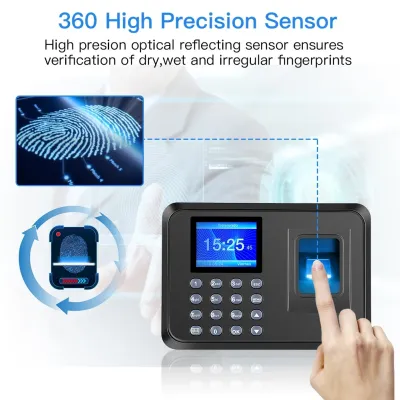

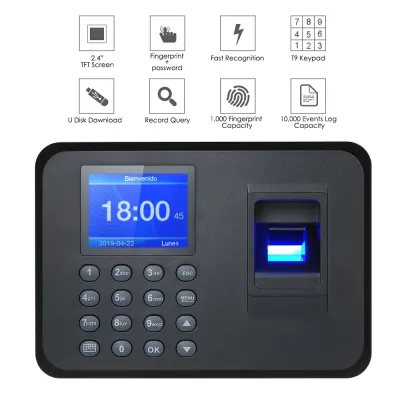
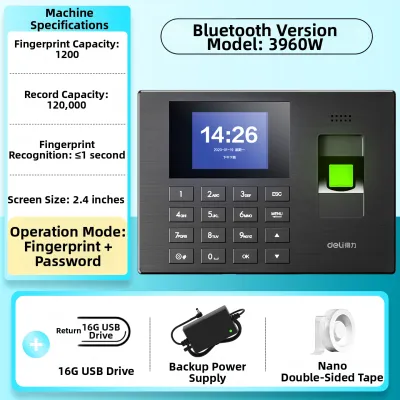
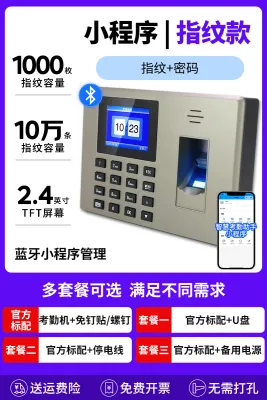
![[SG SELLER] MULTI-LANGUAGE BIOMETRICS FINGERPRINT 360 DEGREE ACCURATE IDENTIFICATION WITH BUILT-IN BATTERY AND USB FUNCTION - COMES WITH 2 YEAR WARRANTY](https://img.lazcdn.com/g/p/e2a60129da1e2b22239072b8fdf2d254.jpg_400x400q80.jpg_.webp)
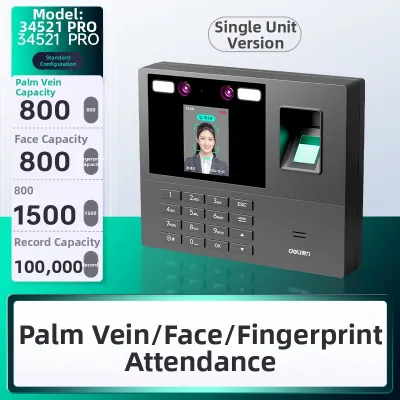
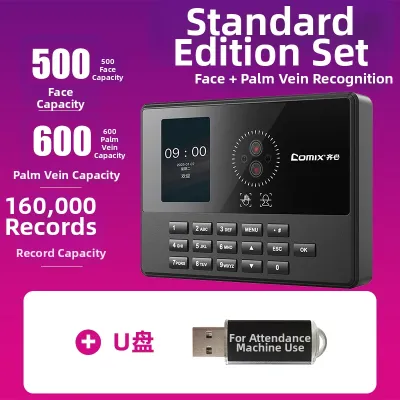
Prices are valid at publication and may change. Please refer to the product page for the latest price.
Multi-location synchronization is essential for larger campuses with multiple entry points, separate primary and secondary blocks, or specialized facilities. If a student registers their attendance at a side gate, that data must sync instantly with the central database. This real-time synchronization ensures that homeroom teachers and administrative staff have access to accurate, campus-wide attendance records from the moment the school day begins.
Integration with existing school management software is another vital consideration. The attendance hardware should seamlessly export data to your Student Information System (SIS) or parent notification platforms. This integration allows the school to automate daily tasks, such as sending instant notifications to parents when a student is marked absent or late, thereby improving communication and student safety.
Evaluating Hardware and Software Specifications
Evaluating hardware specifications requires a close look at sensor technologies. Optical sensors use light to capture fingerprint images and are highly durable, making them well-suited for the heavy daily use typical in schools. Capacitive sensors, which use electrical currents to map fingerprint ridges, offer high security against spoofing but can be more sensitive to dirt, moisture, and physical wear over time.

Identification speed and error rates directly impact the efficiency of your morning routine. Look for systems that specify a False Acceptance Rate (FAR) and a False Rejection Rate (FRR) within acceptable industry standards. A high FRR means students will repeatedly fail to scan, leading to frustration and delays. Always verify these metrics through hands-on testing rather than relying solely on manufacturer specifications.
Storage capacity limits must be checked for both biometric templates and offline transaction logs. A terminal should have sufficient internal memory to store multiple fingerprint templates per user, allowing students to register more than one finger in case of minor injuries. Additionally, the device must be capable of storing thousands of offline transaction logs locally to prevent data loss during network disruptions.
Connectivity options determine how easily the terminals integrate into your school’s IT infrastructure. Wired Ethernet connections, particularly those supporting Power over Ethernet (PoE), offer the most stable and secure data transmission. Wi-Fi provides installation flexibility in older school buildings where running physical cables is difficult, while RS485 interfaces can connect to legacy security systems. Ensure the vendor provides open APIs or software development kits for custom integrations.
Navigating Biometric Data Privacy and Compliance
Navigating biometric data privacy requires strict adherence to local regulations. In Singapore, biometric data is classified as personal data under the Personal Data Protection Act (PDPA). Schools must establish clear consent mechanisms, obtaining explicit written permission from parents or legal guardians before collecting, storing, or processing the fingerprints of minors.
Data encryption standards are critical for protecting sensitive biometric information. The system you choose should not store actual images of fingerprints. Instead, it must convert the physical print into an encrypted mathematical template that cannot be reverse-engineered. Verify that this data is encrypted both when stored on the device or server (at rest) and when transmitted across the school network (in transit).
Weighing the differences between local server hosting and cloud-based management is a key architectural decision. Local hosting keeps all biometric data within the school’s physical intranet, offering high control and security but requiring dedicated IT staff for maintenance. Cloud-based management offers easier remote access, automatic software updates, and scalability, but you must ensure the cloud servers are physically located in Singapore to comply with data residency guidelines.
Establishing clear procedures for data deletion is essential for maintaining compliance over time. When a student graduates or transfers, or when a staff member leaves the institution, their biometric templates must be permanently purged from all active terminals, local databases, and cloud backups. Documenting these deletion procedures helps demonstrate compliance during regular data protection audits.
Planning Installation, Maintenance, and Vendor Support
Planning the physical installation requires assessing environmental factors unique to Singapore. The tropical climate brings high humidity, ambient heat, and potential exposure to wind-blown rain at semi-outdoor school gates. To prevent premature hardware failure, select terminals with an appropriate Ingress Protection (IP) rating, such as IP65, which certifies resistance to dust and water splashes.
Power and network redundancy are vital to ensure uninterrupted operations. A sudden power outage or network drop should not prevent students from checking in. Look for terminals equipped with internal backup batteries or connect them to an Uninterruptible Power Supply (UPS). The system must support offline operation, saving all scans locally and automatically syncing them once connectivity is restored.
Establishing safe cleaning protocols is necessary to maintain sensor accuracy and hygiene. Shared touchpoints in schools can quickly accumulate dirt, sweat, and oils, which degrade scanner performance. Use dry, lint-free microfiber cloths to clean the sensor surface regularly. Avoid harsh chemical solvents or abrasive materials that can strip away protective coatings on optical glass or capacitive sensors.
Evaluating vendor service level agreements (SLAs) and local support is crucial for minimizing downtime. When a terminal malfunctions, a quick resolution is necessary to avoid administrative chaos. Ensure your contract includes local technical support in Singapore, with guaranteed response times for critical hardware replacements and software troubleshooting. Verify the warranty terms for both the physical devices and the accompanying software.
Building Your Vendor Shortlist and Evaluation Checklist
Building a vendor shortlist begins with requesting comprehensive site surveys. A professional vendor should inspect your school’s physical layout, network infrastructure, and power access points before submitting a proposal. Additionally, request a pilot testing phase where you can install a single terminal in a high-traffic area for a few weeks to evaluate its real-world performance and user acceptance.
Clarifying software licensing models is essential to avoid unexpected costs. Some vendors offer low upfront hardware prices but charge high recurring subscription fees for software access, cloud hosting, or mobile app features. Determine whether the software license is perpetual or subscription-based, and check for hidden fees related to firmware updates, database maintenance, or adding new user profiles.
Verifying the vendor’s experience in the educational sector is highly recommended. Schools have unique operational workflows, peak traffic patterns, and integration requirements that differ significantly from corporate offices. Ask shortlisted vendors for references or case studies from other schools in Singapore to confirm their ability to deliver a reliable, school-appropriate solution.
Confirming the availability of comprehensive training sessions is the final step in your evaluation. The vendor should provide hands-on training for administrative staff, IT personnel, and teachers. This training must cover fingerprint enrollment procedures, manual attendance overrides, report generation, and basic troubleshooting steps to ensure a smooth transition for the entire school community.
Frequently Asked Questions (FAQ)
Can fingerprint scanners work for young children with developing fingerprints?
Young children, particularly those in preschool or early primary school, have smaller, shallower fingerprint ridges that are still developing. This physical characteristic can lead to higher false rejection rates on standard optical scanners. For these age groups, schools should consider adjusting sensor sensitivity, updating templates annually as the child grows, or utilizing alternative authentication methods such as RFID smart cards or contactless facial recognition terminals.
What happens if the internet connection drops during morning attendance?
Modern fingerprint attendance terminals are designed with local memory to handle network disruptions. If the school’s internet or local network drops, the device continues to scan fingerprints and stores the timestamped transactions locally on its internal storage. Once the network connection is restored, the terminal automatically synchronizes the offline data with the central server, ensuring no attendance records are lost.
Are there hygiene concerns with shared fingerprint scanners?
Because fingerprint scanners require physical contact, they can accumulate oils, dirt, and microbes over the course of a school day. To address hygiene concerns, schools should place hand sanitizing stations next to each terminal and establish a daily cleaning routine using dry, lint-free microfiber cloths or manufacturer-approved sanitizing wipes. Alternatively, schools can explore contactless biometric options, though these may involve different cost and installation requirements.
Community discussion
Share your experience or ask a question. Comments are reviewed before publication.