
Selecting a biometric attendance system for a small school in Singapore requires balancing operational efficiency, student safety, and regulatory compliance. Unlike large institutions with dedicated IT departments, a smaller school needs a system that is easy to manage, highly reliable under local environmental conditions, and fully compliant with local data protection laws. The ideal choice depends on your specific enrollment size, the age of your students, and how well the hardware integrates with your daily administrative workflows.
Core Selection Criteria for Small Schools
Small schools typically have enrollments ranging from dozens to a few hundred students. While high-end enterprise systems support tens of thousands of users, small schools should look for devices optimized for their specific scale. It is vital to calculate not just the total number of registered profiles (students, teachers, and administrative staff) but also the daily transaction volume. For instance, if 200 students must check in within a 20-minute window before morning assembly, the system must process scans rapidly to prevent bottlenecks at the entrance.
Singapore’s tropical climate presents unique challenges for electronic hardware. If your installation point is a semi-outdoor foyer, sheltered walkway, or open-air gate, the device will be exposed to high humidity, ambient heat, and occasional wind-blown rain. You must verify the ingress protection (IP) rating of the hardware to ensure it can withstand these conditions. Furthermore, analyze the physical traffic flow. Placing a single terminal at a narrow main gate can cause congestion, whereas distributing two or three smaller terminals across key entry points can distribute the load more evenly.
Products mentioned in this guide
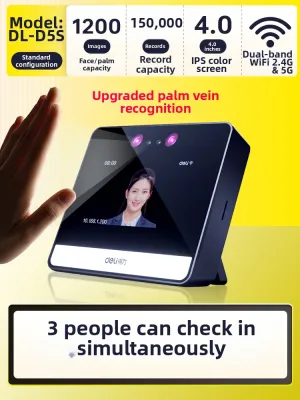
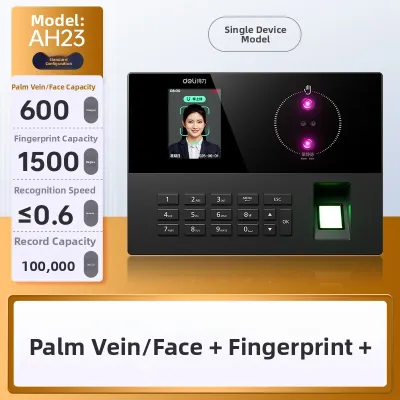
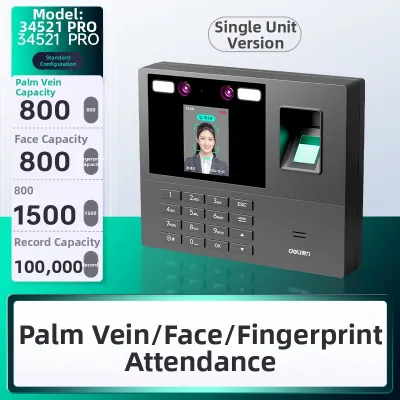
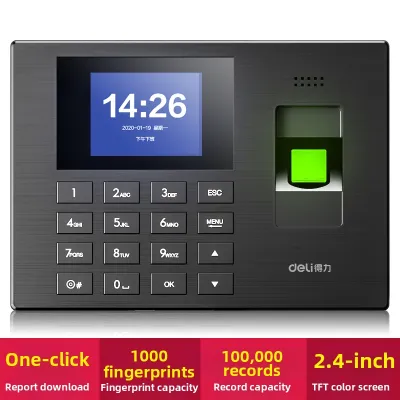
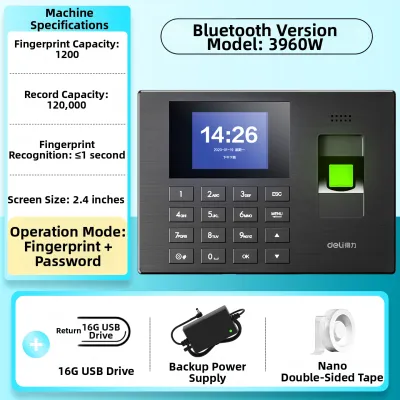
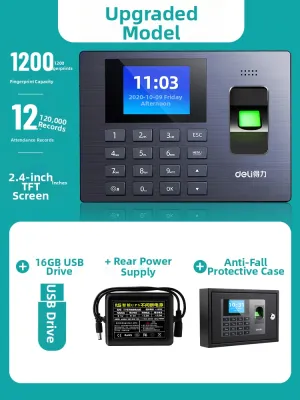
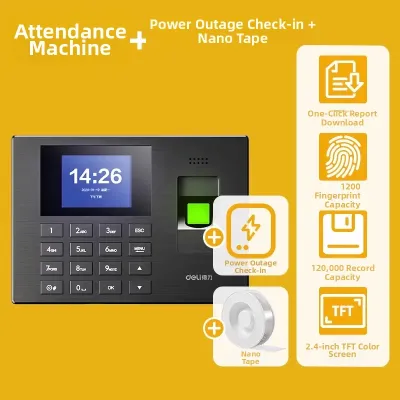
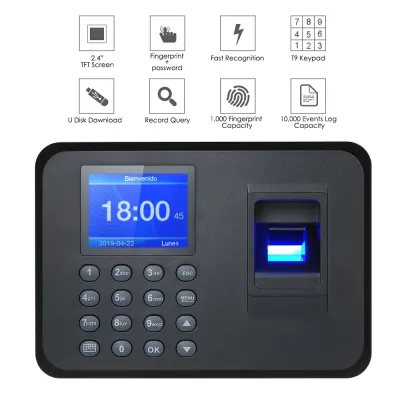
Prices are valid at publication and may change. Please refer to the product page for the latest price.
An attendance system should not operate in isolation. Consider how the collected data will flow into your existing school management systems, student portals, or parent communication channels. For example, many schools send automated notifications to parents when a student arrives or fails to check in by a certain time. Verifying whether the biometric system can export data in standard formats (such as CSV or XML) or connect directly via an Application Programming Interface (API) is crucial for automating these workflows and reducing manual administrative entry.
Evaluating Biometric Recognition Types for Daily Use
Fingerprint recognition is one of the most common and cost-effective biometric methods available. However, in a school environment, it requires careful evaluation. From a hygiene perspective, physical contact with a shared sensor can facilitate the spread of common school-yard illnesses. Regular cleaning protocols must be established, and you should verify if the sensor material can withstand frequent sanitization with alcohol-based wipes without degrading. Additionally, younger children often have less defined fingerprint ridges, which can lead to higher false rejection rates. Physical wear-and-tear from rough handling or dirty hands also means the sensor glass must be highly durable and scratch-resistant.

Facial recognition terminals offer a touchless alternative, which significantly improves hygiene and speeds up the check-in process. However, these systems are highly sensitive to environmental factors. You must assess the ambient lighting at your installation points; direct sunlight, harsh backlighting, or deep shadows can severely impact recognition accuracy. Camera angles must also be adjustable or wide enough to accommodate students of varying heights, from young primary students to adult staff members. From a privacy perspective, facial recognition requires clear signage and robust data handling policies, as facial templates are highly sensitive personal data.
No biometric system is completely foolproof. Temporary physical changes, such as a bandaged finger, a sudden facial injury, or even a severe cold, can prevent successful biometric verification. Therefore, any system you select must include reliable fallback mechanisms. Look for terminals that combine biometric scanning with alternative credential methods, such as personal identification numbers (PINs) or Radio Frequency Identification (RFID) cards. Having a clear manual override protocol for administrative staff ensures that registration errors do not disrupt the start of the school day.
Essential Hardware and Software Specifications to Verify
When evaluating hardware, pay close attention to the internal storage capacity. A device must be able to store both the user templates (the mathematical representations of fingerprints or faces) and the transaction logs (the actual time-stamps of check-ins). For a small school, a device that stores at least 1,000 templates and 50,000 transaction logs is generally sufficient. This ensures that even if the network connection is temporarily lost, the device can continue to record attendance for several weeks without overwriting older data.
Consider how the device communicates with your central database. Ethernet (LAN) connections offer the most stable and secure data transfer, but running network cables to school gates can be costly. Wi-Fi offers greater installation flexibility but requires a strong, uninterrupted wireless signal at the installation site. If your school uses a cloud-based attendance platform, the device must support secure, real-time cloud synchronization. For schools with unstable network infrastructure, local offline storage with periodic manual USB data extraction may be a more practical, albeit less automated, solution.
The hardware is only as good as the software that manages it. Verify whether the accompanying management software is compatible with your school’s operating systems (such as Windows, macOS, or Linux). If you plan to integrate the attendance data with third-party payroll systems for staff or student information systems (SIS), check if the manufacturer provides a software development kit (SDK) or open APIs. Without these, you may find yourself locked into a proprietary software ecosystem that requires tedious manual data transfers.
Privacy, Compliance, and Data Security Requirements
The choice between storing biometric data locally on the physical device or transmitting it to a cloud server has significant security implications. Local storage keeps sensitive biometric templates within the physical confines of the school, reducing the risk of external cyberattacks. However, if the physical device is stolen or damaged, that data could be lost or compromised. Cloud storage offers easier multi-device synchronization and automatic backups, but it requires robust encryption protocols (both during transmission and at rest) to protect the data from unauthorized access.
In Singapore, the collection, use, and disclosure of biometric data are strictly regulated under the Personal Data Protection Act (PDPA). Biometric data, such as physical characteristics used for identification, is considered highly sensitive personal data. Your school must ensure that the selected system and its software comply with PDPA principles. This includes implementing strong security safeguards to prevent data breaches, ensuring that biometric templates are encrypted and cannot be easily reverse-engineered into actual images of fingers or faces, and establishing clear data retention policies to delete templates once a student or staff member leaves the school.
Before deploying any biometric system, the school must establish clear consent protocols. For minor students, written consent must be obtained from parents or legal guardians before collecting their biometric data. The school must also provide a viable, non-discriminatory opt-out alternative—such as using a physical RFID card or a manual sign-in sheet—for families who do not wish to participate in biometric tracking. Transparency is key; clearly communicate how the data will be used, who will have access to it, and how it will be securely destroyed when no longer needed.
Building Your Shortlist and Planning the Purchase
Before committing to a purchase, request on-site product demonstrations from local vendors. This allows you to test the physical hardware, evaluate the user interface of the management software, and observe how quickly the sensors respond in real-world conditions. It is also essential to verify the availability of local technical support. If a terminal malfunctions on a school morning, having access to prompt local phone support or on-site technicians is critical to minimizing administrative disruption.
Carefully review the warranty terms and maintenance contracts offered by the manufacturer or distributor. A standard one-year warranty is common, but for school equipment subject to heavy daily use, negotiating an extended warranty or a comprehensive maintenance agreement is highly recommended. Ensure the contract covers regular firmware updates, which are vital for patching security vulnerabilities and improving recognition algorithms over time.
Rather than deploying the system across the entire school at once, plan a structured pilot test. Install a single terminal at a specific entrance or use it for a single classroom or grade level for a trial period of two to four weeks. This pilot phase allows you to identify practical challenges—such as slow scanning speeds, lighting issues, or user confusion—and refine your administrative processes before rolling out the system school-wide.
Frequently Asked Questions (FAQ)
Are biometric scanners suitable for young children?
Using biometric scanners for very young children, such as those in kindergarten or early primary levels, presents distinct physical challenges. A child’s fingerprints are still developing, and their skin ridges are much finer and softer than those of adults, which often leads to frequent scanning errors and high false rejection rates on standard fingerprint readers. Similarly, rapid physical growth can affect facial recognition consistency over time, requiring frequent profile updates. For early childhood environments, hybrid systems that utilize physical RFID cards, color-coded key fobs, or manual tablet-based check-ins managed by teachers are generally more reliable and less frustrating for young students.
How does the system handle power or network outages?
To maintain attendance records during infrastructure failures, you must verify the offline capabilities of the device before purchasing. Most modern biometric terminals feature internal non-volatile memory that saves user templates and records transaction logs locally even when disconnected from the network. Once the network connection is restored, the device should automatically synchronize the offline logs with the central server. For power outages, check if the terminal supports an uninterruptible power supply (UPS) battery backup, or establish a clear manual register protocol where teachers take physical attendance on paper until power is restored.
Community discussion
Share your experience or ask a question. Comments are reviewed before publication.