
Managing employee travel allowances and corporate gifts can be a complex administrative task, especially for businesses coordinating cross-border travel or regional transit benefits. Procuring Touch ‘n Go products in bulk offers an efficient way to streamline these expenses, providing employees with a reliable method to cover toll charges, parking fees, and daily transit costs. By establishing a structured corporate procurement process, organizations can simplify expense tracking, reduce manual reimbursement claims, and ensure that employees have the necessary tools for their daily commutes.
To successfully implement this program, decision-makers must navigate several key stages, from choosing the right format to setting up official corporate accounts and managing ongoing distributions. This guide outlines the essential steps to purchase physical cards or digital eWallet credits in bulk, helping your company establish a seamless and compliant allowance system.
Choose Between Physical Cards and eWallet Credits
Selecting the most suitable Touch ‘n Go format requires a clear understanding of your employees’ daily commuting habits and your organization’s operational capabilities. The two primary options available for corporate procurement are physical smart cards and digital eWallet credits, each serving distinct use cases.
Products mentioned in this guide
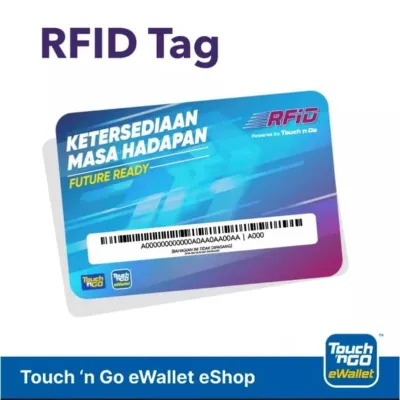

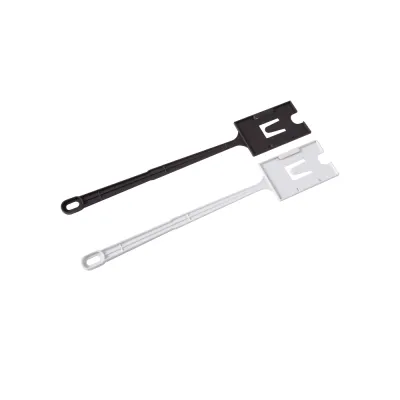

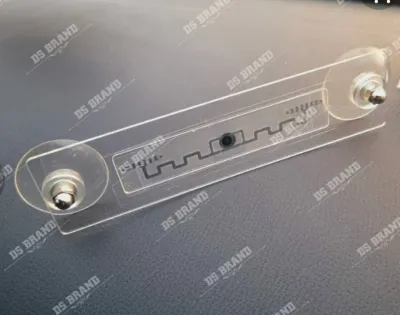



Prices are valid at publication and may change. Please refer to the product page for the latest price.
Physical cards are highly practical for employees who frequently drive and require a physical tap at highway toll booths, parking gates, and public transit readers. These physical cards typically follow standard smart card dimensions (CR80, similar to a standard credit card) and utilize Near Field Communication (NFC) technology. This physical format ensures compatibility with dedicated transit infrastructure where mobile devices cannot be used directly. However, physical cards require secure storage, manual inventory tracking, and physical distribution to employees, which can add to your administrative workload.
In contrast, digital eWallet credits offer a modern, mobile-first solution that eliminates physical logistics entirely. These credits are disbursed directly to the employee’s registered mobile number and are accessible via the official mobile application on compatible iOS and Android devices. Digital credits are ideal for retail purchases, QR-based payments, and online transactions. They provide immediate convenience to employees who prefer managing their finances digitally, though they may not be suitable for transit points that strictly require a physical card tap.
When deciding between the two formats, evaluate the primary commuting routes of your workforce. If your employees frequently travel across borders or use toll-heavy highways, physical NFC-enabled cards are generally the preferred choice. For general lifestyle allowances, retail benefits, or public transit systems that support mobile QR codes, digital eWallet credits offer a more streamlined and administratively efficient alternative.
Prepare Required Corporate Documents and Accounts
Before submitting a bulk procurement request, your administrative team must gather the necessary corporate documentation to verify your organization’s legal identity. This verification process is essential to comply with financial regulations and secure access to the official corporate portal.

For companies registered in Singapore, the primary document required is an updated Business Profile from the Accounting and Corporate Regulatory Authority (ACRA). This document confirms your company’s active status, registered address, and authorized directors. Additionally, you will typically need to provide official identification documents for the authorized corporate representative, a formal application letter written on company letterhead, and your corporate tax registration details.
Once these documents are prepared, the next step is to register a corporate account on the official Touch ‘n Go business portal. This dedicated portal serves as the central hub for managing your bulk orders, tracking distributions, and downloading financial statements. It is important to note that corporate policies, minimum order quantities (MOQs), administrative setup fees, and processing timelines are subject to change. Therefore, administrators should always check the official business portal to verify the most current requirements and fee structures before finalizing their application.
Execute the Bulk Order and Payment Process
With your corporate account successfully verified, you can proceed to the execution phase. The corporate portal provides a structured workflow that guides administrators through selecting the desired products and completing the transaction securely.
For physical card orders, administrators log into the portal, select the specific card type—such as the enhanced NFC-enabled version—and input the required quantity. For digital credit allocations, the process involves selecting the total allowance value to be distributed. For example, a company might decide to allocate a specific monthly allowance, such as the equivalent of S$50 or S$100, to support employee commuting costs.
To facilitate direct digital credit allocations, the portal typically requires the upload of a standardized distribution list. This list is usually prepared using a CSV or Excel template provided by the platform. Administrators must carefully populate this template with accurate recipient details, including the employees’ full names, unique staff identification codes, and the exact mobile numbers registered to their personal eWallet accounts. Double-checking these mobile numbers is critical, as any typographical error can result in failed transfers or misallocated corporate funds.
After configuring the order and uploading any required distribution lists, the system will generate a payment summary. Standard corporate payment methods generally include corporate bank transfers, telegraphic transfers, or direct debit systems. Once the payment is successfully processed and cleared, the portal will issue an official tax invoice and receipt. These documents are vital for your finance department to reconcile corporate expenses, manage tax reporting, and maintain clear audit trails.
Distribute Allowances and Verify Successful Activation
Once the bulk purchase is complete, the focus shifts to distributing the allowances and ensuring that employees can access their benefits without disruption. A structured rollout plan helps minimize confusion and reduces the volume of internal support queries.
For physical cards, establish a secure internal chain of custody. HR or administrative teams should log the serial numbers of each card and map them to the receiving employees. When distributing the cards, provide a clear, printed instruction sheet. This sheet should guide employees on how to register the card and link it to their personal mobile application. Linking the card is a crucial step, as it allows employees to monitor their balances, track transit history, and perform convenient mobile top-ups using their phone’s built-in NFC reader.
For digital credit allocations, the distribution process is automated through the corporate portal. Once the transaction is finalized, the credits are transferred directly to the employees’ registered accounts. Employees will typically receive an in-app notification confirming the receipt of their corporate allowance. It is advisable to send an internal company email notifying employees of the disbursement date so they know when to check their accounts.
Despite a careful rollout, some employees may encounter activation or linking issues. Common problems include mismatched mobile numbers, outdated mobile application versions, or device compatibility issues with NFC features. Administrators should establish an internal troubleshooting protocol. First, verify that the employee’s registered details match the uploaded distribution list. If the details are correct but the issue persists, the administrator can escalate the query to the official corporate support channel for technical assistance.
Manage Ongoing Top-Ups and Allowance Adjustments
Establishing a sustainable routine for recurring allowances ensures long-term administrative efficiency and keeps your employee benefit program running smoothly. The corporate portal offers tools to help you manage ongoing distributions and adapt to organizational changes.
Companies can choose between setting up automated, recurring monthly credit transfers or executing manual, one-time bulk top-ups as needed. Recurring transfers are highly efficient for standard monthly commuting allowances, as they reduce the administrative burden on your HR and finance teams. One-time bulk top-ups, on the other hand, offer flexibility for seasonal projects, temporary travel assignments, or special corporate events.
Managing the employee lifecycle is another critical aspect of ongoing administration. When onboarding new staff, administrators can easily add their details to the corporate portal to include them in the next distribution cycle. During offboarding, it is essential to remove departing employees from the active distribution list to prevent unauthorized future transfers. For physical cards, your company policy should clearly state whether departing employees must return the card or if they are permitted to keep it as a personal asset.
Finally, administrators must regularly monitor corporate account transaction limits and ensure that the company’s registration details remain fully updated. Keeping your authorized user list, contact information, and billing details current on the provider’s portal prevents service interruptions and ensures compliance with corporate governance standards.
Frequently Asked Questions (FAQ)
Can we customize the physical Touch 'n Go cards with our company logo?
Yes, custom co-branded physical cards are generally available for corporate clients who wish to feature their company logo or specific corporate designs. However, custom printing is subject to separate corporate applications, specific design guidelines, and higher minimum order quantities compared to standard cards. Companies should consult the official business portal to review current lead times, design approval workflows, and setup costs.
What happens to the remaining balance if an employee leaves the company?
The handling of remaining balances depends on the format of the allowance. Physical cards issued to employees can either be returned to the company or retained by the employee, depending on internal corporate policy. However, once digital credits are successfully transferred to an employee’s personal eWallet account, those funds belong to the individual and cannot be clawed back by the employer. Companies should establish clear internal policies regarding card returns and final allowance adjustments prior to an employee’s departure.
Are there tax implications for providing Touch 'n Go allowances to employees?
Providing transit or flexible spending allowances to employees may have tax implications, which vary depending on local tax regulations, the specific purpose of the allowance (such as business travel versus personal commuting), and how the benefit is structured. Because tax laws are complex and subject to change, companies should consult a qualified tax professional or the relevant local tax authority to ensure full compliance with corporate tax reporting and employee benefit regulations.
Community discussion
Share your experience or ask a question. Comments are reviewed before publication.