
Shipping small items across Singapore shouldn’t require expensive courier fees or leave you guessing whether your package arrived safely. The Tracked Letterbox service offers a reliable, middle-ground solution, combining the affordability of postal delivery with the security of end-to-end digital tracking. To buy and use these labels correctly, you must purchase them through official channels, verify that your package fits within strict physical dimensions, print and apply the barcode label without covering it, and drop it off at an authorized location for scanning. This guide details every step of the process to ensure your shipment arrives directly in your recipient’s letterbox without delay or additional surcharges.
Understanding SingPost Tracked Letterbox Limits and Eligibility
The Tracked Letterbox service is designed specifically for small, lightweight items that do not require hand-to-hand courier delivery. Instead of a delivery driver knocking on the door, the postman deposits the parcel directly into the recipient’s secure physical letterbox. This eliminates the common pain point of missed deliveries, as recipients do not need to be home to receive their packages.
Unlike standard parcel delivery services that can accommodate large boxes, the Tracked Letterbox service relies on the physical dimensions of standard residential and commercial mailboxes in Singapore. Automated sorting machines at central processing facilities sort these items dynamically. If a package is too thick or too heavy, it cannot pass through the automated sorting gates or fit into the physical mailbox slot.
Products mentioned in this guide
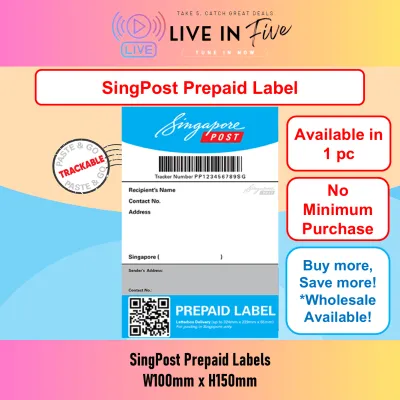
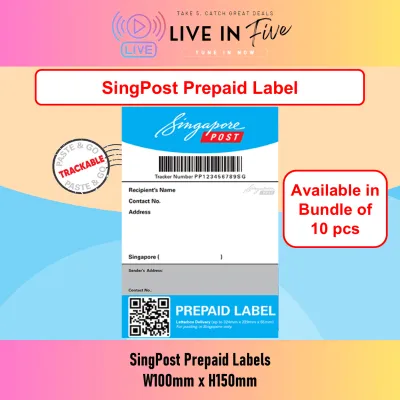
![[1/2/3/4 pcs] SingPost Prepaid Postage Label Tracked to Letterbox for Local delivery within Singapore](https://img.lazcdn.com/g/p/de7ebe2d3294ef869209b212ec59a91e.jpg_400x400q80.jpg_.webp)
![[Normal Mail] [3 pc] SingPost Prepaid Postage Label Tracked to Letterbox for Local delivery within Singapore](https://img.lazcdn.com/g/p/6e1e42a707aa766bca561d9ff7e455f1.png_400x400q80.png_.webp)
![[SG] [FREE SHIP] 1 Piece Singpost Tracked Prepaid Postage Label Local Singapore Delivery Stamp Postal Service](https://img.lazcdn.com/g/p/a3f54e576d00741f3dff9cb87c8de2cc.jpg_400x400q80.jpg_.webp)
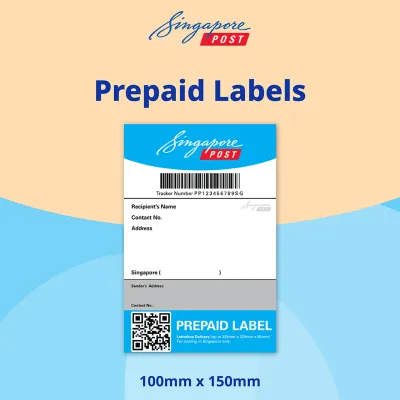
Prices are valid at publication and may change. Please refer to the product page for the latest price.
Typically, the maximum weight allowed is 2 kg, and the standard maximum dimensions are approximately 324 mm in length, 229 mm in width, and 65 mm in thickness. However, because postal regulations and machine tolerances can change, you should always check the latest official size, thickness, and weight limits on the official SingPost website before purchasing packaging or labels.
This service differs significantly from standard untracked mail and regular parcel delivery. Standard untracked mail has no tracking number and is subject to lower weight limits for basic letters. Regular courier or parcel delivery is delivered to the doorstep and has much larger size allowances but comes at a higher cost. Tracked Letterbox sits in the middle: it provides a unique tracking number, letting you monitor the journey from drop-off to the letterbox slot, but enforces strict physical limits.
Use a rigid ruler to measure the length, width, and height of your packed item. Do not estimate. If your package is bulging, measure the thickest point. If it exceeds the thickness limit even slightly, it will not fit through the letterbox aperture, leading to delivery failures, return-to-sender actions, or administrative surcharges.
Where to Buy SingPost Prepaid Labels
You can acquire these prepaid labels through several primary channels. The most convenient digital methods are the official website and the mobile app. If you prefer physical transactions or do not have a printer at home, you can purchase pre-printed physical labels at any post office counter or through authorized retail partners across Singapore.

When purchasing online via the website or app, navigate to the shipping or prepaid label section. Select “Tracked Letterbox” as your service tier. You will be prompted to enter the sender’s and recipient’s details, including the correct 6-digit Singapore postal code. Double-check these details, as the system generates the routing barcode based on the postal code and address provided. Select your payment method and complete the transaction in Singapore Dollars (S$).
Digital labels are delivered as a PDF file via email or within your app account after an online purchase. You must print this digital label yourself. Ensure your printer has sufficient ink or toner and is compatible with standard paper sizes. If you purchase physical labels directly at post offices, they are pre-printed adhesive labels. They are convenient if you do not own a printer, but you must manually write the recipient’s details on the designated fields or activate them according to the instructions provided at the counter.
Always keep your physical or digital purchase receipts. This receipt contains your transaction reference number and serves as proof of purchase if there is a printing error, a label activation issue, or if you need to contact customer support before the parcel enters the mail stream.
How to Pack and Apply the Prepaid Label Correctly
Selecting the Right Packaging
Choose a sturdy, appropriately sized box or a padded polymailer. The packaging must comfortably fit your items without stretching or bulging. Padded bubble envelopes or polymailers are highly recommended for non-fragile items because they are lightweight and conform easily to the letterbox shape. If using a cardboard box, opt for a slim, flat mailing box designed specifically for letterboxes. Avoid overly rigid, thick wooden or heavy plastic boxes that cannot flex slightly if they encounter a tight letterbox slot.
Securing the Contents
Place your items inside the packaging and use suitable void fill, such as bubble wrap or tissue paper, to prevent the contents from shifting during transit. Secure all seams of the package with high-quality packaging tape. Ensure there are no loose flaps or exposed adhesive surfaces, as these can stick to automated sorting machinery and damage your parcel or others.
Applying the Prepaid Label
If printing the label at home, use standard white paper or dedicated adhesive label sheets. Set your printer resolution to high or standard to ensure the barcode lines are sharp and distinct.
Because your package may encounter moisture or friction during transit, verify the ink’s durability. Run a quick smudge test: gently rub a dry finger over a test print to ensure the ink is fully dry and does not smear. If using an inkjet printer, be aware that standard dye-based inks can bleed if exposed to raindrops. You can perform a trial by placing a tiny drop of water on a non-critical corner of a test label to observe its water resistance. If the ink bleeds easily, consider using a laser printer or protecting the text areas—but never the barcode—with clear tape.
Position the printed label on the largest, flattest surface of the package. It must lie completely flat. Do not wrap the barcode around the edges or corners of the box or mailer. A folded barcode cannot be scanned by optical readers at sorting facilities.
Never cover the barcode or tracking number with clear adhesive tape. While it is tempting to tape over the entire label to protect it from water, the glossy surface of clear tape reflects light and causes glare. This glare prevents the automated optical scanners at POPStations and sorting hubs from reading the barcode, which can delay delivery or result in manual processing fees. If you must use tape to secure the label, apply it only to the outer blank borders of the label, leaving the barcode and text completely uncovered.
When cutting your printed labels or trimming packaging materials, always handle scissors or utility cutters with care. Work on a stable, flat surface to prevent accidental slips.
Dropping Off and Tracking Your Letterbox Parcel
Once your parcel is packed and labeled, you have multiple convenient drop-off options across Singapore. You can deposit the package into an open POPStation locker, hand it over the counter at any physical post office branch, or drop it into a traditional post box (only if the package is small enough to fit easily through the posting slot without forcing it).
To activate the tracking status in the system, the parcel must receive its first physical scan. Dropping your parcel off at a post office counter or scanning it at a POPStation locker ensures an immediate or rapid initial scan. If you drop it into a traditional street posting box, the tracking status will only update once the parcel reaches the central sorting facility and passes through the automated sorting machines.
Locate the unique tracking number on your label receipt or digital confirmation. Enter this tracking number on the official website tracking portal or within the mobile app. The tracking interface will display real-time updates as your parcel moves from the drop-off point, through the central sorting facility, and out for delivery.
The Tracked Letterbox service concludes when the postman successfully deposits the parcel into the recipient’s physical letterbox. The tracking status will update to “Delivered” or “Successful Delivery to Letterbox.” Because this is a letterbox-only service, no signature is required. If the postman finds that the letterbox is full, locked, or the parcel is too large to fit safely, they will typically leave a delivery advice slip, and the tracking status will update to reflect that a physical delivery attempt was made, instructing the recipient on how to collect their item from a designated post office or POPStation.
Frequently Asked Questions (FAQ)
What happens if my parcel exceeds the letterbox size limits?
If your package exceeds the official size, thickness, or weight limits, it cannot be processed under the Tracked Letterbox service. If you attempt to drop it off at a POPStation, the locker system may reject it during the scanning process. If it is dropped into a posting box and later flagged by automated sorting machines as oversized or overweight, the parcel may be returned to the sender (provided a return address is clearly written), require the recipient to pay a surcharge, or be held until you upgrade to a standard courier service at a higher cost. To avoid these delays and extra fees, always measure and weigh your packed parcel against the official limits before purchasing and applying your prepaid label.
Can I reuse a SingPost Tracked Letterbox prepaid label?
No, you cannot reuse these prepaid labels. Every Tracked Letterbox prepaid label is generated with a unique barcode and tracking number that represents a single, one-time postage payment. Once the barcode is scanned and the delivery journey is completed or the parcel is returned, that tracking number is permanently deactivated in the database. Attempting to photocopy, reuse, or print the same digital label multiple times for different shipments is a violation of postal guidelines. It will result in the automated sorting system flagging the duplicate barcode, leading to the rejection of the package, delivery delays, potential fines, or return-to-sender actions. Always purchase a fresh, unique label for every individual package you send.
Community discussion
Share your experience or ask a question. Comments are reviewed before publication.