
Choosing between a hot and cold laminating machine for a school or office depends on the types of documents you handle, how often you use the machine, and who will operate it. While hot laminators use heat to melt adhesive for a permanent, crystal-clear seal, cold laminators rely on pressure-sensitive adhesives that protect delicate, heat-sensitive materials. Understanding these practical differences ensures you select a machine that protects your documents without causing accidental damage or inflating your operating costs.
Understanding the Core Differences Between Hot and Cold Lamination
Hot laminators feature internal heating elements, such as heated rollers or plates, that reach temperatures typically between 100°C and 150°C. This heat melts the copolymer adhesive on the inside of a thermal laminating pouch, bonding it directly to the fibers of the paper. This process creates a highly durable, water-resistant seal that is ideal for items requiring long-term protection.
Cold laminators, by contrast, use no heat. They employ heavy, high-pressure rollers to activate a pressure-sensitive adhesive on the laminating film. This mechanical pressure forces the adhesive to bond with the document, making it an excellent choice for items that might melt, warp, or discolor when exposed to high temperatures.
Products mentioned in this guide
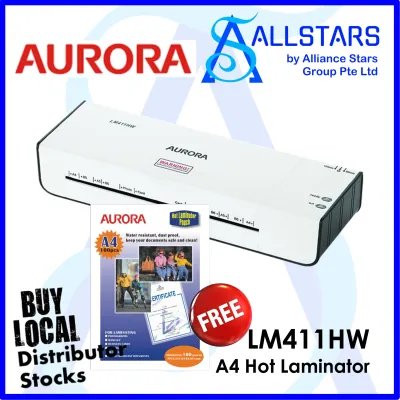
![[SG] Aurora A4/A3 Laminator with free A4 pouch | LM4231H / LM3231H [Evergreen Stationery]](https://img.lazcdn.com/g/p/e9380a4387732b31c8219f5ec66c95da.jpg_400x400q80.jpg_.webp)
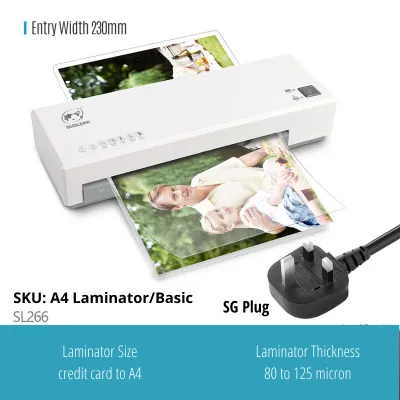
![[SG] A4 Laminating Machine Professional Laminator 320mm for Paper Pictures Documents Photo](https://img.lazcdn.com/g/p/f39f3725850ced7b02145d6fd93fb98e.jpg_400x400q80.jpg_.webp)
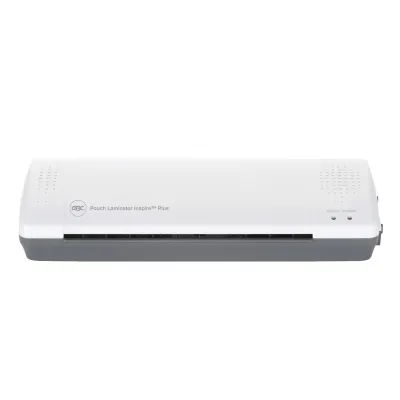
![[SG] GBC Inspire Plus A4/A3 Laminator + FREE 100pcs A4 Laminating Pouch | WHILE STOCKS LAST [Evergreen Stationery]](https://img.lazcdn.com/g/p/2a4715d31debd35f8897e5c972d306d7.jpg_400x400q80.jpg_.webp)
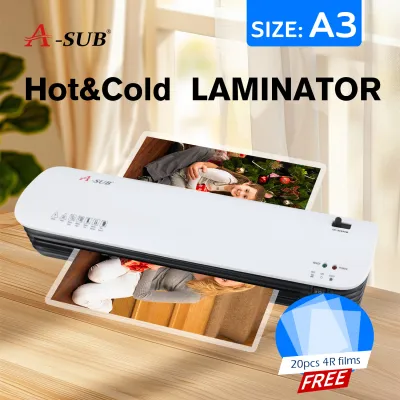
Prices are valid at publication and may change. Please refer to the product page for the latest price.
Consumable structures differ significantly between the two types. Thermal pouches are rigid before lamination and only become flexible and sealed after passing through a heated machine. Cold laminating consumables are available as individual self-adhesive pouches or continuous rolls, featuring a protective backing paper that you peel away before or during the rolling process.
Preparation requirements also set these technologies apart. A hot laminator requires a warm-up period, often ranging from three to ten minutes, to reach its operating temperature. Cold laminators require zero warm-up time, allowing you to complete quick, single-sheet tasks immediately without waiting for heating elements to prime.
Key Decision Factors for School and Office Environments
Document sensitivity is the most critical factor when choosing a laminator. Standard copy paper, cardstock, and laser-printed documents tolerate heat exceptionally well, making them ideal for hot lamination. However, thermal paper, certain inkjet prints, photographs, and historical certificates can degrade, turn black, or bleed when subjected to high temperatures. For these delicate items, cold lamination provides a safe, heat-free alternative that preserves the original ink and paper structure.

Usage frequency and throughput dictate the physical demands on your equipment. In a busy school workroom or a high-volume corporate office, batch processing dozens of classroom aids or presentation covers is common. Hot laminators are highly efficient for continuous batching once warmed up, as they feed consistently and use cost-effective thermal pouches. For occasional, spontaneous laminating tasks, a cold laminator or a dual-mode machine set to “cold” saves time by eliminating the wait for the machine to heat up and cool down.
Space and portability are practical considerations for shared workspaces. Compact, entry-level hot laminators often have a small footprint, making them easy to store in a cabinet or place on a small desk. Heavy-duty cold roll laminators, often used for large-format posters in schools, require dedicated table space and are less convenient to relocate. Assess your available workspace and determine whether a portable desktop unit or a stationary workroom fixture fits your layout.
Safety and supervision are paramount, particularly in educational settings. Hot laminators present a burn hazard, as the exterior casing and the exiting laminated document can become very warm. If students or unsupervised staff members will operate the machine, a cold laminator eliminates the risk of accidental burns entirely. For environments where hot lamination is necessary, look for machines designed with heat-shielded double-walled casings to keep the exterior cool to the touch.
Comparing Costs: Machine Price, Consumables, and Long-Term Value
Evaluating the financial impact requires looking beyond the initial purchase price. When researching options at local office supply retailers or online marketplaces, you will find that basic hot laminating machines are widely available. While basic hot laminators can often be found for under S$50 at local retailers, specialized cold roll laminators or high-end dual-function machines require a larger upfront investment.
Consumable costs represent the true long-term expense of laminating. Thermal pouches are manufactured in massive quantities, making them highly economical on a per-sheet basis. Cold laminating pouches and rolls, which require specialized pressure-sensitive adhesives and release liners, generally carry a higher cost per use. If your school or office laminates hundreds of pages monthly, the lower cost of thermal consumables will quickly offset the initial price of a hot laminating machine.
Hidden costs can also influence your budget over time. Hot laminators consume more electrical power due to their heating elements, especially if left running on standby throughout the workday. Additionally, factor in the cost of wasted materials; a poorly fed thermal pouch can wrap around heated rollers, causing a jam that may ruin the document and require complete machine replacement. Cold laminators, while having higher consumable costs, run entirely on manual hand-cranks or low-power motors, minimizing energy consumption and reducing the risk of heat-induced adhesive melt jams.
Feature Checklist: What to Verify Before You Buy
Before finalizing your purchase, verify the maximum lamination width and thickness compatibility on the product specification label. Standard desktop machines typically accommodate A4 or A3 widths. Ensure the machine can handle the specific pouch thicknesses you plan to use, which are measured in microns (typically ranging from 75 microns for flexible protection to 250 microns for rigid, heavy-duty cards).
Look for essential operational features that prevent frustration during daily use. A jam release lever or reverse switch is crucial; it allows you to disengage the rollers manually to pull out a misfed pouch before it wraps around the internal mechanism. If you choose a hot laminator, look for a model that also includes a dedicated cold setting, giving you the flexibility to switch to pressure-sensitive laminating when handling delicate items.
Safety and energy-saving designs provide peace of mind in shared environments. Verify if the machine features an auto-sleep or auto-shutoff function that cuts power after a period of inactivity, reducing fire risks and energy waste. Temperature indicator lights or audible alerts are also helpful, signaling exactly when the machine has reached the correct operating temperature to prevent incomplete seals from premature feeding.
Final Decision Framework: Which Laminator Fits Your Needs?
To make your final decision, consider how your specific daily tasks align with these two technologies. Choose a hot laminator if your primary goal is to create durable, water-resistant classroom materials, signs, or reference sheets on standard paper, and you want to keep consumable costs as low as possible over years of heavy use.
Opt for a cold laminator if you frequently work with heat-sensitive materials like photographs, glossy inkjet prints, or self-adhesive stickers, or if you need a completely safe, heat-free machine that students can operate without direct supervision.
If you manage a diverse mix of documents, verify the versatility of your chosen model. A dual-mode laminator that supports both hot thermal pouches and cold pressure-sensitive films offers the most flexible path, allowing you to adapt to changing school or office projects while protecting your valuable documents from heat damage.
Frequently Asked Questions (FAQ)
Can I use cold laminating pouches in a hot laminating machine? (FAQ)
No, you should never use cold laminating pouches in a hot laminating machine while the heating elements are active. Cold laminating pouches use pressure-sensitive adhesives that are designed to bond without heat. If subjected to the high temperatures of a hot laminator, this adhesive can melt rapidly, leak out of the pouch edges, and coat the internal rollers. This creates a sticky residue that can ruin subsequent documents, cause severe jams, and potentially damage the machine permanently. Always verify the consumable compatibility in your user manual before feeding any pouch into the machine.
How do I clear a jammed pouch without damaging the machine? (FAQ)
If a pouch becomes jammed, immediately turn off the power and unplug the machine from the wall outlet to prevent overheating or electrical hazards. If your laminator is equipped with a manual jam release lever or reverse switch, engage it to release roller pressure, then gently and slowly pull the pouch back out through the entry slot. Never use sharp metal objects like scissors, knives, or paperclips to pry a jam loose, as these will scratch and ruin the delicate silicone rollers. Allow the machine to cool completely before attempting any further inspection, and consult your specific model’s user manual for step-by-step troubleshooting instructions.
Is it necessary to use a pouch carrier for hot lamination? (FAQ)
Whether you need a pouch carrier depends entirely on your specific laminator’s design and manufacturer instructions. A carrier is a protective cardboard or paper sleeve that holds the laminating pouch as it passes through the machine, preventing excess adhesive from squeezing out and contaminating the heated rollers. While older or heavy-duty commercial laminators often require carriers to prevent jams, many modern desktop laminators feature carrier-free technology with specially coated rollers that resist adhesive buildup. Check your machine’s product specifications and user manual to verify if a carrier is required, as using one in a machine designed for carrier-free operation can sometimes cause under-heating and poor seal quality.
Community discussion
Share your experience or ask a question. Comments are reviewed before publication.