
If your GBC Paper Shredder X312 has suddenly stopped working, it can bring your document disposal tasks to a grinding halt. Fortunately, a sudden failure to run, a stubborn paper jam, or an unexpected shutdown does not necessarily mean your machine is broken permanently. Most operational issues with this specific cross-cut shredder stem from simple, easily resolvable causes such as a misaligned safety switch, a triggered thermal overload sensor, or paper fibers blocking the cutting blades. By following a systematic diagnostic process, you can safely identify the root cause of the problem and apply the correct fix to restore your shredder to optimal performance.
Initial Safety and Setup Checks for the GBC X312
Before attempting any mechanical troubleshooting or clearing paper from the cutting blades, verify that the basic setup and safety conditions of your GBC X312 are fully met. Many apparent power failures are actually safety features operating exactly as designed.
First, verify that the power cable is securely plugged directly into a functional wall outlet. Avoid using extension cords or multi-way adapters, as these can fail to deliver the consistent electrical current required by the shredder’s motor under load.
Products mentioned in this guide
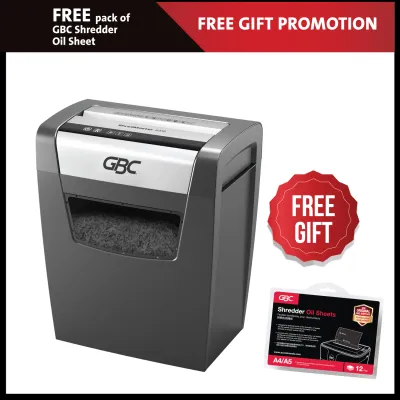
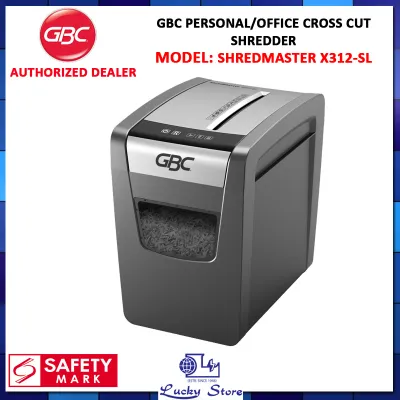
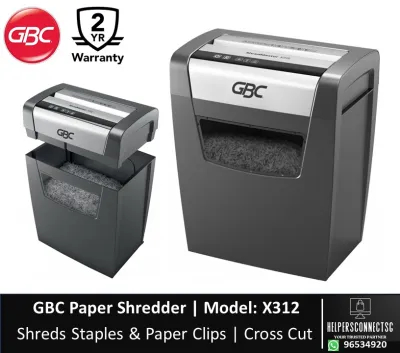
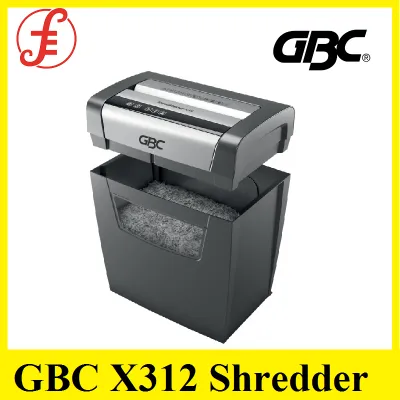
Prices are valid at publication and may change. Please refer to the product page for the latest price.
Next, examine how the heavy shredder head is seated on the wastebasket. The GBC X312 features an integrated safety interlock switch with a small plastic peg on the underside of the head unit that must perfectly align with and depress a corresponding slot on the rim of the bin. If the head is slightly misaligned, tilted, or lifted by accumulated paper debris, the safety switch will remain open, cutting off power to the motor. Lift the head off, clear any stray paper scraps from the bin’s rim, and firmly reseat the unit.
You must also check the wastebasket’s fill level. A full bin causes shredded paper to pile up and press back into the cutting head from below, physically blocking the blades and leading to immediate jams. Empty the bin completely before proceeding.
Finally, confirm that the power switch on top of the unit is set to the correct operational mode. Ensure it is set to the ‘Auto’ or ‘On’ position rather than ‘Off’ or ‘Reverse’ (REV).
Step-by-Step Fixes for Common GBC X312 Shredder Problems
When basic setup checks do not resolve the issue, you must systematically address the specific symptoms your shredder is exhibiting. Always prioritize safety: before performing any physical inspection, clearing, or maintenance near the cutting blades, turn off the machine and unplug it from the wall outlet.

The Shredder Won't Turn On or Has No Power
If your GBC X312 shows no signs of life—no lights, no motor hum, and no movement—the issue is almost certainly electrical or safety-related. Start by testing the wall outlet itself. Unplug the shredder and plug in a known working device, such as a desk lamp. If the test device does not work, check your electrical panel for a tripped circuit breaker.
Next, closely inspect the shredder’s power cord along its entire length. Look for any visible signs of damage, such as deep kinks, fraying, cuts in the protective insulation, or exposed copper wiring. If you detect any physical damage to the cord, stop using the machine immediately and contact an authorized GBC service center in Singapore for a replacement cord.
If the outlet is functioning and the cord is intact, the culprit is likely the safety interlock switch. Over time, fine paper dust can accumulate inside the narrow slot on the wastebasket rim where the safety peg inserts, preventing the peg from fully depressing the internal switch. Unplug the machine, use a dry cotton swab to clean out any dust from the slot, and then firmly reseat the head unit.
Paper Jams and the Motor Stops Mid-Shred
Paper jams typically occur when too many sheets are fed at once, when paper is inserted at a sharp angle, or when damp sheets clump together—a common occurrence in Singapore’s humid climate, where paper stored in open trays can absorb moisture from the air.
If your GBC X312 stops mid-shred and the motor hums loudly without pulling the paper through, act quickly. Immediately switch the power button to the Reverse (REV) position to back the jammed paper out of the top feed slot, then gently pull it out.
If the reverse function does not clear the jam, turn off the power and unplug the cord from the wall outlet. Under no circumstances should you attempt to clear a stubborn jam while the machine is plugged in.
With the machine safely disconnected, carefully pull the visible paper from the top feed slot. Do not use sharp metal tools such as scissors, screwdrivers, or knives to pry it out. These hard metal objects can easily chip or misalign the precision-engineered steel cutting cylinders. Instead, use a pair of long-nose plastic tweezers or your fingers to pull the paper scraps free, working with extreme caution.
To clear the underside, carefully lift the shredder head off the bin and place it upside down on a flat surface. Inspect the cutting rollers from underneath. Often, paper strips can wrap tightly around the rotating axles, binding the mechanism. Use your fingers or tweezers to gently pull these wrapped scraps free. Once cleared, place the head back on the bin, plug the unit in, and test it by feeding a single sheet of standard 80gsm paper to verify smooth operation.
Motor Overheating and Thermal Shutdown
The GBC X312 is designed for light to medium duty cycles and features an internal thermal overload protector. When the shredder is operated continuously for an extended period, or forced to shred heavy stacks near its limit, the motor generates significant heat. To prevent the motor from burning out or creating a fire hazard, the thermal sensor automatically cuts off power to the machine.
If your shredder suddenly stops working mid-session and the power light is off, the thermal shutdown has likely been triggered. Immediately turn the power switch to the Off position and unplug the unit from the wall outlet.
Move the shredder to a well-ventilated area to facilitate cooling. In Singapore’s warm tropical environment, cooling can take slightly longer, so let the machine rest undisturbed for at least 30 to 45 minutes. Do not attempt to turn the machine back on or reset it repeatedly during this period, as doing so will only interrupt the cooling process and potentially cause long-term thermal degradation to the motor’s windings.
Unusual Noises or Slow Shredding Performance
If your GBC X312 continues to run but makes unusual grinding, clicking, or high-pitched squeaking noises, or if it shreds paper at a fraction of its normal speed, the mechanical components are experiencing excessive friction or interference.
A loud grinding or clicking sound usually indicates that a foreign object is caught in the cutting cylinders. While the GBC X312 can handle standard paper staples, it is not designed to shred heavy-duty paper clips, industrial staples, coins, plastic bindings, or thick cardboard. Unplug the machine immediately and inspect the feed slot and the underside of the cutter head. If you locate a foreign object, use tweezers to carefully extract it.
Squeaking, screeching, or slow operation is typically a sign of dry, unlubricated blades. As paper passes through the cutters, it strips away the factory lubrication and leaves behind fine paper dust, which absorbs oil and increases friction.
To resolve this, you must lubricate the blades. The safest and most convenient method is to use a dedicated shredder lubricant sheet. Simply feed the pre-oiled sheet directly into the paper entry slot as you would a normal piece of paper to distribute oil across the cutting cylinders, instantly reducing friction and restoring normal cutting speed.
Quick Diagnosis Table: Symptoms, Causes, and Solutions
To help you quickly identify and resolve issues with your GBC X312, use the diagnostic reference table below to map common symptoms to their immediate solutions.
| Symptom | Most Likely Cause | Quick Fix |
|---|---|---|
| No power / Won't start | Misaligned shredder head, blocked safety interlock slot, or inactive wall outlet | Reseat the head unit, clean the interlock slot with a cotton swab, and verify the outlet works with another device. |
| Paper jam / Motor hums but won't pull | Overfeeding sheet capacity, angled paper insertion, or damp paper clumping | Unplug the machine, use the Reverse (REV) function if possible, or carefully clear the feed slot manually using tweezers. |
| Machine stops suddenly during use | Activated thermal overload protector or a completely full wastebasket | Turn off and unplug the unit, empty the wastebasket, and allow the motor to cool down for 30 to 45 minutes. |
| Loud grinding or squeaking noise | Foreign objects (clips, coins) caught in cutters, or dry, unlubricated blades | Unplug and extract any foreign objects, then run a manufacturer-approved lubricant sheet through the machine. |
When to Stop and Contact GBC Support or a Professional
While many common issues can be resolved with basic troubleshooting, it is vital to recognize the limits of user-level maintenance. Certain symptoms indicate severe internal electrical or mechanical failures that pose significant safety hazards.
Stop using the shredder immediately, unplug it from the wall, and do not attempt to turn it back on if you experience any of the following critical red flags:
- A strong burning smell or visible smoke coming from the motor housing.
- Exposed, frayed, or melted wiring on the power cord or plug.
- A motor that hums loudly but the blades do not rotate at all, even when the feed slot and underside are completely clear of paper.
- The machine operating continuously on its own when no paper is in the feed slot.
Never attempt to open the plastic motor housing of the GBC X312 or bypass any internal safety switches. The housing contains high-voltage electrical components and sharp gears that can cause severe electrical shock or physical injury. Furthermore, opening the housing will immediately void any remaining manufacturer warranty.
If your shredder exhibits these severe issues, contact authorized GBC service centers or certified office equipment repair professionals in Singapore to handle internal diagnostics and repairs safely.
Preventive Maintenance to Keep Your Shredder Running Smoothly
Proactive daily care is the most effective way to extend the lifespan of your GBC X312 and prevent unexpected downtime. By establishing a simple maintenance routine, you can keep the machine running quietly and efficiently.
First, make it a habit to empty the wastebasket before it reaches the maximum fill line. When the bin is overfilled, shredded paper strips have nowhere to go and are forced back up into the cutting assembly. This causes severe, compacted jams that are highly difficult to clear and put immense strain on the motor gears.
Second, always verify what materials you are feeding into the machine. Although the GBC X312 is capable of shredding standard paper staples, you should remove heavy-duty staples, large paper clips, plastic binder covers, and adhesive-backed labels or tape. Adhesive residue from stickers can coat the blades, attracting paper dust and creating a sticky, gummy buildup that binds the cutters.
Third, lubricate the cutting blades regularly. For moderate office use, running a dedicated shredder lubricant sheet through the machine every two to three weeks—or immediately after emptying a full wastebasket—is highly recommended.
Finally, avoid pushing the machine to its absolute limits. While the GBC X312 is rated for a maximum capacity of 12 sheets of standard paper per pass, feeding slightly below this limit (around 8 to 10 sheets of standard 80gsm paper) significantly reduces wear and tear on the motor and internal gears, ensuring your shredder remains reliable for years to come.
Frequently Asked Questions (FAQ)
Here are answers to some of the most common questions regarding the proper care, lubrication, and operation of your GBC X312 paper shredder.
Can I use WD-40 to lubricate the GBC X312 shredder blades?
You should strongly avoid using WD-40, aerosol lubricants, or household cooking oils to lubricate your GBC X312 shredder. WD-40 is a penetrating solvent and water-displacing spray, not a proper lubricant for high-friction cutting machinery; it can break down the existing factory grease on the internal gears. Additionally, aerosol sprays contain highly flammable propellants that can accumulate inside the motor housing. When the electric motor sparks during operation, these vapors can ignite, posing a serious fire hazard. Household cooking oils will quickly turn rancid, attract paper dust, and form a thick, sticky residue that permanently jams the cutters. Always use dedicated, non-aerosol shredder oil or manufacturer-approved lubricant sheets.
How long should I let the shredder cool down after it overheats?
You should let your GBC X312 cool down for at least 30 to 45 minutes after a thermal shutdown occurs. The internal thermal overload sensor requires this time to cool down sufficiently and reset its electrical contacts. Rushing to turn the shredder back on too soon—even if the motor hums briefly—will quickly re-trip the thermal sensor and can cause permanent, cumulative damage to the motor’s internal windings. For the fastest and safest cooling, turn the machine off, unplug it from the wall, and leave it in a cool, well-ventilated room before attempting to shred again.
Community discussion
Share your experience or ask a question. Comments are reviewed before publication.