
Navigating daily travel requires a reliable payment method that seamlessly transitions between train gantries, bus readers, and in-vehicle units. For years, the choice for commuters and motorists has centered on two primary stored-value options: the FlashPay card and the EZ-Link card. Both cards utilize contactless technology to facilitate swift payments across the entire public transit network and Electronic Road Pricing (ERP) system. While their core transit functions are virtually identical, subtle differences in their payment networks, top-up ecosystems, and auxiliary features can significantly impact your daily convenience.
Understanding how these cards operate under the hood helps clarify why one might suit your routine better than the other. Both systems rely on radio-frequency identification (RFID) chips embedded within the card body, allowing readers to deduct fares in a fraction of a second. However, because FlashPay is managed by NETS and EZ-Link is managed by EZ-Link Pte Ltd under the SimplyGo umbrella, they hook into different merchant networks and banking partnerships. Evaluating these differences ensures you select a card that minimizes manual top-up hassles and integrates smoothly with your existing financial tools.
Core Differences in Card Features and Acceptance
When it comes to basic transit and motoring coverage, both FlashPay and EZ-Link cards offer universal acceptance. You can tap either card at any MRT or LRT gantry, on any public bus, and insert them into compatible In-Vehicle Units (IUs) or On-Board Units (OBUs) for ERP payments. This universal compatibility means that from a purely functional standpoint, neither card holds a geographic advantage within the public transportation network. However, the physical formats and additional retail acceptance networks differ between the two.
Products mentioned in this guide
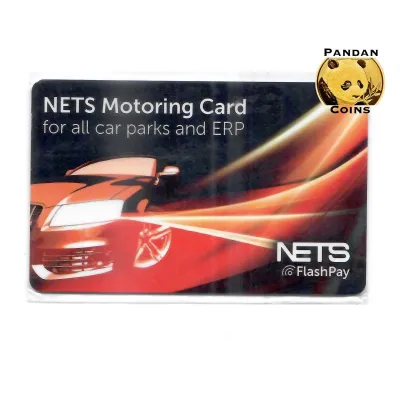
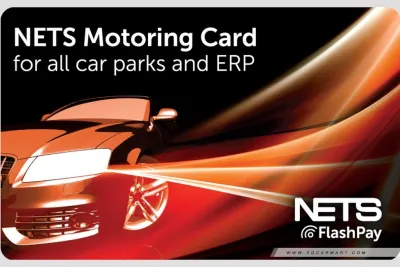
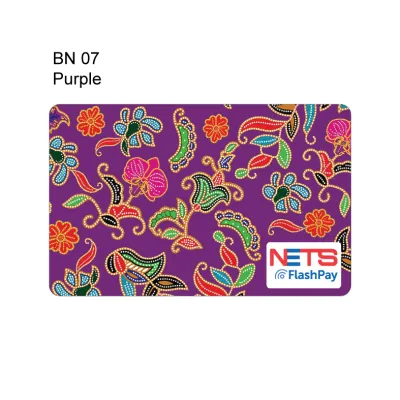
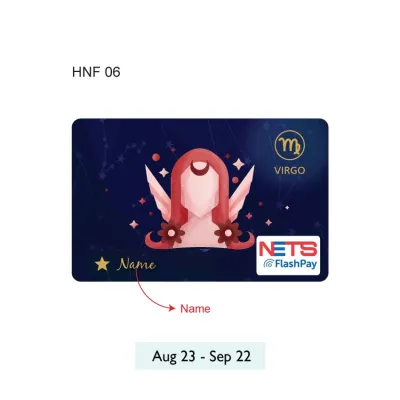
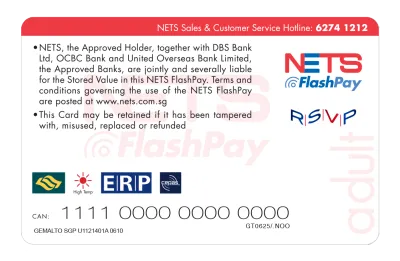
Prices are valid at publication and may change. Please refer to the product page for the latest price.
Physical form factors have evolved beyond the standard plastic card. Both brands offer alternative form factors designed for convenience and personal style. You can find transit charms, which are compact, decorative keychains containing the same contactless chip as a standard card. These charms can be hung from bags or phones, allowing you to tap through gantries without fumbling through a wallet. Wearable options, such as smart bands or watch straps with embedded chips, are also available. When purchasing these alternative form factors, it is essential to verify their compatibility with standard transit readers, as some older readers or specific retail terminals may have difficulty scanning thicker or non-standard shapes.
Another critical factor to consider is the card’s lifespan. Every stored-value card has a built-in expiry date, typically set to several years from the date of manufacture. Once a card expires, it can no longer be used to tap through gantries or pay for ERP. You can verify your card’s expiry date by placing it on a transit ticketing machine, checking the card details within the respective mobile application, or inspecting the original packaging if you are purchasing a new card. Keeping track of this date prevents unexpected gantry rejections during your morning commute.
Top-Up Methods and Auto-Reload Convenience
Keeping your card funded is the most frequent interaction you will have with your stored-value device. Manual top-up locations are widely distributed across the island. You can add value at transit station ticketing machines, self-service kiosks, and designated convenience stores. While transit station kiosks do not charge a fee for top-ups, some third-party retail merchants and convenience stores may impose a small service fee per transaction. It is always wise to check for posted fee notices at the counter before initiating a manual top-up.

For a more seamless experience, both card systems offer auto-reload services that automatically replenish your balance when it falls below a specific threshold. This feature is particularly beneficial for motorists who want to ensure their card always has sufficient funds before passing through an ERP gantry. To set up auto-reload, you must link your card to a credit card, debit card, or bank account via the respective brand’s mobile application. Once configured, a pre-determined amount—such as S$10, S$20, or S$30—is automatically charged to your linked payment method whenever your card balance drops below a set limit.
Before committing to one system, verify the specific bank partnerships and terms associated with each card’s auto-reload service. Some credit cards offer cashback or reward points for transit transactions, while others explicitly exclude them. Additionally, check if there are any convenience fees associated with the auto-reload service. While many bank partnerships offer fee-free automatic top-ups, certain credit cards or payment networks may incur processing fees. Reviewing these terms beforehand helps you avoid unexpected charges on your monthly bank statements.
Fees, Deposits, and Card Replacement Policies
Understanding the financial commitments of owning a stored-value card involves looking at the initial purchase price, deposit structures, and replacement policies. When you buy a standard physical card, the total cost typically consists of two parts: a non-refundable card fee and an initial stored value. For example, a card purchased at a transit ticket office might cost S$10, which includes a S$5 non-refundable card fee and S$5 of usable credit. This non-refundable fee covers the cost of manufacturing and distributing the physical card. You can verify the exact breakdown of these costs at the point of purchase, as promotional designs or limited-edition cards may have different pricing structures.
If your card is lost, stolen, or damaged, the recovery process depends on whether you have registered the card. Unregistered cards are treated like cash; if you lose them, the remaining stored value cannot be recovered or blocked. However, if you register your card through the official mobile app or portal, you can report the loss to freeze the remaining balance. Once reported, the card is blacklisted, and the remaining funds can be transferred to a new card or refunded to your bank account. Note that physical replacement cards usually incur a new card fee, and you may need to provide identification documents to verify ownership during the refund process.
For expired cards or cards you no longer wish to use, you can request a refund of the remaining stored value. This process is generally handled at official transit ticketing offices. You will need to present the physical card to the customer service officer, who will read the chip to determine the exact remaining balance. The refund is then processed and returned to you, though the processing time and method (cash or bank transfer) can vary depending on the card type and the specific terms of the issuing authority. Always check if any administrative fees are deducted from the refunded balance.
How to Decide: Match the Card to Your Daily Routine
Choosing the right card comes down to aligning its specific ecosystem with your daily habits and existing financial tools. If you frequently shop at hawker centres, food courts, or retail outlets that heavily utilize the NETS payment network, a FlashPay card can serve as a highly versatile multi-purpose tool. It allows you to transition seamlessly from transit to retail payments within the same merchant network. Additionally, if your primary bank offers co-branded debit or credit cards with built-in FlashPay functionality, you can consolidate your wallet by using a single card for banking, commuting, and motoring.
On the other hand, an EZ-Link card is highly suitable if you prioritize a wide selection of collectible transit charms, lifestyle rewards, and family-centric card management. The EZ-Link ecosystem offers robust tracking features through its mobile application, making it easier to monitor and top up multiple cards for children or elderly family members. If you prefer standard card formats and want to take advantage of transit-specific loyalty programs that reward you for your daily commutes, EZ-Link remains a highly practical and reliable choice.
Before purchasing any new physical card, take a moment to inspect the cards already in your wallet. Many modern credit and debit cards come equipped with built-in contactless transit capabilities, often operating under the SimplyGo framework. If your existing bank card supports direct transit payments, you can tap it directly at MRT gantries and bus readers without needing to purchase, register, or top up a separate physical stored-value card. This approach eliminates the need to manage card expiries and keeps your daily commute as streamlined as possible.
Frequently Asked Questions (FAQ)
Can I use both FlashPay and EZ-Link cards in the same vehicle for ERP?
No, you should only insert one active stored-value card into your vehicle’s In-Vehicle Unit (IU) or On-Board Unit (OBU) at any given time. Keeping multiple cards in the vehicle or attempting to switch cards while driving through an ERP gantry can cause signal interference, double-charging, or reading errors. To avoid payment failures and potential fines, select one card with a sufficient balance, insert it securely before starting your journey, and leave it in place until you reach your destination.
What happens to my stored value if my reloadable card expires?
When your card reaches its expiry date, it will no longer be accepted at transit gantries, bus readers, or ERP units. However, the stored value inside the card is not immediately lost. You can check the expiry date of your card at any transit ticketing machine or via the card’s official mobile app. To recover the remaining balance, you must visit an official transit ticketing office, where a customer service officer can verify the card’s status and arrange to transfer the remaining funds to a new card or refund the amount to your bank account.
Community discussion
Share your experience or ask a question. Comments are reviewed before publication.