
Choosing the right notebook layout for your to-do list is the first step toward building a productive daily routine. The ideal page format acts as an invisible guide, supporting how your brain naturally processes tasks, schedules, and reminders. If your layout conflicts with your writing style, keeping up with your daily checklist can quickly feel like a chore.
To find your perfect match, consider how you naturally organize your thoughts. Lined pages are best for those who write linear, text-heavy lists and prefer strict alignment. Dotted grids offer the ultimate flexibility for hybrid planners who want to mix checkboxes, custom tables, and creative bullet journal keys. Blank pages provide a completely open canvas for visual thinkers who prefer freeform mind-mapping, rapid sketching, and organic task tracking without pre-printed boundaries.
Lined Layouts: Pros, Cons, and Ideal To-Do List Use Cases
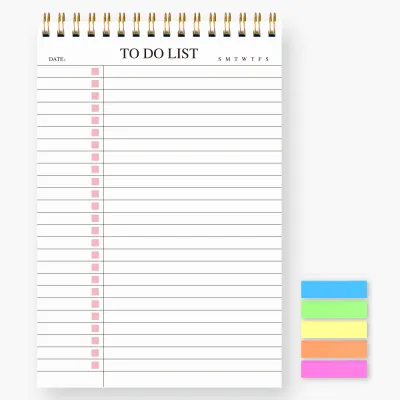
Lined layouts, also known as ruled pages, are the traditional standard for a reason. The horizontal lines provide an immediate, familiar structure that guides your hand naturally across the page. This consistent spacing makes it easy to write quickly while maintaining neatness, which is highly beneficial when you need to log detailed task descriptions, add sub-tasks, or write sequential daily summaries.
Products mentioned in this guide
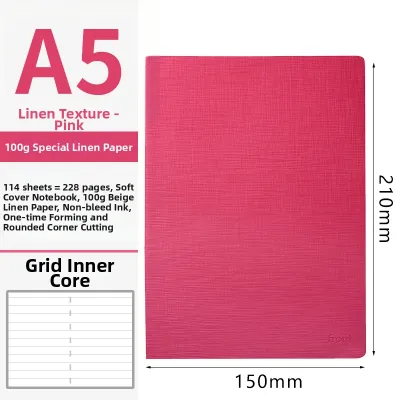
Prices are valid at publication and may change. Please refer to the product page for the latest price.
For traditional list-makers, lined paper offers a low-friction writing experience. You do not have to think about where to start writing or how to align your sentences; the page does the work for you. This structure is particularly helpful during busy workdays when you need to jot down a quick reminder or a phone message without worrying about formatting.
However, the rigid horizontal rules can feel restrictive if your planning style goes beyond simple text. Drawing custom checkboxes on lined paper can look awkward, as the boxes must either sit awkwardly on top of the lines or float in between them. Creating vertical columns, habit trackers, or small diagrams is also difficult because there are no vertical guides, often resulting in uneven columns and a cluttered page.
Ideal User Profile
- Traditional list-makers who prioritize readable, linear text over visual formatting.
- Professionals who need to log quick, sequential notes during meetings.
- Anyone whose daily to-do list consists of straightforward, written tasks written from top to bottom.
Dotted Layouts: Pros, Cons, and Ideal To-Do List Use Cases
Dotted layouts have become incredibly popular due to their versatility. Instead of solid lines, these pages feature a grid of light, unobtrusive dots, typically spaced 5mm apart. This subtle guide system provides the structure of a grid without the heavy visual clutter of solid lines, giving you the freedom to design your pages exactly how you want.

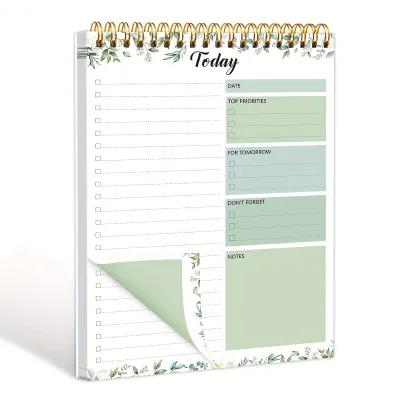
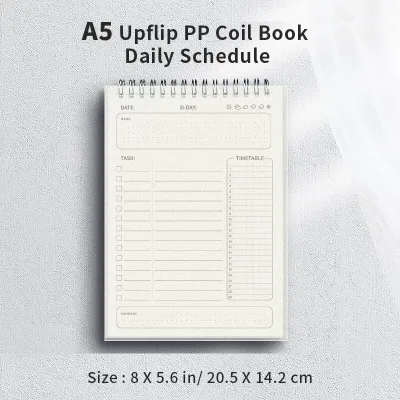
The primary advantage of a dot grid is its adaptability. The dots allow you to align checkboxes perfectly, draw straight vertical lines for columns, and create custom habit trackers with ease. You can easily transition from writing standard text to sketching a quick diagram or creating a weekly planning spread, making it the preferred choice for creative and systematic planners alike.
Despite these benefits, dotted layouts are not without drawbacks. For some users, the dots can still feel like visual noise, especially if they prefer a completely clean, white background. Additionally, because dotted notebooks are highly popular for creative planning, users often use heavier gel pens or markers, which can lead to ghosting or bleed-through if the paper weight is insufficient.
Ideal User Profile
- Hybrid planners who use bullet journaling methods to track their days.
- Creatives who need adaptable spacing for varied daily tasks and sketches.
- Organizers who love creating custom tables, trackers, and structured columns.
Blank Layouts: Pros, Cons, and Ideal To-Do List Use Cases
Blank layouts offer absolute freedom, presenting an unruled canvas that does not dictate where your writing starts or ends. Without pre-printed lines or dots, you are free to write at any angle, scale your text size based on task importance, and easily integrate mind maps, flowcharts, or quick design sketches alongside your tasks.
This lack of boundaries is highly liberating for visual thinkers. You can use large, bold lettering for your most critical goals and smaller, compact writing for minor errands. The absence of lines also means your page remains clean and minimalist, allowing your handwriting and drawings to stand out without any background distraction.
However, writing on completely blank pages presents unique challenges. Without any guides, maintaining straight lines of text can be difficult, especially when writing quickly during a busy day. Your lists may drift diagonally, and spacing can become inconsistent, leading to a disorganized look that makes it harder to scan your tasks at a glance.
Ideal User Profile
- Visual thinkers who find pre-printed lines restrictive and prefer organic task mapping.
- Sketchers and designers who integrate visual concepts directly into their daily planning.
- Minimalists who appreciate a clean, distraction-free page for their thoughts.
Comparing Layouts: A Decision Guide for Your Daily Workflow
To help you finalize your choice, it is helpful to compare these three layouts across practical dimensions that affect your daily workflow. The table below summarizes how each format performs in key areas:
| Layout | Structure Level | Drawing Flexibility | Neatness for Text | Best Task Style |
|---|---|---|---|---|
| Lined | High | Low | High | Linear, text-heavy lists |
| Dotted | Medium | High | Medium-High | Bullet journals, trackers, columns |
| Blank | None | Maximum | Low-Medium | Mind maps, sketches, freeform |
Your choice of pen also interacts significantly with your notebook’s layout and paper texture. For example, fine liners and gel pens work exceptionally well on dotted grids for precise checkbox drawing. However, in humid climates like Singapore, slow-drying gel inks can smudge if you quickly close your notebook, making paper absorption a key factor to consider. Fountain pens require high-quality, coated paper to prevent feathering, which is a common issue in blank notebooks where users tend to write with varying pressure. Pencils and ballpoint pens are highly forgiving on standard lined paper, making them great for quick, everyday task logging.
If your current to-do list system feels too rigid or too chaotic, consider these actionable rules for switching layouts:
- If your lined notebook feels too restrictive and you find yourself scribbling in the margins, switch to a dotted layout for more breathing room.
- If your blank notebook looks chaotic and you struggle to find specific tasks, transition to a dotted or lined layout to restore order.
- If your dotted notebook feels too distracting with all the tiny dots, try a lined notebook for a cleaner, more focused writing path.
Beyond the Layout: Paper Quality and Binding Checks
While the page layout is crucial, the physical specifications of your notebook also play a major role in how usable it is for daily task management. Before making a purchase, it is important to verify the paper quality and binding style to ensure a smooth writing experience.
First, check the paper weight, which is measured in grams per square meter (gsm). For daily to-do lists using gel pens, fine liners, or fountain pens, a paper weight of 80 gsm to 120 gsm is ideal. Coated paper is also highly recommended, as it resists ink feathering (where ink spreads along the paper fibers) and bleed-through (where ink seeps to the other side), ensuring both sides of the page remain usable.
Next, evaluate the binding type. Lay-flat binding, where the notebook opens completely flat, is essential for writing comfortably across the entire page width, especially near the center fold. Spiral binding is excellent for quick, single-handed writing as you can fold the cover completely back, though the spiral can sometimes get in the way of your hand. Stitched or bookbound notebooks offer a classic feel but may require you to hold the pages down while writing.
Finally, verify the page margins and any pre-printed headers. Some notebooks come with pre-printed dates, margins, or headers that can limit your usable space. If your daily task lists vary significantly in length, look for notebooks with minimal pre-printed elements to maximize your writing area.
Frequently Asked Questions (FAQ)
Can I use a grid (squared) notebook instead of dotted for my to-do list?
Yes, grid notebooks are highly functional, but they offer a different visual experience. Solid grid lines are much more prominent than subtle dots, which can make the page look busy once filled with handwriting. Grid paper is excellent for highly structured, mathematical, or column-based tracking, whereas dotted paper is generally preferred for a cleaner, more aesthetic look that keeps the focus on your handwriting.
Does the layout matter if I use digital pens or smart notebooks?
Yes, the layout plays a significant role in digital translation. Many smart notebooks use subtle dot patterns or grids to help the companion app’s optical character recognition (OCR) align and transcribe your handwriting accurately. Blank pages in smart notebooks can sometimes lead to skewed digital scans or misaligned text conversion, as the software lacks reference points to straighten your writing.
Community discussion
Share your experience or ask a question. Comments are reviewed before publication.