
Choosing the right weight of dnp photo paper depends on finding the perfect balance between your physical display needs and your printer’s mechanical capabilities. For high-volume event printing and standard albums, lighter to mid-weight media offers excellent flexibility and cost-efficiency. For professional galleries, ID photos, and premium keepsakes, heavier media provides the rigid, traditional photographic feel required for long-term durability. Because DNP specializes heavily in professional dye-sublimation systems, your printer’s specific mechanical limits must dictate your final choice.
What GSM Actually Means for Your Prints
GSM stands for Grams per Square Meter, which is the standard metric unit used to measure paper density and weight. In practical terms, GSM indicates how heavy a single sheet of paper would be if it were cut to a size of exactly one square meter. This measurement directly influences the physical properties of the paper, such as its thickness, stiffness, and overall hand-feel. A higher GSM value means the paper is denser, making it feel more substantial and premium when held.
When evaluating dnp photo paper, a higher GSM generally provides excellent resistance to bending, creasing, and physical wear. Heavier papers feel more like traditional silver-halide prints from a darkroom, which is why they are often preferred for premium portraiture and high-end events. This physical rigidity makes the prints easier to handle without leaving accidental fold marks or dents.
Products mentioned in this guide
![[Double Matte 250gsm] A-SUB Double-Sided A4 Matte Photo Paper 250gsm Matte Inkjet Paper 20pcs Photograph Printing A4 Size Matte Coated Paper](https://img.lazcdn.com/g/p/68fb693e4992fd613256d5d3d8924a11.jpg_400x400q80.jpg_.webp)
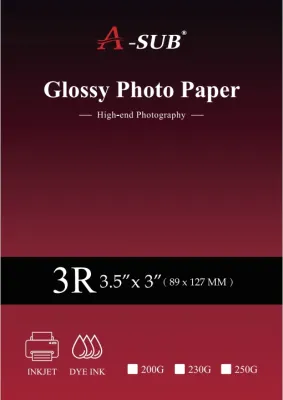
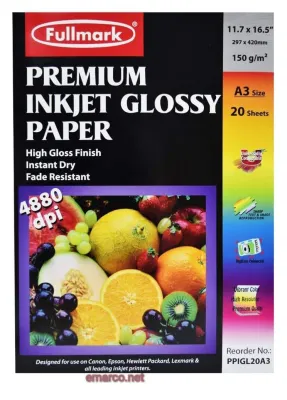
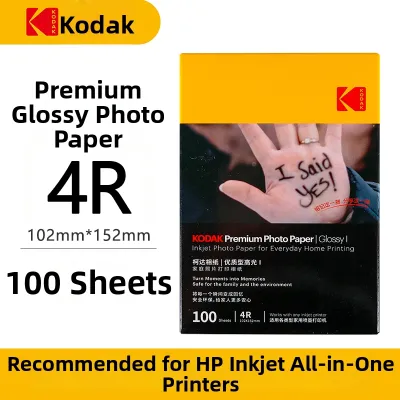
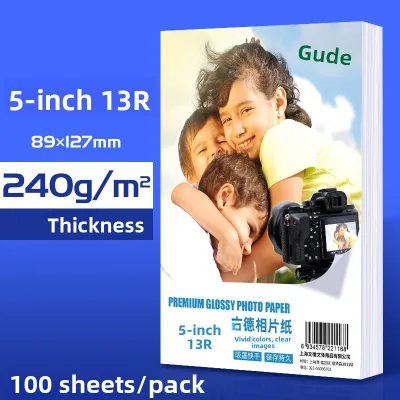
Prices are valid at publication and may change. Please refer to the product page for the latest price.
However, a common misconception is that a higher GSM automatically translates to better print quality, sharper details, or a wider color gamut. In reality, GSM only measures the physical weight and thickness of the paper base. The actual image quality, color vibrancy, and resolution are determined by the chemical receiver coating on top of the paper and the precision of the printer’s thermal head or ink delivery system. A lighter paper with a high-quality coating can deliver the exact same color accuracy and sharpness as its heavier counterpart.
Matching DNP Photo Paper Weight to Your End Use
Selecting the right paper weight requires analyzing how the final prints will be handled, displayed, or distributed. Because different scenarios demand different levels of durability and flexibility, matching the weight to the application prevents wasted media and unnecessary costs.

Standard Albums and Bulk Handouts
For high-volume event handouts, photo books, and standard pocket albums, lighter to mid-weight media is typically the most practical choice. These papers are highly flexible, allowing them to stack easily without adding excessive bulk or weight to a photo album. They are also highly cost-effective, which is a major priority when printing hundreds of images for event guests or commercial marketing campaigns. The flexibility of lighter paper also makes it easier to mount onto pages or slide into plastic sleeves without tearing.
Framed Prints and Professional Displays
When preparing prints for wall art, framed photos, or professional portfolios, mid to heavy-weight papers are highly recommended. The added stiffness of heavier paper is crucial when mounting photos behind glass or using mat boards. Lighter papers are prone to warping or sagging under their own weight when framed, whereas heavier media remains perfectly flat and smooth. This flatness ensures that light reflects evenly across the print surface, preserving the visual integrity of your work in gallery settings.
ID Photos and Premium Event Prints
For official identification documents, passports, and high-end photo booth strips, heavy-weight media is strictly required. These prints undergo frequent physical handling, sliding in and out of wallets, or being passed through scanners. Heavy-weight DNP paper provides the maximum possible durability and rigidity, ensuring the prints do not easily tear or fray at the edges. This weight category delivers that classic, high-value photographic feel that consumers associate with professional studio portraiture.
Because DNP offers a wide array of media kits, the exact GSM thresholds can vary between roll-fed dye-sublimation media and sheet-fed formats. Rather than focusing on a single absolute number, use these scenarios as a functional framework to choose the media class that best aligns with your final presentation.
Hardware Limits: Will Your Printer Handle It?
Before purchasing high-GSM paper, you must verify that your specific printer model can physically feed and process it. Every printer is engineered with strict mechanical tolerances, and ignoring these limits can lead to costly hardware damage.
Every printer’s feed mechanism has a maximum supported paper thickness and weight limit. If you attempt to load paper that is too thick or heavy, the printer’s rollers may slip, leading to frequent paper jams or misfeeds. In worse cases, overly thick paper can cause print head strikes, where the physical surface of the paper scrapes against the delicate print head, causing permanent damage to the heating elements or nozzles. It can also place severe strain on the feed motors, shortening the operational lifespan of your equipment.
There is a fundamental difference in how dye-sublimation and inkjet printers handle paper weight. DNP’s professional dye-sublimation printers use specialized roll media designed to work in tandem with specific ink ribbons. These systems rely on precise tension controls and cutter mechanisms calibrated for the exact thickness of that specific roll. Inkjet printers, on the other hand, often use sheet-fed trays where the paper must make tight turns through the paper path. If you are using sheet-fed media, you must check whether your printer requires heavy papers to be fed through a specialized manual rear slot rather than the standard front cassette.
Environmental factors also play a massive role in how heavier papers behave, especially in high-humidity regions like Singapore. High relative humidity can cause heavy paper fibers to absorb moisture, leading to post-print curling or warping. To mitigate this, store your paper in its original, sealed packaging until it is ready to be loaded. If you experience curling, allow the printed media to acclimatize in an air-conditioned, low-humidity environment, and use flat weights or specialized flattening rollers if necessary to restore a perfectly flat profile.
How to Verify Exact DNP Specifications Before Buying
To ensure complete compatibility and avoid purchasing unusable media, you should always verify the exact specifications of the DNP paper before making a purchase.
First, examine the physical packaging labels of the DNP media kit or paper box. Manufacturers typically print both the GSM weight and the caliper thickness, which is often measured in microns or mils (thousandths of an inch). Caliper is often a more reliable indicator of printer compatibility than GSM alone, as two papers with the same weight can have slightly different physical thicknesses depending on their density and coating layers.
Next, consult the official DNP Imaging Communications website or reach out to authorized local distributors in Singapore. They can provide official Technical Data Sheets (TDS) for the specific media SKU you are considering. These data sheets outline the precise physical dimensions, weight, thickness, and recommended printer settings for optimal performance.
Finally, cross-reference the specific paper SKU with your printer’s official user manual. The manual will list the maximum supported paper weight and thickness for each feed tray. Because dye-sublimation prints are instantly dry and highly water-resistant due to the protective overcoat applied during the final printing pass, they are highly stable. However, if you are using inkjet-compatible DNP media, always verify the ink type compatibility (pigment vs. dye) and perform a quick smudge test on a sample sheet to ensure the ink dries completely on that specific paper weight and coating.
Frequently Asked Questions (FAQ)
Is a Higher GSM Always Better for Photo Prints?
No, a higher GSM is not universally superior. While heavier paper provides a more rigid, durable, and premium physical feel, it does not improve the color accuracy, image sharpness, or resolution of your prints. Using a paper weight that exceeds your printer’s rated capacity will cause mechanical failures, paper jams, and wasted media. The ideal GSM is the one that matches your specific display requirements while remaining safely within your printer’s supported hardware limits.
Community discussion
Share your experience or ask a question. Comments are reviewed before publication.