
A Cricut bundle typically includes a smart cutting machine, a selection of adhesive cutting mats, essential hand tools, and a starter pack of materials like vinyl or cardstock. Choosing the right bundle depends on matching the machine’s capabilities and the included accessories to your specific crafting goals, physical workspace, and experience level. While a comprehensive starter kit prevents beginners from making immediate secondary purchases, intermediate and advanced crafters often benefit more from specialized material packs or buying accessories individually to avoid paying for redundant items.
Purchasing a bundle is often more convenient than sourcing every accessory individually, especially when you are just starting out. However, because retailers frequently assemble their own custom packages, the exact contents can vary widely. Understanding how to dissect these packages ensures you invest in tools you will actually use rather than paying a premium for items that will sit idle in your craft room.
What to Expect Inside a Cricut Bundle
Every Cricut bundle is built around a central smart cutting machine, which serves as the foundation of your crafting setup. The three primary machine families are the compact Joy series, the versatile Explore series, and the heavy-duty Maker series. Each machine comes packaged with its standard power adapter, a USB connectivity cable, and a pre-installed fine-point blade. When reviewing a bundle, always verify which specific machine model is included, as older generations are sometimes bundled at a discount to clear inventory.
Products mentioned in this guide
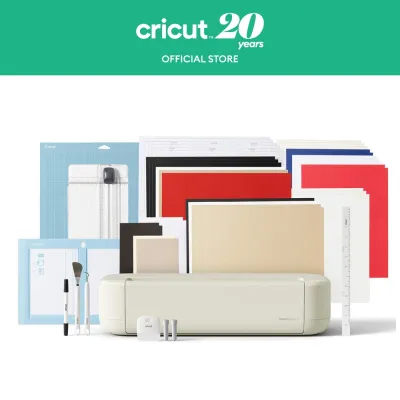
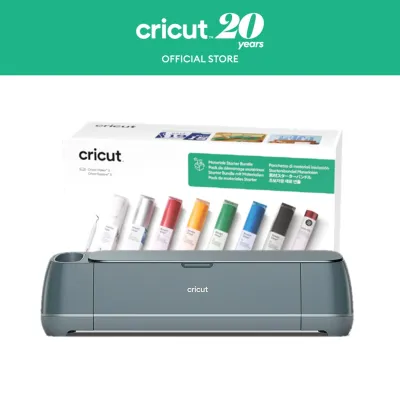
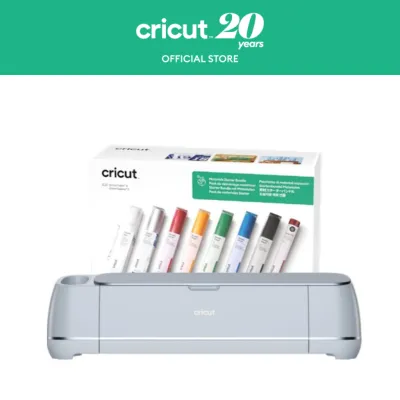
Prices are valid at publication and may change. Please refer to the product page for the latest price.
Cutting mats are the next critical component, acting as the adhesive carrier that holds your materials in place during the cutting process. These mats are color-coded by their grip strength, and a well-rounded bundle should include at least one or two varieties. The LightGrip mat (blue) is formulated for delicate materials like printer paper or thin vellum, while the StandardGrip mat (green) is the workhorse designed for adhesive vinyl, iron-on transfer sheets, and medium cardstock. StrongGrip mats (purple) feature a high-tack adhesive for thick materials like chipboard or leather, and FabricGrip mats (pink) are optimized for securing woven textiles.
Essential hand tools are almost always included in starter bundles to assist with the post-cutting process. A basic tool set typically features a weeding tool, which is a fine-tipped hook used to peel away excess vinyl from your designs. You will also find a scraper tool, which is indispensable for smoothing materials onto the mat to prevent air bubbles and for scraping away leftover debris after a cut. A spatula tool is frequently included to help lift delicate paper cutouts from the adhesive surface without tearing or curling the edges.
Starter materials are included to let you complete your first projects immediately after unboxing. These materials usually consist of small sheets of adhesive vinyl, heat transfer vinyl (also known as iron-on or HTV), and assorted cardstock. When evaluating these materials, it is vital to check their dimensions against your machine’s cutting area. For instance, smaller machines like the Cricut Joy require narrower material rolls or mats, meaning standard 30-centimeter rolls included in a generic bundle will not fit without manual trimming.
Matching the Right Bundle to Your Skill Level
Selecting the ideal bundle requires a clear assessment of your current crafting skills, the complexity of your planned projects, and how frequently you expect to use the machine. It is easy to be swayed by massive packages containing dozens of accessories, but if those items do not align with your immediate goals, they represent wasted capital. A structured decision matrix helps prevent overspending while ensuring you have the exact tools required for your projects.

Beginners generally benefit most from comprehensive, all-in-one starter kits that focus on standard materials and basic tools. These packages are designed to remove the friction of starting a new hobby by providing a predictable, guided introduction to cutting and weeding. Intermediate crafters, who already understand the basics of design software and material handling, should look for bundles that offer specialized tools or a wider variety of unique materials. Advanced users, on the other hand, often find the greatest value in highly targeted bundles or even purchasing the machine standalone to customize their accessory kit from scratch.
Beginner Bundles: Building Your Foundation
For those taking their first steps into digital crafting, a beginner-focused bundle should prioritize simplicity, ease of use, and immediate project success. Look for packages that pair a user-friendly machine, such as the Cricut Joy or Cricut Explore, with standard-grip mats and a basic weeding tool set. These tools are the absolute minimum required to complete classic projects like custom mugs, water bottle decals, and simple greeting cards.
The material selection in a beginner bundle should focus on forgiving, easy-to-cut mediums like standard adhesive vinyl and iron-on sheets. Having a few sheets of practice material allows you to master the pressure settings and weeding process without the fear of wasting expensive specialty supplies. Additionally, some beginner bundles include physical instruction booklets, project guides, or extended trial access to online learning platforms, which can be incredibly helpful as you navigate the initial learning curve.
Intermediate Bundles: Expanding Your Capabilities
As you gain confidence, you will likely want to move beyond basic vinyl decals and explore multi-layered designs, fabric projects, or thicker materials. Intermediate bundles are tailored for crafters who want to expand their creative repertoire without investing in industrial-grade equipment. These packages often feature the Cricut Explore or Cricut Maker and include specialized mats, such as the FabricGrip or StrongGrip options, to accommodate a wider range of mediums.
Tool variety is another hallmark of intermediate bundles. Look for packages that include upgraded blades, such as a deep-point blade for cutting thicker cardstock and magnet sheets, or a rotary blade for cutting fabric without backing material. The included materials should also reflect this step up in complexity, featuring items like specialty glitter vinyl, foil transfer sheets, or heavy-duty cardstock packs that allow you to experiment with different textures and finishes.
Advanced Bundles: Specialized and High-Volume Crafting
Advanced crafters require tools and materials that can keep up with high-volume production, intricate designs, or highly specialized mediums like wood, leather, and thick acrylic. Bundles at this level are often built around the Cricut Maker series, which features an adaptive tool system capable of delivering significantly more cutting force. These packages may also include secondary hardware, such as a dedicated heat press for professional-grade apparel customization.
Instead of small starter sheets, advanced bundles often feature bulk rolls of vinyl, multi-packs of replacement mats, and specialized scoring wheels or engraving tips. However, experienced crafters must evaluate these premium packages critically. If you already own a robust collection of hand tools and mats, buying a machine-only option and sourcing your materials in bulk from specialized distributors is often more cost-effective than purchasing a pre-packaged retail bundle.
How to Evaluate Bundle Value Before You Buy
Before committing to a purchase, it is essential to perform a systematic evaluation of the bundle’s contents to ensure you are getting a genuine discount. Retailers frequently inflate the perceived value of a bundle by including low-cost, generic accessories or outdated material packs. To protect your investment, start by cross-referencing the retailer’s itemized packing list with the manufacturer’s official product specifications to confirm exactly what is branded and what is third-party.
Compatibility is another critical factor that is easily overlooked during a sale. Ensure that every accessory and material roll in the bundle is fully compatible with the specific machine model included. For example, a bundle featuring a large-format machine should not be packed with small-format mats or smart materials designed exclusively for a different model. Using mismatched accessories can lead to poor cut quality, wasted materials, or even physical damage to your machine’s cutting carriage.
To determine the true financial value of a bundle, calculate the individual retail cost of each included item in S$ and compare the sum to the bundle’s asking price. If the bundle price is only slightly lower than buying the machine and your preferred accessories separately, it may be wiser to purchase them individually. This approach allows you to customize your kit, selecting only the specific tools and material colors you actually plan to use rather than accepting a pre-determined assortment.
Finally, always verify the warranty terms, return policies, and the authorized seller status of the retailer before completing your purchase. This is especially important when buying from third-party sellers on online marketplaces, as unauthorized sales may void the manufacturer’s warranty. Ensure the seller offers a clear return window in case the machine arrives damaged or the bundle is missing advertised components, allowing you to resolve any issues without additional financial stress.
Frequently Asked Questions (FAQ)
Can I use third-party materials with a Cricut bundle?
Yes, you can use third-party materials with the machines included in a Cricut bundle, provided they fit within the physical dimensions and thickness limits of your specific machine. Standard cutting mats are designed to hold a wide variety of non-branded materials, including generic adhesive vinyl, heat transfer vinyl, paper, and cardstock. Using third-party supplies is a popular way to reduce ongoing crafting costs, especially when purchasing materials in bulk.
However, using non-branded materials requires a bit of trial and error, as the pre-programmed material settings in the design software are optimized for branded products. You will often need to perform test cuts and manually adjust the blade pressure or cut speed settings to achieve clean results. Always consult your machine’s official user manual to verify the maximum material thickness limits, as attempting to cut overly dense or thick third-party materials can damage your blades or strain the machine’s motor.
Do Cricut bundles include a subscription to the design software?
Cricut bundles do not typically include a lifetime subscription to the premium design software; instead, they usually come with a limited free trial period for new users. The companion design software itself is free to download and use on compatible computers, tablets, and mobile devices. The free version allows you to upload your own custom designs, use basic shapes, and operate all the core cutting functions of your machine without any monthly fees.
The optional premium subscription provides access to an expanded library of pre-made projects, fonts, and images. When purchasing a bundle, read the product description carefully to see if a trial subscription is included, and note the duration, which typically ranges from one month to several weeks. Be aware that these trials often require you to enter payment details upon activation, meaning the subscription will automatically renew at the standard monthly rate unless you cancel it before the trial period ends.
Community discussion
Share your experience or ask a question. Comments are reviewed before publication.