
Choosing the best label maker brand for customized name stickers depends entirely on where you plan to stick them. A parent labeling school gear for a child in Singapore’s humid climate needs highly durable, water-resistant labels that survive daily washing, while someone organizing home storage boxes might prioritize quick, cost-effective paper labels. To find the right fit, you must evaluate three core pillars: the underlying print technology, the durability of the brand’s proprietary tape cartridges, and the flexibility of their design software. Matching the brand’s technology to your specific use case is the key to a successful labeling project.
Key Evaluation Criteria for Name Sticker Label Makers
To establish a standardized framework for comparing label makers, you must first look at the core technologies and physical characteristics that define these devices. The most fundamental distinction lies in the print technology used. Thermal transfer printing utilizes a heated print head to melt a carbon or colored ribbon onto the label tape, creating a highly durable, scratch-resistant, and chemical-resistant bond. Direct thermal printing, on the other hand, applies heat directly to chemically treated paper or synthetic tape, which darkens to form the text. While direct thermal printers do not require ink or ribbon refills, the resulting labels are highly sensitive to heat, friction, and sunlight, making them prone to fading over time.
Material compatibility is another critical factor. High-quality name stickers require tape materials that can withstand their intended environment. Vinyl and polyester tapes offer excellent flexibility and moisture resistance, making them ideal for curved surfaces like water bottles. Standard paper tapes are cost-effective but tear easily and degrade when wet. You must also consider the adhesive backing; some brands offer extra-strength adhesives for textured plastics, while others provide removable adhesives that peel away cleanly without leaving a sticky residue.
Products mentioned in this guide
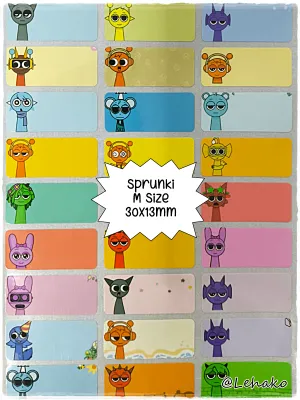
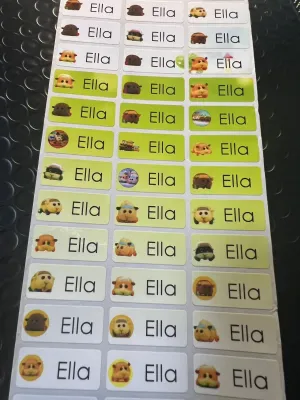
![[SG Stock🚚]Cartoon Pattern Custom Name Waterproof sticker names For Kids Name Tag Sticker Customize Stickers Labels](https://img.lazcdn.com/g/p/fb4606cc12da49a91281be0db827ba7c.jpg_400x400q80.jpg_.webp)
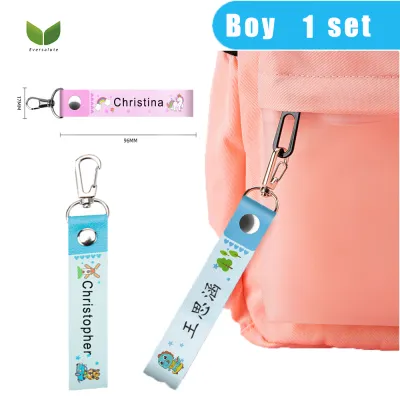
Prices are valid at publication and may change. Please refer to the product page for the latest price.
Connectivity and design software dictate how much creative control you have over your customized name stickers. Standalone label makers feature physical QWERTY keyboards and small monochrome screens, allowing for quick, on-the-go printing but limiting your font and graphic choices. Bluetooth-enabled models connect directly to mobile apps or desktop software, unlocking a vast library of fonts, borders, emojis, and custom graphic import options. If you plan to design intricate name stickers with unique icons or multi-line layouts, app or PC connectivity is essential.
Comparing Popular Label Maker Brands and Their Strengths
Brother is widely regarded as an industry leader in label printing, primarily due to its robust P-touch series. These machines utilize thermal transfer technology and are famous for their laminated TZe tapes. The printing process encapsulates the ink between two protective layers of polyethylene terephthalate (PET) film, resulting in labels that are virtually indestructible. They resist water, extreme temperatures, abrasion, and harsh chemicals, making Brother the premier choice for labeling items that undergo heavy wear, such as children’s lunchboxes, outdoor sports gear, and kitchen containers. While the hardware and tape cartridges can represent a higher initial investment, often ranging from S$40 to over S$150, the longevity of the labels provides excellent long-term value.

Dymo offers a highly accessible range of label makers, split primarily between the LetraTag and LabelManager lines. The LetraTag series is designed for casual home use, utilizing direct thermal printing on paper, plastic, and metallic tapes. These devices are incredibly user-friendly, featuring simple keyboard layouts and straightforward menus that make them perfect for quick household organization or labeling school notebooks. The LabelManager line steps up to thermal transfer printing on D1 tapes, offering better durability for office filing and storage. Dymo’s strength lies in its simplicity and affordability, making it an excellent entry-point brand for those who do not require industrial-grade durability.
Epson’s LabelWorks series targets users who demand high precision and professional-grade customization. Epson machines are known for their efficient tape-saving designs, which feature significantly smaller margins than competitors, reducing tape waste and saving money over time. Their desktop software integration is exceptionally robust, allowing users to design complex layouts, import detailed logos, and manage large-scale batch printing tasks with ease. Epson supports a wide array of specialty tapes, including magnetic tapes, glow-in-the-dark labels, and iron-on fabric ribbons, making them highly versatile for both creative crafting and industrial organization.
Niimbot and similar portable, app-driven brands have revolutionized the consumer label maker market with ultra-compact, rechargeable devices. These printers rely entirely on direct thermal printing and connect via Bluetooth to highly intuitive smartphone apps. The software is the main selling point, offering hundreds of pre-designed templates, cute cartoon icons, diverse fonts, and even barcode or QR code generation. Because they do not use ink ribbons, the machines are highly affordable, often starting under S$30 on popular online marketplaces. However, because they use direct thermal technology, the labels are best suited for indoor, low-friction applications like organizing dry pantry jars, cosmetic bottles, or journal pages, as they will fade if exposed to direct sunlight or frequent hot dishwasher cycles.
Choosing the Right Label Material for Customized Name Stickers
The performance of your customized name stickers depends heavily on matching the tape material to the target surface. For smooth, flat surfaces like plastic storage bins, glass jars, or metal filing cabinets, standard polyester or paper tapes work beautifully. However, curved surfaces like water bottles, pens, and markers present a physical challenge; standard stiff tapes will naturally try to flatten out, causing the edges to peel up over time. For these applications, look for flexible nylon or vinyl tapes that can wrap tightly around curved profiles without lifting.
Adhesive properties must also be carefully matched to your needs. Permanent adhesives are designed to stay put for years, but if you ever need to repurpose an item, removing them can leave a stubborn, sticky residue that requires solvents to clean. Removable or “low-tack” adhesives are ideal for items that require temporary labeling, such as school textbooks or seasonal storage boxes, as they peel away cleanly. If you are labeling items made of textured plastics or powder-coated metals, standard adhesives may fail to bond properly; in these cases, look for “extra-strength” or “industrial” adhesive tape options.
Environmental factors are particularly crucial in tropical climates like Singapore, where high humidity and ambient heat can quickly degrade low-quality adhesives. If your name stickers will be applied to items that are frequently washed, kept in the refrigerator, or taken outdoors, you must verify that the tape material is rated as waterproof and UV-resistant. Laminated polyester tapes are highly recommended for these conditions, as the protective top layer prevents water and sunlight from breaking down the printed text and the adhesive backing.
Software Flexibility and Customization Features
The design process is where your customized name stickers truly come to life, and the software provided by each brand plays a massive role in this experience. App-driven brands like Niimbot excel in creative freedom, offering a massive library of decorative borders, hand-drawn icons, and playful fonts that appeal to children and hobbyists alike. These apps allow you to easily drag and drop elements, resize text with pinch gestures, and preview the exact layout on your phone screen before hitting print.
For high-volume tasks, such as labeling an entire classroom’s worth of supplies or a complete office filing system, batch printing capabilities are essential. Professional desktop software, such as Brother’s P-touch Editor or Epson’s LabelWorks software, allows you to connect your label maker to a computer and import data directly from Excel or CSV files. This enables you to print dozens of unique name stickers in seconds, complete with sequential numbering or individualized barcodes, without having to type each name manually.
If you want to add a truly personal touch, such as a custom family crest, a hand-drawn doodle, or a company logo, you will need a system that supports custom graphic imports. This feature is typically found in mid-to-high-range models that connect to PCs or advanced mobile apps. The software converts your colored image into a high-contrast, black-and-white bitmap that the thermal print head can reproduce. Keep in mind that low-resolution printers (180 dpi) may struggle with fine details, so look for a printer with at least 300 dpi if you plan to print intricate graphics.
Decision Framework: Which Brand Should You Choose?
To make your final decision, align your primary labeling goals with the strengths of each brand’s technology. If your main priority is creating highly durable, waterproof name stickers for school water bottles, lunchboxes, and outdoor gear that will survive daily washing and rough handling, choose a thermal transfer brand like Brother or Epson. Their laminated and industrial-grade tapes ensure that the printed names will not fade or peel, even after months of use.
If you are looking for a highly portable, budget-friendly option for creative crafting, journaling, and organizing dry indoor spaces, an app-driven direct thermal brand like Niimbot is the ideal choice. The intuitive mobile software makes designing cute, customized stickers incredibly fun and fast, and the low upfront cost of both the machine and the tape rolls makes it highly accessible for casual users.
For standard everyday school and office labeling where you want a balance of durability and simplicity, a handheld or desktop model from Dymo or Brother with a physical keyboard is excellent. These machines allow you to type out a quick label in seconds without needing to pair a smartphone or open an app, making them highly efficient for filing, labeling storage boxes, and general organization.
Before purchasing any label maker, always verify the manufacturer’s specifications regarding tape compatibility. While third-party or generic tape cartridges are widely available on online marketplaces and can offer significant cost savings, using non-genuine tapes can sometimes void your warranty or lead to adhesive residue buildup inside the machine. Checking the availability and cost of official tape refills in your local market is a smart step to ensure your label maker remains a cost-effective tool for years to come.
Frequently Asked Questions (FAQ)
Can I use standard label maker stickers on clothing?
Standard adhesive label maker tapes, such as plastic, vinyl, or paper tapes, are not designed for fabric and will quickly peel off when the clothing flexes or goes through a washing cycle. The adhesive cannot grip the porous, moving fibers of textiles. If you want to label clothing using your label maker, you must purchase specialized iron-on fabric tape cartridges supported by brands like Brother or Epson. These tapes use a heat-activated adhesive that fuses with the fabric fibers when pressed with a household iron, allowing the label to survive repeated machine washes. Alternatively, for delicate fabrics, you can use fabric stamps or sew-in name tags.
How do I ensure name stickers stay attached to water bottles?
To maximize the adhesion of name stickers on water bottles, proper surface preparation is essential. Start by thoroughly cleaning the application area with isopropyl alcohol to remove any oils, dirt, or soap residue, and let it dry completely. When applying the sticker, press firmly from the center outward to push out any air bubbles, paying extra attention to the edges. For curved bottles, use a flexible tape material like vinyl or flexible nylon rather than stiff polyester. Finally, allow the adhesive to cure at room temperature for at least 24 hours before exposing the bottle to water, washing, or condensation to ensure a permanent bond.

Community discussion
Share your experience or ask a question. Comments are reviewed before publication.