
Quick Answer: Choosing the Right Digital Planner Brand
Selecting the ideal digital planner depends entirely on whether you prefer a dedicated, standalone planning application or a highly customizable PDF template designed for third-party note-taking apps. There is no single universal winner in the digital stationery market, as different workflows require different tools. Your choice should align with your daily habits, your aesthetic preferences, and the specific devices you use to manage your schedule.
You should choose a dedicated planner app if you prioritize automated features such as seamless cloud syncing across multiple devices, interactive habit trackers, built-in notification reminders, and dynamic widgets. Conversely, you should choose a PDF template brand if you want complete aesthetic control, prefer a straightforward one-time purchase model, and already feel comfortable using an established host application like Goodnotes, Notability, or Xodo.
Before evaluating specific designs or color palettes, you must verify the compatibility of your tablet and stylus. A beautiful layout is practically useless if the underlying software does not support your device’s handwriting engine or if the file format causes your specific tablet to experience performance lag.
Products mentioned in this guide
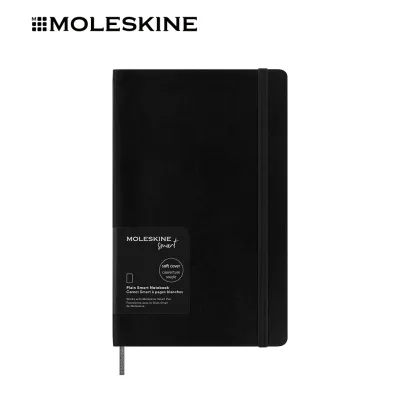
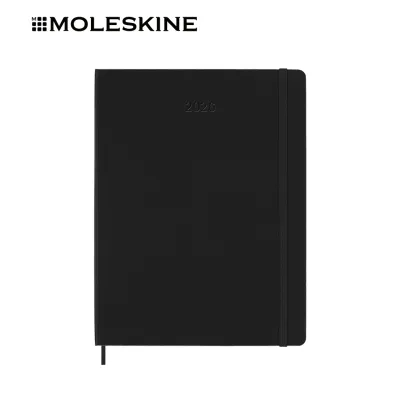
Prices are valid at publication and may change. Please refer to the product page for the latest price.
The Two Main Types of Digital Planners
To make an informed decision, you must first understand the fundamental structural difference between the two dominant product formats in the digital stationery market. The choice between a dedicated planning application and a hyperlinked PDF template dictates not only how your planner looks, but also how it functions on a technical level.

Dedicated planner apps are standalone software programs developed specifically for organizing schedules, tracking goals, and managing tasks. These applications handle both the user interface and the actual planning content within a single, self-contained ecosystem. They often feature integrated databases, which allow information entered on a monthly calendar to automatically populate your weekly and daily views. While these apps provide highly structured environments and automated features, they can sometimes limit your creative freedom and lock you into a specific operating system or a recurring subscription fee.
Hyperlinked PDF templates, on the other hand, are digital stationery files created by independent designers, graphic artists, or traditional paper stationery brands. These files are essentially highly sophisticated, interactive documents that act as digital paper. They contain hundreds or even thousands of invisible, embedded hyperlinks that allow you to jump instantly between pages, months, and sections with a single tap of your stylus. Because these templates are static files, they require a separate host note-taking application to function. The host app provides the actual handwriting engine, pen tools, and page-management systems.
When opting for a PDF template, you must remember that the template itself does not handle data syncing or handwriting recognition. All performance aspects, including cloud backup, stroke rendering, and text search, depend entirely on the capabilities of your chosen host app. Therefore, you must select and configure your host application before importing any digital template to ensure a smooth, lag-free writing experience.
Comparing Template Variety and Design Flexibility
Visual appeal and layout structure are critical components of a successful planning routine. Because digital planners replace physical paper, the way a brand designs its pages directly influences how easily you can organize your thoughts and stay productive throughout the day.
Dedicated planning applications generally focus on utility and standardized functionality. They provide clean, highly structured layouts such as time-blocking grids, daily schedules, and Kanban boards. However, because these templates are hardcoded into the software, your ability to customize the visual presentation is often limited. You may be restricted to a few pre-selected color themes, standard fonts, and the application’s native, built-in digital sticker library. For professionals who require a straightforward, distraction-free tool, this standardized approach is highly efficient, but it may feel restrictive to those who enjoy creative journaling.
In contrast, PDF template brands offer an almost infinite variety of aesthetic styles, layouts, and themes. You can find templates ranging from ultra-minimalist, corporate-friendly monochrome designs to highly artistic, colorful, or academic layouts. These brands frequently sell comprehensive bundles that include matching digital sticker packs (usually provided as cropped PNG files), interchangeable digital covers, and modular insert pages. These inserts allow you to expand your planner with specialized sections for fitness tracking, financial budgeting, meal planning, or project management.
When browsing PDF template brands, you must decide between dated and undated versions. Dated planners come pre-labeled with specific calendar dates and linked days, offering immediate convenience but requiring you to purchase a new version every year. Undated planners do not include specific dates or days of the week, allowing you to manually write in the numbers and reuse the exact same file indefinitely.
Regardless of the style you prefer, you should check product descriptions and user reviews to verify the quality of the template’s hyperlinks. A poorly optimized PDF file with excessively large image files can cause noticeable lag when you attempt to flip pages or tap navigation tabs, especially on older tablet models. Well-designed templates balance high-resolution visuals with efficient file sizes to ensure instantaneous page transitions.
Evaluating App Compatibility and Device Ecosystems
Device compatibility is the most common point of friction for new digital planner users. Before purchasing any digital planning product, you must carefully evaluate your existing hardware ecosystem, including your tablet, smartphone, computer, and stylus pen.
Operating system compatibility varies significantly between dedicated apps and PDF templates. Many dedicated planning applications are built exclusively for specific operating systems, such as Apple’s iPadOS or Google’s Android. If you use an iPad for planning but rely on a Windows computer for work and an Android smartphone for daily communication, a dedicated app may lock you out of your data when you are away from your tablet. Native cross-platform syncing is historically difficult for independent app developers to maintain without introducing bugs or synchronization delays.
PDF templates offer much greater cross-platform flexibility because the PDF format is a universal standard. You can open a hyperlinked PDF planner on almost any device that can run a PDF annotation app. However, you must remember that advanced interactive features—such as layering digital stickers, moving handwritten text blocks, or integrating custom typed widgets—are governed entirely by the host app you use. If your host app is not available on all of your devices, you will not be able to view or edit your planner seamlessly across different platforms.
If you plan to sync your planner across multiple devices, such as an iPad and an iPhone, you must ensure that your host application supports reliable cloud synchronization. While apps like Goodnotes use iCloud to sync data smoothly across Apple devices, syncing that same data to a Windows or Android device often requires manual exports or third-party cloud workarounds. Furthermore, migrating your planning data from one host app to another is incredibly difficult. If you decide to switch apps, you will generally have to export your planner as a flattened PDF, which permanently merges your handwriting with the background template and prevents you from editing individual strokes or text boxes in the future.
Analyzing Pricing Models and Long-Term Value
Understanding the financial commitment of digital planning involves looking beyond the initial purchase price. Different brands utilize distinct pricing structures that can impact your budget over several years of use.
Dedicated planning applications typically rely on recurring subscription models, which can be billed monthly or annually. These fees support continuous software development, cloud database maintenance, and regular feature updates. While some apps offer free tiers, these versions are usually highly restricted, limiting you to a single active notebook, displaying advertisements, or locking essential features like PDF exporting behind a paywall. An annual subscription for a premium dedicated app can range from S$15 to S$50, representing a continuous, long-term cost.
PDF template brands generally operate on a one-time purchase model. You pay an upfront fee—typically ranging from S$10 to S$40 depending on the complexity of the bundle—and receive a downloadable file that you own permanently. This upfront cost gives you access to all the pages, stickers, and covers included in that specific package. However, you must verify whether the purchase includes free future updates. For dated planners, most brands require you to purchase a new file every year, though some offer returning customer discounts or loyalty bundles.
To determine the best value for your budget, you must also factor in the cost of the host application if you choose the PDF template route. While some basic PDF annotators are free, professional-grade note-taking applications often require a one-time payment or a small annual subscription to unlock unlimited notebooks and advanced handwriting tools. Combining the cost of a high-quality PDF template bundle with the purchase price of a premium host app can result in a higher initial expense, but it often proves more economical over two or three years compared to a recurring app subscription.
When shopping for templates or apps, look for seasonal sales, student discounts, or comprehensive bundles on official brand websites. Many independent creators offer starter packages that include basic planners, stickers, and tutorials at a reduced price, which is an excellent way to test a brand’s design philosophy before committing to a premium, multi-functional system.
Decision Framework: Matching a Planner to Your Workflow
To finalize your choice, you should evaluate your daily routine, technical comfort level, and aesthetic preferences against the specific strengths of each digital planner format.
Choose a dedicated app brand if:
- You require automated cross-device syncing: You need your schedule to update instantaneously across your tablet, phone, and computer without managing manual file backups.
- You prefer functional automation: You want built-in digital widgets, automated habit trackers, and push notifications that remind you of upcoming tasks.
- You want an all-in-one setup: You prefer a streamlined installation process where the interface, tools, and templates are fully integrated from the start.
Choose a PDF template brand if:
- You want complete creative freedom: You enjoy customizing your layouts, changing covers, organizing digital stickers, and mixing different page designs.
- You prefer a predictable expense: You want to make a one-time purchase without worrying about recurring monthly or annual subscription renewals.
- You already have a preferred note-taking app: You are already comfortable using an application like Goodnotes, Notability, or Xodo and want to keep all your digital notebooks in one place.
Verify first if:
- You operate in a mixed-OS environment: You regularly switch between Apple, Android, and Windows devices, as ecosystem limitations can severely disrupt your syncing workflow.
- You require specific accessibility features: You need text-to-speech functionality, high-contrast display modes, or specific zoom tools, which may perform differently depending on the host app or software architecture.
Frequently Asked Questions (FAQ)
Can I use a digital planner on both iPad and Android tablets?
Yes, but the ease of use depends entirely on the format you choose. If you use a PDF template, you can open the file on both iPadOS and Android using compatible host applications. However, syncing your changes in real time between the two operating systems can be challenging, as most popular note-taking apps do not offer seamless cross-platform cloud syncing. Dedicated planning apps occasionally offer cross-platform support, but you must verify that the developer has active, native applications for both operating systems and that your subscription covers multi-device access.
Do I need to buy a new digital planner every year?
Whether you need to purchase a new planner depends on whether you choose a dated or an undated product. Dated digital planners are designed for a specific calendar year and must be repurchased annually to match the correct dates and days of the week. Undated digital planners do not have pre-written dates, allowing you to duplicate the original blank template file and write in the dates manually year after year. If you use a subscription-based dedicated planning app, the software typically updates its calendar views automatically as part of your ongoing subscription service.
Community discussion
Share your experience or ask a question. Comments are reviewed before publication.