
Comparing popular 80gsm A4 paper brands requires looking beyond the brand name on the wrapper. Since independent, standardized laboratory test results are rarely published for consumer paper brands, buyers must evaluate quality through packaging specifications and observable print performance. The standard weight of 80 grams per square meter (gsm) is highly versatile, but physical attributes like brightness, whiteness, opacity, and surface smoothness vary significantly between manufacturers.
Understanding these physical attributes is the first step in making an informed purchase. Brightness measures the reflectance of a specific blue light wavelength, which directly impacts text contrast. Whiteness measures the reflection of all wavelengths across the visible light spectrum, determining how neutral or balanced colors appear. High brightness makes black text pop, while high whiteness ensures color prints do not shift toward an unwanted yellow or blue tint.
Opacity is another critical metric, representing the measure of how much light is blocked from passing through a sheet. For double-sided printing, high opacity is essential to prevent show-through or ghosting, where text from the reverse side interferes with readability. If the paper fibers are too loosely packed, light passes through easily, making the sheet unsuitable for duplex printing.
Products mentioned in this guide

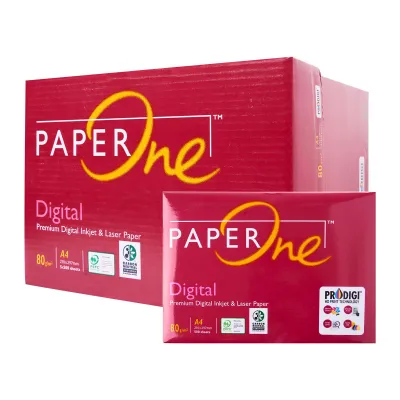
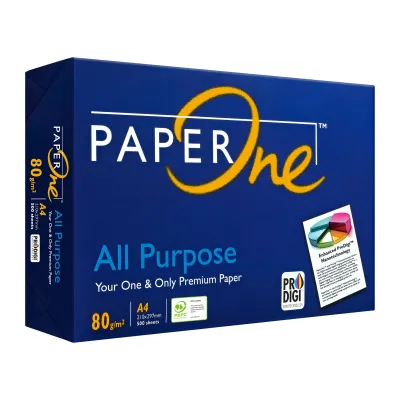
![[2 REAMS] A4 PaperOne Copier Papers 80gsm Printing Papers - Plain - Office Supplies](https://img.lazcdn.com/g/p/4423a9fbe2ff198d8701511f17f420ad.png_400x400q80.png_.webp)

![[SG] FujiXerox A4 x EverydayCopier Paper | 80gsm | 1 Carton | MAX 2 CARTONS/ORDER [Evergreen Stationery]](https://img.lazcdn.com/g/p/0125993f2367983b77308ed48045bba3.jpg_400x400q80.jpg_.webp)
Prices are valid at publication and may change. Please refer to the product page for the latest price.
Surface smoothness and dust levels also play a major role in overall print quality and machine health. Smoothness affects how evenly ink or toner adheres to the paper fibers, as rougher sheets can cause patchy prints or broken text. Excessively dusty paper—often a byproduct of poor cutting processes during manufacturing—can accumulate inside your printer, leading to roller slippage, paper jams, and premature hardware wear.
Evaluating Value: Price per Sheet vs. Performance
When purchasing copy paper, evaluating the price solely by the carton or ream can obscure the true cost. To find the real value, divide the total price of the pack by the number of sheets, which is typically 500 sheets per ream, or 2,500 sheets per carton of five reams. For example, a carton priced at S$25.00 equates to exactly S$0.01 per sheet, which serves as a clear baseline for comparing different brands.
Budget bulk packs often cut corners on manufacturing tolerances, resulting in slight variations in sheet size or edge cleanliness. These minor imperfections can dramatically increase jam rates in high-speed office printers, turning a nominal upfront saving into lost productivity. Premium brands, on the other hand, offer tighter quality control, ensuring consistent feeding and a more professional, crisp appearance for client-facing documents.
Wasted ink and toner represent significant hidden expenses when using low-grade paper. Highly absorbent, unrefined paper fibers can soak up excessive ink, causing lines to feather and bleed, which forces users to reprint documents or run printheads through costly cleaning cycles. Additionally, paper dust from low-cost brands acts as an abrasive, wearing down pickup rollers and requiring more frequent professional printer maintenance.
Matching Paper Specifications to Your Printing Needs
For daily office tasks, internal memos, and quick draft prints, high-end aesthetic specifications are rarely necessary. Prioritize cost-efficiency and basic feeding reliability over maximum brightness or premium texture. A standard, budget-friendly 80gsm paper with moderate brightness is perfectly adequate for monochrome laser printing where visual presentation is secondary to information sharing.

When documents are destined for external clients, partners, or formal presentations, the tactile and visual quality of the paper reflects directly on your business. Opt for premium 80gsm paper featuring high brightness and superior surface smoothness. These specifications ensure sharp text contrast, vibrant color reproduction, and a substantial, professional feel that leaves a positive impression.
Duplex printing and long-term archiving demand paper with high opacity to eliminate distracting show-through. Look for brands that explicitly state high opacity levels on their packaging. For long-term archiving, ensure the paper is certified acid-free, which prevents the sheets from yellowing, becoming brittle, or deteriorating over decades of storage.
Storing and Handling Paper in Humid Climates
In humid environments like Singapore, ambient moisture is the primary enemy of paper performance. Paper is naturally hygroscopic, meaning it readily absorbs water vapor from the surrounding air. When 80gsm paper absorbs moisture unevenly, the cellulose fibers expand, causing the sheets to curl or wave, which is the leading cause of multi-sheet feeds and frustrating printer jams.
To protect your paper from humidity, always keep unused reams sealed in their original packaging. Most reputable manufacturers wrap their paper in moisture-barrier wrappers lined with a thin plastic or wax layer. Opening a ream and leaving the loose sheets exposed to humid office air for extended periods will quickly degrade its printing properties.
Before loading a new batch of paper into your printer tray, allow the sealed ream to sit in the same air-conditioned room as the printer for at least 24 hours. This acclimatization process equalizes the temperature and humidity levels of the paper with the printing environment, minimizing the risk of thermal shock and curling when the paper passes through the hot fuser unit of a laser printer.
How to Verify Paper Quality Before Buying in Bulk
Before committing to a bulk purchase of several cartons, inspect the packaging for recognized international certifications. Look for labels such as the Forest Stewardship Council (FSC) or the Programme for the Endorsement of Forest Certification (PEFC), which verify sustainable sourcing. Quality standards like ISO 9001 indicate consistent manufacturing processes, while ISO 9706 certifies permanence for archiving.
If possible, examine a sample ream before buying in bulk. Run your finger along the cut edges of the paper stack; they should feel perfectly smooth and uniform, without any loose paper dust or ragged fibers. Cleanly cut edges prevent sheets from clinging to one another, ensuring smooth single-sheet feeding through your printer’s paper path.
The most reliable way to verify paper quality is to purchase a single trial ream of the brand you are considering. Run a test batch of at least 50 to 100 sheets through your specific printer model, testing both single-sided and double-sided printing. Observe the drying speed of the ink, check for any bleeding or feathering, and monitor the printer for any feeding hesitation or static cling.
Frequently Asked Questions (FAQ)
Is 80gsm paper suitable for double-sided printing?
Yes, 80gsm paper is the standard weight for double-sided printing, but its success depends heavily on the paper’s opacity and the type of ink used. High-quality 80gsm brands with high opacity prevent text and images from showing through to the other side. If you are printing heavy color graphics or using high-saturation inkjet inks, you may observe some ghosting, making high-opacity sheets or heavier paper weights preferable for those specific tasks.
Does higher brightness always mean better print quality?
Higher brightness does not automatically guarantee superior print quality for every scenario. While high brightness increases contrast and makes text easier to read, it can also create uncomfortable glare under bright office fluorescent lighting. For standard text documents and internal reading, a moderate brightness level is often more comfortable for the eyes and more cost-effective than premium high-brightness sheets.
How should I store A4 paper to prevent printer jams?
To prevent printer jams, store your A4 paper flat in a cool, dry place, off the floor, and away from direct sunlight. Avoid storing paper near air conditioning vents or humid exterior walls where temperature fluctuations are common. Always keep the paper sealed in its original protective wrapper until you are ready to load it directly into the printer tray.

Community discussion
Share your experience or ask a question. Comments are reviewed before publication.