
Selecting a label maker for color stickers is not as simple as picking the most popular brand on the shelf. Because different manufacturers utilize entirely different printing technologies, the right choice depends heavily on what you plan to print, where the stickers will be applied, and how much you are willing to spend on ongoing consumables. Some brands focus on compact, inkless systems designed for casual crafting, while others engineer high-resolution desktop systems tailored for professional product packaging or industrial color-coding.
To find the ideal hardware for your projects, you must look beyond brand names and evaluate the underlying technical specifications. This guide breaks down the critical factors—including print resolution, color technology, material durability, and software capabilities—to help you build a reliable decision framework for your next label maker purchase.
Core Specifications for Color Sticker Quality
When evaluating label makers for color sticker printing, the hardware specifications dictate the ultimate visual quality of your output. The first and most critical specification to check is the print resolution, measured in dots per inch (DPI). For basic text and simple line art, a resolution of 203 DPI is standard and generally sufficient. However, when printing color stickers with intricate graphics, small fonts, or photographic elements, a minimum of 300 DPI is highly recommended, and inkjet-based systems often exceed 1200 DPI to deliver smooth color gradients and sharp details.
Products mentioned in this guide
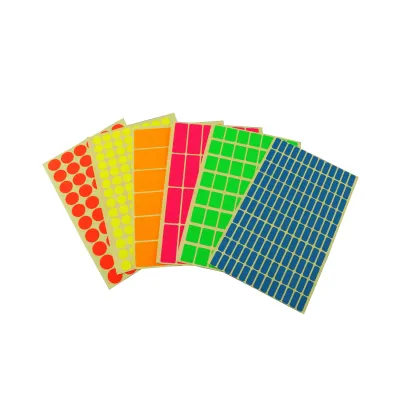
Prices are valid at publication and may change. Please refer to the product page for the latest price.
The underlying print technology is the primary driver of color quality and gamut. There are three main technologies used in color-capable label makers:
ZINK (Zero Ink) Technology: This system uses special paper embedded with heat-sensitive dye crystals. The printer uses precise heat pulses to activate these crystals, creating full-color images without requiring any ink cartridges. While highly portable and convenient, ZINK prints often have a slightly warmer color cast and a more limited color gamut compared to traditional ink.
Inkjet Technology: Utilizing liquid ink cartridges (often pigment-based or dye-based), inkjet label makers offer the highest color accuracy, widest color gamut, and sharpest image reproduction. This technology is the standard for professional product labels and detailed crafting stickers, though it requires regular cartridge replacements and a brief drying period to prevent smudging.
Multi-Pass Thermal Transfer: This industrial-grade technology uses colored ribbon cartridges. The printer passes the label material under the print head multiple times, applying different solid color ribbons (such as red, blue, yellow, or metallic shades) to create crisp, solid-color designs. While excellent for durable, high-contrast color-coding, it is not designed for printing continuous-tone photographs.
Beyond resolution and technology, you must verify the physical dimensions supported by the hardware. Many compact, handheld label makers are restricted to narrow tape widths, often maxing out at 12mm or 24mm. If you plan to print larger decorative stickers, shipping labels, or product packaging, you will need a desktop model that supports wider media rolls, typically ranging from 50mm up to 100mm or more. Always check the maximum printable width and whether the machine supports continuous rolls or only pre-die-cut labels.
Material Compatibility and Durability Checks
A beautifully printed color sticker is only useful if it can withstand its intended environment and adhere securely to its target surface. Before committing to a specific brand, review the manufacturer’s official specifications regarding supported label materials. While some entry-level models only support standard paper labels, more versatile systems can handle synthetic vinyl, clear polyester film, matte or glossy photo paper, and even iron-on fabric tapes.

Adhesive performance is another critical variable that depends entirely on the material ecosystem of the brand you choose. Standard adhesives are designed for flat, clean paper or plastic surfaces. If you need to apply color stickers to curved surfaces (such as test tubes or small cosmetic bottles), textured plastics, or glass jars, you must verify that the brand offers high-tack or flexible material options. Using a standard paper label on a curved plastic surface often results in “flagging,” where the edges of the sticker peel away over time.
Environmental resistance is a common area of confusion for buyers. It is important to understand that water, UV, and smudge resistance are properties of the label material and ink combination, not the printer hardware itself. For example, a color sticker printed on standard paper using dye-based inkjet ink will quickly bleed and fade if exposed to moisture or direct sunlight. Conversely, a synthetic vinyl label printed with pigment-based ink or a laminated thermal transfer tape can withstand heavy handling, water exposure, and UV rays. Always check the specifications on the individual label cartridge packaging rather than assuming the printer guarantees universal durability.
Software, Connectivity, and Design Flexibility
The hardware is only half of the equation; the software platform provided by the manufacturer determines how easily you can design and print your color stickers. Most modern label makers connect to either a mobile app via Bluetooth or a desktop application via USB or Wi-Fi.
Mobile apps are highly convenient for quick, on-the-go printing and often feature simplified interfaces with pre-made templates, basic text tools, and emoji libraries. However, they can be limiting if you want to import high-resolution custom graphics, adjust precise color profiles, or use specialized fonts. For complex design work, desktop software is almost always superior. It allows you to import standard file formats like PNG, JPEG, and SVG, manage layers, and utilize advanced alignment tools to ensure your designs print perfectly centered on die-cut labels.
Connectivity options also impact your workflow, especially when dealing with large, color-heavy design files. While Bluetooth is perfectly adequate for simple text labels, transferring high-resolution color graphics over a Bluetooth connection can introduce noticeable lag. If you plan to print complex designs or high volumes of stickers, look for a label maker that supports a stable Wi-Fi connection or a direct USB link to your computer to ensure fast and reliable data transfer.
Finally, evaluate the software’s batch printing and template capabilities. If you run a small business or need to organize a large inventory, the ability to import spreadsheet data (such as CSV files) to automatically generate sequential barcodes, serial numbers, or personalized address labels is an invaluable time-saver. Ensure the software does not lock these essential features behind a paywall.
Decision Framework: Matching the Right Label Maker to Your Needs
To narrow down your choices, it is helpful to match your primary printing goals to the most suitable hardware category. Use the following guidelines to establish your decision framework:
For Photo-Realistic Crafts and Detailed Graphics: If your primary goal is printing vibrant, full-color stickers, custom illustrations, or photographic designs for scrapbooking and journaling, prioritize a high-DPI inkjet or ZINK-based model. ZINK models are highly portable and excellent for casual, ink-free convenience, while desktop inkjet models are the gold standard for professional-grade color accuracy and fine detail.
For Durable Organization and Color-Coding: If you need color stickers for outdoor equipment, kitchen storage, industrial tagging, or long-term filing, choose a robust thermal transfer model that supports colored ribbons. These systems produce highly durable, smudge-proof, and chemical-resistant labels that will not fade when exposed to light or moisture.
Calculate the Total Cost of Ownership: Before purchasing any label maker, research the ongoing cost of its proprietary consumables. Some brands sell their hardware at a relatively low price point but charge high prices for proprietary label rolls and ink cartridges. In Singapore, a single roll of specialty color label tape can range from S$15 to S$40 depending on the material and brand. Calculate the estimated cost per sticker based on your expected printing volume to ensure it fits your long-term budget.
Assess Physical Limitations: Keep in mind that standard consumer-grade handheld label makers have strict physical limits. If your projects require labels wider than 50mm, or if you need to print continuous banners, you must bypass compact portable models and invest in a dedicated desktop color label printer.
Frequently Asked Questions (FAQ)
Can standard thermal label makers print in full color?
Standard direct thermal label makers cannot print in full color. This technology relies on heat-sensitive paper that turns black (or occasionally red or blue in dual-color models) when exposed to the heated elements of the print head. To print full-color stickers, you must use a device specifically designed for ZINK (Zero Ink), inkjet, or multi-pass thermal transfer technologies.
Are color stickers from label makers waterproof?
Water resistance depends entirely on the specific label material and adhesive used, rather than the printer itself. Standard paper labels will degrade and smudge when wet, whereas synthetic materials like vinyl or polyester film are highly water-resistant. Always check the label cartridge packaging for official waterproof or water-resistant ratings before applying them to items that require washing or outdoor exposure.
Do I need a subscription to use label maker design apps?
While most manufacturers provide a free basic version of their design software, some brands restrict advanced features behind a subscription model. These premium tiers may require a recurring fee to unlock custom font imports, advanced color editing tools, or cloud storage. It is highly recommended to check the official app store listings or the manufacturer’s website to verify any potential software costs before purchasing the hardware.

Community discussion
Share your experience or ask a question. Comments are reviewed before publication.