
Finding the perfect label maker brand to print high-quality letter stickers in Singapore depends entirely on your specific workflow, durability expectations, and where the labels will be applied. There is no single brand that fits every scenario perfectly. If you require highly durable, smudge-proof, and weather-resistant letter stickers for office inventory, cable labeling, or outdoor use, heavy-duty thermal transfer brands like Brother (P-touch series) or Epson (LabelWorks) are the premier choices. Conversely, if your goal is quick, creative home organization, scrapbooking, or temporary labeling via a smartphone app, compact direct-thermal brands such as Niimbot or Phomemo offer unmatched portability and design flexibility. Before purchasing, it is critical to verify the local availability of tape cartridges in Singapore bookstores or online marketplace platforms, as well as the compatibility of the companion application with your mobile operating system.
Core Dimensions for Comparing Letter Sticker Brands
When evaluating different label maker brands for creating letter stickers, looking past basic marketing claims is essential. The performance of a label maker is determined by several core technical dimensions that directly impact the legibility, longevity, and overall quality of your printed text.
Print Technology
Label makers primarily utilize one of two print technologies: thermal transfer or direct thermal. Understanding the difference between these two methods is crucial for choosing a machine that matches your durability requirements.
Products mentioned in this guide
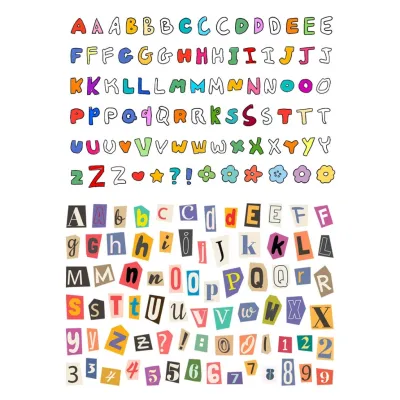
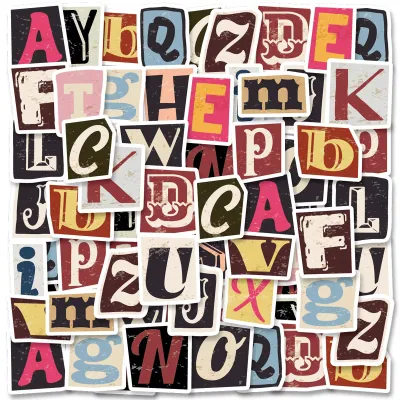
Prices are valid at publication and may change. Please refer to the product page for the latest price.
- Thermal Transfer: This technology uses a heated printhead to melt a wax- or resin-based ink ribbon onto the label tape. Because the ink is fused directly into the medium, thermal transfer prints are highly resistant to smudging, chemicals, moisture, and UV exposure. Brands like Brother and Epson utilize this technology in their heavy-duty lines, making them ideal for long-term labeling in Singapore's humid climate.
- Direct Thermal: This method uses heat-sensitive paper or synthetic tape that darkens when it passes over the printhead. While direct thermal machines do not require ink ribbons—making them highly compact and economical—the resulting letter stickers are sensitive to heat, friction, and direct sunlight. Over time, exposure to these elements can cause the entire label to darken or the printed letters to fade. Users should check manufacturer specifications to determine if a direct thermal model is rated for the environment in which the stickers will be placed.
Font and Language Support
To create visually appealing letter stickers, precise control over typography is necessary. The quality of your stickers depends heavily on how the label maker handles font styles, character spacing (kerning), and multi-language support.
Standalone keyboard models are limited to the fonts pre-programmed into the machine’s internal firmware. While convenient, these models may offer only a handful of font styles and limited sizing options. On the other hand, brands that connect to a PC, Mac, or smartphone via Bluetooth open up access to your system’s entire font library, including custom TrueType and OpenType fonts.
For Singapore’s multilingual context, ensure the brand’s software supports non-Latin characters if you plan to print Chinese, Tamil, or Malay script. Advanced companion apps also allow you to adjust letter spacing, insert decorative borders, and align text precisely, preventing letters from looking cramped or unevenly distributed.
Label Material and Adhesive
No matter how advanced a label maker’s printhead is, the ultimate quality of your letter stickers depends on the tape cartridge. Manufacturers design proprietary tape ecosystems with varying material compositions and adhesive strengths.
Laminated tapes feature a clear protective layer over the printed text, shielding the letters from abrasion, water, and oil. Non-laminated tapes are thinner and more flexible, which can be advantageous for wrapping around tight curves, but they lack heavy-duty protection.
Adhesives also vary significantly. Standard adhesives are designed for flat, smooth surfaces like plastic folders or glass jars. If you plan to label textured plastics, powder-coated metals, or cables, you must verify if the brand offers specialized high-tack or flexible ID tapes. Always consult the manufacturer’s care instructions to ensure the tape material is compatible with the surface you intend to label.
Connectivity and Ecosystem
How you interact with your label maker dictates your daily workflow. Brands generally split their product lineups between standalone units and connected devices.
- Standalone Models: These feature built-in QWERTY or ABC keyboards and small LCD screens. They are excellent for rapid, on-the-spot labeling without the need to pair a device or worry about battery life (as many run on standard AA batteries or AC adapters). However, designing complex layouts with multiple font sizes can be clunky on a small screen.
- Connected Models: These rely on Bluetooth or Wi-Fi to connect to mobile apps or desktop software. This setup provides a rich design interface where you can drag, drop, resize, and preview your letter stickers before printing. When choosing a connected brand, check user reviews on app stores to ensure the companion app is actively maintained, receives regular updates, and does not suffer from frequent connection drops.
Feature Matrix: Evaluating Label Maker Tiers
To help you categorize the market, the table below outlines the three primary tiers of label makers available in Singapore. This matrix compares their technical capabilities, connectivity options, and typical use cases.

| Brand Archetype | Print Technology | Max Label Width | Primary Connectivity | Best Use Case | Consumable Cost Factor |
|---|---|---|---|---|---|
| Heavy-Duty Office Tier (e.g., Brother, Epson) | Thermal Transfer | Up to 36mm | USB, Wi-Fi, Standalone | Asset tagging, cable wrapping, industrial organization | Moderate to High (due to laminated tape construction) |
| Portable Smart Tier (e.g., Niimbot, Phomemo) | Direct Thermal | Up to 15mm – 50mm | Bluetooth (Mobile App) | Home organization, pantry jars, school supply labeling | Low to Moderate (no ink ribbons required) |
| Craft/Design-Focused Tier (e.g., Epson, specialized Brother) | Thermal Transfer | Up to 18mm – 24mm | Bluetooth, Standalone | Scrapbooking, personalized gifts, satin ribbon printing | Moderate (specialty tapes command a premium) |
Note: Specific features, tape widths, and connectivity options vary by model. Before purchasing, verify the exact specifications on the product packaging or the official manufacturer website. Consumable costs fluctuate; check current cartridge prices in SGD at local retailers to calculate long-term operating costs.
Decision Framework: Matching Brand Profiles to Your Workflow
Selecting the best brand requires aligning their product strengths with your specific labeling projects. Use the following framework to identify which tier fits your daily routine.
Choose Heavy-Duty Office Brands If…
You require maximum durability and print volume. If your letter stickers will be exposed to sunlight on outdoor equipment, subjected to frequent washing on food containers, or handled constantly in an office archive, brands like Brother or Epson are highly recommended.
These brands specialize in laminated thermal transfer tapes that withstand harsh environmental conditions without fading or peeling. Furthermore, their desktop software allows you to import Excel databases, enabling you to batch-print serialized alphanumeric stickers quickly. While the initial hardware and tape cartridge costs are higher, the longevity of the labels prevents the need for frequent replacements.
Choose Portable Smart Brands If…
Your primary goals are convenience, speed, and budget-friendly home organization. If you want to label spice jars in your kitchen, organize storage boxes in your HDB bomb shelter, or print name labels for your children’s school stationary, portable smart brands like Niimbot or Phomemo are excellent choices.
These sleek, battery-powered devices slip easily into a drawer or bag. Their mobile apps are highly intuitive, offering pre-designed templates, icons, and creative fonts that make designing letter stickers a fast and enjoyable process. Because they use direct thermal technology, you only need to purchase the label rolls, keeping ongoing maintenance simple and affordable.
Choose Craft and Design-Focused Brands If…
You want to elevate your packaging, gifts, or journaling with unique materials. If you run a small home-based business in Singapore or enjoy DIY crafting, look for brands that offer specialty tape compatibility.
Certain models from Epson and Brother allow you to print directly onto satin ribbons, iron-on fabric tapes, or matte pastel labels. These machines enable you to create elegant, custom-designed letter stickers that serve as decorative elements rather than just functional identifiers. This tier bridges the gap between industrial durability and creative freedom.
Verify First If…
Before finalizing your purchase, there are several practical checks you must perform to avoid compatibility issues:
- Local Tape Availability: Ensure that replacement tape cartridges for your chosen brand are readily stocked by Singaporean distributors, local stationery shops, or online marketplaces. Relying on niche brands with limited local distribution can lead to long shipping delays when you run out of tape.
- App Requirements: Download the brand's companion app before buying the machine. Verify if it requires mandatory account creation, location permissions, or an active internet connection to function, especially if you have privacy concerns.
- Maximum Label Width: Double-check that the machine can accommodate the tape width you need. If you plan to create large, highly visible letter stickers for signage, a machine limited to 12mm or 15mm tapes will not suffice; you will need a model that supports 24mm or wider tape.
Practical Tips for Creating High-Quality Letter Stickers
Once you have selected your label maker, achieving professional-looking results requires proper application and configuration techniques.
Surface Preparation
The longevity of any adhesive sticker is determined by the cleanliness of the receiving surface. Dust, oils, moisture, and fingerprints create a barrier that prevents the adhesive from forming a secure bond, which can cause the edges of your letter stickers to peel prematurely.
Before applying your label, wipe the target surface thoroughly with a clean microfiber cloth. For non-porous surfaces like glass, metal, or hard plastics, a small amount of isopropyl alcohol can help remove stubborn grease or residue. Ensure the surface is completely dry before placing the sticker. Avoid touching the exposed adhesive backing with your fingers during application, as skin oils can degrade the glue.
Print Density and Speed
If you are using a connected label maker, the companion software often allows you to adjust print settings. Fine-tuning these parameters can dramatically improve the crispness of your printed letters.
- Print Density: Increasing the print density or darkness setting allows the printhead to apply more heat, resulting in richer blacks and sharper letter edges. This is particularly useful when printing small, intricate fonts. However, setting the density too high on direct thermal paper can cause minor bleeding, making text look bloated. Test a single character first to find the optimal balance.
- Print Speed: If your model offers speed adjustments, choosing a slower print speed gives the printhead more time to precisely melt the ink ribbon or activate the thermal paper. This reduces the risk of horizontal banding or smudged edges, ensuring your letter stickers look sharp and professional.
Font Sizing and Margins
Designing a balanced label prevents text from being cut off and helps minimize tape waste, which is a common complaint among label maker users.
- Proportional Sizing: Select a font size that leaves a comfortable border around the top and bottom of your letters. If the text is too close to the edge of the tape, any minor alignment variations during printing can cause the tops or bottoms of the characters to be cut off.
- Managing Margins: Many thermal transfer label makers require a fixed margin (often 15mm to 25mm) at the beginning of each print to accommodate the distance between the printhead and the cutter. To save tape, look for a "Narrow Margin" or "Chain Print" setting in your software. Chain printing allows you to print multiple letter stickers in a single continuous strip, requiring only one cut at the end and drastically reducing tape waste.
Frequently Asked Questions (FAQ)
Can I use third-party label tapes with major brand label makers?
Yes, third-party compatible tapes are widely available in Singapore and are often significantly cheaper than official OEM (Original Equipment Manufacturer) cartridges. However, using them carries certain trade-offs. Third-party tapes may feature inconsistent adhesive quality, thinner backing paper that is prone to jamming, or inferior ink ribbons that smudge easily. Additionally, some manufacturers specify that using non-genuine consumables can void your warranty if the machine is damaged as a result. If you choose to use third-party tapes, test them in small batches first to verify compatibility and print quality.
How do I prevent letter stickers from peeling off curved surfaces?
Curved surfaces, such as cables, test tubes, or thin bottles, exert constant outward tension on stiff label materials, causing the edges to lift over time. To prevent this, use flexible ID tapes or extra-strength adhesive tapes designed specifically for wrapping. When applying the label, ensure you wrap it completely around the object so that the tape overlaps itself; adhesive bonds much more securely to the glossy top layer of the tape than to textured plastic or metal. Additionally, trimming the sharp square corners of your label into rounded edges can prevent them from catching on objects and peeling back.
Are smartphone-connected label makers better than standalone keyboard models?
Neither is universally better; they serve different user preferences. Smartphone-connected models excel in design flexibility, allowing you to use custom fonts, insert emojis, generate QR codes, and preview the exact layout before printing. They are ideal for creative projects and detailed home organization. Standalone keyboard models, however, offer immediate utility. They require no app setup, Bluetooth pairing, or software updates. If you need to print simple, utilitarian text labels quickly in an office or workshop environment without relying on a mobile device, a standalone model is often the more efficient choice.

Community discussion
Share your experience or ask a question. Comments are reviewed before publication.