
Finding the ideal label maker for color label stickers depends entirely on your specific printing technology needs, material requirements, and budget. There is no single universal winner; instead, the best choice emerges from matching a brand’s printing mechanism—such as thermal transfer, compact inkjet, or inkless ZINK technology—to your home organization or office identification tasks. This guide provides a structured framework to compare available systems, verify their output quality, and evaluate the long-term value of their consumables.
Understanding Print Technologies Behind Color Label Stickers
To make an informed decision, you must first understand how different printing mechanisms dictate the color capabilities, durability, and operational limits of label makers.
Direct thermal printing is the most common technology for standard label makers. This method uses heat-sensitive paper that darkens when it passes over the heated printhead. While highly efficient and ink-free, standard direct thermal printers are typically limited to monochrome output. Some specialized models can produce limited two-color prints (such as black and red) by applying different temperature levels, but they cannot produce full-color gradients or a wide color spectrum.
Products mentioned in this guide
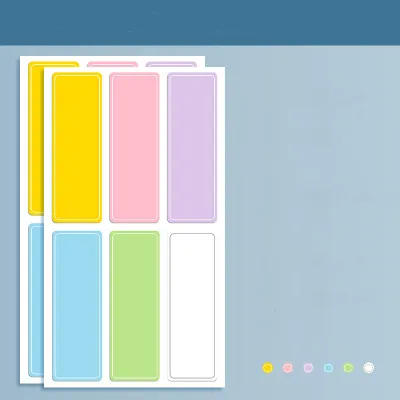
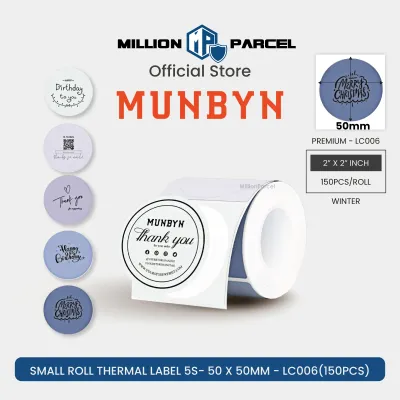
![DK-44605 DK44605 Compatible Brother 62mm YELLOW REMOVABLE Continuous Thermal Label Sticker Paper for Brother Label Printer QL-500 QL-570 QL-700 QL-700W QL-710W QL-720NW QL-800 QL-810W QL-820NWB QL-1050 QL-1100 QL-1100NWB [theinksupply]](https://img.lazcdn.com/g/p/5b6d0a0914e86ebc4fde79a8b5c9f1f8.jpg_400x400q80.jpg_.webp)
Prices are valid at publication and may change. Please refer to the product page for the latest price.
Thermal transfer printing offers a highly durable alternative. This technology uses a heated printhead to melt a colored wax or resin ribbon onto the label material. While most thermal transfer label makers print in a single color at a time, you can achieve different color label stickers by swapping out the ribbon cassettes or using pre-colored label rolls. The resulting prints are highly resistant to smudging, chemicals, and environmental exposure, making them ideal for long-term office and industrial use.
For true full-color output without liquid ink, inkless ZINK (Zero Ink) technology is a popular choice for creative and home organization tasks. ZINK paper contains embedded dye crystals in cyan, magenta, and yellow layers. The printer uses precise heat pulses to activate these crystals, creating vibrant, full-color graphics and photos. However, because the paper itself is heat-sensitive, these labels are more vulnerable to fading when exposed to direct sunlight or high temperatures.
Compact inkjet label makers represent the premium end of the color spectrum. These devices use traditional liquid ink cartridges to spray microscopic droplets onto specially coated label media. This technology delivers the highest color accuracy, smooth gradients, and sharp photographic quality. The primary trade-offs are the physical size of the machine, the potential for ink smudging if the label gets wet before drying, and the ongoing cost of replacement ink cartridges.
Before purchasing any system, always check the manufacturer’s specifications for supported color profiles, ribbon types, and maximum print widths to ensure the hardware aligns with your project requirements.
How to Evaluate Color Label Sticker Output Quality
Evaluating the visual and physical quality of color outputs requires looking past marketing claims and focusing on verifiable technical specifications.

The primary indicator of print sharpness is resolution, measured in dots per inch (DPI). Standard label makers typically operate at 203 DPI, which is sufficient for large text and simple barcodes but can result in pixelated graphics or blurry small fonts. For high-quality color label stickers featuring detailed logos, fine text, or complex color gradients, look for devices that offer at least 300 DPI or 600 DPI. Higher resolution ensures that small text remains legible and barcodes scan reliably on the first attempt.
Color vibrancy and gradient handling are also critical factors, especially when printing color-coded organization systems or brand assets. Inkjet and ZINK systems generally handle color transitions and photographic gradients much better than thermal transfer systems, which are better suited for solid, block-color designs. When evaluating a brand, inspect official sample galleries or request print samples to see how the technology handles color matching and fine lines.
Smudge resistance is another vital quality metric. Some color printing technologies require a brief drying period immediately after printing, while others emerge completely dry and ready for use. You can verify these performance characteristics by downloading product manuals to check the recommended media types and reading independent user reviews that document real-world durability and handling.
Matching Label Materials and Adhesives to Your Environment
The longevity and performance of your color label stickers depend heavily on matching the substrate and adhesive to the specific environment where they will be used.
Paper substrates are the most cost-effective option and work well for dry, indoor environments, such as labeling file folders, storage boxes, or indoor shelving. However, paper labels tear easily and offer virtually no resistance to water, oil, or handling wear.
For more demanding environments, synthetic substrates like vinyl and polyester (PET) are highly recommended. Vinyl is flexible and conforms well to curved surfaces, making it excellent for labeling cables, bottles, and rounded containers. Polyester is exceptionally durable, offering high resistance to tearing, water, chemicals, and extreme temperatures, which is essential for office asset tagging, laboratory samples, or outdoor equipment.
The choice of adhesive is equally important. Permanent adhesives are designed to bond strongly to surfaces and are difficult to remove without leaving residue, making them ideal for permanent identification. Removable adhesives allow you to peel the label off cleanly, which is perfect for temporary organization, glass jars, or reusable bins. Specialty adhesives, such as high-tack or fabric-safe options, are available for textured surfaces or clothing.
Always consult the label maker’s official compatibility list before purchasing third-party media. Using unsupported materials can lead to poor print quality, adhesive melting inside the machine, or physical hardware jams that could void your warranty.
Calculating the True Cost of Color Label Consumables
When choosing a color label maker brand, the initial purchase price of the device is often only a small fraction of the total cost of ownership. The ongoing expense of consumables can quickly add up, making it essential to calculate the long-term financial impact before committing to an ecosystem.
To determine the true cost, compare the upfront hardware price against the cost per print of the consumables. For thermal transfer systems, you must factor in both the label roll and the color ribbon. For inkjet systems, you need to calculate the cost of replacement ink cartridges alongside the specialized coated paper. ZINK systems eliminate the need for ink or ribbons entirely, but the specialized, heat-sensitive paper rolls are typically more expensive per print than standard thermal or paper labels.
Ecosystem lock-in is a common practice among label maker manufacturers. Many brands design their devices to accept only proprietary label cassettes or rolls equipped with microchips or specific physical notches. This prevents the use of more affordable third-party alternatives, locking you into the manufacturer’s pricing structure.
Before finalizing your purchase, research the availability and pricing of both official and compatible third-party color label stickers. If a brand allows the use of generic media, you can significantly reduce your operating costs, provided the third-party materials meet the physical specifications required by the printer.
Decision Framework: Choosing the Right Label Maker System
To simplify your selection process, use this conditional framework to match your specific workflow and output requirements to the right label maker category.
Choose a compact inkless or ZINK-based system if your primary goal is high portability, creative home organization, or retail tagging that requires full-color graphics, photos, or decorative elements. These systems are highly user-friendly and require minimal maintenance since there are no ink cartridges or ribbons to manage.
Choose a thermal transfer system with color ribbons if you require highly durable, smudge-proof, and long-lasting identification labels for office assets, warehouse inventory, or outdoor equipment. This technology is the industry standard for professional environments where labels must withstand physical wear, moisture, and chemical exposure.
Before making a final decision, verify the software and connectivity options provided by the brand. If your workflow involves bulk printing, advanced barcode generation, or importing data from spreadsheets, ensure the label maker’s companion app or desktop software supports these features seamlessly. Reliable Bluetooth or Wi-Fi connectivity is also essential if you plan to print directly from mobile devices or multiple workstations.
Frequently Asked Questions (FAQ)
Can standard thermal label makers print in full color?
Standard direct thermal label makers are designed for monochrome printing and cannot produce full-color outputs. They rely on heat-sensitive paper that turns black (or occasionally red) when exposed to the printhead’s heat. If your projects require vibrant, multi-color designs or photographic prints, you should look for systems utilizing thermal transfer, ZINK, or compact inkjet technologies instead.
How do I prevent color label stickers from fading over time?
To prevent color label stickers from fading, select UV-resistant, laminated, or synthetic materials like polyester (PET) or vinyl, especially for items exposed to sunlight or harsh indoor lighting. Additionally, verify that the color ribbons or ink formulations used by your label maker are rated for archival quality or UV resistance. Applying a clear protective laminate over printed labels can also significantly extend their lifespan and preserve color vibrancy.
Community discussion
Share your experience or ask a question. Comments are reviewed before publication.