
Choosing the best label maker brand for custom name stickers depends on your specific organizational needs, as no single manufacturer dominates every category. To find the right fit, you must balance design flexibility, label durability, and long-term consumable costs. While some users require highly stylized, colorful name tags for school supplies, others prioritize quick, durable labels for household organization. By evaluating key technical specifications and material compatibility, you can select a device that delivers clear, long-lasting name stickers without exceeding your budget.
Key Features to Compare When Choosing a Label Maker
When comparing label maker brands, printing resolution is critical for small name stickers. Resolution is measured in dots per inch (DPI). A higher DPI, such as 180 or 300, ensures that small text remains crisp and legible. If you plan to print tiny name stickers for pencils, stationery, or small personal items, look for models with higher resolution to prevent the print from appearing pixelated or blurry.
Design capabilities vary significantly between brand ecosystems. Some brands focus on simple, built-in fonts and basic borders, which are ideal for straightforward text labels. Other brands offer extensive icon libraries, diverse font selections, and creative border options through companion mobile apps. If you want to customize name stickers with unique symbols, emojis, or custom graphics, prioritize brands that emphasize software-driven design flexibility.
Products mentioned in this guide
![[SG STOCK]Personalised Name Sticker Set Childcare sticker Label Customised Waterproof Name Sticker Set](https://img.lazcdn.com/g/p/37aba8b1992a2af2a24d98e65343dc9b.jpg_400x400q80.jpg_.webp)
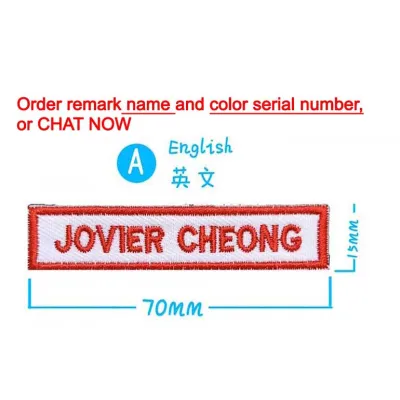
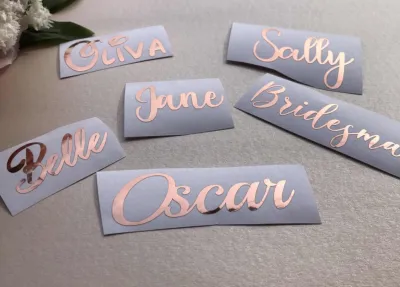
Prices are valid at publication and may change. Please refer to the product page for the latest price.
The cutting mechanism affects both the finish of your stickers and the amount of tape wasted. Manual cutters require you to press a physical lever to slice the tape, which can sometimes result in slightly uneven edges. Automatic cutters slice the label precisely after printing, creating a clean, professional finish. Additionally, some advanced models feature half-cut options, which score the backing paper to make peeling much easier while keeping multiple labels connected on a single strip.
Power options are another practical consideration. Battery-operated models offer excellent portability, allowing you to label items around the home or classroom without being tied to an outlet. However, frequent use can lead to high battery replacement costs. Rechargeable lithium-ion battery models or those that include an AC adapter are generally more cost-effective for heavy printing sessions, even if the initial purchase price is slightly higher.
Evaluating Label Materials for Name Stickers
The durability of your custom name stickers depends heavily on the label material. Standard paper labels are cost-effective and suitable for dry, low-wear environments like file folders or storage boxes. However, they tear easily and degrade quickly when exposed to moisture. For items that undergo frequent handling or washing, synthetic materials like vinyl, polyester, or polyolefin are much more reliable choices.

Before purchasing, check the manufacturer’s specifications for water resistance, oil resistance, and tear-proof properties. If you are labeling lunchboxes, water bottles, or outdoor gear, the labels must withstand regular washing and exposure to the elements. High-quality synthetic tapes are designed to resist smudging and peeling when exposed to water or oils from hands, ensuring the printed name remains legible over time.
Adhesive strength is another factor that must match your intended application. Permanent adhesives form a strong bond with hard plastics, metals, and glass, making them ideal for school supplies and personal electronics. If you plan to label shared items, rental equipment, or temporary storage, look for removable adhesive options. Removable labels are designed to peel off cleanly without leaving a sticky residue or damaging the underlying surface.
Surface compatibility is crucial for ensuring your labels stay securely attached. Standard flat labels adhere well to smooth, flat surfaces but may lift at the edges when applied to curved objects like water bottles or pens. For highly curved or textured surfaces, look for flexible ID tapes or specialized fabric labels. If you need to label clothing, uniforms, or school bags, verify whether the brand offers iron-on or sew-in fabric tapes that can withstand regular laundry cycles.
App Connectivity vs. Standalone Keyboards
The interface you choose determines how you design and print your custom name stickers. Smartphone-connected label makers rely on Bluetooth or Wi-Fi to connect to a mobile app. This setup allows you to leverage your phone’s touchscreen to design labels, import custom graphics, use system fonts, and access pre-designed cloud templates. App-connected models are highly versatile, making them the preferred choice for creative projects, custom branding, and highly personalized name stickers.
In contrast, standalone keyboard label makers feature a physical QWERTY or ABC keyboard and a small built-in display. These devices do not require a smartphone, internet connection, or companion app to function. They are highly portable, durable, and ready to print in seconds. Standalone models are excellent for quick, repetitive labeling tasks where simple text and basic borders are sufficient, such as organizing a pantry or labeling office files.
While smartphone-connected models offer superior design freedom, they also come with a learning curve and potential technical hurdles. Users must navigate app updates, manage Bluetooth pairing, and troubleshoot occasional connectivity drops. Standalone models eliminate these digital pain points, offering a straightforward, plug-and-play experience. Consider your comfort level with mobile apps and whether you prefer a quick, physical typing experience over digital design customization.
Furthermore, app-connected devices often allow you to save your custom designs directly to your phone or cloud account, making it easy to reprint the exact same name stickers in the future. Standalone models may have limited internal memory, meaning you might need to retype or redesign your labels if you delete them to clear space. If you plan to print the same set of name stickers periodically as school terms change, the digital saving capabilities of an app-connected brand can save significant time.
Decision Framework: Matching Brands to Your Needs
To narrow down your choices, it helps to match specific brand characteristics to your primary labeling goals. If your main priority is creating highly customized, visually appealing name stickers with unique fonts, icons, and colors, a smartphone-connected brand is the most suitable option. These brands focus on app development, offering regular software updates and creative templates that make designing custom name stickers an engaging and highly personalized process.
If you value speed, simplicity, and independence from smart devices, a standalone keyboard brand is the better choice. These models are ideal for busy households or office environments where multiple users need to print basic name tags or organizational labels quickly. The physical keyboard allows you to type a name, add a simple border, and print within seconds, without worrying about app compatibility or device pairing.
For families organizing school uniforms, daycare clothing, or sports gear, a specialized fabric label maker or a brand with a robust selection of iron-on tapes is essential. Standard adhesive labels will not survive the washing machine when applied directly to fabric. Choosing a brand that specializes in durable, machine-washable fabric tapes ensures that clothing labels remain securely attached and legible through dozens of wash cycles.
Before committing to a specific brand ecosystem, always verify the availability of proprietary label sizes and specialized materials. Some brands limit you to a narrow range of tape widths, while others offer a vast catalog including metallic tapes, patterned backgrounds, and heat-shrink tubing. Ensure the brand you select supports the exact tape widths and material types required for your specific custom name sticker projects.
Additionally, consider the physical environment where you will be using the device. If you need to label items on-site at a school event, in a warehouse, or outdoors, a rugged standalone keyboard model with a protective bumper is highly practical. Conversely, if you plan to do all your labeling at a desk or crafting table, a sleek, compact smartphone-connected printer that takes up minimal space is often the more convenient option.
Hidden Costs: Hardware Price vs. Consumables
When shopping for a label maker, looking only at the initial hardware price can be misleading. The true cost of ownership is heavily influenced by the ongoing expense of consumable tape cartridges. Some budget-friendly label makers are sold at a low price point, but their proprietary replacement tapes can be expensive. To estimate the long-term cost, compare the price per meter of tape across different brands before making your decision.
Many manufacturers design their devices to work exclusively with proprietary tape cartridges, which often feature microchips or physical notches to prevent the use of third-party alternatives. While third-party or compatible label materials are often available at a lower price on online marketplaces, using them may void your manufacturer’s warranty. Always check the brand’s warranty policy and user manual regarding the use of non-original consumables.
In Singapore, upfront hardware costs for entry-level label makers typically range from affordable budget models to premium, high-resolution devices priced higher in S$. If you only plan to print a few dozen name stickers a year, a low-cost hardware option is highly practical. However, if you anticipate high-volume printing for school, business, or extensive home organization, investing in a slightly more expensive device that uses more economical tape rolls can save you money over time.
Finally, be aware of other potential hidden costs associated with specific printing technologies. While direct thermal label makers do not require ink or toner, some models use specialized ink ribbons that must be replaced alongside the label tape. Additionally, heavy use can eventually wear down manual or automatic cutting blades. Check if the brand offers replaceable cutter units or if a worn blade requires replacing the entire device.
Frequently Asked Questions (FAQ)
Can I use third-party label rolls to save money?
While third-party label rolls are often more affordable than original equipment manufacturer (OEM) cartridges, they can introduce performance risks. Non-original tapes may have slightly different thicknesses or backing materials, which can lead to tape jams, uneven feeding, or poor print quality. Additionally, using third-party consumables can void your device’s warranty if a malfunction occurs. If you decide to try compatible labels, it is best to purchase a small test batch to verify compatibility and adhesive quality before buying in bulk.
Are custom name stickers safe for children's items?
When creating name stickers for children’s toys, water bottles, or school supplies, it is important to verify the safety of the materials. Check the manufacturer’s product packaging or specifications for non-toxic, BPA-free, or child-safe certifications. For items that frequently go into a child’s mouth or are washed regularly, choose waterproof, smear-proof synthetic labels that will not degrade or release small particles. Ensure the adhesive is strong enough to prevent peeling, as loose labels can become a choking hazard for very young children.

Community discussion
Share your experience or ask a question. Comments are reviewed before publication.