
Selecting a label maker brand that produces clear, durable price tags for your retail store requires looking beyond marketing buzzwords and focusing on the underlying printing technology, software compatibility, and consumable options. In customer-facing retail environments, a smudged barcode or a faded price tag can slow down checkout lines and diminish your brand’s professional image. The ideal setup depends on your specific store conditions, such as humidity levels, exposure to sunlight, and how frequently customers handle the merchandise. Rather than relying on unverified brand rankings, evaluating hardware specifications, consumable ecosystems, and material durability will help you build a professional, smudge-resistant labeling setup for customer-facing retail use.
Hardware and Consumable Specs for Retail Price Tags
When evaluating label makers, print resolution is one of the first hardware specifications to consider. Measured in dots per inch (DPI), this metric directly determines the clarity of small text, fine lines, and high-density barcodes. A standard 203 DPI printer is generally sufficient for standard-sized price tags with larger fonts. However, if your retail business requires printing tiny jewelry tags, detailed product descriptions, or compact QR codes, a 300 DPI or higher specification is recommended to ensure scannability and legibility. You can verify these capabilities by checking the manufacturer’s technical datasheet before purchasing.
The core printing technology of the label maker also plays a critical role in tag longevity. Direct thermal printers use heat-sensitive paper that darkens when exposed to the printhead, eliminating the need for ink, toner, or ribbons. This makes the hardware simpler, more compact, and easier to maintain. However, direct thermal labels remain sensitive to heat, light, and friction, which can cause them to fade or turn black over time. In contrast, thermal transfer printers use a heated ribbon to melt ink onto the label material. This method produces highly durable prints that resist fading, smudging, and environmental exposure, making it a highly reliable choice for long-term retail displays.
Products mentioned in this guide
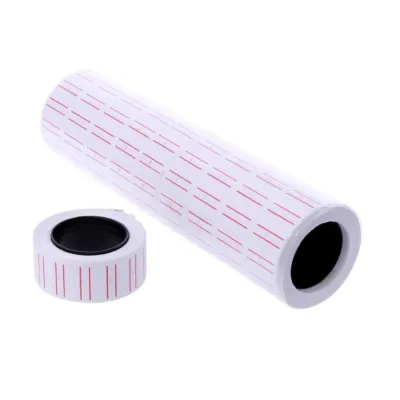
Prices are valid at publication and may change. Please refer to the product page for the latest price.
Consumable compatibility is another essential hardware check. Before committing to a specific brand, verify the physical dimensions of the media the printer can accept. This includes checking the maximum roll outer diameter, the inner core diameter, and the supported label widths. Some desktop label makers are designed to only accept proprietary media rolls with specific sensor marks or embedded RFID chips, while others feature an open design that accommodates universal third-party rolls. Verifying these dimensions in the product manual ensures you do not buy incompatible media that causes feeding errors, sensor calibration issues, or physical jams during operation.
How to Compare Label Maker Brands for Retail Use
A label maker is only as functional as the software ecosystem that supports it. When comparing different brands, evaluate their companion design software and driver compatibility. Look for features like batch printing, sequential numbering, and the ability to import data from spreadsheet formats or database files. This is crucial for high-volume price tag generation, as manual entry for hundreds of unique stock-keeping units (SKUs) is highly inefficient and prone to errors. Some brands offer robust, free design software with advanced database integration, while others require paid upgrades or subscriptions for these features.

The ongoing cost and local availability of consumables are critical factors for retail operations in Singapore. Some brands lock users into proprietary label rolls and ribbons, which can be more expensive and harder to source locally during supply chain disruptions. When budgeting for your store’s ongoing operational costs in S$, check if local office supply distributors or online marketplaces stock compatible consumables regularly. Opting for a brand that allows the use of third-party media can significantly lower your cost per label, though you must carefully verify that the generic media matches the printer’s sensor requirements.
Retail operations require minimal downtime, making warranty terms and local support accessibility vital comparison points. When evaluating brands, check the availability of local customer support and authorized service centers in Singapore. Verify the warranty terms, particularly whether the printhead—the most vulnerable and expensive component of a thermal printer—is covered under a separate, shorter warranty period. Brands that offer easily accessible replacement printheads and clear maintenance instructions allow you to perform quick repairs on-site, ensuring your pricing operations continue without prolonged interruptions.
Selecting Label Materials for Smudge and Tear Resistance
The choice of label material directly impacts how well your price tags withstand daily wear and tear on the sales floor. Standard paper labels are cost-effective and work well for dry, low-contact indoor environments. However, they tear easily and can smudge if exposed to moisture or oils from customers’ hands. For high-durability needs, synthetic materials like polyester (PET) or polypropylene (PP) offer excellent resistance to tearing, moisture, and scuffing, ensuring your price tags remain intact and legible throughout the product’s shelf life.
It is important to note that properties like smoothness, bleed resistance, drying speed, and water resistance depend entirely on the exact combination of label material and ink or ribbon type. Since manufacturers rarely provide universal guarantees for every environment, you should establish observable trial criteria. Before deploying a new label batch, perform a simple scratch test with a coin and apply a few drops of water to verify that the print does not smudge or bleed under simulated retail handling.
Adhesives must be carefully matched to the surface of your product packaging to avoid damage or loss. Permanent adhesives form a strong bond and are ideal for disposable packaging, but they can leave a sticky residue or damage delicate items if a customer tries to peel them off. Removable adhesives allow clean peeling, making them perfect for gift items, glassware, and books. For chilled or frozen retail items, such as specialty foods, you must verify that the label material and adhesive are rated for low-temperature or freezer-grade use to prevent the tags from falling off in cold display cases.
Singapore’s high humidity and warm climate can accelerate the degradation of certain label types, making environmental factors a key consideration. If your retail store has large display windows exposed to direct sunlight, standard direct thermal labels will fade rapidly. In these conditions, look for labels with protective topcoats designed to resist UV light and moisture. For thermal transfer setups, ensure the ribbon formulation (wax, wax-resin, or full resin) matches the label material; a resin ribbon paired with a synthetic label provides excellent scratch and chemical resistance.
Decision Framework: Choosing the Right Labeling Setup
To finalize your labeling setup, match your operational requirements to the appropriate technology and material combination. Choose a direct thermal setup if your price tags are for short-term promotions, clearance items, or products kept in climate-controlled indoor environments with low handling. This setup is highly efficient, requires fewer consumables (no ribbons to replace), and simplifies inventory management. It is ideal for fast-paced retail environments where tags are updated frequently and do not need to survive long-term exposure.
Choose a thermal transfer setup if your products are displayed outdoors, exposed to direct sunlight, subjected to high humidity, or frequently handled by customers. This setup ensures your price tags remain legible and professional-looking over months or years on the shelf. While the initial hardware and ribbon costs may be higher, the durability of the printed tags prevents the need for frequent reprints and maintains a high-quality presentation for your merchandise.
Before purchasing any hardware, verify that the label maker’s driver and software natively support your existing point-of-sale (POS) system or inventory management software. Many modern retail systems can export tag data directly to standard printer drivers, but confirming this compatibility beforehand prevents integration headaches and manual data entry workarounds. Testing the software interface with a trial version or consulting the manufacturer’s compatibility list can save significant time and resources during deployment.
Frequently Asked Questions (FAQ)
Can I use third-party labels in a branded label maker for retail?
Yes, but you must verify the manufacturer’s guidelines first. Some brands design their printers with optical sensors or RFID readers that only recognize proprietary rolls, effectively locking out third-party options. Additionally, using low-quality third-party media can sometimes lead to adhesive bleeding, which can clog the printhead and potentially void your warranty. Before committing to a large batch of third-party labels, purchase a single roll to test for print clarity, adhesive stability, and proper sensor alignment in your printer.
How do I prevent retail price tags from fading or smudging?
To prevent fading and smudging, match your printing technology and materials to your store’s environment. For thermal transfer printers, ensure you pair the correct ribbon type with your label material; for example, use a wax-resin or full resin ribbon on synthetic labels to lock the ink in place and resist scratching. If you are using direct thermal labels, keep them away from direct sunlight, high-heat sources, and contact with oils or cleaning solvents. Applying a clear protective laminate or choosing top-coated direct thermal labels can also significantly extend their shelf life.

Community discussion
Share your experience or ask a question. Comments are reviewed before publication.