
Selecting the ideal mini shredder machine for a small home office or a tuition center in Singapore requires balancing physical space constraints with data protection needs. In a typical HDB flat where study rooms double as workspaces, or in a cozy commercial tuition unit, floor space is at a premium. At the same time, tuition centers must comply with local personal data protection guidelines when handling student registration forms, diagnostic tests, and parental contact details. The best mini shredder is not a one-size-fits-all appliance; rather, it is the machine that matches your specific daily document volume, fits neatly under a compact desk, and operates quietly enough not to disrupt lessons or online meetings. By evaluating security levels, bin capacities, and duty cycles, you can find a reliable device that keeps sensitive information secure without cluttering your workspace.
Assessing Document Volume and Security Requirements
To choose the right mini shredder machine, you must first evaluate the nature of the documents you handle and how often you need to destroy them. A home office used for personal administrative tasks, such as shredding utility bills or expired bank statements, has very different demands compared to an active tuition center. In an educational environment, you routinely handle student worksheets, registration forms containing NRIC numbers or contact details, and proprietary exam materials. These documents carry a higher level of sensitivity, making data protection a critical operational priority rather than a casual chore.
The security level of a shredder is determined by its cutting mechanism, which dictates the size of the shredded particles. Strip-cut shredders slice paper into long, parallel strips. While these machines are often faster and more affordable, they offer minimal security because the strips can be reassembled relatively easily. For tuition centers and home offices handling personal data, cross-cut or micro-cut shredders are highly recommended. Cross-cut machines slice paper both horizontally and vertically, turning a single sheet of A4 paper into hundreds of tiny, unreadable confetti-like pieces. This makes reconstruction virtually impossible and significantly reduces the volume of the waste, allowing you to fit more shredded paper into the bin before it needs emptying.
Products mentioned in this guide
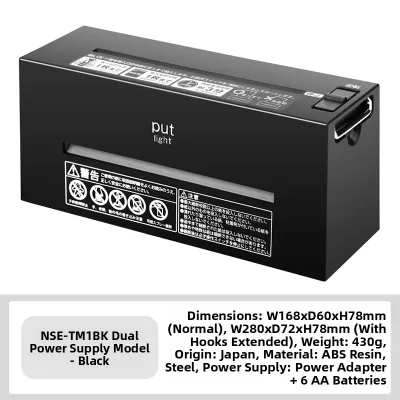
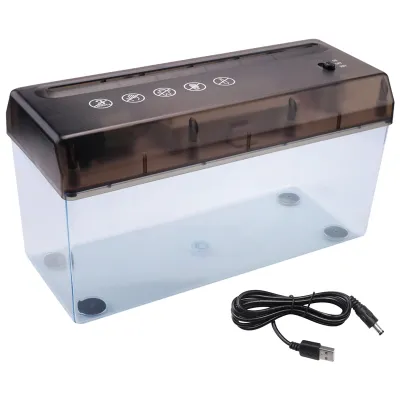
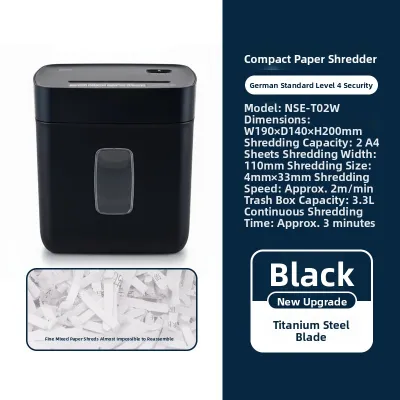
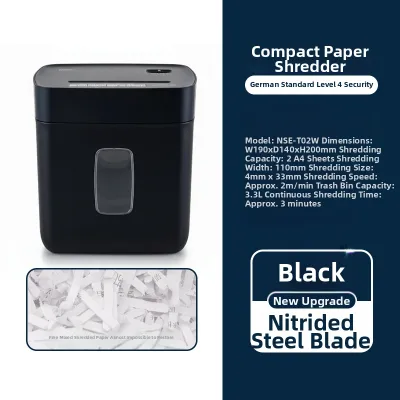
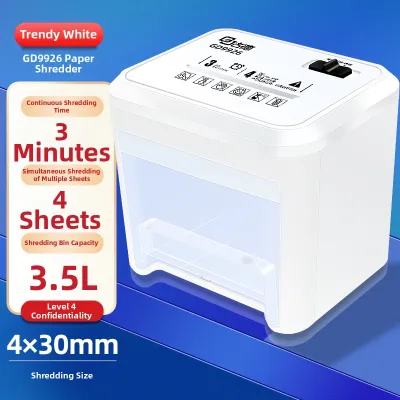
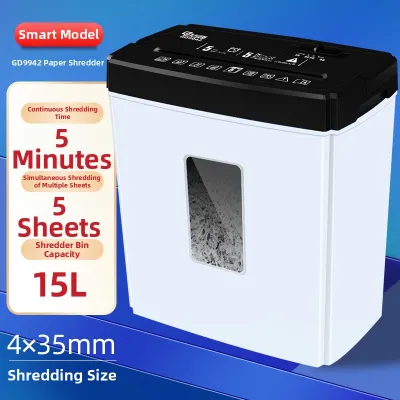
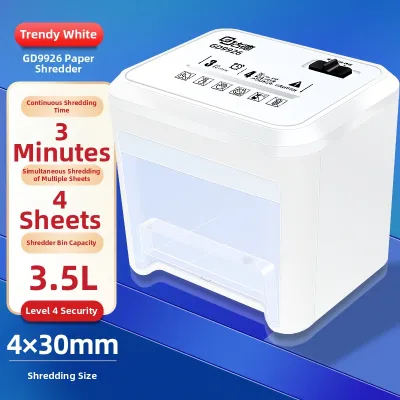
Prices are valid at publication and may change. Please refer to the product page for the latest price.
Another critical factor is the sheet capacity and continuous run-time rating of the machine. Mini shredders are designed for light to moderate use, typically handling between 5 to 10 sheets of standard 80gsm paper per pass. Overloading the feed slot beyond the manufacturer’s specified sheet capacity can strain the motor and lead to frequent paper jams. Additionally, every shredder has a duty cycle, which is the maximum amount of time the motor can run continuously before it needs to cool down. For a home office, a run time of 2 to 5 minutes may be perfectly adequate for occasional use. However, a tuition center preparing for a new term might require a machine with a longer continuous run time to handle bulk document disposal without constant interruptions.
Matching Physical and Operational Specs to Compact Spaces
Space is a primary constraint in Singaporean properties, where home offices are often carved out of small bedrooms and tuition centers operate in tightly configured commercial units. When shopping for a mini shredder machine, you must carefully measure your available desk or floor footprint. A ultra-compact desktop shredder can sit directly on your workspace, but it will naturally feature a much smaller waste bin, often under 5 liters. This means you will need to empty the bin frequently, which can become tedious during larger shredding tasks. Conversely, a slightly larger under-desk model with a 10- to 15-liter bin offers a practical compromise, fitting snugly beneath a standard HDB study table while reducing the frequency of trips to the recycling bin.

Acoustic comfort is another essential consideration, especially in shared environments. In a tuition center, a loud, grinding shredder can easily disrupt ongoing lessons, student consultations, or parental inquiries. In a home setting, excessive noise can disturb family members or interfere with virtual meetings. When comparing models, check the manufacturer’s noise level specifications, which are typically measured in decibels (dB). Look for machines designed with quiet-operation technology, ideally operating below 65 dB, to ensure that document destruction does not create an intrusive acoustic disturbance in your quiet workspace.
Finally, do not overlook the practicalities of power supply and placement. Ensure the shredder comes with a power cord of sufficient length to reach your wall outlets without requiring hazardous extension cords draped across walkways. In Singapore, electrical appliances must be compatible with the standard 230V supply and feature a compliant three-pin plug. Verifying these electrical specifications before purchase ensures safe, immediate integration into your workspace without the need for adapters that could compromise electrical safety.
Verifying Paper Handling and Material Compatibility
A reliable mini shredder machine must be able to handle the specific types of materials you intend to destroy without constantly jamming or damaging the cutting blades. In a busy tuition center or home office, documents are rarely pristine; they are often held together by staples or paper clips. Manually removing every single staple before shredding can be incredibly time-consuming. Many modern compact shredders feature heavy-duty steel blades capable of slicing through standard staples and small paper clips. However, you must explicitly verify this capability in the product specifications, as using a light-duty model to shred stapled sheets can quickly dull or chip the cutting mechanism.
Beyond standard paper, consider whether you need to destroy other media, such as expired credit cards, student ID cards, or laminated materials. Some mini shredders include a dedicated slot for plastic cards, processing them safely into secure fragments. On the other hand, materials like adhesive labels, glossy photo paper, and thick cardstock pose significant risks to compact shredders. The adhesive from labels can melt under the heat of the motor and coat the blades, leading to severe jams, while excessively thick cardstock can easily overload a low-capacity motor. Always consult the manufacturer’s guidelines regarding prohibited materials to avoid voiding your warranty.
To minimize operational frustration, look for built-in paper handling features that prevent and resolve jams. An auto-reverse function is incredibly useful; it detects when the paper feed exceeds capacity and automatically reverses the blades to back the paper out of the feed slot. Manual reverse switches are also common and allow you to clear minor blockages easily. Additionally, thermal overload protection is a vital safety feature that automatically shuts down the motor if it begins to overheat, preventing permanent damage to the internal components and ensuring the long-term reliability of your investment.
Building a Conditional Shortlist for Your Workspace
When you are ready to purchase a mini shredder machine, creating a structured comparison framework will help you make an objective decision without relying on unverified online rankings. Start by listing your non-negotiable requirements, such as a minimum security level of cross-cut, a specific maximum width to fit under your desk, and a budget range—typically between S$50 and S$150 for reliable home-office models. Once you have established these baselines, you can compare candidate models available on local e-commerce platforms or at stationery retailers in Singapore.
A crucial step in building your shortlist is verifying the warranty terms and the availability of local customer support. Purchasing a parallel-imported shredder might save you a small amount upfront, but it often leaves you without a valid local warranty if the motor fails or the blades jam permanently. Look for reputable brands that offer at least a one-year local warranty and have authorized service centers in Singapore. This ensures that if you encounter any technical issues, you can easily obtain replacement parts or professional repairs without the hassle of shipping the device overseas.
To gauge real-world performance, filter user reviews on retail sites and forums, focusing on consistent feedback rather than isolated complaints. Look for patterns in user experiences regarding how easily the bin empties, whether the machine actually handles its rated sheet capacity, and how loud it sounds during operation. Pay close attention to reviews from users with similar setups, such as home tutors or small business owners, as their daily usage patterns will closely mirror your own. This practical feedback will help you eliminate models that look good on paper but fail to perform under daily operational conditions.
Ensuring Safe Operation and Routine Maintenance
Proper maintenance and safe operational habits are essential to maximize the lifespan of your mini shredder machine and ensure a safe environment, particularly in tuition centers where children may be present. Always adhere strictly to the manufacturer’s recommended duty cycle. If your shredder is rated for 3 minutes of continuous use followed by a 30-minute cool-down period, do not attempt to push it further. Forcing the motor to run continuously can cause permanent thermal damage, degrade the internal gears, and significantly shorten the machine’s operational life.
Routine lubrication is the key to keeping the cutting blades sharp, smooth, and quiet. Over time, paper dust and microscopic fibers accumulate between the blades, increasing friction and straining the motor. To prevent this, you should oil your shredder regularly—typically every time you empty the waste bin, or at least once a month. Use specialized shredder oil or convenient lubricant sheets recommended by the manufacturer. Never use aerosol lubricants, WD-40, or vegetable oils, as these can create a serious fire hazard or leave a sticky residue that attracts more paper dust, leading to severe clogs.
Physical safety must be a top priority, especially in shared spaces or educational centers. Mini shredders feature sharp, high-speed blades that can cause serious injury if used carelessly. Ensure the shredder is placed on a stable, flat surface out of the reach of young students. Look for models equipped with safety lock switches that disable the blades when the machine is unattended, or sensors that automatically stop the motor if hands touch the paper opening. When the shredder is not in use, make it a habit to turn it off completely or unplug it from the wall to prevent accidental activation.
Frequently Asked Questions (FAQ)
Can a mini shredder machine handle continuous shredding for a whole day?
No, mini shredder machines are not designed for continuous, all-day operation. Compact models typically have light-duty motors with a specific duty cycle, often ranging from 2 to 10 minutes of continuous shredding, followed by a mandatory cool-down period of 20 to 45 minutes. Attempting to run a mini shredder continuously for an extended period will trigger the thermal overload protection, shutting the machine down to prevent the motor from burning out. If your tuition center or home office has a large backlog of documents to destroy, you should plan to shred them in small, spaced-out batches throughout the day, or consider investing in a larger, commercial-grade shredder with a continuous-duty motor.
Is it safe to leave a mini shredder plugged in when not in use?
While modern mini shredders are generally safe, it is highly recommended to unplug the device or switch off the power socket when it is not in use for extended periods. Leaving the shredder plugged in keeps the internal circuitry on standby, which consumes a small amount of electricity and poses a minor risk of accidental activation, especially if pets or young children are around. Many compact models feature an auto-sleep mode or a physical safety lock, but physically disconnecting the power source remains the most reliable way to prevent accidents, electrical surges, or overheating in a shared home office or tuition center environment.
Community discussion
Share your experience or ask a question. Comments are reviewed before publication.