
Selecting the ideal A4 laminator machine for home or school use in Singapore requires balancing your expected volume of work against key technical specifications. For light home crafting, preserving certificates, or organizing household recipes, a compact, entry-level thermal laminator is highly efficient and cost-effective. Conversely, classroom environments demand a more robust machine capable of batch-processing teaching aids, flashcards, and student name tags without overheating. By understanding how warm-up times, pouch thickness compatibility, and jam-release mechanisms affect daily operations, you can choose a reliable machine that fits your workspace and budget.
To verify that your chosen setup delivers the desired results, keep in mind that the final seal quality, clarity, and water resistance depend heavily on the exact combination of paper weight, ink type, and pouch thickness. Before laminating any important or irreplaceable documents, always perform a quick trial run using a scrap piece of the same paper and ink to observe the bonding quality and adjust settings if necessary.
Assessing Your Laminating Needs: Home vs. Classroom
To narrow down your options, first evaluate how often and where the laminator will be used. Occasional home users typically laminate only a few sheets per month, such as children’s artwork, recipe cards, or important family documents. For these tasks, a lightweight machine that can be easily tucked away in a drawer or closet is ideal. These models prioritize a small footprint and simple operation over speed, making them perfect for sporadic projects.
Products mentioned in this guide
![[SG] Aurora A4/A3 Laminator with free A4 pouch | LM4231H / LM3231H [Evergreen Stationery]](https://img.lazcdn.com/g/p/e9380a4387732b31c8219f5ec66c95da.jpg_400x400q80.jpg_.webp)
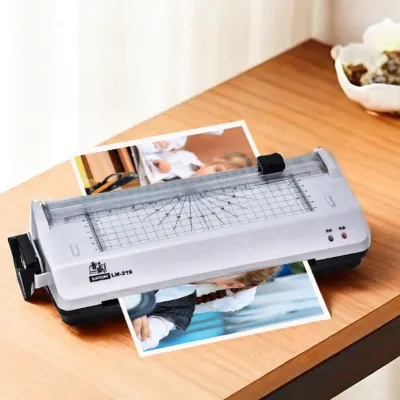
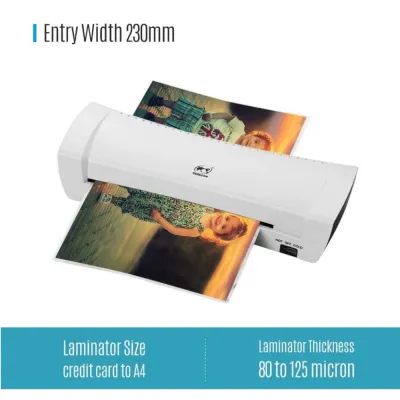
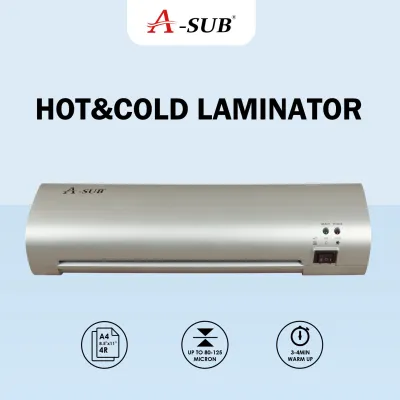
![[SG] A4 Laminating Machine Professional Laminator 320mm for Paper Pictures Documents Photo](https://img.lazcdn.com/g/p/f39f3725850ced7b02145d6fd93fb98e.jpg_400x400q80.jpg_.webp)
![[SG] GBC Inspire Plus A4/A3 Laminator + FREE 100pcs A4 Laminating Pouch | WHILE STOCKS LAST [Evergreen Stationery]](https://img.lazcdn.com/g/p/2a4715d31debd35f8897e5c972d306d7.jpg_400x400q80.jpg_.webp)
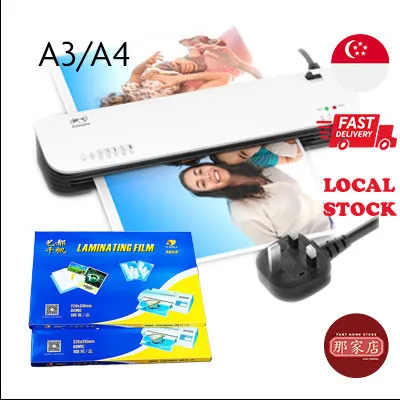
Prices are valid at publication and may change. Please refer to the product page for the latest price.
In contrast, school classrooms and administrative offices require a machine built for high-volume, repetitive tasks. Teachers often need to prepare entire sets of learning materials, classroom signs, and interactive game cards at the start of a school term. This type of batch processing puts significant stress on a laminator’s motor and heating elements. If a light-duty home machine is subjected to this level of continuous use, it may overheat quickly, leading to automatic shutdowns or premature motor failure.
Continuous run time, often referred to as the duty cycle, is a critical factor for school environments. Most entry-level laminators can operate continuously for only 20 to 30 minutes before requiring a cool-down period of equal length. For a classroom setting, look for a machine with an extended duty cycle of 45 minutes to an hour, or one rated for continuous professional use. This ensures you can complete large batches of teaching aids in a single session without frustrating interruptions.
Workspace constraints and noise levels also play a role in your decision. In a quiet home office or a shared classroom, a loud motor can be highly distracting. Fortunately, most modern A4 laminators operate relatively quietly, but heavy-duty models with internal cooling fans may generate more ambient noise. Additionally, consider where the machine will sit during operation; ensure there is ample clearance behind the laminator so that finished, hot documents can exit smoothly onto a flat surface without bending or curling.
Finally, identify the specific types of media you plan to preserve. Standard printed worksheets and printed certificates are highly compatible with standard thermal lamination. However, if you frequently work with heat-sensitive materials—such as thermal paper receipts, ultrasound scans, or delicate crayon drawings—you will need a machine that supports cold lamination. Cold lamination uses pressure-sensitive adhesive pouches rather than heat, protecting sensitive inks and wax from melting or distorting during the sealing process.
Key Specifications to Verify Before Purchase
When comparing different A4 laminator models, several technical specifications dictate how well the machine will perform with various materials. The first specification to check is the warm-up time. Budget-friendly models often take four to six minutes to reach the correct operating temperature, which can feel slow if you only need to seal a single sheet. Mid-range and premium models utilize advanced heating systems that reduce this wait time to one to two minutes, allowing for rapid, on-demand laminating.

Pouch thickness compatibility is another vital consideration, measured in microns (sometimes denoted as “mic”). Standard laminating pouches typically range from 75 microns to 125 microns per flap. A basic laminator usually supports up to 100 or 125 microns, which is perfectly adequate for standard documents, flashcards, and classroom displays. However, if you need to create highly rigid, heavy-duty items like outdoor signs or reusable menus, you will require a machine that can handle thicker 150-micron to 250-micron pouches.
Using thicker pouches requires more heat and slower feed speeds to ensure the adhesive melts and bonds correctly. Therefore, look for a machine with adjustable temperature settings or a dedicated pouch thickness selector. Running a thick pouch through a machine set to a low temperature will result in a cloudy, poorly sealed document that may peel apart over time. Conversely, running a thin pouch through a high-heat setting can cause the plastic to warp, bubble, or even melt inside the machine, damaging the internal rollers.
To safeguard your documents and the machine itself, verify the presence of a reliable jam release mechanism. Paper jams can occur if a pouch is fed at an angle, if the pouch is inserted open-end first, or if the document inside is too thick. An Anti-Blocking System (ABS) lever or a manual reverse switch allows you to disengage the rollers instantly, letting you pull the jammed pouch back out of the entry slot. More advanced models feature automatic jam detection sensors that reverse the motor automatically when a misfeed is detected.
Lastly, confirm the maximum entry width of the machine. While you are looking for an A4 laminator, the actual entry slot should be slightly wider than a standard A4 sheet (which is 210 mm wide). An entry width of 220 mm to 230 mm provides a comfortable margin of error, preventing the edges of the pouch from catching on the sides of the slot. Proper roller alignment within this entry path is crucial; high-quality dual-roller or four-roller systems apply even pressure across the entire width of the document, ensuring a smooth, bubble-free finish without unsealed margins.
Matching Machine Features to Your Budget
Laminator prices in Singapore vary based on speed, heating technology, and durability. Establishing a clear budget framework helps you avoid overpaying for commercial-grade features while ensuring you do not settle for an underpowered machine. Entry-level models, typically priced under S$50, are designed for budget-conscious home users. These machines offer basic thermal lamination, a fixed speed, and a single temperature setting optimized for standard 75 to 80-micron pouches. While they take longer to warm up, they are highly capable of handling occasional household tasks.
Mid-range options, generally falling between S$50 and S$120, represent the sweet spot for regular home crafters and individual school teachers. These models offer faster warm-up times of two to three minutes, dual temperature settings (typically for 80-micron and 125-micron pouches), and more robust ABS jam-release levers. They are built with slightly stronger motors that can handle moderate batch processing, making them a reliable choice for preparing weekly classroom materials or organizing home learning resources.
For high-volume school offices, shared teacher workrooms, or professional tutoring centers, investing in a heavy-duty laminator priced above S$120 is highly recommended. These premium machines feature rapid warm-up times of under one minute, multiple speed and temperature settings, and dedicated cold lamination modes. Equipped with four or more rollers, they deliver superior heat distribution and pressure, resulting in exceptionally clear, flat, and professional-looking seals. Their heavy-duty motors are engineered for continuous daily operation without overheating.
When calculating the total cost of ownership, remember to factor in the ongoing cost of consumables. The laminator itself is a one-time purchase, but you will need a steady supply of laminating pouches. Standard A4 pouches are widely available and highly affordable, but specialty items like matte-finish pouches, self-adhesive cold pouches, or extra-thick 150-micron pouches carry a premium. Additionally, check if the manufacturer recommends using a carrier sheet—a protective folder that houses the pouch during feeding—as this can prevent adhesive buildup on the rollers and extend the lifespan of your machine.
Safe Operation and Roller Maintenance
Operating your A4 laminator safely and performing routine maintenance will significantly prolong its lifespan and protect your valuable documents. Before feeding any document into the machine, always verify that you are using the correct pouch size and that there is a consistent border of at least 3 to 5 millimeters of plastic around the paper. This border ensures a complete perimeter seal, preventing moisture from seeping in. Most importantly, always insert the sealed end of the pouch into the laminator first; feeding the open end first forces air inside, causing severe bubbling, creasing, and high-risk roller jams.
Over time, tiny amounts of adhesive can squeeze out of the edges of the pouches and accumulate on the internal rollers. If left uncleaned, this sticky residue will bake onto the rollers, causing subsequent pouches to wrap around the mechanism or feed unevenly. To clean the rollers, run a clean, uncoated sheet of heavy paper or a dedicated laminator cleaning sheet through the machine while it is still hot. The paper will absorb the softened adhesive residue. Never use sharp metal objects, scissors, or abrasive scrubbers to clean the rollers, as scratching the silicone surface will permanently ruin the machine’s feeding capability.
Pay close attention to how the machine behaves during operation. Warning signs such as uneven sealing, persistent bubbling, unusual grinding noises from the motor, or a strong burning plastic smell indicate that something is wrong. If you observe any of these signs, immediately turn off the machine, unplug it from the wall outlet, and allow it to cool completely. Bubbling and burning smells often point to an overheating element or a pouch that has begun to wrap around the internal rollers.
Always consult your product manual for specific cooling-down procedures before storing the laminator. Many manufacturers recommend leaving the machine turned on in a “cold” or “off-heat” mode for a few minutes to allow the fan to cool the rollers evenly before shutting down completely. Store the laminator in a dry, dust-free environment, away from direct sunlight and out of reach of young children. If you suspect an internal mechanical or electrical fault, avoid attempting to disassemble the casing yourself; instead, seek professional servicing or contact the manufacturer’s local service center in Singapore.
Frequently Asked Questions (FAQ)
Can I use an A4 laminator for smaller items like ID cards?
Yes, you can easily use an A4 laminator to seal smaller items such as ID cards, flashcards, bookmarks, or photos. To do this safely, purchase smaller, pre-cut pouches designed specifically for those dimensions (such as A5, A6, or business card sizes) rather than cutting a large A4 pouch down before laminating. When feeding smaller pouches, always insert the sealed edge first and align the pouch centrally or according to the machine’s entry guides. If you must laminate multiple small items within a single A4 pouch, leave ample space between each item, run the sheet through, and then cut them apart only after the plastic has cooled completely to prevent the edges from peeling.
Is cold lamination necessary for school projects?
Cold lamination is highly beneficial for school projects that involve heat-sensitive materials. Standard thermal laminators use high heat to melt the adhesive, which can ruin thermal paper receipts, ultrasound photos, delicate inkjet prints, or artwork made with wax crayons, oil pastels, and certain glues. If your classroom projects frequently feature these mediums, choosing a laminator with a dedicated cold setting is essential. Cold lamination relies on pressure-sensitive adhesive pouches to seal the document without heat, ensuring that vibrant crayon drawings do not melt and thermal papers do not turn completely black during the process.
Community discussion
Share your experience or ask a question. Comments are reviewed before publication.