
Creating a customised sticker at home has evolved from a niche hobby into a highly accessible activity for home organization, creative crafting, and small business branding. Whether you want to label spice jars in your kitchen, organize school supplies, or package handmade goods for a local market in Singapore, choosing the right label maker brand is a critical first step. The market offers a wide array of options, from pocket-sized Bluetooth devices to robust desktop systems. Finding the ideal match requires understanding how different brand ecosystems align with your specific design ambitions, material preferences, and budget.
To make an informed decision, you must look beyond the physical design of the machine and evaluate the entire ecosystem, which includes the printing technology, the variety of compatible label materials, and the capabilities of the companion software. A label maker is only as good as the software that drives it and the durability of the media it prints on. By analyzing these core components, you can select a system that delivers crisp, long-lasting, and visually appealing results.
Key Factors for Evaluating Label Maker Brands
When comparing label maker brands, the underlying print technology is the most significant factor determining your creative limits. Most consumer-grade label makers utilize direct thermal printing, which uses heat-sensitive paper or synthetic tape to create images without ink or toner. This technology is highly convenient and cost-effective, as you never have to worry about buying replacement ink cartridges. However, direct thermal printing is generally limited to monochrome output—typically black text on white, clear, or colored backgrounds. Additionally, thermal prints are sensitive to heat and prolonged exposure to direct sunlight, which can cause the labels to fade or darken over time.
Products mentioned in this guide
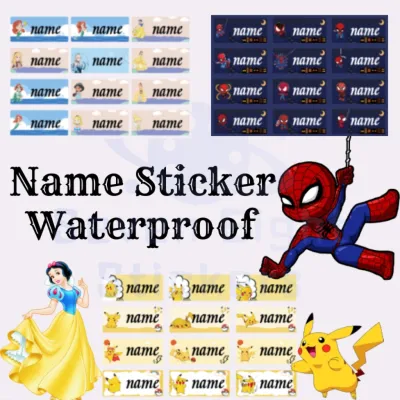
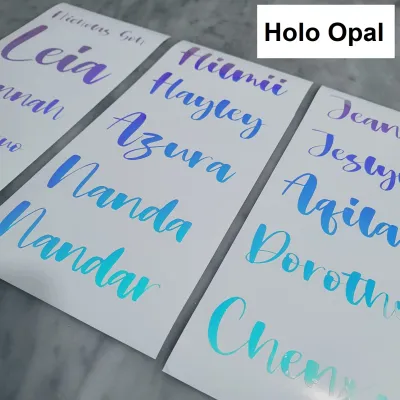
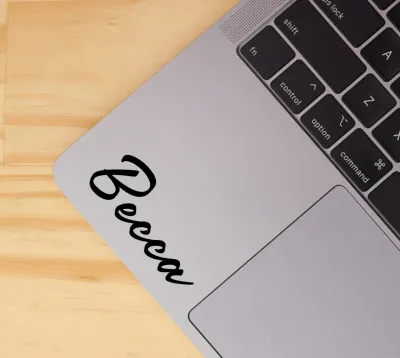
Prices are valid at publication and may change. Please refer to the product page for the latest price.
For those who want vibrant, multi-colored customised stickers, inkjet or color thermal transfer systems are the alternative. Inkjet label printers use liquid ink to produce high-resolution, full-color graphics, making them ideal for detailed illustrations, complex logos, and decorative designs. The trade-off is a higher initial hardware cost and the ongoing expense of replacing ink cartridges. Understanding this technological divide helps you immediately filter out brands that cannot support your visual requirements.
Material compatibility is another crucial dimension to verify before committing to a brand. Standard paper labels are excellent for dry, low-wear environments, such as labeling file folders, storage boxes, or book spines. However, if you plan to label items that will be handled frequently, exposed to moisture, or washed, you must ensure the brand offers durable synthetic options. Vinyl, polyester, and polypropylene labels provide excellent resistance to water, oil, and tearing, making them suitable for kitchen canisters, water bottles, and outdoor gear. Some specialized brands also offer fabric iron-on tapes, magnetic tapes, or extra-strength adhesive options, expanding the utility of your device.
Finally, the companion software or mobile application is the gateway to your creative designs. A hardware unit with excellent print resolution can still be frustrating to use if its companion app is clunky, prone to crashing, or limited in design features. When evaluating a brand, look at the software’s ability to import custom graphics, such as PNG or JPEG files, which is essential for printing your own hand-drawn designs or business logos. The software should also offer a robust selection of fonts, borders, pre-designed templates, and utility features like barcode or QR code generators.
Matching Brand Ecosystems to Your Sticker Use Case
Not all label makers are created equal, and the best brand for one user might be entirely unsuitable for another. To find the right fit, it is helpful to categorize your primary projects into distinct use cases. This allows you to prioritize the specific features—such as portability, print speed, or color capability—that will make your labeling projects successful.

Personal Home Organization
For everyday household sorting and basic crafting, simplicity and convenience are the top priorities. If your main goal is to organize your pantry, label children’s school gear, or tidy up home office cables, you do not need a complex, industrial-grade machine. Instead, look for compact, battery-operated or USB-rechargeable label makers that easily fit in a drawer or craft box. These portable devices typically connect to your smartphone or tablet via Bluetooth, allowing you to design and print labels from anywhere in your home.
In this category, the ideal label materials are standard paper or mild-waterproof plastic tapes. These materials are highly affordable and come in a wide variety of pastel colors, patterns, and clear options to match your home aesthetic. The companion apps for these entry-level models are designed for quick, intuitive use. They prioritize simple text formatting, basic borders, and a library of fun icons or emojis. This streamlined interface ensures you can create and print a clean, legible label in under a minute without getting bogged down in advanced design settings.
Small Business and Product Labeling
If you are producing customised stickers for product packaging, shipping, or professional branding, your requirements are significantly higher. Your labels serve as a direct representation of your brand’s quality, meaning they must look professional, remain perfectly legible, and withstand the rigors of shipping and handling. For these applications, print resolution is paramount; look for devices that offer at least 300 dpi to ensure fine text, intricate logos, and barcodes print sharply without pixelation.
Material durability is equally critical for commercial use. Your stickers may need to resist water, oils, cosmetics, or refrigeration, depending on your product line. Brands that cater to small businesses offer high-performance synthetic labels, such as glossy polyester or matte vinyl, which feature strong adhesives designed to stick reliably to glass, plastic, or metal surfaces. Additionally, safety is a key consideration for products that come into contact with food or children’s items; verifying that the brand’s adhesives and materials comply with standard safety guidelines is an important step.
From a software perspective, business-oriented label makers require advanced capabilities. The companion software must support batch printing, allowing you to print dozens of unique address labels or product tags in a single run. It should also facilitate database integration, enabling you to import product information directly from spreadsheets. Desktop models that connect via USB or Wi-Fi and draw continuous power from an AC outlet are generally preferred for these tasks, as they offer faster print speeds and support wider label formats than their portable counterparts.
Hardware, Connectivity, and Consumable Constraints
Before purchasing a label maker, it is essential to understand the long-term operational costs and physical limitations of the brand’s ecosystem. One of the most significant ongoing expenses is the cost of consumables. Many prominent brands design their machines to work exclusively with proprietary label cartridges or rolls. These proprietary systems often feature physical notches or embedded RFID chips that prevent the machine from operating with third-party media. While proprietary labels ensure consistent print quality and automatic size detection, they can be significantly more expensive over time compared to open-format alternatives.
Conversely, some brands offer open systems that are compatible with generic, third-party label rolls. Opting for an open system can dramatically lower your cost per print, making it highly economical for high-volume projects. However, using third-party media requires a bit more effort, as you must manually calibrate the print settings and sensor alignment in the software. There is also a risk of encountering inconsistent adhesive quality or backing paper that is difficult to peel, which can slow down your workflow.
Physical print width is another hardware constraint that directly impacts your design options. Portable, tape-based label makers are typically restricted to narrow widths, such as 12mm (0.5 inches) or 24mm (1 inch). While these are excellent for text-based labeling, they offer very little space for complex graphics or logos. If you want to create larger customised stickers, shipping labels, or detailed product packaging, you will need to look for desktop models that support wider formats, such as 50mm (2 inches) or 100mm (4 inches).
Connectivity options also play a major role in your daily user experience. Bluetooth connectivity is highly convenient for mobile-first users who prefer designing on a phone or tablet, but it can occasionally suffer from pairing delays or limited range. Wi-Fi-enabled models are excellent for shared environments, allowing multiple family members or business partners to send print jobs to a single machine from different devices. For the most stable and reliable connection, USB remains the gold standard, particularly for desktop setups where you need to transfer large graphic files or print continuous batches without wireless interference.
Decision Framework: Selecting Your Ideal Label Maker
To finalize your choice, you must weigh your creative goals against the practical realities of hardware capabilities and local availability. If your primary focus is on portability, quick organization tasks, and keeping initial costs low, a mobile-app-driven thermal label maker is the most practical choice. These systems are incredibly user-friendly, require virtually no maintenance, and are perfect for casual crafting and household sorting.
On the other hand, if your projects demand full-color designs, high-resolution logos, wide vinyl stickers, or high-volume batch printing, you should invest in a desktop ink/toner system or a high-end thermal transfer printer. This path requires a larger upfront investment and more space on your desk, but it provides the professional quality and material versatility necessary for small business branding and advanced sticker design.
Before making your final purchase in Singapore, take a few minutes to perform three essential checks. First, download the brand’s companion app on your smartphone or computer to test its interface and ensure it supports the design features you need, such as custom image importing. Second, verify the local availability of replacement label rolls or cartridges; check local stationery shops, specialty distributors, and online marketplaces to ensure you can easily source refills without facing long shipping delays or high import fees when you run out of stock. Finally, review the warranty terms and local customer support options to ensure you have access to reliable assistance should you encounter any hardware issues. By systematically evaluating these factors, you can confidently select a label maker brand that will bring your custom sticker designs to life.
Frequently Asked Questions (FAQ)
Can I print full-color stickers with a standard thermal label maker?
No, standard direct thermal label makers cannot print in full color. They use heat-sensitive paper that reacts to the print head to create monochrome images, usually in black. If you want to print vibrant, multi-colored customised stickers, you will need to look for an inkjet-based label printer or a specialized color thermal transfer system.
Are third-party label rolls safe to use in my label maker?
It depends on the brand’s hardware design. Some brands use proprietary cartridges with RFID chips or specific physical shapes that prevent the machine from operating with third-party media. For brands that do support open systems, third-party rolls are generally safe to use, though you may need to manually adjust the print alignment and sensor settings to ensure optimal print quality.
How do I prevent my thermal labels from fading over time?
Direct thermal labels are sensitive to heat, moisture, and ultraviolet light. To maximize their lifespan, avoid placing labeled items in direct sunlight, near heat sources, or in highly humid environments. For items that require frequent handling or washing, ensure you choose high-quality synthetic labels, such as water-resistant vinyl or polyester, which offer much better durability than standard paper labels.
Can I import my own hand-drawn designs into the label maker software?
Most modern label maker brands offer companion apps that support custom image importing. You can typically upload your designs as PNG or JPEG files directly from your phone or computer. For the cleanest print results, especially on monochrome thermal printers, it is best to use high-contrast, black-and-white line art with transparent backgrounds.
What print resolution do I need for professional product labels?
For professional product labeling, a print resolution of at least 300 dpi is highly recommended. This ensures that small text, intricate logos, and barcodes print clearly and remain legible. Standard 180 dpi or 203 dpi printers are excellent for basic home organization and text labels but may produce slightly pixelated or blurry results when printing detailed graphics.

Community discussion
Share your experience or ask a question. Comments are reviewed before publication.