
To choose the best label maker for kids’ name stickers in Singapore, you must evaluate the companion app’s design flexibility alongside the physical durability of the compatible tape. The ideal setup combines an intuitive mobile app featuring rich, kid-friendly asset libraries with a printing technology that can withstand daily wear, washing, and Singapore’s humid climate. By focusing on how easily you can customize, batch-print, and preserve these labels, you can ensure your child’s school gear, water bottles, and stationery remain clearly marked throughout the academic year.
Selecting a label maker is no longer just about typing letters on a tiny physical keyboard. Modern app-enabled label printers leverage the processing power of your smartphone, allowing you to design highly personalized stickers with complex layouts, custom illustrations, and varied typography. To find a system that fits your household, you need to understand how companion apps perform under real-world design scenarios and how different tape materials behave when subjected to daily school activities.
Key Criteria for Evaluating Label Maker Apps for Kids
When designing name stickers for children, the companion app is your primary creative workspace. A high-quality app should offer an extensive library of built-in assets specifically tailored for younger users. Look for applications that include a wide variety of playful icons, such as animals, sports equipment, vehicles, and school items. These visual cues are essential for preschoolers and early primary students who may not yet read fluently but can easily recognize their personal icon on a lunchbox or school bag.
Products mentioned in this guide
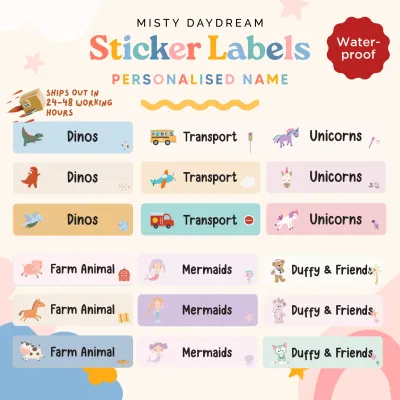
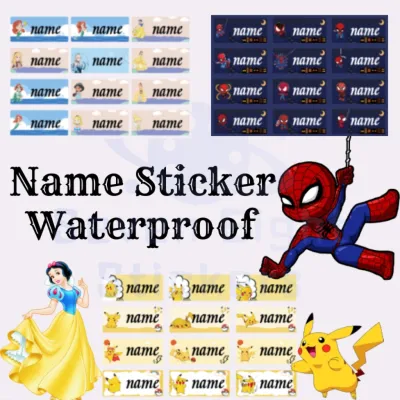
![[Aug 2025 New Arrival] Waterproof Cartoon Name Label Stickers – Cute Handwriting Blank Tags for Kids School Supplies Stationery](https://img.lazcdn.com/g/p/50368ab7b2d7ed1c25f5c13188af9533.jpg_400x400q80.jpg_.webp)
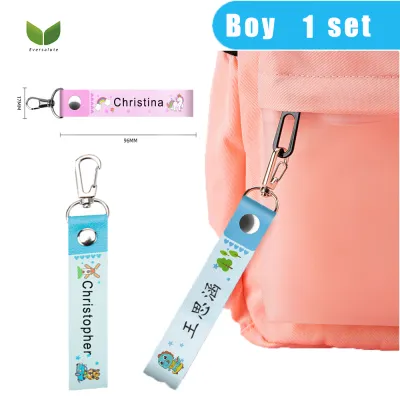
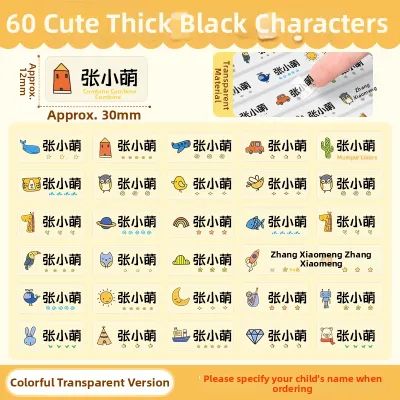
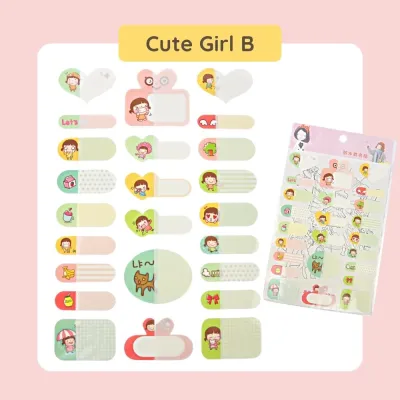
Prices are valid at publication and may change. Please refer to the product page for the latest price.
Beyond basic icons, evaluate the app’s border and font selections. Children’s name stickers often require distinct borders to help the text stand out against busy patterns on water bottles or pencil cases. The app should provide scalable, playful fonts that remain highly legible even when printed on narrow tape widths, such as 9mm or 12mm. Additionally, check if the app supports custom image uploads. The ability to import simple black-and-white line drawings or custom clip art in PNG format allows you to create truly unique labels featuring your child’s favorite characters or personal drawings.
Batch printing and template management are critical features for busy parents preparing for a new school term. Labeling an entire list of school supplies—ranging from dozens of individual colored pencils to notebooks and folders—can be incredibly tedious if you have to design each label individually. Excellent companion apps feature a batch-printing or serialization tool that allows you to input a list of names or subjects and print them in a single continuous run. Furthermore, the app must allow you to save your custom designs as reusable templates, saving you from recreating the layout when a replacement sticker is needed mid-term.
Connection stability and cross-platform compatibility determine how frustrating or seamless your labeling experience will be. Most portable label makers connect to mobile devices via Bluetooth. Before purchasing, verify that the companion app is compatible with your specific smartphone operating system, whether iOS or Android, and check user feedback regarding connection reliability. An app that frequently drops its Bluetooth connection or requires tedious manual re-pairing every time the device power-cycles will quickly become a source of frustration during high-volume labeling sessions.
Assessing Sticker Durability and Material Compatibility
The durability of a name sticker is directly tied to the printing technology used by the label maker. Direct thermal printing is highly common in compact, budget-friendly label makers. This technology uses heat-sensitive paper that darkens when exposed to the printer’s thermal head. While convenient because it requires no ink or ribbon, direct thermal labels are highly sensitive to heat, friction, and ultraviolet light. Over time, exposure to sunlight or the heat of a dishwasher will cause the entire label to darken or fade, rendering the text illegible.

For long-lasting kids’ name stickers, thermal transfer or laminated ink-based technologies are generally superior. Thermal transfer printers use a heated ribbon to fuse ink onto the label material, creating a highly stable bond. Laminated labels go a step further by sandwiching the printed text beneath a protective clear layer. This lamination shields the print from water, oil, harsh detergents, and physical scratching, making these labels ideal for items that undergo daily washing, such as snack boxes, water bottles, and food containers.
When evaluating compatible consumables, look for specific material ratings on the product packaging or manufacturer specifications. For school gear, you want to identify labels explicitly marked as water-resistant, scratch-resistant, and tear-proof. Polyester (PET) and vinyl labels offer excellent resistance to tearing and moisture compared to standard paper labels. If you plan to label school uniforms, socks, or fabric pencil cases, verify if the label maker supports specialized iron-on fabric tapes, which adhere permanently to textiles through heat application.
Finally, consider the physical limits of the label maker regarding tape width and adhesive types. Most compact models support tape widths ranging from 6mm to 15mm, which is perfect for pens, rulers, and small containers. If you need to print larger labels for textbook covers or storage bins, you may require a model that accommodates 24mm or wider tapes. Additionally, check whether the compatible tapes use permanent adhesive, which resists peeling by curious fingers, or removable adhesive, which allows you to update labels on shared items without leaving a sticky residue behind.
Building Your Shortlist: Matching Features to Your Needs
To narrow down your choices, it is helpful to match the technical capabilities of different label makers to your specific household routine. If you are preparing for high-volume school preparation—such as labeling hundreds of items for multiple children before the start of the school year—your primary focus should be on operational efficiency. For this scenario, prioritize models that offer fast print speeds and lower consumable costs per meter. Look for systems that support larger tape rolls or offer cost-effective multi-packs, as the ongoing cost of proprietary tape can accumulate quickly during large projects.
For parents who prefer on-the-go, spontaneous labeling, a highly compact and lightweight design is the best fit. If you want to quickly label a newly purchased water bottle or a library book before your child runs out the door, look for a pocket-sized Bluetooth label maker. These models should feature a long-lasting rechargeable lithium-ion battery, preferably charging via a standard USB-C port, so you do not have to search for AA batteries. The companion app for an on-the-go printer should load instantly and feature a simplified interface for rapid, single-label creation.
In multi-user households where both parents, caregivers, or older children want to participate in the design process, cloud synchronization is a valuable feature. Some advanced label maker apps allow you to create a user account and save your custom designs to the cloud. This enables you to start designing a label template on your tablet and print it later from your smartphone, or allow another family member to access the exact same templates from their own device. This collaborative approach ensures consistent labeling styles across all household belongings without needing to share a single physical phone.
What to Check Before Buying in Singapore
Before finalizing your purchase in Singapore, there are several localized factors you must verify to ensure a smooth user experience. First, confirm the power adapter compatibility of the device. If the label maker relies on an external AC power supply rather than batteries, ensure it comes with a safety-certified Type G three-pin plug suitable for Singapore’s 230V, 50Hz electrical system. Alternatively, choosing a model that charges via a standard USB-C cable eliminates plug compatibility issues entirely, allowing you to use your existing phone chargers or power banks.
Second, investigate the local availability and ongoing cost of replacement label rolls. While a label maker itself might be affordable, the proprietary tape cartridges can vary significantly in price. Check local stationery stores, specialty office suppliers, and reputable online marketplaces operating in Singapore to ensure that the specific tape widths and materials you need are consistently in stock. Calculate the cost per meter of tape (in S$) across different brands to understand the long-term operating costs, especially if you plan to use specialized materials like laminated or iron-on tapes.
Finally, verify the regional availability of the companion mobile application. Some label maker brands distribute their apps with regional restrictions, meaning the app might not be downloadable if your smartphone’s app store is set to the Singapore region. Search the Apple App Store or Google Play Store on your device before buying the hardware to confirm the app is available for download. Additionally, check the supported interface languages within the app to ensure you and your children can navigate the design menus, font settings, and asset libraries comfortably.
Frequently Asked Questions (FAQ)
Are direct thermal label makers suitable for long-lasting kids' name stickers?
Direct thermal label makers are generally not ideal for items that require long-term durability or frequent washing. Because direct thermal paper relies on heat-sensitive chemicals to display text, the labels are highly vulnerable to environmental factors. In Singapore’s hot and humid climate, exposure to direct sunlight, friction inside school bags, or the high temperatures of dishwashers and sterilizers will cause the paper to darken or fade rapidly. For items like water bottles, lunchboxes, and outdoor gear, thermal transfer or laminated label makers are much better suited as they resist moisture, heat, and physical abrasion.
Can I use third-party label rolls in branded label makers?
Whether you can use third-party label rolls depends entirely on the design of the specific label maker. Many modern branded label makers use proprietary cartridges equipped with physical notches, optical sensors, or RFID chips that allow the machine to detect the exact tape width and material type automatically. If you attempt to use non-original or third-party rolls in these locked systems, the printer may refuse to operate or fail to align the print correctly. Furthermore, third-party adhesives may not meet the same safety or durability standards as official consumables, potentially leaving a sticky, hard-to-clean residue on your child’s belongings or peeling off prematurely. Always check the manufacturer’s guidelines regarding compatible consumables before attempting to use third-party alternatives.

Community discussion
Share your experience or ask a question. Comments are reviewed before publication.