
Yes, you can use your EZ-Link card to buy Gardenia bread at major supermarkets across Singapore. The ability to complete this transaction depends entirely on whether the retail outlet’s payment terminal is configured to accept contactless transit cards. Because Gardenia bread is a staple grocery item stocked by almost all major supermarket chains, the payment process is determined by the store’s point-of-sale system rather than the specific brand of bread you are purchasing. If the supermarket accepts EZ-Link or SimplyGo payments at their registers, you can easily tap your card to pay for your loaf of bread along with any other eligible groceries in your basket.
Finding Gardenia Bread at EZ-Link-Friendly Retailers
Gardenia bakery products are widely distributed and can be found in almost every major supermarket chain in Singapore, including FairPrice, Cold Storage, Giant, and Sheng Siong. These large retail chains have integrated advanced point-of-sale terminals that support a wide variety of contactless payment methods, including transit cards. When shopping at these locations, you can confidently select your preferred Gardenia loaf—whether it is the classic Enriched White Bread, the popular Wholemeal Bread, or any of their specialty buns—and head to the checkout counter.
To verify if a specific supermarket branch or checkout lane accepts transit cards, look for the official EZ-Link or SimplyGo logos displayed near the payment terminal. These logos are typically pasted on the cashier counter, shown on the digital screen of the payment terminal, or displayed as payment options on self-checkout kiosks. It is worth noting that while major supermarket chains generally support these payments, some smaller independent grocers, neighborhood minimarts, or specialty organic shops that stock Gardenia products might not have the necessary terminal integrations. Therefore, checking for the accepted payment icons before queuing remains the most reliable way to ensure a smooth transaction.
Products mentioned in this guide
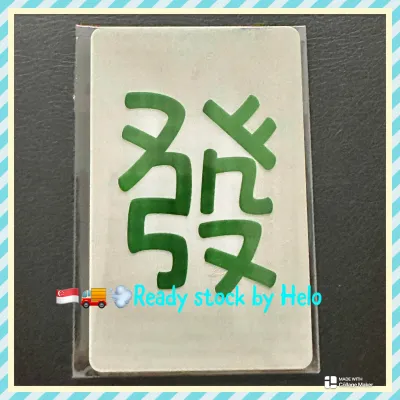
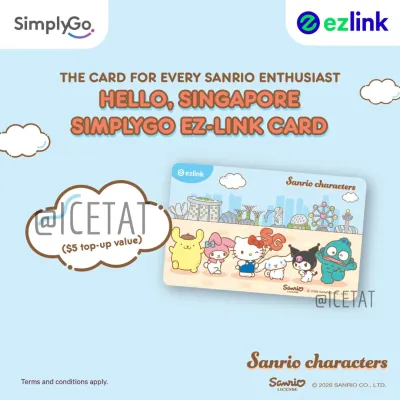
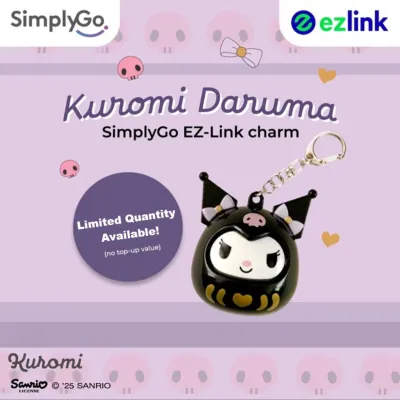
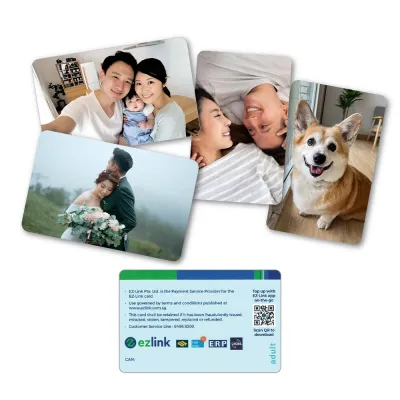
Prices are valid at publication and may change. Please refer to the product page for the latest price.
How to Tap and Pay at the Checkout Counter
Paying for your groceries with a transit card is a quick and convenient process, but understanding the distinction between card types can help prevent confusion at the register. Traditional EZ-Link cards operate on a stored-value CEPAS system, where funds are deducted directly from the physical chip. Newer SimplyGo-compatible cards, including upgraded EZ-Link cards and SimplyGo EZ-Link cards, process transactions through an account-based system linked to your digital wallet or bank card. Both card types are widely accepted, but the terminal interface may process them slightly differently.

When you are ready to pay at a manned cashier counter, inform the staff that you wish to pay using your EZ-Link or transit card. The cashier will select the appropriate payment mode on their system, which activates the contactless card reader. If you are using a self-checkout kiosk, you will need to select the “EZ-Link,” “Transit Card,” or “Contactless” option on the touchscreen interface before tapping. Once the reader is active, place your card flat against the designated sensor area. Hold the card steady for a few seconds and wait for a confirmation beep or a green light on the terminal. Removing the card too quickly can interrupt the data transfer, leading to an incomplete transaction or an error message on the screen.
Checking Balances and Topping Up Before You Shop
To avoid the inconvenience of a declined transaction at the checkout counter, it is highly recommended to verify your card’s balance before you begin shopping. Unlike credit cards, transit cards operate on a pre-funded basis and do not allow overdrafts for retail purchases. If your total grocery bill, including your Gardenia bread, comes to S$5.50 and your card only holds S$3.00, the payment terminal will automatically reject the transaction.
There are several convenient ways to check your remaining balance before reaching the register. You can tap your card at any MRT station ticketing machine, check the display screen at bus card readers during your commute, or link your card to the SimplyGo mobile application on an NFC-enabled smartphone for real-time balance tracking. If you find that your balance is low, you can top up your card at transit station ticketing kiosks, designated convenience stores, or directly through the SimplyGo app using a linked debit or credit card. Keep in mind that some third-party merchants, such as certain convenience stores, may charge a small administrative fee for over-the-counter top-up services, whereas top-ups at transit stations or via the official app are generally free of extra charges.
Troubleshooting Declined Payments at the Register
Even with careful preparation, you may occasionally encounter a declined payment when tapping your transit card at the register. The most common reason for a failed transaction is an insufficient balance to cover the total purchase amount. If your card balance is even a few cents short of the total bill, the terminal will not allow a partial deduction and will decline the entire transaction.
Another potential issue is card expiration. Standard CEPAS transit cards typically have a lifespan of five years, after which they can no longer be used for transit or retail payments. Physical damage to the card, such as a cracked internal antenna or a heavily scratched chip, can also prevent the terminal’s electromagnetic field from reading the card properly. If your card is declined, you can ask the cashier to reset the terminal and try tapping again, ensuring the card is held flat and completely still. If the transaction continues to fail, it is best to use a backup payment method, such as cash, a standard debit card, or a mobile payment app, to complete your purchase. You can then check your card’s status and transaction history later at an MRT station ticketing machine or via the SimplyGo app to identify and resolve the underlying issue.
Frequently Asked Questions (FAQ)
Can I use my EZ-Link card at convenience stores like 7-Eleven or Cheers?
Yes, major convenience store chains like 7-Eleven and Cheers generally accept EZ-Link and SimplyGo cards for all retail purchases, including Gardenia bread and snacks. However, payment terminal availability can occasionally vary by individual franchise location or during system maintenance windows.
Is there a spending limit per transaction for retail purchases?
Yes, contactless transit card payments typically have a maximum transaction limit, often set at S$50 per transaction for security purposes. If your grocery bill exceeds this limit, you may need to use an alternative payment method or split your purchases if the store’s policy allows.
Will I earn supermarket loyalty points when paying with EZ-Link?
Yes, you can still earn supermarket loyalty points when paying with an EZ-Link card. The payment method does not affect your eligibility for rewards programs, but you must remember to scan your physical or digital loyalty card (such as Link Rewards or Yuu) before tapping your payment card.
Community discussion
Share your experience or ask a question. Comments are reviewed before publication.