
Selecting the ideal label maker for printing a white label sticker depends heavily on your specific environment, durability requirements, and budget. While one brand might offer unmatched portability for home organization, another might provide the rugged, long-lasting print quality needed for professional asset tracking. In Singapore’s warm and humid climate, choosing the wrong printing technology can lead to prematurely faded labels, making it essential to understand the underlying mechanics of each brand before making a purchase.
Rather than searching for a single universal winner, you should evaluate how Brother, Niimbot, and Phomemo align with your daily workflow. Brother has long been a staple in office environments, known for its robust desktop software and highly durable thermal transfer options. On the other hand, Niimbot and Phomemo have carved out a significant presence in the portable, app-driven market, appealing to home organizers, crafters, and small business owners who value convenience and creative design. By comparing their printing technologies, software ecosystems, and long-term running costs, you can identify the system that best fits your labeling needs.
Core Printing Technologies and Label Longevity
To understand how a white label sticker will perform over time, you must first look at the printing technology used by each brand. Most portable models from Niimbot and Phomemo rely exclusively on direct thermal printing. This process uses heat-sensitive paper that darkens when it passes over the print head, eliminating the need for ink or toner. While highly convenient and compact, direct thermal labels are inherently sensitive to environmental factors. In Singapore’s tropical climate, exposure to sunlight, ambient heat, and high humidity can cause the entire label to darken or the printed text to fade over several months.
Products mentioned in this guide
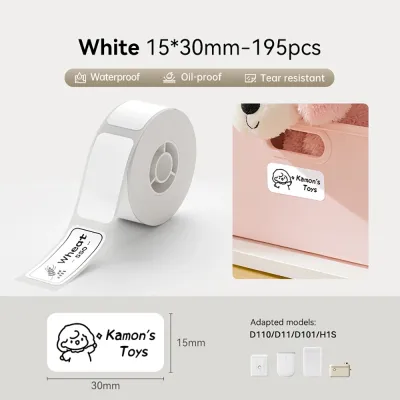
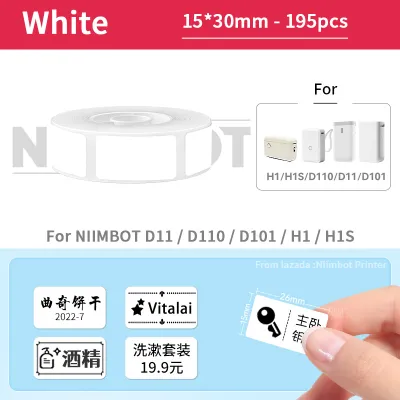
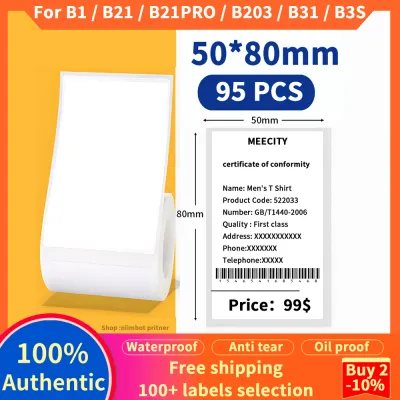
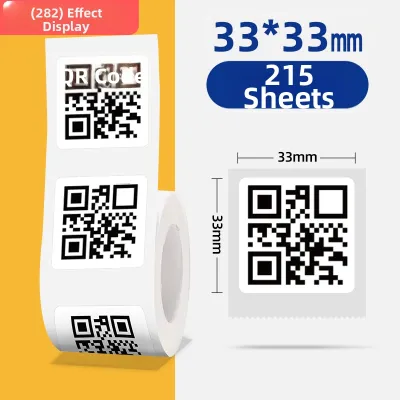
Prices are valid at publication and may change. Please refer to the product page for the latest price.
In contrast, Brother offers both advanced direct thermal options and thermal transfer technology, particularly in its desktop and industrial lines. Thermal transfer printing uses a heated ribbon to melt ink onto the white label sticker, creating a highly durable bond. This makes thermal transfer labels significantly more resistant to moisture, chemical exposure, UV rays, and physical abrasion. If you are labeling items for kitchen use, outdoor storage, or long-term archiving, a thermal transfer system is generally more reliable.
When evaluating these brands, always check the manufacturer’s specifications for the expected durability of their media. Some brands offer specialized synthetic or laminated white label rolls designed to withstand moisture and light better than standard paper options. If you only need temporary labels for shipping or short-term organization, standard direct thermal rolls from Niimbot or Phomemo are highly practical. However, for assets that must remain legible for years, verifying the availability of laminated or thermal transfer options is a crucial step.
Assessing Print Quality and Media Compatibility
Print quality is another critical factor, especially if you need to print small text, intricate logos, or high-density barcodes on your white label sticker. Print resolution is measured in dots per inch (DPI), with standard portable models typically offering 203 DPI, while higher-end desktop units can reach 300 DPI or more. A higher DPI specification ensures that fine details remain sharp and legible, preventing ink bleeding or pixelation on small labels. If your primary goal is printing clear barcodes for inventory management, verifying the DPI capability of your chosen model is essential.

To evaluate the actual performance of a label maker before committing to bulk media purchases, you can perform a simple at-home smudge and darkness test. Once you print a sample white label sticker, rub the surface firmly with your thumb to check for immediate smudging. You can also expose a test label to a drop of water or rubbing alcohol to observe how the print holds up against moisture and solvents. This hands-on verification helps you assess whether the contrast between the white background and the printed text meets your standards for readability.
Media compatibility is equally important when choosing a brand. Label makers differ in their physical width limits, thickness tolerances, and sensor alignment mechanisms. Some models are designed exclusively for pre-cut white label rolls with fixed gaps, while others support continuous rolls that allow you to cut labels to any custom length. Before purchasing, check the printer’s specifications to ensure it can accommodate the exact dimensions and style of the white label sticker you plan to use, as sensor misalignment can lead to wasted labels and printing errors.
Software Ecosystem and Design Flexibility
The hardware is only half of the equation; the software ecosystem determines how easily you can design and print your white label sticker. Brother, Niimbot, and Phomemo each offer distinct software experiences tailored to different user groups. Brother provides a highly versatile ecosystem, including the mobile iPrint&Label app and the robust P-touch Editor desktop software for Windows and macOS. This desktop integration is particularly valuable for office environments, allowing users to import CSV databases, generate sequential serial numbers, and design complex layouts with precise control.
Niimbot and Phomemo focus heavily on mobile-first, app-driven experiences. Their applications connect via Bluetooth and are designed for quick, on-the-go editing on iOS and Android devices. These apps are packed with creative assets, including hundreds of pre-designed templates, diverse font libraries, icons, and borders. While highly intuitive for home organization and creative crafting, these mobile apps may feel restrictive if you need to perform high-volume batch printing or require advanced database integration.
When choosing between these ecosystems, consider your preferred design interface and connectivity needs. If you prefer working on a computer with a physical keyboard and mouse, verify that the model you select supports a stable USB or Wi-Fi connection to your desktop. If you value portability and want to print labels directly from your smartphone while organizing a pantry or retail shelf, a stable Bluetooth connection and a user-friendly mobile app will be your primary requirements.
Label Refills and Long-Term Running Costs
While the initial cost of a label maker is a one-time expense, the ongoing cost of white label sticker refills can accumulate significantly over time. Brother typically utilizes proprietary cartridge systems, such as their TZe or DK tape cassettes. These cartridges are highly engineered, often incorporating protective lamination layers directly into the printing process. While this design ensures exceptional durability, it also results in a higher cost per label compared to non-cartridge systems.
Niimbot and Phomemo generally use simpler, cartridge-free roll systems where the white label sticker roll is placed directly into the printer’s paper cabin. This design reduces plastic waste and lowers the manufacturing cost of the refills, making them highly economical for high-volume printing. You can easily find these continuous and pre-cut rolls in various sizes on local online marketplaces and in major stationery stores across Singapore, often at very competitive prices.
To estimate your long-term running costs, calculate the cost per individual label by dividing the price of a refill roll by the total number of labels it contains. While third-party compatible rolls are widely available for all three brands and can offer substantial savings, using them carries certain risks. Non-OEM media may have inconsistent thickness, poor adhesive quality, or lack the precise sensor marks required for proper alignment, which can lead to frequent jams or print head wear. Always test a small batch of third-party media before purchasing in bulk.
How to Choose the Right Brand for Your Needs
To finalize your decision, you should match the unique strengths of each brand to your specific labeling environment and workflow.
Choose Brother if you require highly durable, office-grade labels that can withstand harsh conditions, need thermal transfer options for long-term asset tagging, or rely on robust desktop software integration for batch printing. Brother systems are ideal for professional workspaces, laboratories, and industrial environments where label longevity is non-negotiable.
Choose Niimbot if you prioritize a highly intuitive mobile app, aesthetic label designs for home organization, and compact portability. This brand is excellent for labeling kitchen jars, storage boxes, and personal items where quick, attractive, and straightforward printing is the main goal.
Choose Phomemo if you want a balance of affordable continuous label printing, versatile craft applications, and straightforward Bluetooth pairing. Phomemo is highly suitable for small business owners, online sellers printing shipping labels, and crafters who need to print custom designs on a budget.
Before making your final purchase, verify if you already own specific third-party white label sticker stock. If so, confirm its physical dimensions, core size, and sensor compatibility with the specific printer model you are considering, as some proprietary systems will not accept generic media.
Frequently Asked Questions (FAQ)
Do white label stickers fade over time in direct thermal printers?
Yes, white label stickers printed using direct thermal technology will naturally fade over time. Because direct thermal media relies on heat-sensitive coatings rather than ink, exposure to direct sunlight, high ambient temperatures, and physical friction will accelerate the fading process. In Singapore’s warm and humid climate, a direct thermal label stored in a hot environment may become illegible within a few months to a year. To maximize the lifespan of these labels, store them in cool, dark places, or opt for thermal transfer printing systems if you require permanent, fade-resistant labeling.
Can I use third-party white label rolls in Brother, Niimbot, or Phomemo printers?
Whether you can use third-party white label rolls depends on the specific printer model and its media detection system. Many portable Niimbot and Phomemo models use optical sensors or RFID chips to identify official rolls, which can limit or prevent the use of generic third-party media. Brother printers often require specific cartridge shapes or spindle designs to feed properly. While compatible third-party rolls are widely available, using them can sometimes lead to alignment errors, poor print contrast, or increased wear on the print head. It is always best to check the manufacturer’s guidelines and test a single roll before investing in bulk quantities of unofficial media.

Community discussion
Share your experience or ask a question. Comments are reviewed before publication.