
Choosing the right label maker for personalised name stickers in Singapore depends on where you plan to stick them and how much customisation you need.
If you require highly durable, laminated labels that can withstand the humid climate and frequent washing on school water bottles, a system using laminated thermal transfer technology is ideal.
For quick, highly creative designs with diverse fonts and icons controlled entirely from a mobile app, a compact direct thermal printer is highly convenient.
Products mentioned in this guide
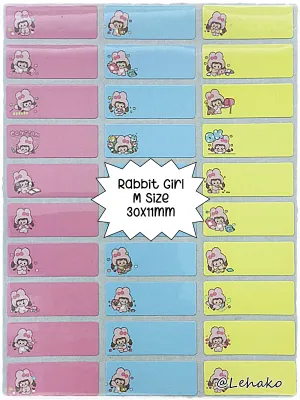
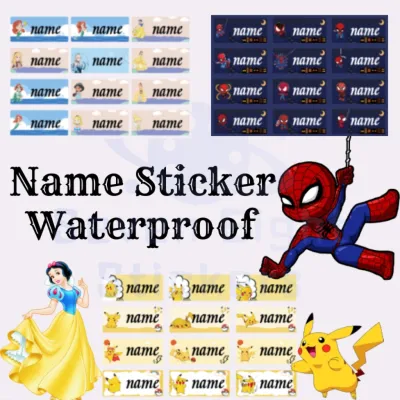
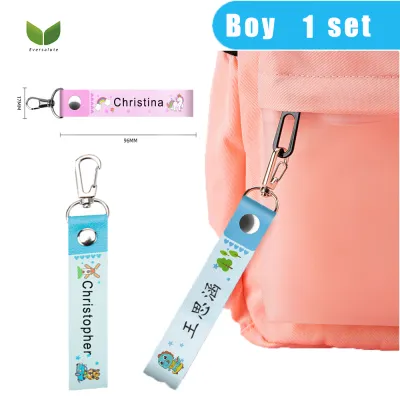
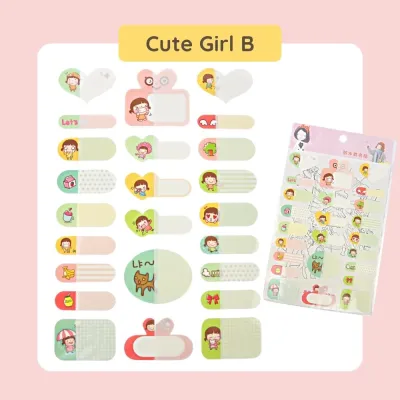
Prices are valid at publication and may change. Please refer to the product page for the latest price.
For heavy-duty, structured organising with classic, tactile labels, a traditional office-oriented label maker remains a reliable choice.
Key Criteria for Personalised Name Stickers
Creating name stickers that stay legible and attached requires matching the tape material to the target surface.
In Singapore’s warm, humid environment, items like lunchboxes, water bottles, and school gear undergo frequent washing and condensation.
Look for label makers that support waterproof, tear-resistant synthetic tapes rather than standard paper labels.
The adhesive backing must also be strong enough to grip curved plastics without peeling at the edges over time.
Print resolution is another critical factor for small name stickers.
Standard label makers typically print at resolutions ranging from 180 to 360 dots per inch (DPI).
If you plan to print tiny text on pencil labels or use intricate decorative borders, a higher DPI specification ensures the edges of your characters remain sharp and readable.
The software ecosystem dictates how much you can personalise each sticker.
A robust companion application allows you to import custom fonts, access extensive icon libraries, and insert emojis or custom borders.
For families with multiple children or teachers organising classroom supplies, batch printing functions are essential to generate multiple unique names in a single print run without manual retyping.
Finally, consider your physical workspace and how often you will use the device.
A lightweight, battery-powered unit lets you label items directly in the living room or classroom.
If you plan to print large volumes at a desk, a model that supports an AC adapter or features a rechargeable lithium-ion battery will save on the recurring cost of disposable batteries.
Comparing Brother, Niimbot, and Dymo Core Features
Each of these three prominent brands approaches label making from a distinct design philosophy.

Brother is widely recognised for its durable, laminated tape technology, making it a staple for both home organisation and demanding office environments.
Niimbot focuses heavily on ultra-portable, app-driven direct thermal printers designed for lifestyle, crafting, and quick home labelling.
Dymo offers a range of classic, tactile keyboard models alongside desktop label printers, historically favoured for systematic office filing and shipping.
To find the most accurate and up-to-date technical details for models sold in Singapore, consult the official local distributor websites or product specification sheets.
These documents list the exact supported tape widths, maximum print speeds, and connection protocols.
Matching the brand’s primary ecosystem to your expected printing volume and environment prevents frustration.
A system designed for light, occasional crafting may not hold up if you need to label hundreds of school items every term, while a heavy-duty office machine might feel overly restrictive if you want to design playful, highly decorated stickers on your phone.
Print Quality and Material Durability
When comparing print quality, check the manufacturer’s DPI specifications on the product packaging or official manuals.
Higher DPI values prevent the pixelated, jagged edges that can make small name stickers difficult to read.
Material durability depends heavily on whether the system uses laminated or non-laminated tape.
Brother’s laminated tapes feature a protective top layer that shields the ink from water, friction, and fading, which is highly beneficial for items exposed to daily wear.
Niimbot and Dymo offer various direct thermal paper and plastic tapes; while highly convenient, non-laminated thermal prints can fade over time if exposed to direct sunlight or high heat.
Before purchasing, verify the manufacturer’s specific claims regarding adhesive properties.
Look for labels explicitly rated as dishwasher-safe or water-resistant if you plan to label food containers.
Checking for low-residue or removable adhesive options is also wise if you want to update name stickers on shared items without leaving a sticky mess behind.
Design Apps and Customisation Options
The design experience varies significantly depending on whether the label maker relies on a built-in physical keyboard, a mobile app, or desktop software.
Niimbot models are almost exclusively app-driven, offering a highly visual interface on your smartphone with numerous pre-designed templates, icons, and creative fonts.
Brother and Dymo offer both standalone keyboard models and Bluetooth-enabled units that connect to mobile devices or computers.
If you want to use specific school fonts or custom graphics, verify if the companion app allows you to import external TrueType fonts (TTF) or custom image files.
Some basic apps restrict you to a small selection of pre-installed system fonts, which limits your ability to create truly personalised designs.
For larger projects, check the software’s capability for batch printing.
Some advanced mobile apps and desktop programs allow you to import names directly from a CSV spreadsheet or a simple text list.
This feature saves significant time compared to typing, formatting, and printing each name sticker individually.
Device Connectivity and Portability
Consider how the label maker connects to your devices.
Bluetooth-enabled models offer the greatest flexibility for quick, wireless printing from a phone or tablet anywhere in the house.
USB-connected desktop models provide a stable connection for heavy printing sessions at a computer desk, while Wi-Fi-enabled units allow multiple family members to print to the same machine.
Power source configurations directly impact portability and long-term operating convenience.
Compact, pocket-sized label makers often feature built-in rechargeable lithium batteries charged via standard USB ports, making them highly portable.
Larger desktop or handheld models may require multiple AA batteries or an external power adapter, which you should verify before buying to avoid unexpected battery costs.
Evaluate the physical dimensions and weight of the device if you plan to carry it to school events, craft workshops, or community gatherings.
Some brands offer dedicated hard-shell carrying cases that protect the print head and store spare tape cassettes, which is a useful accessory for mobile workflows.
Evaluating Consumables and Long-Term Costs
The initial purchase price of a label maker is only part of the overall investment; the ongoing cost of replacement tape rolls is often the more significant factor.
Before committing to a brand, check the price per metre or per roll of official tape cassettes at local Singapore stationery stores or online marketplaces.
Calculate the cost per label based on the average length of your name stickers to understand the long-term expenses.
Verify the local availability of the specific tape widths and styles you need.
For name stickers, narrow widths like 9mm or 12mm are generally the most versatile.
Ensure your chosen brand consistently stocks specialty options—such as iron-on fabric tapes for school uniforms, metallic finishes, or pastel colours—at your preferred local retailers.
Be aware of potential hidden costs associated with proprietary ecosystems.
Some modern label makers use tape cassettes embedded with smart chips that prevent the machine from operating with third-party consumables or older tape versions.
Additionally, check if the companion mobile app requires a paid subscription to unlock premium fonts, icons, or cloud storage features, as these recurring fees can quickly add up.
Decision Framework: Which Brand Fits Your Needs?
To choose the right label maker for your personalised name stickers, match your primary durability requirements and design preferences to the strengths of each brand.
If your main priority is extreme durability, water resistance, and long-term adhesion on items that face daily washing or outdoor exposure, select a brand that focuses on laminated thermal transfer tapes.
These multi-layered tapes protect the printed text beneath a clear polyester film, ensuring your child’s name remains intact on water bottles and food containers throughout the school year.
If you prefer high design flexibility, playful aesthetics, and a lightweight setup for casual home organising or school crafts, choose a portable Bluetooth-enabled direct thermal printer.
These app-centric devices make it incredibly easy to design stickers with cute icons, custom borders, and diverse fonts directly from your smartphone, though the non-laminated prints may require replacement sooner if subjected to heavy friction.
If you need a rugged, straightforward machine for systematic office filing, cable labelling, or heavy-duty household organisation, look toward brands with a strong heritage in industrial or office environments.
These models often feature physical QWERTY keyboards and robust manual cutters, making them highly efficient for rapid, no-nonsense labelling without needing a phone connection.
Before making your final decision, always verify the local availability and pricing of replacement tapes.
If you have strict budget constraints, check whether the device allows the use of compatible third-party tape rolls, and weigh the potential cost savings against the manufacturer’s warranty terms.
Frequently Asked Questions (FAQ)
Can I use third-party label rolls to save money?
Using third-party or compatible label rolls can significantly lower your ongoing costs, but it is important to check the manufacturer’s warranty terms first.
Some brands explicitly state that damage caused by non-original consumables is not covered under warranty.
Additionally, verify if the label maker uses optical sensors or RFID chips to detect the tape type.
Non-standard materials can sometimes cause tape jams, poor feeding, or accelerated wear on the thermal print head due to improper thickness or rough textures.
If you decide to try third-party tapes, purchase a single roll first to run a small test batch.
Observe the print clarity, check for any adhesive residue upon removal, and ensure the tape feeds smoothly through the cutter before investing in bulk quantities.
How do I prevent name stickers from peeling off curved surfaces?
To ensure your personalised name stickers adhere firmly to curved surfaces like pens, water bottles, or chargers, start with thorough surface preparation.
Clean the area with isopropyl alcohol to remove any oils, dirt, or manufacturing residues, and allow it to dry completely before applying the label.
Choose the correct tape material for the job.
Standard stiff plastic tapes tend to spring back to their flat shape, causing the edges to lift off tight curves; instead, look for flexible ID tapes or strong adhesive variants designed specifically for wrapping around cables and rounded objects.
When applying the sticker, press firmly from the centre outward to eliminate any trapped air bubbles, paying extra attention to the edges.
Allow the adhesive to cure at room temperature for at least 24 hours before exposing the item to moisture, heavy handling, or temperature changes.

Community discussion
Share your experience or ask a question. Comments are reviewed before publication.