
Finding the right brother label tape for your machine depends entirely on the specific model of your label maker, as these tape series are not interchangeable. Brother designs its label printers around three distinct media ecosystems—TZe, HSe, and DK—each featuring unique physical dimensions, cartridge shapes, and printing technologies. Attempting to use the wrong series will result in a cartridge that physically cannot fit into your machine’s compartment or a roll that cannot feed through the print mechanism. Understanding how to identify your printer family and match it to the correct tape series is the only way to avoid purchasing incompatible media.
Identify Your Brother Label Maker Series
To determine which tape series your printer requires, you must first locate and identify the exact model number of your device. This alphanumeric code is typically printed on the front faceplate of handheld models, near the keyboard on desktop units, or on a silver manufacturer sticker located on the underside or inside the battery compartment. Common prefixes include “PT” for P-touch devices and “QL” for dedicated desktop roll printers.
The “PT” prefix designates the P-touch family, which represents the vast majority of Brother’s handheld and desktop label makers. These machines are engineered to accept tape cassettes, which house the label material and ink ribbon in a single, self-contained plastic shell. Within the P-touch family, however, compatibility is further restricted by the maximum tape width the machine can physically feed and cut.
Products mentioned in this guide
![Tze-231 Tze231 Tz231 Sticker Label Compatible Brother Sticker Label Tape for Brother P Touch Label Printer Maker [theinksupply]](https://img.lazcdn.com/g/p/408294d2b0a056f1e3cb3d31b2e1f4db.jpg_400x400q80.jpg_.webp)
Prices are valid at publication and may change. Please refer to the product page for the latest price.
The “QL” prefix designates Brother’s line of high-speed desktop label printers. Unlike the cassette-based P-touch machines, QL printers are designed to hold larger paper or film rolls on a specialized plastic spool. These rolls feed directly past a stationary thermal print head, allowing for rapid printing of wider labels.
Knowing your printer’s prefix and model number is critical because the physical compartments of these machines are shaped to prevent the insertion of incorrect media types. A handheld P-touch printer lacks the physical space and mounting pins required for a DK roll, while a QL printer has no slot to receive a TZe cassette.
Understand the Core Differences Between TZe, HSe, and DK Tapes
The TZe, HSe, and DK series are designed for entirely different applications, utilizing distinct materials and printing mechanisms that make them physically incompatible with one another.

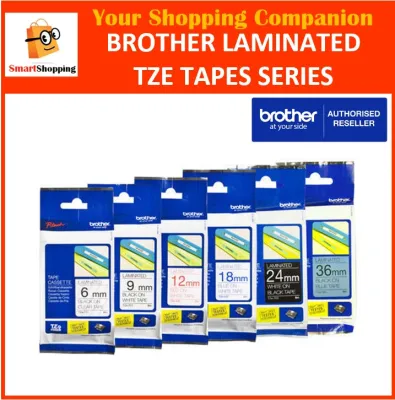
TZe tapes are laminated cassettes designed for general-purpose, highly durable labeling. Inside a TZe cassette, the printing process occurs via thermal transfer, where ink from a ribbon is bonded to a base film and then covered by a clear, protective laminate layer. This unique structure makes TZe labels exceptionally resistant to water, chemicals, abrasion, and fading. In warm, humid environments like Singapore, this lamination prevents the adhesive from degrading and keeps the printed text sharp even when exposed to moisture or frequent handling.
HSe tapes are specialized heat shrink tubes designed specifically for wire and cable identification. Unlike TZe tapes, HSe media does not have an adhesive backing; instead, it consists of a flat, polyolefin tube. Once printed, the tube is slipped over a wire or cable and shrunk to a tight fit using a heat gun. The cassette housing of an HSe tube is shaped similarly to a TZe cassette to fit into compatible P-touch printers, but the internal feeding mechanism is calibrated for the thicker, tubular material.
DK tapes are direct thermal rolls designed for high-volume, indoor labeling tasks such as shipping, visitor badges, and file folder organization. DK rolls do not use an ink ribbon; instead, the paper or film is coated with a heat-sensitive chemical layer that turns black when exposed to the printer’s thermal head. Because they lack a protective laminate layer, DK labels are more susceptible to scratching, heat, and moisture over time, making them best suited for indoor office environments.
The physical differences between these media types extend to their spooling and sensing mechanisms. TZe and HSe cassettes rely on internal plastic gears driven by the printer’s motor to advance both the label tape and the ink ribbon simultaneously. DK rolls, on the other hand, feature a plastic stabilizer guide with specific peg configurations that trigger microswitches inside QL printers, automatically communicating the label width and type to the machine’s software.
How to Verify Tape Compatibility Before Purchasing
Before purchasing a replacement brother label tape, performing a few quick physical and visual checks will guarantee that you select a compatible product.
First, open the tape compartment cover of your label maker and inspect the interior. Most Brother printers feature an embossed or printed logo inside the compartment—such as “TZe” or “TZ”—indicating the exact tape family the machine accepts. If you see a “TZe” logo, your machine is designed for laminated cassettes; if you see a spool holder with sensor slots, it is designed for DK rolls.
Second, check the maximum tape width supported by your specific model. Even if you purchase the correct TZe series, a 24mm wide cassette will not fit into an entry-level handheld printer designed for a maximum width of 12mm. The maximum width is often printed directly on the machine’s casing or detailed in the user manual. Common maximum widths for handheld P-touch models include 12mm and 18mm, while professional desktop models can often accept up to 24mm or 36mm tapes.
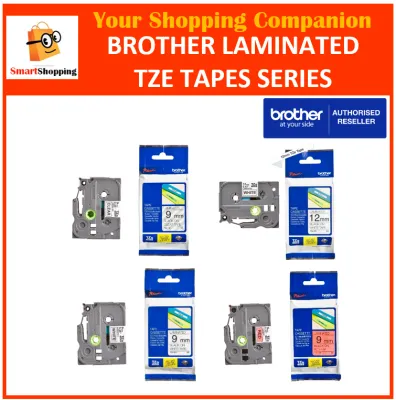
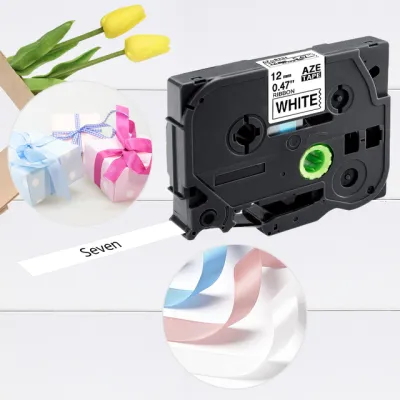
Third, examine your current or empty tape cassette or roll spool. The label on the front of a TZe cassette clearly displays the series name, tape width, and color combination (for example, “TZe-231 12mm Black on White”). Keeping the empty cassette as a physical reference or writing down the exact part number before disposal is the most reliable way to ensure an exact match when reordering.
If the markings inside your printer’s compartment are worn away and you do not have the original manual, do not attempt to guess the compatibility based on product photos on online marketplaces. Instead, locate the model number sticker on your device and consult the manufacturer’s official online compatibility database to verify the supported tape series and maximum widths.
Decision Framework: Matching the Tape to Your Printer and Task
To finalize your purchase, use this structured framework to match your verified printer model and specific labeling task to the correct tape series.
Choose TZe cassettes if you own a standard P-touch (PT) label maker and need to create durable, long-lasting labels for home, office, or outdoor organization. These laminated labels are ideal for marking storage bins, pantry containers, office equipment, and garden tools, as they can withstand moisture, sunlight, and temperature fluctuations. Before buying, verify that the cassette width matches or is smaller than your printer’s maximum supported width. To ensure optimal performance on textured or curved surfaces, perform an observable trial by applying a small test strip to verify adhesion before labeling an entire inventory.
Choose HSe heat shrink tubes if you own a professional P-touch model that explicitly supports heat shrink printing and your primary task is marking electrical wires, network cables, or pipes. Ensure that the diameter of the HSe tube you select is appropriate for the gauge of the wire you intend to label, and verify that your printer’s firmware is updated to support the HSe feeding profile.
Choose DK rolls if you own a QL series desktop printer and need to print high-volume shipping labels, barcode labels, visitor name badges, or temporary indoor signage. Decide between die-cut rolls, which feature pre-cut labels of fixed dimensions, and continuous rolls, which allow the printer’s automatic cutter to slice the label to any custom length you specify.
Never attempt to force an incompatible tape cassette or roll into your printer’s compartment. If a cassette does not slide into place with minimal effort, or if a roll spool does not seat securely into its designated slots, the media is incorrect for your machine. Forcing an incompatible tape can bend the delicate thermal print head pins, strip the plastic drive gears, or cause permanent electrical damage to the device.
Frequently Asked Questions (FAQ)
Can I use TZe tape in a QL series printer or vice versa?
No, TZe cassettes and DK rolls are completely incompatible due to fundamental differences in their physical designs and printing technologies. TZe cassettes are compact, gear-driven plastic shells designed for thermal transfer printing in P-touch machines, whereas DK rolls are wide, direct thermal paper rolls designed for QL desktop printers. Attempting to force a TZe cassette into a QL printer, or a DK roll into a P-touch machine, will cause physical damage to the printer’s feeding mechanism and print head.
Do all P-touch printers accept both TZe and HSe tapes?
No, not all P-touch printers are compatible with HSe heat shrink tubes, even though HSe cassettes share a similar physical shape with TZe cassettes. HSe tubes require specific internal sensors, firmware settings, and cutting mechanisms to feed the thicker, non-adhesive polyolefin material without jamming. Always consult your printer’s user manual or the manufacturer’s official compatibility list to confirm that your specific P-touch model supports HSe media before making a purchase.

Community discussion
Share your experience or ask a question. Comments are reviewed before publication.