
Selecting the best mini paper shredder for your home in Singapore requires balancing security requirements, usage frequency, and the spatial limits of modern residential layouts. In compact living environments like Housing & Development Board (HDB) flats and condominiums, a massive office-grade machine is impractical. Instead, the ideal choice is a compact device that fits neatly under a desk or inside a cabinet while offering sufficient cutting power to protect your personal data. For most households, a standard cross-cut (P-4 security level) mini shredder provides the best balance of data protection, price, and size, while light-duty users may opt for simpler strip-cut models and home-office professionals will benefit from high-security micro-cut machines.
To make an informed purchase, you must evaluate how often you handle sensitive documents, where you intend to store the machine, and how much noise your household can tolerate. Understanding these variables ensures you select a reliable stationery tool that prevents identity theft without cluttering your living space.
Understanding Home Shredding Needs: Security Levels and Usage Frequency
Before comparing physical dimensions or bin capacities, you must determine the level of security your documents require. Paper shredder security is classified under the international DIN 66399 standard, which categorizes destruction levels from P-1 to P-7 based on the size of the shredded particles. For residential use, the relevant levels range from P-1 to P-5, with higher numbers indicating smaller, more secure cuts.
Products mentioned in this guide
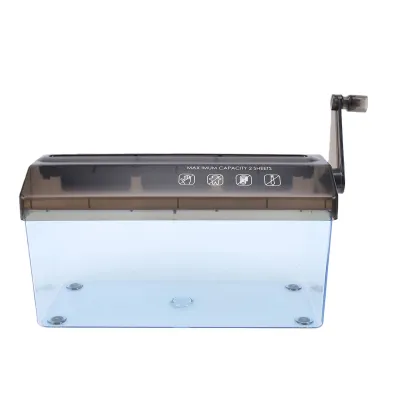
![[SG] [FREE SHIP] Manual Paper Shredder Mini Cutter Hand Crank Shred Office Destroy Private Confidential Documents](https://img.lazcdn.com/g/ff/kf/Scdcc162753a64816bee690cea4994db2h.jpg_400x400q80.jpg_.webp)
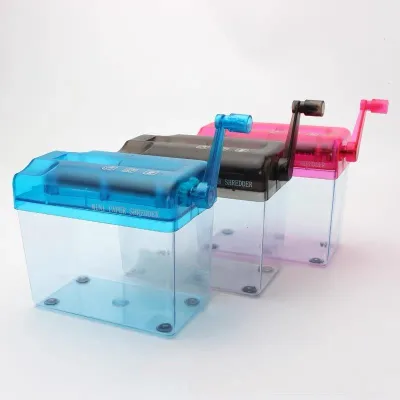
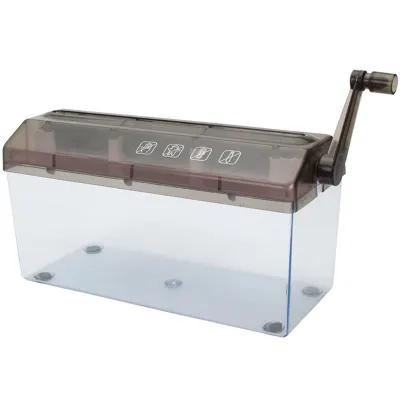
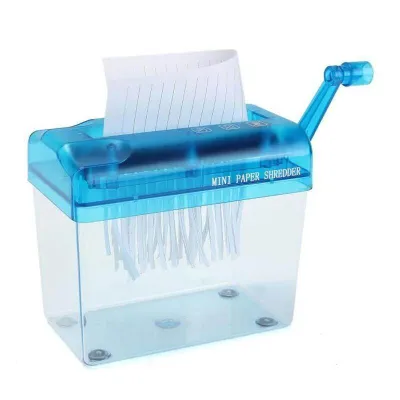
Prices are valid at publication and may change. Please refer to the product page for the latest price.
Strip-cut shredders fall under the P-1 and P-2 classifications. These machines slice paper vertically into long, continuous strips, typically measuring around 6mm wide. While strip-cut devices operate quickly and can handle multiple sheets at once, they offer minimal security. A single sheet of A4 paper is sliced into approximately 39 strips, which can be reassembled relatively easily with patience. Strip-cut models are best reserved for non-sensitive documents, basic junk mail, or recycling preparation.
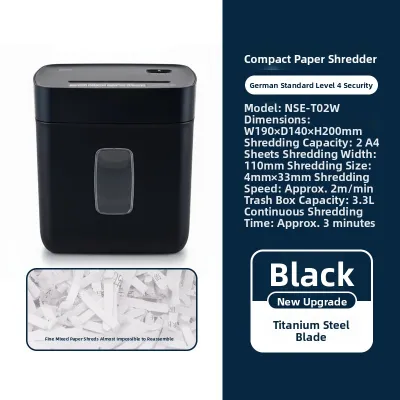
Cross-cut shredders, categorized under P-3 and P-4, represent the standard for home data protection. These machines utilize two counter-rotating shafts to cut paper both vertically and horizontally. A P-3 shredder turns a single A4 sheet into roughly 200 particles, while a P-4 machine reduces it to approximately 400 tiny rectangular pieces. This makes reassembly virtually impossible for unauthorized individuals. Standard financial documents, medical bills, and bank statements should always be processed through at least a P-4 cross-cut shredder to prevent identity theft.
Micro-cut shredders, classified as P-5 or higher, offer the highest level of security available for home offices. These machines reduce a single sheet of paper into more than 2,000 tiny, confetti-like particles measuring less than 30 square millimeters. Reassembling a micro-cut document is practically impossible even with specialized forensic software. If you handle highly confidential legal files, proprietary business data, or sensitive client records at home, a P-5 micro-cut machine is the safest choice.
Your usage frequency is the second critical factor to assess. Occasional users who only shred a few letters or utility bills once a week do not need a heavy-duty motor. However, if you run a home business or tend to accumulate large batches of paperwork before shredding, you will require a machine with a more robust motor and a longer continuous run time. Matching the machine’s duty cycle to your actual accumulation habits prevents motor burnout and premature equipment failure.
Key Features to Evaluate for Compact Living Spaces
Living in Singapore’s high-density housing, such as HDB flats or condominiums, means that floor space is a premium asset. Every appliance must justify its footprint, and stationery machines are no exception. When choosing a mini paper shredder, several physical and mechanical specifications must be weighed against your home’s layout.

Footprint and storage design dictate where your shredder will live when not in use. Mini shredders generally fall into two design categories: desktop units and freestanding compact models. Desktop mini shredders are highly compact, often featuring a detachable cutting head designed to sit directly over an existing wastebasket. These are exceptionally easy to store in a drawer or on a closet shelf. Freestanding compact models include an integrated waste bin and are designed to sit on the floor. While they occupy dedicated floor space, they are more stable and typically hold more waste. If you have limited floor space, look for a model with a slim profile (under 15 centimeters in width) that can slide between a desk and a wall.
Acoustic performance is another vital consideration in shared residential environments. Concrete walls in HDB flats tend to reflect sound, making loud motor noises highly disruptive to family members or immediate neighbors. Shredder noise levels are measured in decibels (dB). Standard budget shredders often operate at 70 dB or higher, which is comparable to a loud vacuum cleaner. Premium quiet-operation models utilize insulated motor housings and precision-engineered gears to keep noise levels below 60 dB, allowing you to shred documents late at night or during remote work calls without causing a disturbance.
Run time and cool-down periods, collectively known as the duty cycle, are often overlooked but highly impactful. Because mini shredders use compact motors, they generate heat quickly. A typical entry-level mini shredder has a continuous run time of 2 to 5 minutes before its thermal overload protection triggers, requiring a cool-down period of 15 to 40 minutes. If you attempt to shred a year’s worth of tax documents in one sitting with a light-duty machine, the constant stopping can make the task incredibly tedious. Always check the manufacturer’s rated run time and ensure the unit has an automatic thermal shutdown feature to prevent the motor from overheating.
Bin capacity and waste compression are directly tied to the cut type you select. Strip-cut paper does not compress well, meaning a small 5-liter bin will fill up after processing only a few sheets, requiring frequent trips to the recycling chute. Cross-cut and micro-cut particles pack together much more tightly, allowing a bin of the same physical size to hold up to three times as much shredded waste. For home use, a bin capacity between 5 and 10 liters is generally sufficient, balancing a compact exterior footprint with reasonable emptying intervals.
Recommended Shredder Specifications Based on User Profiles
To simplify your purchasing decision, evaluate your daily habits against the following three distinct user profiles. Each profile outlines the ideal specifications, performance limits, and price bands to help you find a machine that fits your budget and operational needs.
For Occasional Use and Basic Privacy (Light-Duty Cross-Cut)
This profile is designed for households that only need to destroy non-sensitive mail, expired coupons, and shipping labels from online purchases once or twice a week. The goal is basic physical privacy rather than high-level data security.
- Recommended Security Level: P-3 Cross-Cut
- Sheet Capacity: 3 to 5 sheets of standard 80gsm paper per pass
- Feed Type: Manual feed
- Run Time: 2 minutes continuous, with a 20-minute cool-down
- Price Band: Entry-level (typically under S$50)
These entry-level models are highly compact and often feature a simple slide switch for auto, off, and reverse modes. Because they have smaller motors, they require you to feed paper carefully and remove any thick staples or paper clips beforehand to prevent jams. They are ideal for storing inside a cabinet and bringing out only when a small stack of mail accumulates.
For Regular Use and Identity Theft Protection (Standard Cross-Cut)
This profile suits typical families and remote workers who regularly handle bank statements, medical records, insurance documents, and tax forms. The primary objective is robust protection against identity theft.
- Recommended Security Level: P-4 Cross-Cut
- Sheet Capacity: 6 to 10 sheets of standard 80gsm paper per pass
- Feed Type: Auto-start sensor with manual feed slot
- Run Time: 3 to 5 minutes continuous, with a 15-minute cool-down
- Special Features: Dedicated credit card shredding slot, automatic jam detection
- Price Band: Mid-range (typically S$60 to S$150)
Mid-range P-4 shredders are the most popular choice for Singaporean homes. They offer a larger bin capacity (usually 8 to 12 liters) and a more powerful motor that can easily chew through staples and small paper clips. The inclusion of a dedicated plastic cutting slot allows you to safely destroy expired credit cards and membership cards without dulling the main paper-cutting blades.
For High Security and Frequent Shredding (Micro-Cut with Anti-Jam)
This profile is tailored for home offices, legal professionals, financial consultants, or anyone handling highly sensitive, confidential data on a daily basis. The focus is maximum security and efficient batch processing.
- Recommended Security Level: P-5 Micro-Cut
- Sheet Capacity: 5 to 8 sheets of standard 80gsm paper per pass
- Feed Type: Auto-start sensor, auto-reverse anti-jam technology
- Run Time: 5 to 10 minutes continuous, with a 15-minute cool-down
- Special Features: Pull-out waste bin, ultra-quiet motor, safety lock
- Price Band: Premium (typically S$150 and above)
Premium micro-cut machines provide absolute peace of mind by reducing documents to unreadable dust. Because micro-cut blades require high torque, these machines feature heavy-duty motors that run more quietly and continuously than budget models. The pull-out bin design makes emptying the paper dust clean and mess-free, preventing loose particles from spilling onto your floor.
Safe Operation and Maintenance for Longevity
Like any mechanical device with moving parts, a mini paper shredder requires regular maintenance to perform efficiently and last for years. Neglecting basic care can lead to frequent paper jams, increased motor noise, and eventual motor failure.
Routine Lubrication
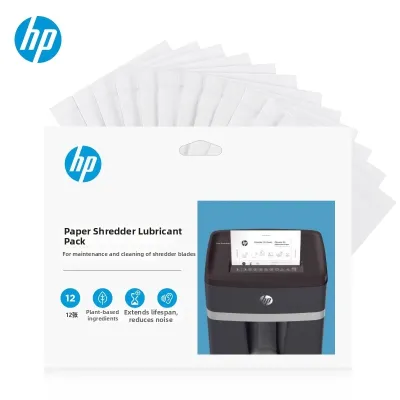
As paper passes through the cutting cylinders, it leaves behind microscopic paper dust and fibers. Over time, this debris absorbs the factory lubricant, causing friction to build up between the steel blades. This friction forces the motor to work harder, slowing down the shredding speed and increasing heat generation. To prevent this, you must oil your shredder regularly.
- How to Oil: Apply specialized shredder oil in a zigzag pattern across a sheet of paper, then feed the paper through the machine. Once shredded, run the machine in reverse for 10 seconds to distribute the oil evenly across the cutting cylinders. Alternatively, you can use pre-lubricated shredder sharpening sheets.
- Frequency: Oil the blades once every time you empty the waste bin, or at least once a month if you use the machine infrequently.
- Warning: Always check the manufacturer's care instructions before applying any lubricant. Never use aerosol spray lubricants, WD-40, or petroleum-based oils. These products are highly flammable and can ignite inside the high-friction environment of the cutting head, posing a severe fire hazard.
Safe Jam Clearance
Paper jams are almost always caused by exceeding the maximum sheet capacity, feeding paper at an angle, or allowing the waste bin to overfill. If your shredder jams, follow these steps to clear it safely:
- Stop and Unplug: Immediately turn off the power switch and unplug the device from the wall outlet. Never attempt to clear a jam while the machine is connected to power.
- Use Reverse Mode: If the machine has power, plug it back in and switch it to reverse mode to back the paper out of the feed slot. Gently pull the paper upward as the blades spin backward.
- Clear Debris Manually: If the paper remains stuck, unplug the machine again. Use a pair of long-nosed pliers to carefully pull out any visible paper remnants from the top or bottom of the cutting head. Never insert your fingers, scissors, knives, or metal tools directly into the cutting blades, as this can permanently damage the steel cylinders or cause severe personal injury.
Material and Operational Limits
Before shredding any non-paper items, always consult the applied product’s label and the manufacturer’s instruction manual. Not all mini shredders are built to handle foreign objects.
- Staples and Paper Clips: While mid-range and premium shredders can easily cut through standard office staples, budget mini shredders may dull or chip their blades. If your manual does not explicitly state that staples are safe, take a moment to remove them before shredding.
- Adhesive Materials: Never run adhesive labels, duct tape, envelopes with wet glue, or stickers through your shredder. The adhesive backing will melt under the heat of the cutting cylinders, gumming up the blades and causing immediate, difficult-to-clear jams.
- Plastic Sleeves and Laminates: Standard paper shredders are not designed to cut through plastic folders, laminated sheets, or overhead transparencies. Shredding these materials can warp the cutting shafts and void your warranty.
Household Safety Boundaries
Because paper shredders contain sharp, fast-moving parts, safety must be a priority, especially in households with children or pets.
- Power Down: Always turn the machine off and unplug it from the wall outlet immediately after use. Do not leave a plugged-in shredder unattended in standby mode.
- Location: Place the shredder on a flat, stable surface where it cannot be easily tipped over. Keep the power cord tucked away to prevent tripping hazards.
- Safety Locks: Look for models that feature physical safety locks that disable the power switch, or electronic sensors that immediately stop the blades if hands or paws touch the paper entry slot.
Frequently Asked Questions (FAQ)
Can I shred credit cards or CDs in a mini paper shredder?
You can only shred credit cards or CDs if your specific shredder model features an explicit rating and a dedicated slot for plastics. Standard paper-cutting blades are designed for fibrous paper and can easily chip, dull, or misalign if forced to cut thick plastic. If your machine is rated for credit cards, it will usually feature a separate feed slot that directs the plastic to heavy-duty cutting wheels. Always verify your manufacturer’s instructions before attempting to shred any plastic materials.
How often should I empty the bin to prevent paper jams?
You should empty the waste bin before it becomes completely full, ideally when it reaches approximately 75% capacity. When a bin overfills, the shredded paper has nowhere to go and begins to push upward back into the cutting head. This causes the paper to wrap around the rotating cutting cylinders, leading to severe jams, motor strain, and potential gear damage. Regularly checking the viewing window on your shredder’s bin prevents this issue entirely.
Is it safe to leave a mini shredder plugged in when not in use?
It is highly recommended to unplug your mini shredder when it is not actively in use. Leaving the device plugged in keeps the internal transformer energized, which consumes standby power and poses a minor electrical risk during power surges. More importantly, an active shredder presents a safety hazard if children or curious pets accidentally trigger the auto-start sensor. Unplugging the device ensures absolute safety and extends the lifespan of the internal electronic components.
Community discussion
Share your experience or ask a question. Comments are reviewed before publication.