
Selecting the right led writing board depends entirely on your primary crafting activity, as a tool that excels at illuminating thick watercolor paper may be too bright for a child’s eyes or too bulky for delicate calligraphy work. Artists and diamond painters require high-intensity, uniform illumination across a large surface to trace fine details, while calligraphers need precise, flicker-free dimming to protect their vision and a perfectly flush surface that does not disrupt fluid hand movements. For children, the priorities shift completely toward physical durability, drop-proof construction, and certified eye-safety features that cap brightness at a gentle level. By matching the technical specifications of these devices to your specific medium, you can avoid common pitfalls like hand fatigue, ink smudging, or insufficient light penetration.
Evaluating the technical landscape of light pads ensures you invest in a tool that integrates seamlessly with your workspace and creative habits. From understanding how light behaves when passing through different paper densities to choosing the most reliable power source, a few key specifications dictate the overall utility of your board.
How to Choose the Right LED Writing Board for Your Desk
Size and Workspace Fit
Selecting the physical dimensions of your led writing board is the first step in ensuring a comfortable crafting experience. Standard sizes follow the international ISO paper format, ranging from compact A4 models to expansive A2 boards. In Singapore, where study desks in compact HDB flats or home offices often have limited surface area, an A4 board (approximately 210 x 297 mm) is frequently the most practical choice because it is easy to store in a drawer and leaves ample room for other stationery. If you regularly work on larger art prints, architectural blueprints, or full-sized diamond painting canvases, upgrading to an A3 board (297 x 420 mm) offers a generous active area without completely taking over your desk. A2 boards (420 x 594 mm) are highly specialized tools that require a dedicated, permanent workspace and are generally too cumbersome for casual sketching or portable use.
Products mentioned in this guide
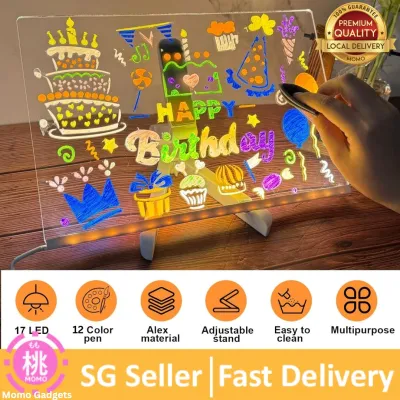
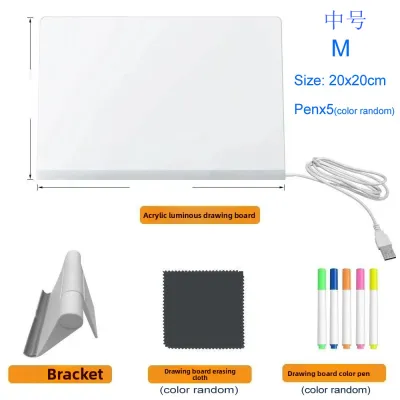
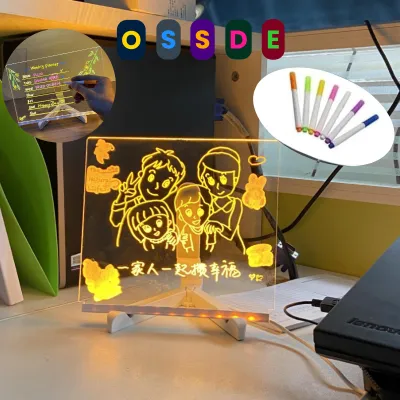
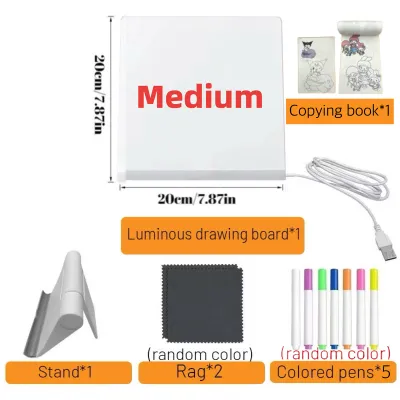
![[SG STOCK] Reusable LED Drawing Board DIY Luminous Acrylic Message Memo Note Pad Night Light Kids Writing Gift发光画板](https://img.lazcdn.com/g/p/4f49319070b36c6e7ba9cbce60944690.jpg_400x400q80.jpg_.webp)
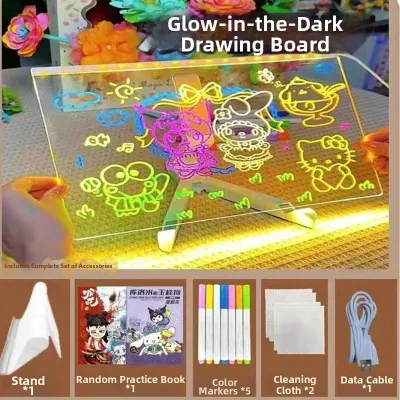
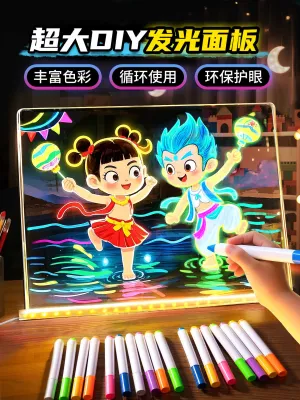
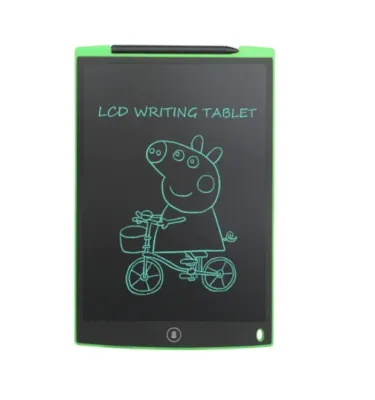
Prices are valid at publication and may change. Please refer to the product page for the latest price.
Brightness and Dimming Capabilities
The light output of an LED pad is typically measured in lux, which represents the intensity of light hitting the surface. For basic tracing through standard printer paper, a modest output of 1,500 lux is sufficient, but penetrating heavier mediums requires a board capable of reaching 3,000 to 4,000 lux. To accommodate these varying needs, look for boards featuring stepless dimming rather than basic three-level touch controls. Stepless dimming allows you to hold down the power button to fine-tune the brightness to the exact level required for your current paper weight, preventing the intense glare that occurs when a board is too bright for thin tracing paper.
Power Options
How your board receives power directly impacts its portability and how you organize your creative space. USB-powered boards are highly common and draw power from standard 5V USB ports, making them ideal for permanent desk setups where they can remain plugged into a computer, a monitor, or a wall adapter. However, if you prefer to work away from a desk—such as sketching on the sofa or practicing lettering at the dining table—a board with a built-in rechargeable lithium-battery is highly advantageous. These portable models eliminate cable clutter and prevent accidental tugs that can ruin a delicate piece of work, though they do add slightly more weight to the device.
Surface and Build Quality
A high-quality light pad must provide a perfectly flat, stable surface that does not flex under the pressure of your hand. Look for boards constructed with a premium acrylic (PMMA) panel, which offers excellent rigidity and superior light transmission compared to cheap plastics. To protect your eyes during long sessions, ensure the board features an integrated eye-care diffusion layer that scatters the light evenly, eliminating the harsh “dot-matrix” hotspots common in lower-end models. Additionally, check for integrated anti-slip silicone pads on the underside of the board to keep it from sliding across your desk as you work, and prioritize ultra-thin profiles (under 8mm) to minimize the angle of your wrist and prevent long-term strain.
Best LED Writing Board Features for Art Tracing and Diamond Painting
Why Specific Features Matter
Art tracing and diamond painting are highly detailed, repetitive tasks that demand consistent, intense illumination over several hours. When tracing, the light source must be powerful enough to push through multiple layers of paper, such as a thick graphite sketch underneath a sheet of heavy mixed-media paper. In diamond painting, the light shines from beneath the adhesive canvas, illuminating the tiny grid lines and color-coded symbols so you can place each resin drill with perfect accuracy. Without a sufficiently bright and uniform light source, you will find yourself squinting to distinguish between similar symbols, leading to rapid eye strain and placement errors.

Ideal Specifications to Look For
For these demanding applications, prioritize large-format boards (A3 or A2) that allow you to work on complete compositions without constantly shifting your paper or canvas. Look for a high maximum brightness rating of at least 3,500 lux to ensure the light can easily penetrate thick watercolor paper or dense canvas backings. An ultra-thin acrylic construction is also essential here; a profile of 5mm to 6mm allows your hands to glide smoothly from the desk surface onto the board without encountering a sharp, raised edge that can cause wrist fatigue during long drawing sessions.
Helpful Add-ons
To streamline your workflow, look for boards that feature integrated physical rulers along the borders, which are incredibly helpful for scaling artwork or aligning diamond grids. Magnetic led writing board models are particularly useful, as they allow you to secure your reference image and active sheet using small, high-strength magnets that lay flat against the surface. If magnets are not an option, ensure the board comes with low-profile binder clips that grip the edges tightly without blocking your workspace or interfering with your hand movements.
Limitations and Checks
Before purchasing a large, high-lux A2 board, it is critical to verify its power requirements. Many high-intensity boards require a dedicated power adapter (often 12V) rather than a standard 5V USB port. If you attempt to power a large-format board using a standard laptop USB port or an older phone charger, you may experience persistent flickering, dimming, or even premature component failure because the port cannot supply the necessary wattage. Always check the manufacturer’s specifications to ensure your power source matches the board’s input requirements.
Ideal LED Writing Boards for Calligraphy and Lettering Practice
Why Specific Features Matter
Calligraphy and hand-lettering require extreme precision, fluid hand movements, and absolute control over your writing instruments. When practicing strokes, calligraphers place a guide sheet with slanted lines and grid markers underneath their active writing paper. The led writing board must illuminate these guidelines clearly without creating a blinding glare that washes out the ink on the top sheet. Furthermore, because calligraphy inks are wet and slow-drying, the physical properties of the board’s surface and the heat it generates can directly affect how your ink behaves.
Ideal Specifications to Look For
An A4 or A3 board equipped with stepless dimming is the gold standard for lettering artists, as it allows you to adjust the light level precisely to match the opacity of your practice paper. It is vital to choose a board that features flicker-free, direct-current (DC) dimming technology. Many cheaper boards use pulse-width modulation (PWM) to dim the LEDs, which creates an invisible high-frequency flicker that can cause headaches, eye fatigue, and double-vision during detailed, close-up ink work. An anti-glare, matte diffusion surface is also highly recommended to prevent harsh reflections from overhead room lighting.
Surface and Paper Security
To maintain the precise angles required for scripts like Copperplate or Gothic, your paper must remain completely stationary. A board with a slightly textured or matte finish provides a small amount of physical resistance (tooth) that helps hold your paper in place, whereas a glossy glass surface can cause sheets to slide around at the slightest touch. To secure your guide sheets and writing paper without damaging the light pad, use low-tack artist’s tape or specialized silicone paper weights. Avoid using heavy, sharp metal weights that can scratch the acrylic surface and disrupt future pen strokes.
Limitations and Checks
Before committing to a specific board, pay close attention to the design of the outer bezel. If the board has a raised frame or a bulky power switch situated right where your hand rests, it will create a physical bump that disrupts the smooth, continuous sweep of your arm during flourishing or long strokes. Look for a completely flush, edge-to-edge design where the active area is level with the border. Additionally, be aware that the mild warmth generated by some LED boards can accelerate the drying time of wet inks on your paper. It is always wise to perform a quick trial on a scrap piece of paper to verify how your specific ink, nib, and paper combination reacts to the board’s surface temperature before starting an important piece.
Safe and Durable LED Writing Boards for Kids' Learning
Why Specific Features Matter
For children, an LED board is an excellent educational tool for practicing letter formation, tracing handwriting guides, and exploring creative drawing. However, children’s eyes are still developing and are highly sensitive to intense light sources and high-energy blue light emissions. Additionally, kids’ toys and learning aids are subject to rough handling, accidental drops, and spills. Therefore, a board designed for children must prioritize safety certifications, physical durability, and simplified controls over high-lux performance.
Ideal Specifications to Look For
For younger users, a compact A4 or A5 board is ideal because it fits easily on small study desks, lap trays, or car seats. Look for boards that are explicitly certified for eye safety, featuring low blue-light emission and a maximum brightness output that is capped at a safe, gentle level (typically under 1,000 lux) so children cannot accidentally turn the brightness up to eye-damaging levels. A built-in rechargeable battery is highly recommended for safety, as it completely eliminates the tripping hazard of a trailing USB cable and prevents children from playing with electrical outlets.
Engaging and Practical Add-ons
To make learning more engaging, look for boards that come packaged with colorful, kid-friendly frames, tracing stencils (such as alphabets, numbers, and basic shapes), and non-toxic drawing templates. The physical construction must be incredibly robust; look for high-impact, shatter-resistant polycarbonate or thick acrylic panels that can withstand being dropped on a tiled floor. Rounded corners and smooth, seamless edges are also essential to prevent scratches or cuts during active play.
Limitations and Checks
Parents must perform a few critical safety checks before handing an LED board over to a child. First, verify that the battery compartment on rechargeable models is securely locked with a screw or a child-resistant latch to prevent access to the lithium-ion cell. Second, look for boards equipped with an automatic shutoff timer (such as a 30-minute or 1-hour sleep mode). Children frequently forget to turn off their devices, and an auto-shutoff feature ensures the board does not drain its battery or sit face-down on a soft bed or sofa where heat can slowly build up.
Quick Comparison: Matching Board Specs to Your Crafting Needs
Comparison Table
To help you quickly identify the right specifications before browsing online marketplaces, the table below summarizes the ideal configurations for each primary crafting activity.
| Crafting Activity | Ideal Size | Brightness Requirement | Key Surface Feature | Preferred Power Source |
|---|---|---|---|---|
| Art Tracing & Diamond Painting | A3 or A2 | High (3,000 – 4,000+ Lux) | Magnetic edges or low-profile clips | USB-C or Dedicated Wall Adapter |
| Calligraphy & Lettering | A4 or A3 | Medium (Adjustable 1,500 – 2,500 Lux) | Flush bezel, matte anti-glare finish | USB-C (Flicker-free DC dimming) |
| Kids' Learning & Drawing | A4 or A5 | Capped Low (Under 1,000 Lux) | Shatter-resistant, rounded corners | Built-in rechargeable battery |
How to Use This Guide
When searching for an led writing board on e-commerce platforms, use these target specifications to filter through generic product descriptions. Do not simply buy the cheapest or brightest model available; instead, look for listings that explicitly state features like “DC flicker-free dimming” for calligraphy, “high-lux output” for heavy tracing, or “eye-safe certified” for children’s use. Matching these technical details to your specific craft will ensure a comfortable, safe, and highly productive creative experience.
Frequently Asked Questions (FAQ)
Can I use an LED writing board with thick watercolor paper?
Yes, you can use an LED writing board with watercolor paper, but performance depends heavily on the paper’s weight (measured in GSM) and the board’s maximum light output. Standard light pads can easily penetrate light sketching and mixed-media papers up to 150 or 200 GSM. However, heavy, cold-pressed watercolor paper (typically 300 GSM) has a dense, textured fiber structure that severely restricts light transmission. To work with 300 GSM paper, you must use a high-lux board rated for at least 3,500 to 4,000 lux. Even with a powerful board, expect some loss of fine detail, and try working in a dimly lit room to maximize the contrast of the light shining through the heavy sheet.
How do I clean the surface of my LED light pad safely?
To clean your board without damaging the sensitive light diffusion layers or scratching the acrylic surface, always start by unplugging the device from its power source. Wipe the surface gently using a dry, clean microfiber cloth to remove dust and fingerprints. For stubborn dirt, adhesive residue from diamond painting, or dried ink spots, slightly dampen the microfiber cloth with water or a specialized, alcohol-free screen cleaner. Never spray water or cleaning solutions directly onto the board, as liquid can easily seep into the USB port or the seams of the frame. Absolutely avoid using harsh chemical solvents, glass cleaners containing ammonia, isopropyl alcohol, or abrasive scrubbing pads, as these will permanently cloud, scratch, or degrade the acrylic panel.
Is it safe to leave the LED writing board on for long periods?
Modern LED writing boards are highly efficient and naturally generate very little heat compared to old-fashioned fluorescent light boxes, making them safe for extended use. However, to ensure maximum safety and prolong the lifespan of the internal LEDs, you should always place the board on a hard, flat surface (such as a wooden desk) that allows for natural heat dissipation. Avoid placing an active board on soft surfaces like beds, blankets, or rugs, which can trap heat underneath the device. Always consult the manufacturer’s user manual for any specified continuous-use limits, and make it a habit to unplug the board whenever you step away from your workspace.
Community discussion
Share your experience or ask a question. Comments are reviewed before publication.