
Selecting the right LED drawing board—often referred to as a light pad or tracing light box—requires balancing your specific artistic medium with technical specifications like luminance, active area, and power stability. Whether you are a hobbyist picking up diamond painting, an art student sketching frame-by-frame animation, or a professional architect drafting complex schematics, the ideal brand is defined by how well its features match your workflow. In the Singapore market, entry-level options like Huion’s basic models and generic crafting boards offer great portability for beginners. Meanwhile, intermediate artists benefit from the reliable, flicker-free performance of mid-range Huion or GAOMON boards. For advanced professionals, high-end brands like Artograph, Daylight Company, or specialized drafting boards from Japanese brands like Kent provide the superior color rendering index (CRI) and structural durability needed for precision work.
Quick Guide: Matching Light Pads to Your Artistic Needs
An LED drawing board serves a singular, crucial function: transmitting a highly uniform, controllable source of light upward through layers of paper or media. This illumination allows you to trace sketches, transfer designs, align calligraphy guidelines, or weed vinyl with high precision. By shining light through the back of your working material, the board makes opaque or semi-opaque sheets temporarily translucent, revealing the underlying lines clearly.
Your artistic discipline and experience level dictate which features are indispensable and which are unnecessary. Beginners and casual crafters typically require a lightweight, highly portable, and affordable board for occasional tracing or diamond painting. At this stage, a standard A4-sized board with basic USB power is usually more than sufficient. You do not need to invest in premium professional equipment when a simple, slim light pad will easily handle thin tracing paper or standard printer sheets.
Products mentioned in this guide
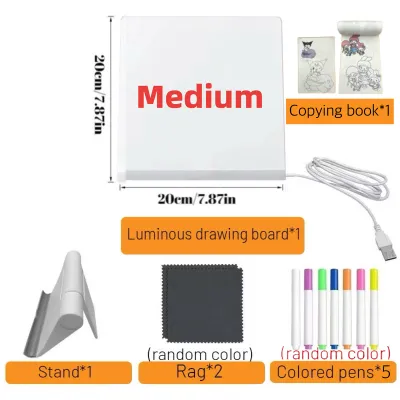
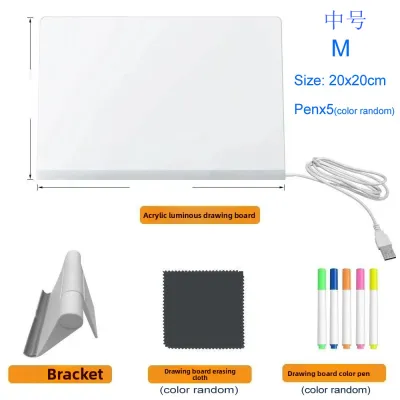
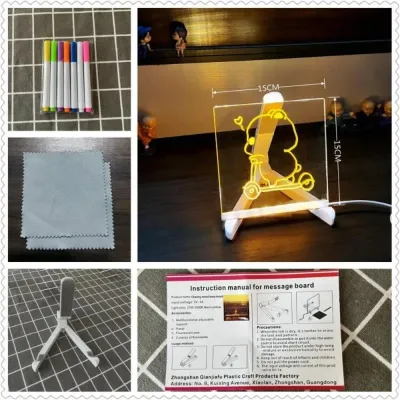
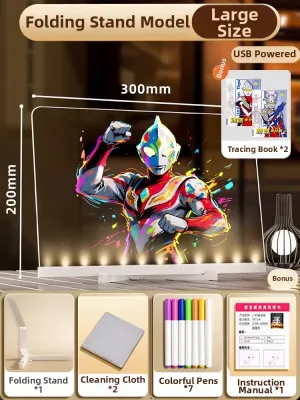
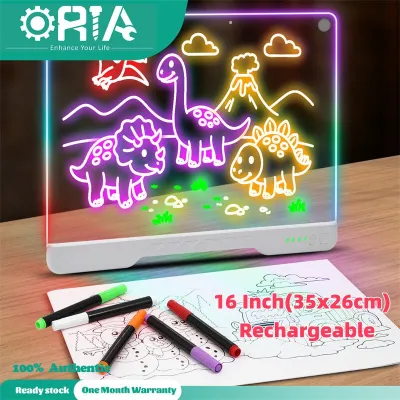
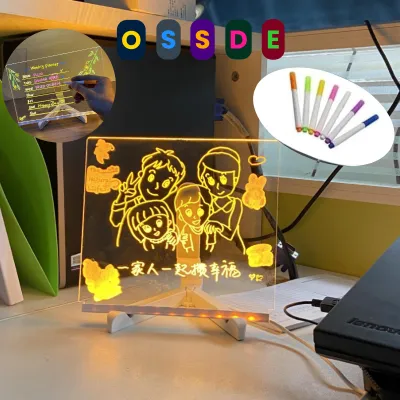
![[✅SG Ready Stock] 8.5 inch / 12 inch LCD Pad Writing Tablet For kidsKids Drawing Pad Portable Electronic Tablet Board](https://img.lazcdn.com/g/p/fee43f1d7f9017a12c1bc992432adbda.jpg_400x400q80.jpg_.webp)
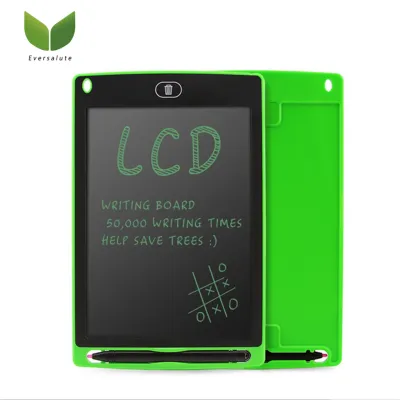
Prices are valid at publication and may change. Please refer to the product page for the latest price.
Intermediate artists, such as animation students, illustrators, and calligraphers, demand greater control over their working environment. If you work with thicker media like 200gsm watercolor paper or heavy cardstock, you require higher luminance and adjustable brightness settings. These users also benefit from larger formats like A3, which accommodate expansive compositions and allow for comfortable arm movement without crowding the workspace.
Advanced professionals, including architects, traditional animators, and commercial designers, need the highest tier of precision and durability. For these workflows, a professional-grade board must offer exceptional color rendering, a highly uniform light distribution that prevents eye fatigue over eight-hour shifts, and a robust surface material like tempered glass that can withstand heavy use. Matching the active area, luminance, and power type of the board to your specific daily tasks is far more important than simply choosing the most expensive brand on the shelf.
Essential Specifications to Compare Before You Buy
Brightness and Uniformity
When evaluating an LED drawing board, the quality of light is the most critical factor. Luminance is typically measured in lux, which represents the intensity of light hitting the surface. For basic tracing through standard 80gsm copy paper, a board offering 1,500 to 2,000 lux is entirely adequate. However, if you plan to project light through heavy 300gsm watercolor paper or multi-layered animation cells, you will require a high-output board that delivers 3,000 to 4,000 lux or more.

Uniformity refers to how evenly that light is distributed across the entire active area. Cheaper, low-quality boards often suffer from “edge-bleed” or noticeable dark spots in the center, which can distort your perception of lines and cause severe eye strain. To prevent this, look for boards featuring advanced light-guide plates that diffuse the LED light evenly. Furthermore, choose between stepless dimming—which allows you to adjust the brightness gradually by holding down the power button—and fixed brightness levels (usually three steps). Stepless dimming is highly recommended as it lets you fine-tune the illumination to match the ambient lighting of your room perfectly.
Active Area vs. Overall Dimensions
It is easy to confuse the overall physical dimensions of a drawing board with its actual active area. The active area is the illuminated portion of the glass or acrylic panel where you can actually work. The overall dimensions include the outer plastic or metal frame, the bezel, and the control buttons, which add several centimeters to the width and length.
- A4 Format: Typically features an active area of roughly 310mm x 210mm. This is highly portable, fitting easily into standard laptop bags, making it ideal for students commuting across Singapore.
- A3 Format: Offers an active area of approximately 420mm x 300mm. This is the most versatile size for general illustration, calligraphy, and medium-scale crafts, balancing workspace with desk footprint.
- A2 Format: Provides an active area of around 600mm x 420mm. This size is essential for architectural blueprints, large-scale drawings, and professional drafting, but it requires a dedicated, permanent spot on your desk.
Power Supply Options
How your drawing board draws power affects both its portability and its maximum brightness. USB-powered boards are incredibly convenient; they run on standard 5V power and can be plugged directly into a laptop, a wall charger, or a portable power bank. This makes them excellent for sketching in cafes or shared studio spaces. However, USB power limits the maximum brightness of larger boards.
For A2-sized boards or high-lux professional models, a dedicated wall adapter (typically 12V or higher) is necessary. These adapters supply the stable, high-voltage current required to illuminate a large surface area uniformly without flickering. Some modern intermediate boards now feature rechargeable lithium-ion batteries, offering complete cordless freedom for a few hours, though they are heavier and have a limited lifespan before requiring a recharge.
Surface Material and Build
Most consumer-grade LED drawing boards feature an acrylic surface. Acrylic is lightweight, highly shatter-resistant, and cost-effective. However, it is highly prone to scratching. If you use metal rulers, compasses, or craft knives, an unprotected acrylic surface will quickly accumulate fine scratches that refract the LED light, creating distracting glare and ruining the board’s uniformity.
Tempered glass surfaces are heavy, highly durable, and almost entirely scratch-resistant. They provide an incredibly smooth, rigid drawing surface that does not flex under heavy hand pressure. Glass is the superior choice for professional drafting and crafts involving cutting tools, though it makes the board significantly heavier and more fragile if dropped. Additionally, look for boards equipped with anti-slip silicone borders or rubber feet on the underside to keep the unit from sliding across your desk while you work.
Recommended Brand Tiers and Features by Skill Level
Beginners and Hobbyists: Portability and Basic Tracing
For those entering the world of illustration, calligraphy, or diamond painting, the primary goals are affordability, ease of use, and lightweight portability. Beginners rarely need specialized professional features, making entry-level brands the most practical starting point.
- Target Audience: Casual crafters, primary and secondary school students, and hobbyists who require a reliable tool for occasional projects.
- Key Features to Look For: Ultra-thin profiles (typically between 3mm and 5mm), standard USB power connections, and integrated physical rulers printed along the borders of the active area to assist with alignment.
- Brand Positioning: Entry-level digital art brands like Huion (specifically their basic L4S or H4 line) and reputable stationery brands dominate this space. Generic, highly rated OEM brands found on local e-commerce platforms also offer excellent value, providing functional light panels at a fraction of the cost of professional equipment.
- Limitations & Verification: When purchasing an entry-level board, check user reviews specifically for complaints regarding "edge darkening" or flickering at low brightness settings. Additionally, verify the length of the included USB cable; many budget brands supply very short cables (under 1 meter), which may not reach from your desk to a wall outlet or computer tower without an extension.
Intermediate Artists: Adjustability and Larger Formats
As your skills progress and you begin working with more complex media, your equipment must adapt. Intermediate artists require consistent performance, precise light control, and larger workspaces to accommodate detailed compositions.
- Target Audience: Art school students, independent animators, graphic designers, and serious hobbyists who work with thicker paper stocks or multi-layered tracing.
- Key Features to Look For: Stepless touch-sensitive dimming, smart memory functions that automatically restore your last used brightness level upon powering on, A3 or A2 formats, and flicker-free LED backlighting to protect your eyes during extended drawing sessions.
- Brand Positioning: Established digital art peripheral brands such as Huion and GAOMON are the industry standards for this tier. They offer excellent mid-range models that bridge the gap between budget hobbyist toys and expensive professional drafting equipment, backed by reliable quality control and international customer support.
- Limitations & Verification: Larger intermediate boards draw more power. Before purchasing, verify if the model can run efficiently on a standard 5V USB port or if it requires a high-output USB-C power delivery (PD) charger. If the board is underpowered, the LEDs may flicker or fail to reach their maximum rated lux level, which can disrupt your workflow and strain your eyes.
Advanced Professionals: Precision, Durability, and High CRI
For professionals whose livelihood depends on the accuracy and durability of their tools, compromise is not an option. High-end drawing boards are built to withstand rigorous daily use while maintaining absolute technical precision.
- Target Audience: Professional architects, commercial illustrators, traditional cell animators, and restorers who require exact color fidelity and heavy-duty reliability.
- Key Features to Look For: A high Color Rendering Index (CRI of 90 or above) to ensure colors remain accurate when viewed through paper, heavy-duty tempered glass surfaces, robust aluminum alloy frames, and replaceable internal LED strips to extend the product's lifespan.
- Brand Positioning: Specialized professional drafting equipment manufacturers and high-end photography light box brands, such as Artograph, Daylight Company, or professional series from Japanese drafting brands like Kent, represent this premium tier. These boards are engineered for maximum optical clarity and structural rigidity, often carrying a premium price tag reflecting their specialized build quality.
- Limitations & Verification: Professional-grade boards are heavy, thick, and designed for stationary desk setups rather than mobile use. Before buying, verify your desk's weight capacity and layout. Crucially, ensure that the brand or local distributor offers a comprehensive warranty that covers dead LED zones or power supply failures, as repairing these high-end internal components independently can be exceptionally difficult.
Buying in Singapore: Retail Channels and Verification Tips
Local Art Supply Stores vs. E-commerce
When shopping for an LED drawing board in Singapore, you have the choice between physical retail stores and online marketplaces. Visiting local art supply hubs—such as Art Friend (with prominent branches in Bras Basah Complex, Plaza Singapura, and Clementi) or Overjoyed (located at The Cathay)—allows you to inspect the boards in person. Testing a physical display model lets you evaluate the rigidity of the frame, feel the surface texture, and observe the brightness and light uniformity firsthand before spending your money.
Conversely, online marketplaces offer a much wider selection of brands, sizes, and price points. While online shopping is highly convenient and often cheaper due to direct-from-manufacturer shipping, you lose the ability to test the board before purchase. If you choose to buy online, prioritize sellers with high ratings and read customer reviews carefully, paying close attention to photos uploaded by local buyers to verify the actual build quality.
Power Plug and Voltage Compatibility
If you purchase a larger LED drawing board that requires a dedicated wall adapter, you must verify the plug type and voltage rating. Singapore uses the Type G British standard 3-pin plug, operating on a 230V supply voltage at a 50Hz frequency.
- Imported Boards: Many boards purchased from overseas online sellers come equipped with US 2-pin or Euro 2-pin adapters. While you can use a travel adapter, it is far safer to ensure the power adapter is certified with the Enterprise Singapore Safety Mark.
- USB Alternatives: If the board is USB-powered, you can bypass plug compatibility issues entirely by using your own certified local USB wall charger or power bank, ensuring it meets the board's specific amperage requirements (usually 1A to 2A).
Warranty and Return Policies
LED drawing boards are electronic devices containing delicate circuitry and numerous individual LED chips. Over time, cheap components can fail, leading to dead zones, flickering, or complete power failure.
When buying locally, ask the retailer about their in-store exchange policy for dead pixels or uneven lighting out of the box. For online purchases, ensure the seller offers a robust return window (ideally 15 to 30 days) and check if there is a local distributor warranty. Shipping a large, heavy glass board back to an overseas warehouse for warranty service can be incredibly expensive, often costing more than the board itself.
Shipping Considerations
If you are ordering a large A2 or A1 drawing board online, shipping logistics require careful attention. These larger boards are fragile and can easily crack or bend if mishandled during transit.
Ensure the seller uses protective packaging, such as thick styrofoam corners and double-walled cardboard boxes. Because of the bulk and weight, shipping fees for large boards can be substantial. In many cases, driving to a physical store in Singapore to purchase and self-collect a large board is the safest way to guarantee it arrives at your workspace undamaged.
Setup, Eye Comfort, and Surface Maintenance
Eye Safety and Ambient Light
Working on an illuminated drawing board in a completely dark room is a common mistake that leads to severe eye strain, headaches, and fatigue. When the contrast between the bright board and the surrounding environment is too high, your pupils constantly dilate and constrict, straining your eye muscles.
Always use your LED drawing board in a well-lit room with comfortable ambient lighting. Adjust the board’s brightness so that it matches the ambient light level of your workspace; the board should be bright enough to clearly show your guidelines through the paper, but not so bright that it feels like you are staring directly into a flashlight. Take regular breaks using the 20-20-20 rule: every 20 minutes, look at an object 20 feet (about 6 meters) away for at least 20 seconds to allow your eyes to relax.
Surface Cleaning
To maintain optimal light transmission, you must keep the surface of your drawing board clean and free of dust, oils, and ink residue.
- Daily Maintenance: Wipe the surface gently with a dry, clean microfiber cloth to remove dust and fingerprints.
- Deep Cleaning: For stubborn smudges, slightly dampen the microfiber cloth with water or a mild, specialized screen cleaner.
- Important Warning: Always check the manufacturer's care instructions before applying any liquid. Never use harsh chemical solvents, such as acetone, isopropyl alcohol, or window cleaners containing ammonia, on an acrylic board. These chemicals can react with the acrylic, causing it to cloud, yellow, or develop fine micro-cracks that permanently ruin the light distribution.
Protecting the Board
Acrylic is a relatively soft plastic that scratches easily under pressure. To preserve the smooth surface of your board and ensure long-term light uniformity, take proactive protective measures.
- Sharp Tools: If your work involves craft knives, heavy-duty embossing tools, metal dividers, or sharp drafting compasses, never use them directly on the acrylic surface. Always place a transparent cutting mat or a thick protective sheet of clear polyester film over the active area first.
- Ink and Adhesives: Ensure that any inks, markers, or paints you are using are completely dry before placing your paper onto the light pad to prevent permanent staining. If you use drafting tape or masking fluids, verify that they are low-tack and easily removable, and check both the adhesive's label and the board manufacturer's guidelines to avoid leaving a sticky residue that attracts dust and ruins the optical clarity.
Frequently Asked Questions (FAQ)
Can I use a standard LED drawing board for crafts like diamond painting?
Yes, standard A4 and A3 LED drawing boards are highly popular and exceptionally effective tools for diamond painting and vinyl weeding. The backlighting shines directly through the canvas or backing sheet, making the tiny printed symbols and cut lines incredibly easy to see, which significantly reduces eye strain.
When choosing a board specifically for diamond painting, look for a model that features a completely flat surface without raised plastic borders, or opt for one with a non-slip silicone frame. This prevents your diamond painting canvas from sliding around while you apply the resin drills. Additionally, using a low-tack painter’s tape can help secure your canvas to the board without leaving a sticky residue behind.
Do I need a dedicated wall adapter, or is USB power sufficient?
Whether you need a wall adapter or a USB cable depends entirely on the size of your drawing board and your brightness requirements. For standard A4 and most A3 boards, a standard 5V USB connection is perfectly sufficient. These boards draw relatively low wattage, allowing them to run smoothly off a laptop, a standard phone charger, or a portable power bank.
However, larger A2 boards or professional-grade light pads with exceptionally high luminance (above 3,500 lux) require more electrical power to maintain uniform brightness across their large surface areas. For these models, a dedicated wall adapter is necessary. Attempting to power a large, high-output board via a standard USB port can result in constant flickering, dim lighting, or damage to the board’s internal circuitry due to insufficient voltage.
How do I prevent the acrylic surface from getting scratched?
Preventing scratches on an acrylic LED drawing board requires mindful handling and protective barriers. Never drag sharp pencils, metal rulers, or drafting tools directly across the acrylic. Instead, use plastic or wooden rulers with smooth, rounded edges, and ensure your drawing instruments do not have sharp metal burrs on their tips.
For long-term protection, you can apply a thin, transparent screen protector—similar to those used on tablet computers—directly over the active area of your board. Alternatively, placing a sacrificial sheet of thin, smooth tracing paper or a clear acetate sheet underneath your working media acts as a highly effective shield, absorbing any friction from your drawing tools and keeping your board’s surface pristine.
Community discussion
Share your experience or ask a question. Comments are reviewed before publication.