
Finding the best label maker brand for name tags depends entirely on your specific environment, print volume, and durability requirements. There is no single brand that fits every scenario, as the ideal choice relies on whether you need on-the-go portability, high-volume batch printing, or highly customized mobile designs. For instance, a school teacher organizing a classroom activity requires a very different tool than a corporate event coordinator managing registration for a large conference in Downtown Core.
Label makers broadly fall into three main categories: handheld devices with physical keyboards, desktop units connected to computers, and modern app-connected printers. Handheld models excel at quick, single-use tags, while desktop units are built for heavy-duty batch printing. App-connected portable printers offer the greatest design flexibility for creative projects.
Crucially, the overall quality, legibility, and longevity of a name tag are often determined more by the label tape material than the printer hardware itself. Choosing the correct tape—whether it is water-resistant laminated plastic, flexible iron-on fabric, or a low-residue removable adhesive—ensures your name tags remain securely attached and readable throughout their intended use.
Products mentioned in this guide
![[SG Seller] Customised Name Tag with Velcro](https://img.lazcdn.com/g/p/2015d7630b9ee97789d30cf0fe8825c7.jpg_400x400q80.jpg_.webp)
Prices are valid at publication and may change. Please refer to the product page for the latest price.
Key Features to Compare When Choosing a Name Tag Label Maker
When evaluating different label makers for name tag production, looking only at the brand logo can be misleading. To ensure your name tags look professional and remain readable, you must assess several critical technical specifications and physical features.
Print Resolution and Font Clarity The print resolution of a thermal label maker is measured in dots per inch (DPI). For standard organizational labels, a lower resolution of 180 DPI is usually sufficient. However, name tags often require smaller text for job titles, department names, or company logos alongside the main name. Opting for a machine with 300 DPI or higher ensures that fine text remains crisp, legible, and free of pixelation, even when viewed from a distance of several feet.
Label Width Compatibility Standard name tags require more visual space than typical file folder labels. While basic label makers are limited to thin 9mm or 12mm tapes, effective name tags generally require widths of 18mm to 24mm. This extra width provides enough vertical space to accommodate two lines of text—such as a name and a designation—or a clean border. Always verify the maximum tape width supported by a machine before purchasing, as many entry-level models cannot accept wider cartridges.
Connectivity and Data Import The method you use to input names significantly impacts your workflow efficiency. Standalone label makers with built-in physical keyboards are excellent for manual entry of individual names on demand. However, if you are organizing a large seminar or corporate training session, manual typing becomes highly inefficient. For high-volume needs, look for models with USB, Wi-Fi, or Bluetooth connectivity that allow you to import guest lists directly from Excel or CSV files into the design software.
Power Source and Portability Consider where you will be printing your name tags. If you need to set up a registration desk at a rented venue, a portable, battery-operated model is highly advantageous. Many modern portable label makers run on rechargeable lithium-ion batteries or standard AA batteries. Conversely, if the machine will live permanently on an office desk or at a school reception counter, an AC-powered model is more practical, ensuring consistent print speed and eliminating the risk of battery failure mid-job.
Comparing Label Maker Categories for Name Tag Production
To help narrow down your choices, it is helpful to compare the primary categories of label makers available in the market. Each category serves a distinct operational scale and user preference.

| Category | Portability | Input Method | Ideal Volume | Key Limitation |
|---|---|---|---|---|
| Handheld / Portable | High (Battery powered) | Built-in physical keyboard | Low (1–20 tags per session) | Slow manual typing, limited fonts |
| Desktop / PC-Connected | Low (Requires desk & outlet) | Computer keyboard & software | High (100+ tags per session) | Non-portable, higher initial cost |
| Smartphone / App-Connected | High (Rechargeable battery) | Mobile app (touchscreen) | Medium (10–50 tags per session) | Dependent on Bluetooth & app stability |
Handheld and Portable Label Makers
Handheld label makers are standalone, self-contained units equipped with physical QWERTY or ABC keyboards and small LCD screens. These devices are highly favored for quick, on-the-spot printing tasks in classrooms, retail environments, or localized workshops. Because they do not require an external computer or internet connection, they are incredibly reliable in environments where technology access is limited.
The primary benefit of handheld models is their immediate readiness; you simply turn the device on, type a name, and press print. However, this manual entry system becomes a major bottleneck when printing name tags for more than a dozen people. Additionally, the small, low-resolution built-in screens make it difficult to preview complex formatting, adjust margins precisely, or incorporate custom graphics and logos. Brands that focus on rugged, industrial durability often dominate this category, offering hard plastic casings that withstand drops and heavy use.
Desktop and Office Label Makers
Desktop label makers are stationary devices designed to connect directly to a PC or Mac via USB or local Wi-Fi networks. These machines are the workhorses of corporate offices, large-scale conferences, and educational administration departments. They rely on robust, manufacturer-provided desktop software that unlocks advanced design capabilities, allowing you to use any font installed on your computer, insert high-resolution company logos, and generate barcodes or QR codes.
The standout feature of desktop models is their ability to handle bulk printing through data merging. By importing a spreadsheet of attendees, the software can automatically generate and print hundreds of unique name tags in a single batch, saving hours of manual labor. The main trade-off is the complete lack of portability. These units are relatively bulky, require a dedicated power outlet, and cannot function without a computer connection, making them unsuitable for dynamic, on-the-go registration desks.
Smartphone-Connected and App-Based Label Makers
Smartphone-connected label makers represent a modern, hybrid approach to organizing. These compact, lightweight devices connect to your mobile phone or tablet via Bluetooth and rely entirely on a dedicated mobile app for design and printing. This setup combines the portability of a handheld device with the sophisticated design options of desktop software, utilizing your phone’s touchscreen for intuitive layout adjustments.
Using a mobile app allows you to easily customize name tags with various creative fonts, emojis, borders, and even hand-drawn doodles. Many of these apps also support importing contacts directly from your phone’s address book, which is highly useful for small-to-medium social gatherings, family reunions, or local volunteer events. However, these systems are entirely dependent on the stability of the manufacturer’s app and Bluetooth pairing. If the app experiences software bugs or compatibility issues after a phone operating system update, the printer becomes temporarily unusable. Additionally, these models often require proprietary, chip-enabled tape cartridges that can be more expensive than generic alternatives.
Label Tape Materials: The Real Driver of Name Tag Quality
While choosing the right printer hardware affects your printing workflow, the actual label tape material dictates how well the name tag performs in real-world scenarios. In Singapore’s warm, humid climate, choosing the wrong adhesive or material can lead to peeling, smudging, or damaged clothing.
Standard Laminated Tapes Standard laminated tapes consist of a printed thermal layer sandwiched between two protective layers of polyester film. This design makes the labels highly resistant to water, oil, scratches, and fading under UV light. For name tags, laminated tapes are the premier choice when using reusable plastic badge holders or applying labels to rigid surfaces like plastic, acrylic, or metal badges. They maintain their pristine, glossy appearance even during outdoor events or multi-day conventions where sweat and physical friction are common.
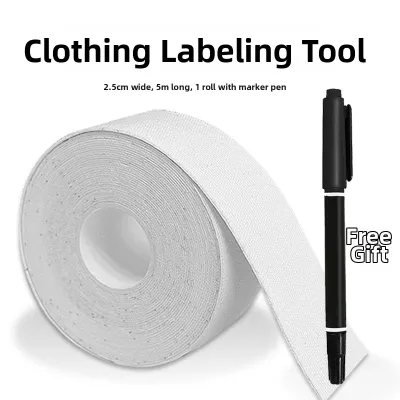
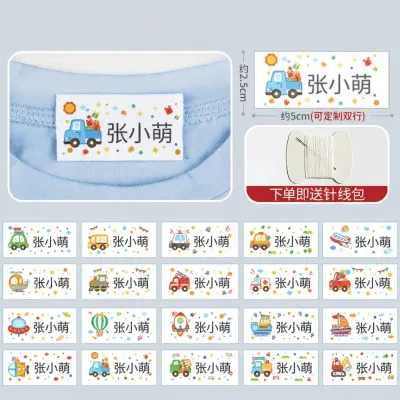
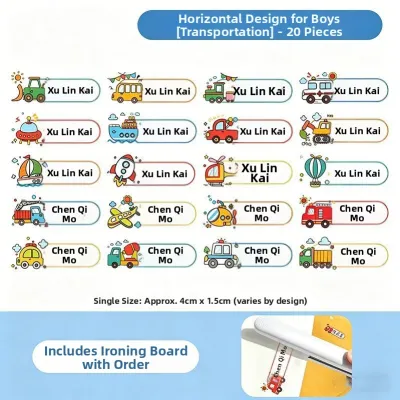
Fabric and Iron-On Tapes When name tags must be applied directly to clothing—such as children’s uniforms at school, campers’ gear, or residents’ clothing in care facilities—standard plastic adhesive tapes are entirely unsuitable. They lack flexibility and will quickly peel off during movement or washing. Instead, you must use specialized iron-on or sew-in fabric tapes. These materials bond directly with textile fibers, allowing the name tag to withstand repeated laundry cycles and heavy wear. Before purchasing a label maker, ensure the manufacturer offers compatible fabric tape cartridges, as this capability is not universal.
Adhesive Strength and Residue The distinction between permanent and removable adhesives is critical when creating name tags. Permanent adhesives are designed for long-term asset tracking and will leave a sticky, difficult-to-clean residue if peeled off clothing or delicate badges. For temporary name tags worn directly on shirts or dresses, you must select tapes specifically labeled as “removable” or “low-tack”. These adhesives provide enough grip to stay attached for a full day of activity but peel away cleanly without tearing fabrics or leaving adhesive stains on delicate materials like silk or linen.
Tape Compatibility Warning It is vital to understand that label tape cartridges are almost never interchangeable between different brands. A cartridge designed for one manufacturer’s machine will not fit into another’s, even if the tape width is identical. Furthermore, within a single brand, different model lines often require specific cartridge series. Always consult your label maker’s user manual or the manufacturer’s official compatibility chart before purchasing replacement tapes to avoid buying unusable stock.
Decision Framework: Choosing the Right Label Maker for Your Use Case
To make the final purchasing decision easier, evaluate your specific operational needs against the following conditional framework. This ensures you invest in a machine that matches both your budget and your environment.
- Choose a Handheld model if: You require maximum portability and need to print name tags in environments without reliable access to computers or Wi-Fi. This option is ideal for primary school teachers, retail store managers, or small workshop facilitators who only print a few name tags at a time and value a rugged, grab-and-go tool.
- Choose a Desktop/PC-connected model if: You are responsible for corporate onboarding, large-scale conference registration, or school administrative tasks. If you regularly need to print batches of 50 or more name tags, the ability to import Excel spreadsheets and print at high speeds will save significant time and eliminate manual entry errors.
- Choose an App-connected model if: You want to create highly customized, visually appealing name tags for boutique retail spaces, small social events, or creative workshops. This is the best fit if you prefer designing on a smartphone touchscreen, want access to diverse fonts and icons, and do not mind relying on Bluetooth connectivity.
Before finalizing your purchase, always perform two essential verification checks. First, confirm that the specific model you are buying supports the exact tape width you need—ideally 18mm or 24mm for readable name tags. Second, if you plan to print fabric name tags for clothing, verify that the brand explicitly manufactures compatible iron-on fabric cartridges for that specific model line, as standard plastic tapes will fail on apparel.
Frequently Asked Questions (FAQ)
Here are answers to some of the most common questions about producing name tags with label makers.
Can I print photo ID name tags with a standard label maker?
No, standard label makers are not designed to print photo IDs. These machines utilize thermal transfer or direct thermal technology, which is typically limited to monochrome printing—meaning it prints only one solid color (usually black, white, or gold) onto a specific tape background. They do not have the color mixing capabilities or the high resolution required to reproduce photographic skin tones. If your organization requires photo ID name tags, you should invest in a dedicated dye-sublimation ID card printer or utilize a professional external printing service.
How do I prevent label maker name tags from peeling off clothing?
To prevent name tags from peeling off clothing, you must avoid using standard plastic or paper adhesive tapes, which cannot bond with flexible textile fibers. Instead, purchase specialized fabric or iron-on label tapes that are officially compatible with your label maker model. When applying iron-on tapes, strictly follow the manufacturer’s instructions regarding heat levels and pressing times. Typically, this involves using a dry household iron set to a medium-high temperature and applying firm, even pressure over a protective pressing cloth for 15 to 30 seconds to melt the adhesive backing into the fabric weave.
Is it more cost-effective to buy a label maker or pre-printed name tags?
The cost-effectiveness depends on your long-term usage frequency and volume. For a single, one-off event with fewer than 50 attendees, purchasing pre-printed badges or using handwritten tags is generally more economical, as it avoids the upfront capital expense of a machine. However, for schools, corporate offices, or recurring event organizers, purchasing a label maker is highly cost-effective over time. The initial cost of the machine is quickly offset by the very low cost per meter of blank tape, and it provides the invaluable flexibility to print custom, professional name tags instantly on demand for new hires or last-minute guests.

Community discussion
Share your experience or ask a question. Comments are reviewed before publication.