
Finding the right label maker for customized name stickers depends on how you plan to use the labels, where you intend to stick them, and how much design flexibility you require. There is no single brand that fits every scenario. A parent labeling school gear for children needs highly durable, waterproof, and friction-resistant labels that can withstand frequent washing. On the other hand, a small business owner or home organizer might prioritize quick, app-based design templates, creative fonts, and rapid batch printing for indoor storage bins. By evaluating the underlying printing technology, software capabilities, and long-term consumable costs, you can identify the ecosystem that best matches your labeling needs.
When shopping for a label maker in Singapore, you will encounter two main design philosophies: traditional, heavy-duty machines with physical keyboards and proprietary laminated tapes, and modern, ultra-portable smart printers that connect directly to your smartphone via Bluetooth. Each approach has distinct advantages in terms of durability, ease of use, and customization options. Understanding these differences is the first step toward creating name stickers that look professional and stay securely in place.
Understanding Label Maker Technologies for Name Stickers
The durability and appearance of your customized name stickers are primarily determined by the printing technology the machine uses. The two dominant technologies in the consumer and light commercial market are thermal transfer printing and direct thermal printing. This choice directly affects where you can reliably apply your finished stickers.
Products mentioned in this guide
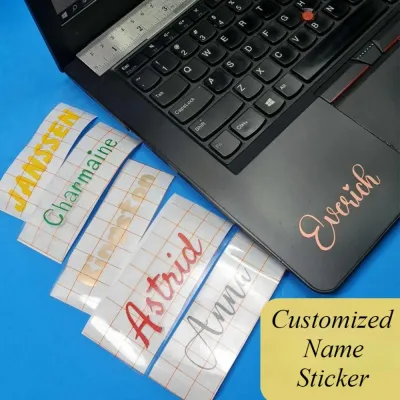
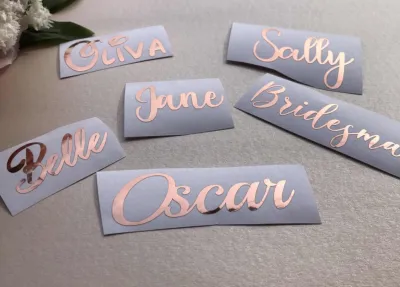
![[SG Seller] Customised Name Stickers Personalised Waterproof Sticker DIY Custom Car Bike Vinyl Decal](https://img.lazcdn.com/g/p/deb306ab70a786ad2c98831359e9d2e7.jpg_400x400q80.jpg_.webp)
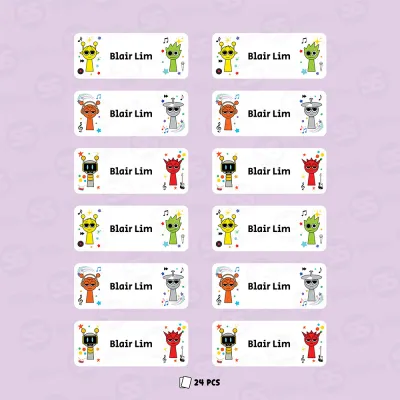

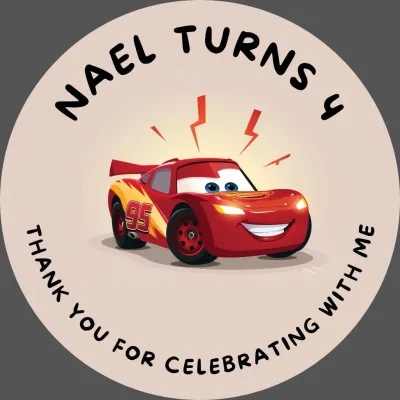

Prices are valid at publication and may change. Please refer to the product page for the latest price.
Thermal transfer printing works by using a heated print head to melt a wax- or resin-based ink ribbon onto the label tape. In many high-quality systems, this process is combined with a lamination step, sandwiching the printed text between a protective top layer and a strong adhesive backing. This laminated structure makes the resulting name stickers highly resistant to water, oil, chemical exposure, extreme temperatures, and physical abrasion. This makes thermal transfer ideal for water bottles, lunchboxes, and outdoor gear.
Direct thermal printing, by contrast, does not use an ink ribbon. Instead, the print head applies heat directly to a heat-sensitive paper or synthetic label tape, causing specific areas to turn black. However, direct thermal labels can fade or darken when exposed to sunlight, heat, or friction over time. These labels are excellent for short-term or indoor applications, such as organizing files, labeling pantry jars, or creating temporary name badges for events.
Before purchasing a label maker, it is essential to check the manufacturer’s specifications and product labels to verify the intended environment for their tape lines. Many brands offer specialized tapes, such as flexible ID tapes for curved cables, iron-on fabric tapes for school uniforms, or extra-strength adhesive tapes for textured plastics. Matching the tape material to your specific application ensures your customized name stickers will perform as expected without premature peeling or fading.
Key Features to Compare Across Label Maker Brands
Once you understand the underlying technology, you should evaluate the hardware and software features that influence how easily you can design and print your customized name stickers. A clunky interface can quickly turn a fun labeling project into a frustrating chore.

The design capabilities of the companion mobile app or desktop software should be a primary consideration. Look for platforms that offer a wide variety of pre-installed fonts, extensive icon libraries, and the ability to import custom images or logos. If you plan to print name stickers for an entire classroom or a large inventory of items, check if the software supports batch printing or sequential numbering. Some apps also allow spreadsheet imports, saving hours of manual typing for large volumes of unique names.
Tape width compatibility is another critical hardware specification to compare. Some entry-level label makers only support a single, narrow tape width, such as 12mm, which can limit your design options for longer names or multi-line addresses. More versatile machines can accommodate multiple widths, ranging from narrow 3.5mm tapes for cable labeling to wide 24mm or 36mm tapes for prominent signage. Also, check the machine’s minimum margin limitations, as some traditional models require large margins that lead to wasted tape, while others feature settings to minimize waste.
Connectivity options dictate how and where you can design your labels. Bluetooth-enabled models allow you to design stickers on your smartphone or tablet while on the go, making them highly portable and convenient for quick tasks. USB or Wi-Fi-enabled models are ideal for desktop setups, allowing you to use full-featured design software on Windows or macOS. If you prefer a standalone device that does not require a phone or computer, look for models with built-in QWERTY keyboards and graphic displays, though these typically offer fewer font and icon customization options than app-driven alternatives.
Evaluating Popular Label Maker Brand Ecosystems
The label maker market is broadly divided into two main brand ecosystems: established office and industrial brands, and modern smart, portable brands. Choosing between them involves weighing upfront hardware costs against long-term consumable expenses.
Established office and industrial brands are known for their robust build quality and highly durable proprietary tape systems. These brands have spent decades refining their laminated tape technology, resulting in labels that can withstand harsh environments, dishwasher cycles, and UV exposure. Many of these machines feature physical keyboards, making them independent of external devices. The software provided by these established brands for PC and Mac is typically very powerful, allowing for precise layout control, barcode generation, and database integration. However, the hardware can be bulkier, and the proprietary laminated tape cartridges can carry a higher price point per meter.
Modern smart and portable brands focus heavily on app-driven convenience, sleek aesthetics, and lower upfront hardware costs. These devices are usually compact enough to fit in a pocket or drawer and rely entirely on a Bluetooth connection to a smartphone app. Their apps offer trendy templates, emojis, and creative fonts that appeal to home organizers and crafters. Most of these portable printers use direct thermal technology, which eliminates the need for ink ribbons and keeps the machine itself very affordable. While the labels are highly customizable and easy to design, they may lack the extreme environmental durability of laminated tapes.
When evaluating any brand ecosystem in Singapore, it is crucial to verify the long-term cost and availability of consumables. Some proprietary tape cartridges can be expensive, and if a brand is not widely distributed locally, you may face shipping delays or high costs when restocking. Check local stationery shops and online marketplaces to ensure that the specific tape widths and materials you need are readily available.
Decision Framework: Choosing the Right Brand for Your Needs
To finalize your decision, you should align your primary labeling tasks with the strengths of each brand category. Consider where the stickers will be placed and how often they will be handled to narrow down your choices.
Choose a traditional thermal-transfer brand if your customized name stickers must endure demanding physical conditions. If you are labeling items that will be washed repeatedly in a dishwasher, exposed to outdoor weather, subjected to heavy friction in a school bag, or stored in a freezer, the durability of laminated thermal-transfer tape is indispensable. This is also ideal if you prefer a standalone device with a physical keyboard.
Choose a smart direct-thermal brand if your priority is creative design flexibility, portability, and rapid, cost-effective printing for indoor use. If you want to create beautiful, customized name stickers with unique fonts, hand-drawn doodles, or custom logos for gifts, pantry jars, journals, or indoor storage boxes, the modern app-driven printers offer an unmatched user experience. The lower cost of direct thermal paper labels also makes this option highly economical for high-volume projects where extreme weatherproofing is unnecessary.
Before making your final purchase, verify that the brand’s companion app is fully compatible with your mobile device’s operating system and version. Additionally, confirm that the specific tape widths and adhesive types you plan to use—such as fabric iron-on tapes for clothing or extra-strength adhesive for textured plastics—are easily accessible from local retailers in Singapore. Taking these steps beforehand ensures a smooth labeling experience.
Frequently Asked Questions (FAQ)
Can I use third-party label tapes in branded label makers?
Before purchasing non-original equipment manufacturer (non-OEM) or third-party label tapes, you should carefully review your label maker’s user manual and warranty terms. Many manufacturers explicitly state that using third-party consumables may void the warranty if they cause damage to the device.
While third-party tapes are often more affordable, they can introduce several operational risks. Some modern label makers use sensors or microchips inside the cartridge to automatically detect the tape width and material type; non-OEM cartridges may lack these chips, causing the machine to malfunction or refuse to print. Additionally, lower-quality third-party tapes may have inconsistent backing thickness, which can cause tape jams, or inferior adhesives that leave a sticky residue inside the cutter mechanism or print head, potentially degrading print quality over time.
How do I prevent custom name stickers from peeling off curved surfaces?
To ensure your customized name stickers remain firmly attached to curved surfaces like water bottles, pens, or cables, proper surface preparation is essential. Begin by thoroughly cleaning the application area with rubbing alcohol or mild soap and water to remove any dirt, oils, or manufacturing residues, and allow the surface to dry completely before applying the sticker.
When selecting your label tape, read the product packaging to find materials specifically designed for curved or flexible applications. Standard paper or stiff plastic labels have a natural tendency to flatten out, which exerts constant outward pressure on the edges and causes them to peel over time. Instead, look for flexible nylon, vinyl, or specialized cable-wrap tapes that conform easily to rounded shapes. After applying the sticker, press firmly from the center outward to eliminate air bubbles, and allow the adhesive to cure undisturbed for at least twenty-four hours before exposing the item to moisture, heat, or heavy handling.

Community discussion
Share your experience or ask a question. Comments are reviewed before publication.