
Finding the best label maker brand for custom sticker labels depends entirely on your specific environment, print volume, and durability requirements. There is no single brand that fits every scenario perfectly. Instead, the ideal choice hinges on whether you need high-volume office durability, vibrant full-color branding, or versatile, budget-friendly home crafting tools.
For heavy-duty, long-lasting organization, Brother stands out with its highly durable laminated tapes that resist moisture and fading. For fast, high-volume office tasks like shipping and archiving, Dymo offers unmatched efficiency and user-friendly desktop software. Meanwhile, creative home crafters often prefer highly portable, app-based brands like Niimbot or Phomemo, while small businesses requiring full-color product labels turn to Epson’s advanced inkjet systems. Understanding these brand strengths will help you select the perfect device for your labeling tasks.
Core Criteria for Evaluating Label Maker Brands
Before investing in a label maker, you must evaluate several technical and practical dimensions to ensure the device meets your specific needs. The printing technology, connectivity options, software usability, and label specifications directly impact the quality and longevity of your printed sticker labels.
Products mentioned in this guide
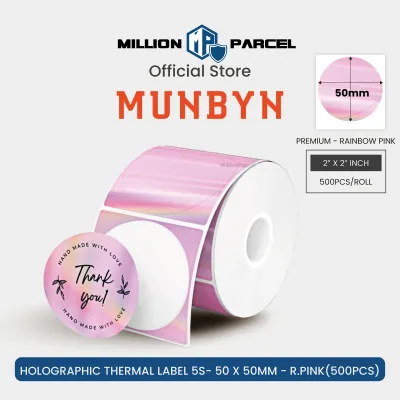
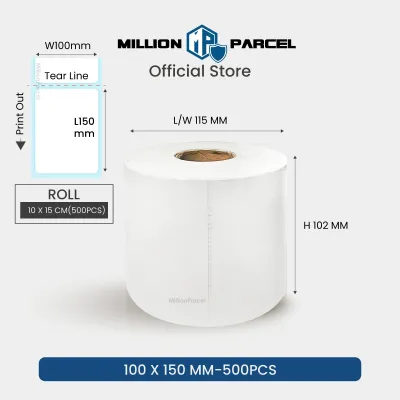
Prices are valid at publication and may change. Please refer to the product page for the latest price.
Printing Technology
Label makers primarily use one of three printing technologies, each with distinct advantages and trade-offs:
- Direct Thermal: This technology uses heat-sensitive paper that darkens when it passes over the printhead. It requires no ink or toner, making it highly cost-effective and low-maintenance. However, direct thermal labels are sensitive to heat, friction, and UV light, which can cause them to fade over time.
- Thermal Transfer: This method uses a heated ribbon to melt ink onto the label material. It produces highly durable, crisp prints that resist fading, chemicals, and moisture. It is the standard for industrial and long-term labeling but requires purchasing both label rolls and ink ribbons (often combined in a single cartridge).
- Inkjet: Utilized primarily in high-end color label printers, inkjet technology sprays liquid ink onto treated paper or synthetic labels. This allows for high-resolution, full-color printing of logos, graphics, and product branding, though it involves higher ongoing consumable costs and regular printhead maintenance.
Connectivity and Integration
Consider how you plan to design and send print jobs to your label maker. Handheld models with physical QWERTY keyboards offer standalone convenience but limit your design options to built-in fonts and symbols. Bluetooth-enabled models connect seamlessly to smartphones and tablets, making them ideal for quick, mobile-driven home organization. For office environments, USB and Wi-Fi connectivity are essential, allowing multiple users to share a single desktop printer and import data directly from spreadsheets or databases.
Software and App Usability
The software companion can make or break your labeling experience. Robust desktop programs allow for intricate custom designs, barcode generation, and sequential numbering. Mobile apps offer creative freedom with diverse fonts, icons, and pre-designed templates, but they can sometimes feel clunky or require mandatory account registration. Always check user reviews of the brand’s official app on your mobile device’s app store before purchasing.
Label Width and Resolution
Label makers support specific maximum tape widths, typically ranging from 6mm for narrow file tabs to 104mm (4 inches) for standard shipping labels. Additionally, print resolution is measured in dots per inch (dpi). A standard 180 dpi resolution is perfectly adequate for basic text, but if you plan to print small fonts, intricate logos, or detailed custom graphics, look for a model that offers 300 dpi or higher to ensure crisp, legible results.
Brand Comparison: Top Contenders for Custom Sticker Labels
To help you narrow down your choices, we analyze the strengths, limitations, and ideal use cases of the most popular label maker brands available in Singapore.

Brother: Reliable and Versatile for Heavy-Duty Use
Brother is a dominant force in the stationery and office equipment industry, largely thanks to its highly regarded P-touch series. These machines are engineered for users who prioritize maximum durability and long-term performance. Brother’s standout feature is its proprietary TZe laminated tape technology, which uses a thermal transfer process to sandwich the printed text between two protective layers of polyester film.
According to manufacturer specifications, these laminated sticker labels are highly resistant to water, abrasion, extreme temperatures, fading from UV exposure, and industrial chemicals. This extreme durability makes Brother the premier choice for outdoor asset tagging, laboratory equipment, and home organization in high-moisture environments like kitchens and bathrooms. Whether you are labeling pantry jars exposed to steam or outdoor electrical panels, these labels are designed to stay intact and legible for years.
While Brother offers standalone handheld models with physical keyboards, their desktop-compatible models connect via USB or Bluetooth to the robust P-touch Editor software. This software provides professional-grade design tools, including barcode creation and database merging, though it does carry a slight learning curve for beginners. The primary trade-off with Brother is the higher cost of genuine TZe tape cartridges, which can add up if you print in high volumes.
Dymo: User-Friendly for Quick Office Organization
Dymo is synonymous with office organization, offering a streamlined lineup that prioritizes speed, simplicity, and intuitive operation. The brand’s two primary product lines are the LetraTag series, designed for light home and office use, and the LabelWriter series, which consists of dedicated desktop thermal printers built for high-volume shipping, mailing, and administrative tasks.
Dymo devices rely heavily on direct thermal printing technology. This eliminates the need for ink cartridges or ribbons, keeping ongoing maintenance to an absolute minimum. The Dymo Connect software is exceptionally user-friendly, allowing users to quickly set up, design, and print standard address labels, file folder tabs, and visitor badges with just a few clicks. The plug-and-play nature of these machines makes them a favorite in busy corporate environments where efficiency is key.
However, because Dymo primarily utilizes direct thermal paper, the printed labels are susceptible to fading when exposed to direct sunlight, heat, or heavy friction over extended periods. Consequently, Dymo labels are best suited for indoor, low-abrasion office environments rather than outdoor or heavy-duty industrial applications. Additionally, newer Dymo models utilize microchipped label rolls, which restrict users to official Dymo-branded consumables and prevent the use of cheaper third-party alternatives.
Epson: High-Resolution and Color Options for Custom Designs
For users who need to print vibrant, high-resolution, full-color custom sticker labels, Epson is the undisputed leader. While Epson produces standard monochrome thermal label makers, the brand is highly celebrated for its ColorWorks series. These are industrial-grade, desktop inkjet label printers designed specifically for businesses that require professional-quality product packaging, branding, and color-coded inventory systems.
Epson’s ColorWorks printers utilize advanced inkjet technology to deliver stunning color accuracy and sharp details at resolutions up to 1200 dpi. This allows small business owners, local artisanal brands, and boutique shops in Singapore to print custom logos, product descriptions, and barcodes directly onto glossy, matte, or synthetic sticker sheets. The ability to print on demand eliminates the need to order large batches of pre-printed labels from external commercial printers, offering incredible flexibility for seasonal products or limited-run items.
These professional capabilities come with significant trade-offs. Epson ColorWorks printers require a substantial upfront financial investment, often costing thousands of Singapore dollars. They also have a much larger physical footprint than compact thermal label makers and require ongoing maintenance, including ink cartridge replacements and printhead cleaning cycles to prevent clogging. For casual home organization or basic office filing, an Epson color inkjet printer is generally impractical and cost-prohibitive.
App-Based Brands (e.g., Niimbot, Phomemo): Budget-Friendly for Home Crafting
In recent years, a new wave of ultra-portable, app-based label makers has captured the attention of casual home users, journal enthusiasts, and DIY crafters. Brands like Niimbot and Phomemo have revolutionized the entry-level market by offering pocket-sized, battery-powered devices that rely entirely on Bluetooth connectivity and smartphone applications.
These budget-friendly devices, often priced under S$50, are incredibly easy to use. Users simply download the companion app, connect via Bluetooth, and design custom sticker labels using a massive library of pre-designed templates, playful fonts, cute icons, and borders. The portability of these machines makes them perfect for labeling school supplies, organizing craft drawers, or printing quick price tags at local pop-up markets and flea shops.
Despite their convenience, app-based brands have notable limitations. They rely almost exclusively on direct thermal printing, meaning the labels are prone to fading and scratching over time. While some water-resistant synthetic tapes are available, they do not offer the same industrial-grade durability as Brother’s laminated tapes. Furthermore, users are locked into proprietary tape ecosystems, and the companion mobile apps often require active internet connections, account creation, and may occasionally display in-app advertisements or premium subscription prompts.
Home vs. Office: Matching Features to Your Environment
Selecting the right label maker requires aligning the device’s features with the specific demands of your environment. A home user organizing a kitchen pantry has vastly different requirements than an IT department managing thousands of network cables and office assets.
In a home setting, the focus is typically on aesthetics, compact storage, and ease of use. Home users appreciate a wide variety of creative fonts, decorative borders, and colorful tape options to match their interior decor or crafting projects. Print speed and high-volume durability are rarely primary concerns, making affordable, Bluetooth-enabled handheld or pocket-sized models the ideal choice.
Conversely, an office environment demands speed, reliability, and standardized formatting. Office users need to print large batches of shipping labels, file folder tabs, and asset tags quickly. Features like automatic tape cutters, high print speeds, barcode generation, and seamless integration with Excel or CSV databases are crucial for maintaining productivity. Furthermore, office labels must be durable enough to withstand constant handling and cleaning.
| Feature | Home Environment | Office Environment |
|---|---|---|
| Primary Use Cases | Pantry jars, school supplies, crafts, personal files | Shipping labels, asset tagging, file archiving, barcodes |
| Print Volume | Low to moderate (occasional batches) | High volume (daily, continuous printing) |
| Connectivity | Bluetooth (smartphone-centric) | USB, Wi-Fi, Ethernet (multi-user access) |
| Label Durability | Standard water-resistant synthetic | High durability (chemical, UV, and abrasion resistant) |
| Software Needs | Simple mobile app with creative fonts and icons | Desktop software with database and barcode support |
| Typical Budget | S$30 to S$100 | S$150 to S$500+ (or S$1,000+ for color inkjet) |
Choosing the Right Sticker Label Material for Your Needs
The performance and longevity of your custom sticker label depend heavily on the material you choose. Even the most advanced label maker will produce disappointing results if the tape material is poorly suited to the application or environment.
Material Types
- Standard Paper: The most economical option, paper labels are easy to write on and print quickly. However, they tear easily, have no water resistance, and are prone to smudging, making them suitable only for temporary indoor use, such as shipping boxes or short-term file folders.
- Vinyl: Highly flexible and water-resistant, vinyl labels conform exceptionally well to curved, uneven, or textured surfaces. They are excellent for outdoor gear, water bottles, and sports equipment because they can stretch slightly without tearing.
- Polyester (PET): This industrial-grade material is incredibly tough, heat-resistant, and chemical-resistant. Polyester labels are commonly used for rating plates, electronic components, and asset tags that must survive harsh environmental conditions.
- Laminated Tapes: Featuring a protective top layer, laminated tapes shield the printed text from friction, moisture, and UV rays, ensuring the print remains perfectly legible even after years of heavy handling or exposure to the elements.
Verification Checklist
Before purchasing a roll of label tape, run through this quick checklist to ensure compatibility and performance:
- [ ] Surface Compatibility: Is the target surface flat, curved, textured, or smooth? (Flexible vinyl is better for curves; standard paper works best on flat cardboard).
- [ ] Environmental Exposure: Will the sticker label be exposed to direct sunlight, high humidity (common in Singapore), water, or extreme temperatures (like microwave or freezer use)?
- [ ] Adhesive Strength: Do you need a permanent adhesive that won't peel off, or a removable/repositionable adhesive that leaves no sticky residue?
- [ ] Manufacturer Instructions: Always check the label maker's manual and the specific tape cartridge specifications to ensure compatibility and avoid damaging the printhead.
Final Decision Framework: Which Brand Should You Buy?
To make your final decision straightforward, use this conditional framework to match your specific needs to the right label maker brand:
- Choose Brother if you require maximum durability, weather-resistant labels for outdoor, kitchen, or industrial use, and want a reliable, long-term investment with robust desktop design software.
- Choose Dymo if you run a busy office, need to print shipping labels or file tags quickly, and prioritize a simple, plug-and-play desktop interface with low-maintenance direct thermal printing.
- Choose Epson if you are a small business owner, boutique designer, or artisanal brand who requires high-resolution, full-color custom sticker labels for product packaging and professional branding.
- Choose App-Based Brands (Niimbot/Phomemo) if you are on a budget, want a highly portable device for casual home organization, and prefer designing creative labels on your smartphone.
Before committing to a specific brand ecosystem, always verify tape availability and ongoing consumable costs on local e-commerce platforms or official brand stores in Singapore. Choosing a brand with readily available replacement tapes ensures your labeling projects will never be put on hold.
Frequently Asked Questions (FAQ)
Do thermal sticker labels fade over time?
Yes, direct thermal sticker labels will fade over time. Because direct thermal printing relies on heat-sensitive paper rather than ink, the printed text is highly sensitive to environmental factors such as direct sunlight, high temperatures, humidity, and friction. Over a period of several months to a year, the printed text will naturally fade, and the background paper may yellow or darken. For long-term archiving, outdoor use, or high-friction applications, it is highly recommended to use thermal transfer printing with laminated or polyester tapes, which are specifically engineered to resist fading for years.
Can I use third-party label tapes in my label maker?
While third-party compatible tapes are widely available on local online marketplaces and are often significantly cheaper than original equipment manufacturer (OEM) tapes, they carry certain risks. Lower-quality adhesives can melt or leave sticky residue inside your machine, and poorly manufactured tape cartridges can cause frequent jams or uneven print quality. Furthermore, using non-certified third-party consumables may void your manufacturer’s warranty. Always check your device’s user manual for approved consumable specifications and warranty terms before purchasing alternative tape brands.

Community discussion
Share your experience or ask a question. Comments are reviewed before publication.