
A doodle board serves as an invaluable tool for creative expression, spontaneous brainstorming, and paperless note-taking. In Singapore, where space-saving solutions and eco-conscious living are highly valued, finding the right board depends on matching the user’s age, skill level, and specific goals. Whether you are looking for a rugged, colorful sensory toy for a toddler or a sleek, pressure-sensitive digital notepad for professional office use, understanding the underlying technology ensures a worthwhile investment.
Selecting the ideal board requires evaluating key aspects such as screen visibility, casing durability, and erasing mechanisms. By understanding these features, you can easily find a reliable option that fits your daily routine, whether it is destined for a child’s playroom, a student’s study desk, or a corporate boardroom.
How to Evaluate Doodle Board Quality and Features
Screen and Board Technology
Understanding the technology behind different screens is the first step in choosing a board that meets your expectations.
Products mentioned in this guide
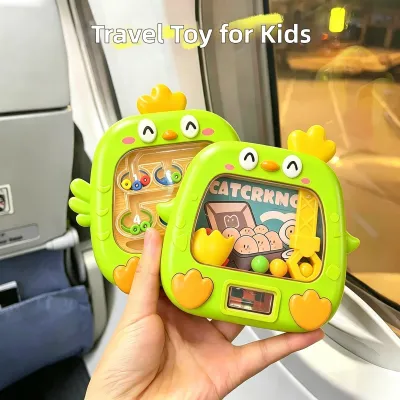
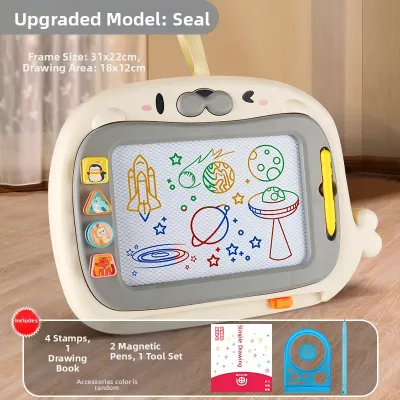
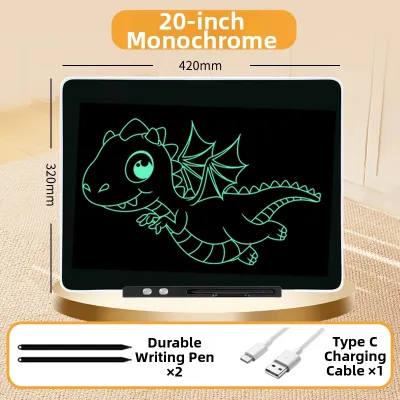
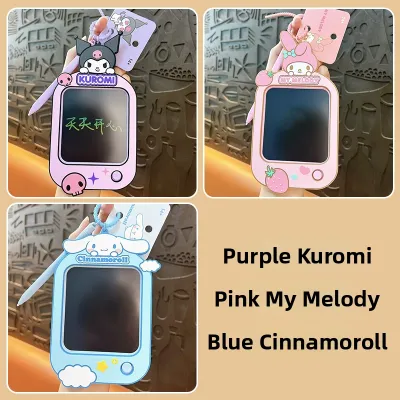
Prices are valid at publication and may change. Please refer to the product page for the latest price.
- LCD (Liquid Crystal Display) Writing Tablets: These boards use a flexible liquid crystal layer that responds physically to the pressure of a stylus. They require no power to display your drawings, consuming energy only when the screen is cleared. They offer a realistic pen-on-paper sensation.
- Magnetic Drawing Boards: Ideal for early childhood, these boards contain magnetic particles suspended in a thick liquid. A magnetic stylus pulls these particles to the surface to create lines. They are highly durable and completely power-free.
- LED and Light-Up Boards: These boards feature a clear acrylic or plastic screen where drawings are made with fluorescent markers. Built-in LED lights illuminate the ink, making drawings glow vibrantly in low-light environments.
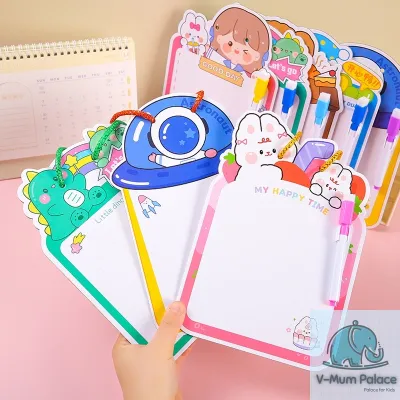
- Traditional Dry-Erase Surfaces: These rely on classic whiteboard or blackboard designs. While simple, they require physical markers or chalk and must be wiped clean manually, which can introduce dust or ink stains.
Durability and Build Quality
The physical construction of a doodle board determines how well it survives daily use. For toddlers and school-aged children, look for casings made from high-grade, impact-resistant ABS plastic. These materials absorb shocks from accidental drops on hard tiled floors, which are common in Singaporean homes. For adults, premium boards often feature sleek, minimalist designs with matte-textured finishes or reinforced aluminum frames that look professional in office settings and fit easily into business folios.
Stylus and Erasing Mechanisms
How you write and clear your work significantly impacts user experience. Children’s models often feature a tethered stylus to prevent the pen from getting lost during outings. Adult models frequently utilize untethered styluses with magnetic attachments that cling securely to the side of the board. Erasing mechanisms range from basic slide-erasers on magnetic boards to one-touch instant-clear buttons on LCD tablets. Advanced digital options also offer partial-erase functions, allowing you to edit specific parts of a drawing without clearing the entire screen.
Portability and Size Guidelines
Matching the board’s dimensions to your primary environment ensures maximum utility.
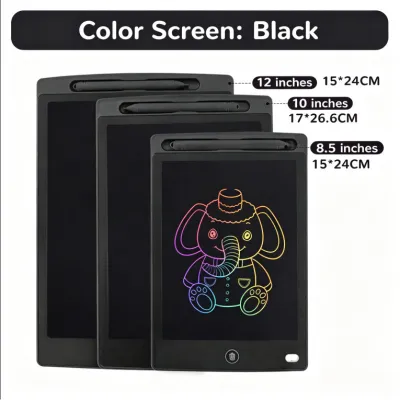
- A5 Size (approx. 6 to 8 inches): Excellent for portability. These compact boards fit easily into small handbags, backpacks, or car seat pockets, making them perfect for commutes on the MRT or keeping children occupied at local dining spots.
- A4 Size (approx. 10 to 12 inches): The standard size for schoolwork, home tutoring, and office brainstorming. This size offers ample canvas space while remaining light enough to carry around easily.
- A3 Size or Larger (14+ inches): Best suited for stationary use, such as home message centers, classroom teaching aids, or dedicated design desks where portability is not a priority.
Best Doodle Board Types and Brand Features for Kids
Toddlers (Ages 2-5)
For very young children, magnetic drawing boards remain the safest and most practical choice. Because they do not require batteries or electrical components, there is no risk of battery exposure. Look for models with thick, chunky styluses that are easy for developing hands to grip, as well as magnetic stamps shaped like circles, triangles, or animals to encourage shape recognition. Reliable brands in this category prioritize robust frames, sealed back panels, and securely attached drawing pens that can withstand rough handling.

School-Aged Kids (Ages 6-12)
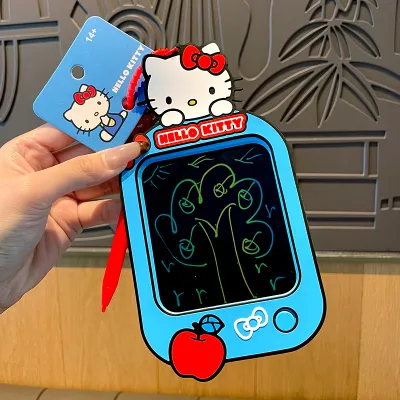
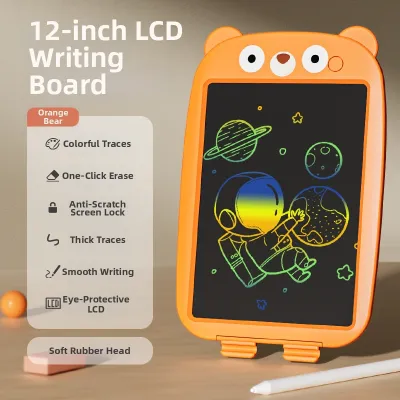
As children enter primary school, their drawing and writing needs become more detailed. LCD writing tablets are excellent for this age group, helping them practice spelling, solve math problems, or sketch detailed characters. Look for tablets equipped with a lock key, which prevents accidental deletion of their hard work. Many educational toy brands offer dual-sided boards, vibrant multi-colored drawing lines, or transparent screens designed for tracing worksheets and learning templates.
Safety and Compliance Checks
Safety should always be your top priority when purchasing toys. Before buying any digital or magnetic board, verify that it carries recognized safety certifications indicating non-toxic, BPA-free materials. For LCD writing tablets, check that the battery compartment is securely locked with a screw. This prevents children from accessing and accidentally swallowing the small coin cell batteries used to power the erase function. Ensure all edges are smooth and free of sharp plastic seams.
Where to Buy
To ensure you are purchasing authentic products with valid manufacturer warranties, shop at established local toy retailers, major department stores (such as Takashimaya or Isetan), or official brand storefronts on reputable online marketplaces. Purchasing from authorized local distributors guarantees that the products meet Singapore’s safety standards and consumer protection regulations.
Doodle Board Options for Adults: Sketching and Productivity
Digital and Smart Doodle Boards
For professionals, students, and hobbyists, smart doodle boards offer a bridge between physical handwriting and digital storage. These high-end devices utilize advanced e-ink displays or specialized paper-like surfaces that capture every stroke of the stylus. By connecting to a dedicated mobile app via Bluetooth, you can instantly digitize your hand-drawn sketches, organize them into folders, and sync them directly to cloud storage platforms. This is an exceptional solution for keeping project notes organized without accumulating physical paper clutter.
Premium LCD and Light Pads
Adults seeking a simpler, distraction-free writing experience can opt for premium LCD tablets or professional light pads. High-contrast LCD screens offer crisp visibility under bright office lights, while advanced pressure-sensitivity allows you to control line thickness naturally, mimicking a traditional pencil or ink pen. Professional light pads, which provide adjustable backlighting, are highly valued by artists and designers for tracing layouts, practicing calligraphy, or refining complex storyboards.
Primary Use Cases
Adults use doodle boards for a wide variety of daily tasks:
- Quick Meeting Notes: Jot down action items and phone numbers during calls, then clear them once they are transferred to your main calendar.
- Storyboarding and Layout Design: Map out visual ideas, website wireframes, or video sequences quickly and dynamically.
- Calligraphy and Lettering Practice: Practice strokes repeatedly without wasting expensive specialty paper.
- Mindful Doodling: Engage in stress-relief sketching during breaks to help clear your mind and boost focus.
Pre-Purchase Verification
Before investing in a premium smart board or e-ink tablet, take the time to verify app compatibility with your existing smartphone, tablet, or laptop. Read manufacturer specifications regarding stylus responsiveness, pressure levels, and whether the stylus requires regular charging or uses passive technology. Additionally, check if the digital syncing features require a paid subscription or if the companion app is free to use.
Comparing Doodle Board Technologies: LCD, Magnetic, and Light-Up
Comparison Table
The following table outlines the key differences between the major doodle board technologies available, helping you match the right technology to your specific budget and requirements.
| Board Type | Best For | Erasing Method | Power Requirement | Durability | Price Tier (SGD) |
|---|---|---|---|---|---|
| Magnetic Board | Toddlers, sensory play, mess-free early drawing | Sliding eraser bar | None | High | Budget (S$15 – S$30) |
| LCD Writing Tablet | School-aged kids, office notes, quick sketching | One-touch button | Coin cell battery (for erase only) | Moderate to High | Budget to Mid-range (S$10 – S$40) |
| Light-Up LED Board | Night drawing, tracing practice, creative displays | Wipe clean with damp cloth | USB plug-in or AAA batteries | Moderate | Mid-range to Premium (S$25 – S$60) |
| Smart E-Ink Board | Professionals, digital archiving, detailed sketching | App sync / Digital refresh button | Rechargeable lithium battery | High | Premium (S$100 – S$400+) |
Pros and Cons Breakdown
- Magnetic Boards: These are incredibly durable and require no batteries, making them exceptionally safe for young children. However, they offer lower line resolution, and drawings can look slightly blurry.
- LCD Writing Tablets: These provide crisp, high-contrast lines and a natural writing feel, with batteries that last for thousands of erases. On the downside, standard models do not allow you to save multiple pages locally on the device.
- Light-Up LED Boards: These offer a highly engaging, glowing visual effect that is perfect for tracing and nighttime play. However, they require frequent cleaning with a damp cloth and must be connected to a power source or use standard batteries to glow.
- Smart E-Ink Boards: These offer advanced features like cloud syncing, infinite pages, and precise pressure sensitivity. The primary trade-offs are the high initial cost and the need to regularly charge the device.
Environment Matching
Choosing the right board often depends on where it will be used. For long car rides or flights out of Changi Airport, a compact LCD writing tablet with a stylus tether is highly convenient. For quiet classroom environments or shared office spaces, a silent LCD board is ideal because it makes no noise during use. For home playrooms, a rugged magnetic board stands up to rough handling, while a light-up LED board makes an excellent evening bedside drawing station or a creative home message board.
Maintenance and Care for Reusable Doodle Boards
Battery Management
Standard LCD writing tablets are powered by small, replaceable coin cell batteries (typically CR2016, CR2025, or CR2032). If you notice that the screen does not clear completely when you press the erase button, or if the clear function stops working altogether, it is time to replace the battery. Always use a precision screwdriver to open the battery compartment, and ensure the screw is tightened securely afterward. In Singapore, do not dispose of depleted coin cell batteries in general household waste; instead, take them to designated e-waste recycling bins, such as those managed by ALBA, located at community centers and retail malls across the island.
Screen and Surface Care
To keep your doodle board in optimal condition, clean the screen regularly with a dry, soft microfiber cloth. Avoid using harsh chemical sprays, alcohol-based cleaners, or excessive water, as moisture can seep into the edges of the casing and damage the internal liquid crystal layers or circuitry. Never use sharp objects, standard ballpoint pens, or keys on the drawing surface, as these can permanently scratch the protective top layer. When storing the board, avoid placing heavy items on top of it, as prolonged pressure can cause dark spots or permanent distortions on LCD screens.
Troubleshooting Common Issues
If your LCD board fails to erase, the most common culprit is the lock switch. Check the back or side of the casing to ensure the lock switch is set to the “unlocked” position. If the screen is unlocked but still won’t clear, try replacing the coin cell battery. If you notice faint lines or uneven drawing sensitivity, inspect the stylus tip for dirt or rough edges, and wipe it clean with a dry cloth. For magnetic boards, if the drawing does not clear fully after sliding the eraser bar, slide it back and forth slowly several times to redistribute the magnetic particles evenly.
Frequently Asked Questions (FAQ)
Are LCD doodle boards safe for children's eyes?
Yes, standard LCD writing tablets are safe for children’s eyes because they utilize passive reflective technology. Unlike smartphones, tablets, or computer screens, these boards do not emit blue light, nor do they have an active backlight that causes glare. Instead, they reflect ambient light from the room to make your drawings visible. This design eliminates eye strain and fatigue, making them a safe option for extended creative play, spelling practice, or homework sessions.
Can I use a regular pen or stylus on an LCD writing tablet?
No, you should never use a regular pen, pencil, or standard stylus with a sharp or metal tip on an LCD writing tablet. Doing so can permanently scratch the protective top plastic layer, damage the pressure-sensitive liquid crystal layer beneath, or leave permanent ink marks. Always use the smooth, non-abrasive plastic stylus provided by the manufacturer. If the original stylus is lost, ensure that any replacement stylus you purchase is specifically designed for passive LCD screens and has a rounded, scratch-free tip.
How long does the battery typically last on a digital doodle board?
The battery on a standard LCD doodle board typically lasts between six months and two years, depending on how frequently you clear the screen. The board consumes absolutely no power while you are drawing or displaying an image; power is only drawn from the coin cell battery for a fraction of a second when you press the erase button to reset the liquid crystals. To maximize battery life, keep the lock switch enabled when you want to preserve a drawing or when the board is packed in a bag, preventing accidental erase cycles.

Community discussion
Share your experience or ask a question. Comments are reviewed before publication.