
Choosing the right A3 laminator in Singapore depends on your volume, material types, and operational environment. For school classrooms, safety and heavy-duty durability are paramount to handle frequent, hands-on learning materials. For corporate offices, speed, professional-grade finishes, and the ability to process high volumes dictate the choice. Home users require compact, budget-friendly models that can handle occasional creative projects without taking up valuable space.
To make an informed decision, you must understand how different laminating technologies interact with your documents, paper types, and the local climate. Selecting the wrong machine can lead to ruined documents, frequent jams, or wasted consumables. This guide breaks down the core differences between pouch and roll laminators, thermal and cold processes, and provides actionable recommendations for every scenario.
Understanding A3 Laminator Types: Pouch vs. Roll and Thermal vs. Cold
Before selecting a laminator machine a3, you must understand the mechanical differences between the two primary formats: pouch laminators and roll laminators. These formats dictate how you load documents and the volume of work the machine can handle.
Products mentioned in this guide
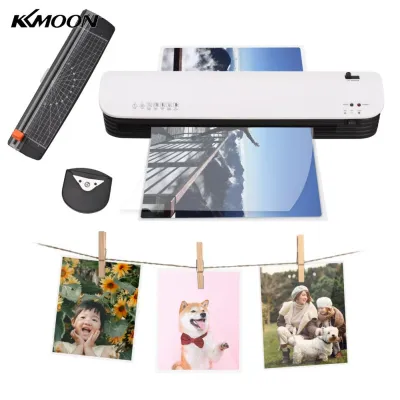
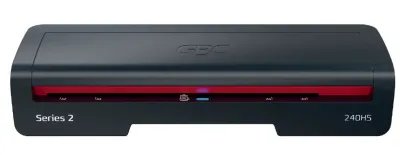
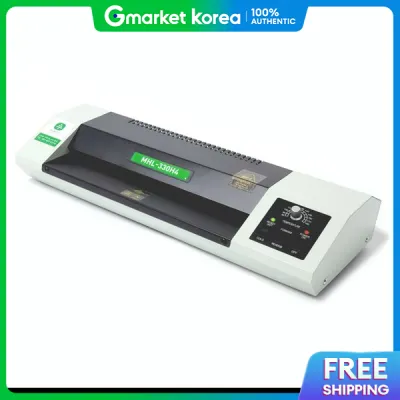
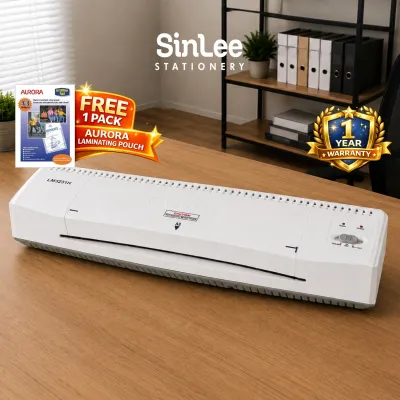
![[SG] Aurora A4/A3 Laminator with free A4 pouch | LM4231H / LM3231H [Evergreen Stationery]](https://img.lazcdn.com/g/p/7b2b08d6b08ceeefef45053321586356.jpg_400x400q80.jpg_.webp)
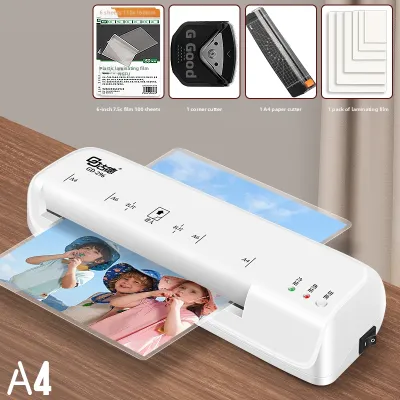
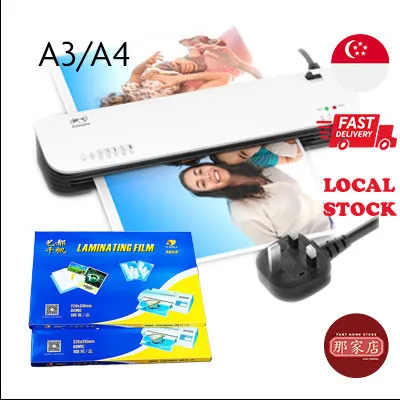
Prices are valid at publication and may change. Please refer to the product page for the latest price.
Pouch vs. Roll Formats
- Pouch Laminators: These machines use pre-cut, plastic sleeves that are sealed on one side. You place your document inside the pouch and feed the sealed edge into the machine. Pouch laminators are ideal for single, distinct documents, such as certificates, signs, or individual worksheets. They require minimal setup and are highly user-friendly.
- Roll Laminators: These systems use two continuous rolls of laminating film (top and bottom) that feed through the machine simultaneously. The document is placed on a feed tray and guided between the moving films. Roll laminators are designed for high-volume batch processing, long banners, or custom-length items. While they offer a lower cost per page for bulk jobs, they require more training to load and align correctly.
Thermal vs. Cold Technologies
- Thermal (Hot) Lamination: This process uses heated rollers (typically ranging from 100°C to 150°C) to melt the adhesive on the laminating film, bonding it to the paper. It is the most common method for standard office paper, cardstock, and posters, providing a clear, rigid, and durable finish.
- Cold Lamination: This method uses pressure-sensitive adhesive and does not require heat. It is essential for protecting heat-sensitive materials, such as thermal paper receipts, certain inkjet prints, glossy photographs, or delicate historical documents that might melt, warp, or discolor under high temperatures.
The Versatility of A3 Capability
An A3 laminator features a feed entry width of approximately 320 mm to 340 mm. This wide path allows you to laminate standard A3 sheets (297 mm x 420 mm) as well as smaller sizes like A4, A5, and business cards. Investing in an A3 machine provides excellent upward compatibility, ensuring you are not limited when larger signage or poster projects arise.
Best A3 Laminator Choices for School Classrooms
School environments demand robust machinery. A classroom laminator must withstand frequent use by multiple teachers, handle heavy-duty materials, and operate safely around students.

Core Classroom Requirements
Classroom laminators are frequently used for teaching aids, flashcards, classroom rules, and student artwork. These items are handled daily, requiring a thick, durable seal. The machine must offer high physical durability, straightforward controls, and reliable safety features to prevent accidental burns or electrical hazards in a busy school environment.
Recommended Type: Heavy-Duty Thermal Pouch Laminators
For most school classrooms, a heavy-duty thermal pouch laminator with a 4-roller or 6-roller system is the most practical choice. The multiple rollers ensure even heat and pressure distribution, reducing the risk of bubbles and wrinkles on thick construction paper or cardstock.
Key Features to Verify
- Warm-Up Time: Look for machines with a warm-up time of 1 to 3 minutes to avoid wasting valuable lesson-planning time.
- Pouch Thickness Compatibility: Ensure the machine can handle thicknesses from 80 microns (for standard worksheets) up to 125 or 175 microns (for high-wear items like flashcards and floor games).
- Jam-Release Lever: A physical jam-release lever or reverse button is mandatory. This allows you to manually disengage the rollers and pull out misaligned pouches before they wrap around the heating elements.
- Safety Features: Prioritize models with an automatic shut-off function (which turns off the heating elements after 30 minutes of inactivity) and heat-insulated outer casings to prevent burns.
Safety and Maintenance Protocols
Always position the laminator on a stable, flat surface in a supervised staff area or out of reach of children. Avoid running the machine continuously beyond its manufacturer-specified duty cycle (typically 30 to 45 minutes for mid-range models). To prevent adhesive buildup, run a dedicated cleaning sheet or a clean piece of folded cardboard through the machine at the end of each session while the rollers are still warm.
Ideal A3 Laminators for Admin and Corporate Offices
Corporate and administrative offices operate under tight deadlines. They require high-speed performance, professional presentation quality, and the ability to process diverse media types.
Core Office Requirements
Office administrative teams use laminators for professional reports, conference badges, directional signage, and training manuals. The priority shifts toward speed, minimal waiting times, and a flawless, crystal-clear finish that reflects the company’s professional standards.
Recommended Types: Roll Laminators and High-End Pouch Systems
- High-End Thermal Pouch Laminators: Ideal for general office floors where multiple users perform ad-hoc tasks. Look for models with automatic thickness sensors that adjust the temperature and speed settings instantly based on the pouch inserted.
- Roll Laminators: Best suited for centralized print rooms or administrative hubs that handle high-volume, bulk runs. They eliminate the labor-intensive process of feeding individual pouches, allowing you to feed sheets continuously.
Key Technical Specifications
- Variable Speed Controls: High-end machines allow you to increase throughput speeds for thin pouches and slow them down for thick, rigid media.
- Digital Control Panels: Precise digital temperature readouts allow you to match the heat exactly to the paper weight and pouch thickness, preventing warping on delicate laser prints.
- Rapid Heating Technology: Professional pouch laminators often feature instant-ready technology, heating up in under 60 seconds to minimize downtime.
Workflow Integration and Efficiency
Using a roll laminator for bulk tasks saves significant administrative hours. For example, laminating 100 pages of training materials individually in pouches can take over an hour of manual feeding, whereas a roll laminator can process the entire stack in minutes. However, for occasional visitor badges or single-page notices, a pouch laminator remains the most efficient, low-waste tool.
Light-Duty and Occasional Home Use Alternatives
If you only need to laminate occasionally for home organization, crafting, or a small home-based business, a commercial-grade machine is unnecessary. Compact, budget-friendly options can easily fulfill your needs.
Core Home Requirements
Home users typically prioritize a small storage footprint, low upfront cost, and simple, plug-and-play operation. The machine should be lightweight enough to be stored in a cabinet and brought out only when needed.
Recommended Type: Entry-Level Thermal Pouch Laminators
An entry-level, 2-roller thermal pouch laminator is the standard recommendation for home environments. These machines are highly affordable and straightforward to operate, usually featuring a single on/off switch and a simple ready light.
Performance Limitations to Consider
- Slower Speeds: Entry-level machines process film at a much slower rate, often taking up to a minute per A3 page.
- Longer Warm-Up Times: You may need to wait 5 to 10 minutes for the internal elements to reach operating temperature.
- Thickness Limits: Most budget machines are strictly limited to 80-micron or 100-micron pouches and cannot handle heavier 150+ micron films.
- Duty Cycle Restrictions: These models require frequent cool-down periods (often 30 minutes of rest for every 20 minutes of use) to prevent internal components from warping or overheating.
Best Home Applications
These compact machines are excellent for preserving children’s A3 drawing projects, waterproofing kitchen recipe cards, creating reusable chore charts with dry-erase markers, or preparing small product labels for home-based ecommerce shops.
Cross-Scenario Compatibility: Can One Machine Do It All?
Many organizations wonder if they can purchase a single, versatile hybrid machine to bridge the gap between different departments or home-and-office environments.
The Hybrid Approach
A mid-to-high-tier thermal pouch laminator (featuring 4 rollers, adjustable temperature, and a speed of at least 500 mm per minute) can successfully serve as a shared resource. It is robust enough to handle the daily tasks of a small school department, the ad-hoc needs of a medium-sized office, or the professional demands of a busy home business.
When to Split Purchases
Attempting to force a single pouch laminator to handle high-volume bulk work will eventually create a workflow bottleneck and accelerate mechanical wear. You should split your purchases and invest in a dedicated roll laminator if you experience any of the following scenarios:
- Your administrative staff spends more than two hours per week manually feeding pouches.
- You regularly need to laminate banners or materials longer than the standard A3 length (420 mm).
- Multiple users frequently queue up to use the same machine, causing operational delays.
Cost vs. Efficiency Trade-offs
While high-volume roll laminators carry a higher initial purchase price, they utilize roll film, which is significantly cheaper per square meter than pre-cut laminating pouches. Over time, the savings on consumables and labor hours will offset the initial capital expenditure. Conversely, buying an industrial machine for occasional use results in wasted space and unnecessary maintenance costs.
Practical Tips for Laminating in Singapore's Climate
Singapore’s tropical climate features high relative humidity levels that regularly exceed 80%. This ambient moisture can severely impact laminating materials and machinery if not managed correctly.
Material Storage and Moisture Control
Laminating pouches and roll films are highly susceptible to moisture absorption. When plastic films absorb humidity, the trapped moisture vaporizes during the hot lamination process, resulting in tiny bubbles, a cloudy finish, or poor edge adhesion.
- Airtight Storage: Always store unused laminating pouches and film rolls in airtight plastic containers.
- Desiccants: Place several rechargeable silica gel packs inside the storage containers to actively draw moisture out of the air.
- Sealing Opened Packs: Never leave opened packs of pouches exposed to the air on open shelves or desks.
- Observable Trial: Before running an important document, perform a trial run using a blank scrap piece of paper in a pouch. Check for cloudiness or bubbling. If bubbles appear, the film or paper may be damp.
Machine Care and Environmental Protection
- Cool-Down Period: Allow your laminator to cool down completely to room temperature before placing it in a closed storage cabinet. Storing a hot machine in a confined space can trap heat and humidity, promoting internal component degradation.
- Air-Conditioned Environments: Whenever possible, operate and store your laminator in an air-conditioned room. Air conditioning naturally dehumidifies the air, protecting both the internal electrical elements and the rubber rollers from moisture-related wear.
Document Preparation Guidelines
Ensure that your printed documents are completely dry before laminating. Freshly printed sheets from inkjet printers contain liquid solvents that must evaporate fully. Laminating a damp inkjet print will trap the moisture inside, causing the ink to bleed, run, or peel away from the paper fibers over time. For best results, allow inkjet prints to dry for at least 24 hours, or use dry-toner laser prints for immediate lamination.
Frequently Asked Questions (FAQ)
Can an A3 laminator be used for A4 and smaller documents?
Yes, an A3 laminator can easily process A4, A5, and smaller document sizes. You must use the correct pouch size matching the document (e.g., an A4 pouch for an A4 document) rather than placing a small document inside an A3 pouch, as excess empty plastic can wrap around the rollers and cause severe jams. Always insert the sealed edge of the pouch straight into the machine, centering it within the feed path.
What is the difference between micron thicknesses in laminating pouches?
Microns (sometimes denoted as mic) measure the thickness of a single layer of the laminating pouch. Standard 80-micron pouches offer flexible, lightweight protection suitable for office documents and classroom worksheets. Pouches of 100 to 125 microns provide moderate rigidity, ideal for menus and frequently handled notices. Heavy-duty 150 to 250-micron pouches offer maximum stiffness and water resistance, perfect for outdoor signs, ID cards, and durable teaching props. Always verify that your laminator’s maximum supported thickness matches the pouch rating before use.
Community discussion
Share your experience or ask a question. Comments are reviewed before publication.