
When selecting the right A4 paper 70gsm for your daily office or home printing needs, there is no single brand that fits every scenario. The ideal choice depends on your specific printer type, daily print volume, and the overall importance of the documents you produce. For high-quality color prints and crucial client-facing documents, premium tiers represented by brands like Double A offer superior performance. For standard daily office text printing, standard tiers such as PaperOne or IK provide the most balanced and cost-effective performance. Economy tiers remain strictly suitable for high-volume, single-sided internal drafts where visual appearance is secondary. Furthermore, in Singapore’s highly humid tropical climate, how you store and handle your paper is just as critical as the brand itself. Excess moisture absorption is the leading cause of paper jams, meaning proper storage practices are vital to keeping your printer running smoothly.
Key Quality Dimensions to Compare Before Buying
While most buyers focus solely on the 70gsm (grams per square meter) weight label, several technical specifications dictate how a sheet of paper actually performs inside your printer. Understanding these dimensions allows you to make an informed decision that protects your equipment and ensures clear, legible prints.
Brightness vs. Whiteness It is common to confuse brightness and whiteness, but they measure different optical properties. Brightness refers to the percentage of light reflected at a specific blue wavelength (typically 457 nanometers). It is measured on a scale up to 100, with higher numbers indicating a brighter sheet that makes printed text stand out with high contrast. Whiteness, often measured using the CIE index (which can range from 140 to over 160), represents the paper’s appearance across the entire visible light spectrum. A higher CIE whiteness indicates a cooler, blue-white shade, which the human eye perceives as a cleaner white. Lower whiteness ratings lean toward a warmer, yellowish-cream tone. When evaluating brands, check the packaging or technical specifications for these ratings: high-contrast business documents benefit from a higher CIE whiteness, while long-form reading can be easier on the eyes with a slightly warmer, standard whiteness.
Products mentioned in this guide
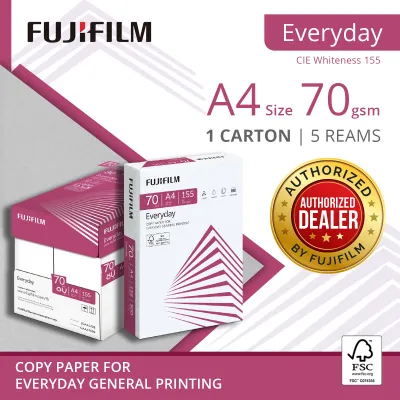
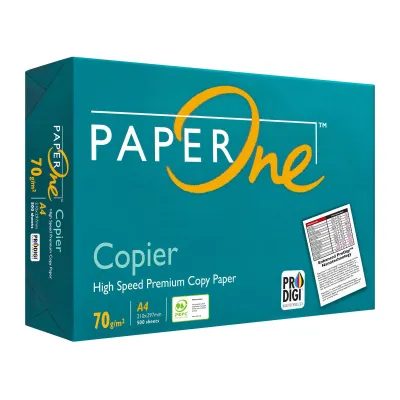
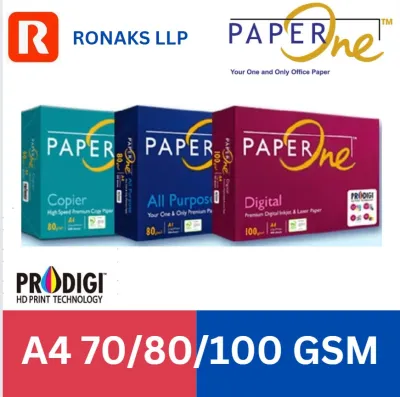
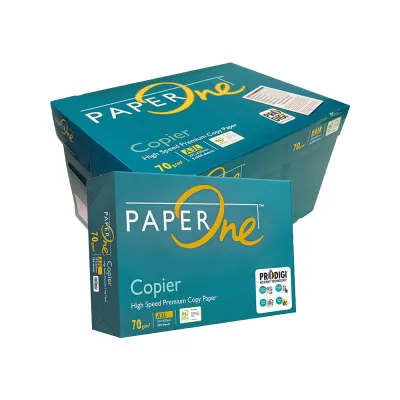
![PaperOne A4 Printing Paper - Copier Paper 70gsm - 75gsm [Available in Single Ream / Box]](https://img.lazcdn.com/g/p/8b1532a731f2e376630ddd65374d9b96.png_400x400q80.png_.webp)
![PaperOne A3 A4 A5 Printing Paper | Double A A4 Printing Paper | Fujifilm A4 Printing Paper [70gsm | 80gsm | 100gsm]](https://img.lazcdn.com/g/p/e6656a7d0c70606a115a8596caf6a15d.png_400x400q80.png_.webp)
Prices are valid at publication and may change. Please refer to the product page for the latest price.
Smoothness and Dust The surface texture of the paper, or its smoothness, directly impacts both print quality and printer longevity. Smoothness is often quantified using the Bendtsen roughness scale, where a lower value indicates a smoother surface. In laser printing, a smooth sheet ensures uniform contact with the organic photoconductor (OPC) drum, allowing the electrostatic toner particles to transfer evenly before being fused. For inkjet printing, a smooth surface helps control ink feathering, ensuring sharp text boundaries. Conversely, rougher, lower-quality papers act like mild abrasives. As they pass through the paper path, they shed micro-fine cellulose dust. This paper dust accumulates on the printer’s rubber pickup rollers, causing them to lose traction and slip. Dust also coats optical sensors, leading to false jam errors, and can clog the delicate nozzles of inkjet printheads, requiring frequent, ink-wasting cleaning cycles.
Moisture Content Paper is naturally hygroscopic, meaning it constantly absorbs and releases moisture to maintain equilibrium with the surrounding air. Quality manufacturers tightly control the moisture content of their paper during production, typically keeping it within a precise range of 4.5% to 5.5%. This balance is critical. If the paper is too wet, the extreme heat of a laser printer’s fuser unit (which can reach 180°C to 200°C) will cause the moisture to vaporize rapidly, leading to severe paper curling and post-print jams. If the paper is too dry, static electricity builds up as the sheets slide against each other, causing multiple pages to feed into the printer simultaneously.
Opacity Opacity measures the amount of light blocked from passing through a sheet of paper, expressed as a percentage. Because 70gsm paper is thinner and lighter than standard 80gsm paper, maintaining high opacity is a technical challenge. Standard 70gsm paper typically has an opacity of around 85% to 88%. If you plan to utilize double-sided (duplex) printing, look for brands that offer higher opacity ratings. Low opacity results in “show-through” or “bleed-through,” where the text printed on the reverse side is visible, making the document difficult to read and unprofessional in appearance.
Comparing Popular 70gsm A4 Paper Tiers Available in Singapore
To simplify your purchasing decision, the 70gsm A4 paper market can be divided into three distinct tiers based on quality, performance, and price.

Premium Tier (High Smoothness and Brightness)
The premium tier is characterized by exceptional surface smoothness, high brightness, minimal dust shedding, and strict moisture-control packaging. Brands in this category utilize advanced manufacturing processes and high-quality wood fibers to ensure consistent performance.
Double A is the prominent brand in this tier. It is widely recognized for using farmed eucalyptus short fibers, which create a highly compact, dense sheet. This dense fiber structure gives the paper a silky-smooth feel and excellent opacity, making it perform exceptionally well despite its lighter 70gsm weight. The high surface smoothness minimizes friction, which significantly reduces wear on printer rollers and virtually eliminates paper dust.
This tier is best suited for external correspondence, client proposals, important presentations, and color-coded documents. The high brightness makes colors appear vibrant and text incredibly sharp. The primary trade-off is cost: premium brands command a higher price per ream, which may not be justifiable for high-volume, internal-only printing.
Standard Tier (Reliable Daily Workhorses)
The standard tier represents the sweet spot for most home and office environments. These papers offer reliable feeding performance, good opacity, and acceptable whiteness at a more moderate price point.
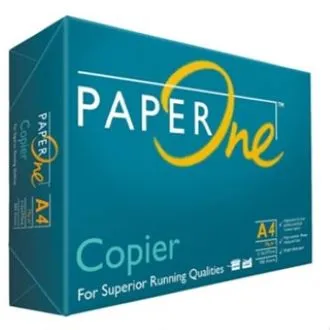
Brands like PaperOne and IK (such as IK Yellow or IK Signature) dominate this category. PaperOne features ProDigi HD Print Technology, which is designed to enhance ink drying speed and reduce ink bleed on the paper surface, making it highly compatible with both inkjet and laser printers. IK paper is another popular daily workhorse, offering consistent thickness and smooth feeding for high-speed copy machines. Store brands from major local office suppliers also fit into this standard category.
Standard-tier papers are ideal for daily office correspondence, internal memos, schoolwork, and general-purpose printing. They provide sufficient opacity for standard text-based double-sided printing and maintain a low jam rate when stored correctly. They offer the most balanced cost-to-performance ratio for everyday use.
Economy Tier (Best for High-Volume Drafts)
The economy tier consists of budget-friendly, often unbranded or generic bulk papers designed to minimize upfront purchasing costs.
These papers are manufactured with wider tolerances, meaning you may experience higher variations in thickness, brightness, and moisture content from batch to batch. They also tend to have a rougher surface texture and a higher rate of paper dust shedding.
Economy paper is best reserved for single-sided internal drafts, packing slips, temporary warehouse pick lists, or archival copies where print quality and presentation are irrelevant. Because of the higher dust levels and moisture variability, using economy paper in high-end or sensitive inkjet printers is generally not recommended, as it can accelerate wear on delicate printheads and feed mechanisms.
Evaluating Price and Value per Ream in Singapore
When budgeting for office supplies, analyzing the true cost of copy paper involves looking beyond the initial purchase price of a single ream.
In Singapore, 70gsm A4 paper pricing varies significantly depending on your purchasing channel and volume. Buying a single ream (500 sheets) from a local neighborhood stationery shop or convenience store carries a retail premium, with prices often ranging from S$5.00 to S$6.50. Conversely, purchasing a full carton (containing 5 reams, or 2,500 sheets) from online marketplaces, wholesale office suppliers, or contract distributors reduces the unit cost significantly, often bringing the price down to a broad band of S$4.00 to S$5.00 per ream.
To find the best value, calculate the cost per usable sheet rather than simply comparing the price per ream. If a cheap economy ream costs S$3.80 but suffers from a 5% jam or misfeed rate, the cost of wasted paper, lost employee time, and ruined toner or ink quickly surpasses the savings. A single severe paper jam can waste multiple sheets of paper and a significant amount of ink or toner during the printer’s self-cleaning and recalibration cycle.
There are also substantial hidden costs associated with low-grade paper. The excessive paper dust shed by cheap sheets coats the rubber pickup rollers inside your printer. As these rollers become slick with dust, they fail to grab sheets cleanly, leading to frequent misfeeds and paper jams. Over time, this buildup requires professional maintenance, roller cleaning kits, or even premature replacement of the printer itself. Investing a slight premium in standard or premium tier paper often yields a lower total cost of ownership by maximizing printer uptime and extending the life of your office hardware.
Decision Framework: Match the Paper to Your Printer and Needs
Because smoothness, bleed resistance, and drying speed depend heavily on the exact material combination of the paper’s surface treatment and your printer’s specific ink or toner, it is highly recommended to run a simple, observable trial before buying in bulk. You can verify compatibility by printing a test sheet containing a high-density black block next to fine text; observe whether the ink feathers at the edges, how long it takes to dry completely to the touch, and whether any visible bleed-through occurs on the reverse side.
To help you select the most suitable 70gsm A4 paper for your specific setup, use this structured decision framework:
- Choose Premium Tier if: You frequently print color-coded documents, client-facing proposals, or high-quality marketing materials. It is also highly recommended if you use a high-end, high-speed inkjet printer that requires low-dust, high-smoothness media to prevent printhead clogging and ensure sharp ink absorption.
- Choose Standard Tier if: You need a reliable, cost-effective daily workhorse for standard black-and-white text documents, double-sided internal reports, school assignments, and general home or office printing. This tier offers the best balance of reliability and cost.
- Choose Economy Tier if: You print massive volumes of single-sided, internal-only drafts, packing slips, or temporary documents where visual quality is unimportant. You must be willing to manage paper storage carefully to mitigate the increased risk of jams.
- Verify first if: Your printer manufacturer specifies a strict minimum paper weight (gsm) or moisture requirement to maintain the hardware warranty. Some heavy-duty production presses or specialized office copiers have specific feed configurations that perform best with 80gsm or heavier media, so checking your printer's manual is essential.
Always refer to your printer’s user manual to ensure you have selected the correct paper weight and type settings in the print dialogue box. Matching the software settings to the physical paper in the tray optimizes the printer’s fuser temperature and feed speed, ensuring the best possible print quality and minimizing the risk of jams.
Storage and Handling Tips to Prevent Jams in Humid Climates
Singapore’s tropical climate, characterized by high relative humidity that frequently exceeds 80%, presents a unique challenge for paper storage. Because paper fibers naturally absorb moisture from the air, improper handling can ruin even the highest-quality premium paper. Follow these practical storage and handling tips to keep your paper dry and jam-free:
- Keep it Sealed: Always keep your paper sealed in its original moisture-proof wrapper until the exact moment you are ready to load it into the printer. The wrapper is lined with a thin moisture barrier designed to protect the paper. If you only need a partial ream, reseal the remaining package with heavy-duty tape or transfer the unused sheets to an airtight plastic container.
- Proper Positioning: Store your paper reams flat on a shelf, desk, or cabinet, and keep them elevated off the floor to prevent moisture from seeping up. Never store paper reams on their edges, as gravity and uneven moisture absorption will cause the sheets to warp, sag, and curl, making them nearly impossible to feed smoothly through a printer.
- Climate Control: Avoid storing paper near air-conditioning vents, dehumidifiers, open windows, or in direct sunlight. Rapid changes in temperature and humidity cause the edges of the paper to expand or contract faster than the center, resulting in "wavy edges" that lead to immediate multi-sheet feeding and jams.
- Loading the Tray: Before loading a fresh stack of paper into your printer's tray, gently fan the edges of the stack. Fanning introduces a thin layer of air between the sheets, which helps break any static cling and separates sheets that may have lightly adhered to one another. It also helps shake off any loose surface dust before it enters your printer's internal mechanisms.
Frequently Asked Questions (FAQ)
Is 70gsm paper too thin for double-sided printing?
Yes, 70gsm paper can be used for double-sided (duplex) printing, but the overall success depends on the paper’s opacity and the density of your print job. Standard and premium 70gsm papers generally offer sufficient opacity to handle double-sided black-and-white text without distracting show-through. However, if your documents contain heavy graphics, dark color blocks, or high-density charts, the ink or toner is highly likely to show through or bleed to the other side. For graphic-heavy duplex printing, upgrading to an 80gsm paper is recommended.
Can I use 70gsm A4 paper in an inkjet printer?
Yes, 70gsm A4 paper is compatible with most modern inkjet printers, but you must select your paper tier carefully. Inkjet printers deposit liquid ink onto the paper surface. Because 70gsm paper is thinner, lower-quality economy sheets can easily absorb too much moisture from the ink, causing the paper to wrinkle, cockle, or curl as it dries. To prevent this, choose standard or premium tier 70gsm papers that feature specialized surface treatments designed to control ink absorption and speed up drying times.
Why does my printer keep jamming even with premium 70gsm paper?
If your printer continues to jam despite using high-quality premium paper, the issue likely stems from hardware or environmental factors. Common causes include overfilling the paper tray past the maximum fill line, failing to adjust the paper guides snugly against the stack, or using paper that has already absorbed ambient humidity after being left exposed in the tray. Additionally, worn, dirty, or dust-coated pickup rollers can slip and cause misfeeds, indicating that your printer’s paper path requires a simple cleaning.
Community discussion
Share your experience or ask a question. Comments are reviewed before publication.