
When selecting A4 printer paper, the acronym GSM stands as the most critical specification on the packaging, directly influencing how your documents look, feel, and feed through your machine. GSM, or grams per square meter, measures the density and basis weight of the paper. Choosing the correct weight ensures your prints have the right level of opacity and professional texture while preventing frustrating printer jams.
While it is easy to assume that a higher GSM simply means thicker paper, the relationship between weight, thickness, and print quality is governed by several manufacturing factors. Understanding these nuances helps you avoid common printing pitfalls, such as ink bleeding through the page or heavy sheets getting stuck in your printer’s rollers.
What GSM Means for A4 Printer Paper
GSM stands for Grams per Square Meter, a standardized metric defining the weight of a single sheet of paper if it were cut to exactly one square meter. Because an individual sheet of A4 printer paper is much smaller—measuring exactly 210 by 297 millimeters, or precisely one-sixteenth of a square meter—the actual physical weight of a single A4 sheet is a fraction of its GSM rating. For example, a single sheet of 80 GSM A4 paper weighs exactly 5 grams.
Products mentioned in this guide


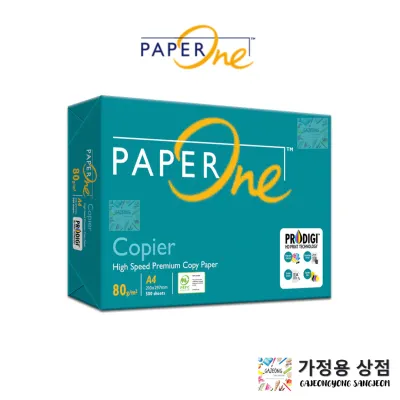


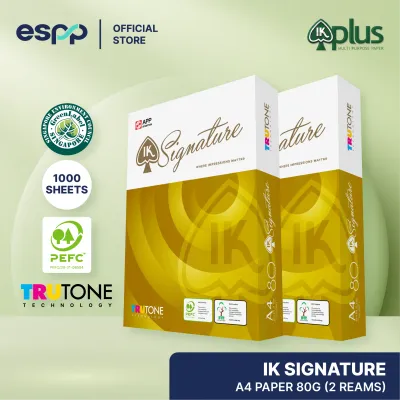
![[2 Reams 1000 sheets] A4 80Gsm Paperone Copy Paper / Paperone Digital Inkjet & Laser Paper 85gsm A4](https://img.lazcdn.com/g/p/6b30a8abe0e8c9414c33ea8ecc1cc966.jpg_400x400q80.jpg_.webp)
![[SG Stock] PaperOne 100gsm A4 White Printing Paper [1 ream/ 2 reams]](https://img.lazcdn.com/g/p/75912ece6378fab5457ea2ce99fd76d9.jpg_400x400q80.jpg_.webp)
Prices are valid at publication and may change. Please refer to the product page for the latest price.
It is important to distinguish GSM from physical thickness, technically referred to as caliper. While a higher GSM generally correlates with a stiffer, more opaque sheet, two different brands of 80 GSM paper may not have the exact same thickness. This variation occurs because of differences in the manufacturing process, the wood pulp blend, and the application of surface sizing or coatings. A highly compressed paper sheet might feel thinner but possess the same weight and density as a bulkier, less compressed sheet.
Consequently, when evaluating A4 printer paper, GSM should be viewed as an indicator of density and substance rather than a direct measurement of height or thickness. If your printing tasks require a specific level of structural rigidity, you must look beyond the GSM number alone and consider how the paper fibers have been processed and finished.
How Paper Weight Affects Print Quality and Printer Performance
The weight of your A4 printer paper plays a decisive role in how ink or toner interacts with the surface. Lighter paper grades, such as 70 GSM, have lower fiber density, which often results in reduced opacity. When printing high-density graphics or double-sided documents on light paper, the ink is highly likely to show through on the reverse side, a phenomenon known as show-through or ghosting. Heavier paper weights, such as 100 GSM, provide a denser fiber barrier that handles high ink coverage and double-sided printing far more effectively, keeping the reverse side clean and readable.

Beyond visual quality, paper weight directly impacts the mechanical performance of your printer’s feed mechanism. Standard office and home printers are engineered to pull and bend paper along a specific path. If the paper is too light, it lacks the structural integrity to resist the heat of a laser printer’s fuser or the moisture of an inkjet’s ink, causing it to curl, misalign, or jam within the paper tray. Conversely, if the paper is too heavy, it may fail to bend around the tight internal rollers of a compact printer, straining the feed motor and leading to frequent paper feed errors.
To prevent mechanical damage, misfeeds, or voiding your printer’s warranty, you must check the manufacturer’s specified GSM limits. Every printer model has a designated weight range for its standard paper cassette and its manual bypass feed slot. Additionally, remember that perceived “print quality” also relies on paper brightness, whiteness, and surface finish, which are separate specifications from GSM.
Choosing the Right GSM for Your Printing Needs
Selecting the ideal paper weight requires matching the GSM to the specific purpose of your document. For high-volume, everyday printing, 70 GSM paper is a highly practical choice. This weight is best suited for internal drafts, utility bills, and archival copies where cost efficiency and physical storage space are the primary priorities. Because 70 GSM sheets are thinner, you can fit more pages into a single binder or filing cabinet, making it an excellent option for large-scale administrative tasks that do not require a premium presentation.
For general office use, external correspondence, and everyday business presentations, 80 GSM is the industry standard. This weight offers a reliable balance of stiffness, opacity, and smooth feeding across almost all laser and inkjet printers. It is heavy enough to resist excessive curling under heat and provides a professional feel for standard documents, letters, and reports. If you are unsure which paper to load for daily tasks, 80 GSM is the safest and most versatile choice.
When your project demands a premium, high-impact presentation, you should opt for 100 GSM and above. This heavier range is ideal for formal proposals, certificates, marketing flyers, and documents featuring rich color graphics or high ink coverage. The substantial weight and thickness of 100 GSM paper immediately convey quality to the recipient, making it the preferred choice for client-facing materials that need to make a strong impression.
Whenever you switch between these different paper weights, adjust your printer’s paper type or media settings in the software driver before printing. Modifying these settings tells the printer to adjust its internal fuser temperature, ink drying time, and feed speed. For instance, selecting “Heavyweight” or “Thick Paper” ensures a laser printer applies enough heat to melt the toner completely onto a 100 GSM sheet, preventing the print from smudging or rubbing off.
How to Verify Paper Weight and Compatibility Before Buying
Before purchasing a new carton of A4 printer paper, verify your equipment’s compatibility. Locate your printer’s user manual or check the specification label on the back of the machine to find the supported GSM range. Pay close attention to the differences between the main paper cassette, which often has a lower weight limit, and the manual feed or bypass slot, which is typically designed to handle heavier media.
When shopping, look for clear, explicit GSM labeling on the paper packaging. Avoid relying solely on subjective marketing terms like “premium,” “ultra,” or “heavyweight,” as these descriptions are not standardized and can vary wildly between brands.
If you are planning a large print run or transitioning to a new paper brand, consider purchasing a single ream first. This allows you to run a trial batch to test feed reliability, check for curling, and observe how your specific ink or toner adheres to the surface before committing to a bulk or carton purchase.
Finally, proper storage is essential to maintain the integrity of your paper, regardless of its GSM. Always store your A4 printer paper in its original moisture-proof wrapper until you are ready to use it. Keep the paper in a dry, climate-controlled environment, away from direct sunlight or damp floors. Paper naturally absorbs moisture from the air, which can cause the edges to wave or curl, leading to feeding issues and jams even if you have selected the perfect GSM for your printer.
Frequently Asked Questions (FAQ)
Is 80 GSM paper always physically thicker than 70 GSM paper?
Not necessarily. While 80 GSM paper is heavier per square meter than 70 GSM paper, its physical thickness (caliper) can sometimes overlap. This occurs because thickness is determined by how tightly the paper fibers are pressed during manufacturing and the specific pulp blend used. A highly compressed 80 GSM sheet may feel thinner than a loosely pressed 70 GSM sheet. If structural stiffness or a specific physical thickness is critical for your project, you should check the manufacturer’s stated caliper specifications or feel a physical sample before buying.
Can I use 100 GSM paper in a standard home inkjet printer?
Yes, in most cases, but compatibility depends entirely on your specific printer model’s maximum supported weight limit. Many standard home inkjet printers can handle 100 GSM paper, but they may struggle if the paper is fed through a standard bottom tray that requires a sharp U-turn. To ensure smooth feeding and prevent jams, consult your printer manual and utilize the rear or manual feed tray if available, as this path provides a straighter route for heavier paper stock.
Community discussion
Share your experience or ask a question. Comments are reviewed before publication.