
Paper weight, measured in GSM (grams per square meter), indicates the density and weight of a sheet of paper. Choosing the right A4 paper weight depends on your specific printing task: 70gsm is ideal for high-volume internal drafts, 80gsm is the standard for everyday office printing and double-sided documents, and 100gsm or higher is reserved for premium presentations, official contracts, and documents with heavy color coverage. Selecting the correct grammage prevents common issues like paper jams, ink bleed-through, and excessive curling under high humidity.
What Does Paper Weight (GSM) Actually Mean?
GSM stands for Grams per Square Meter. It is a metric unit of measurement that calculates the weight of a sheet of paper measuring exactly one square meter (1m x 1m). Because paper is manufactured in massive rolls and then cut down to size, this standardized metric allows manufacturers and consumers to compare paper density regardless of the final sheet dimensions.
Higher GSM values correlate directly with increased density, opacity, and stiffness. A higher GSM sheet feels more substantial, resists bending, and blocks light more effectively than a lower GSM sheet. However, GSM is not a direct measurement of physical thickness; different manufacturing processes, fiber types, and chemical fillers can make one brand of 80gsm paper slightly thicker or rougher than another.
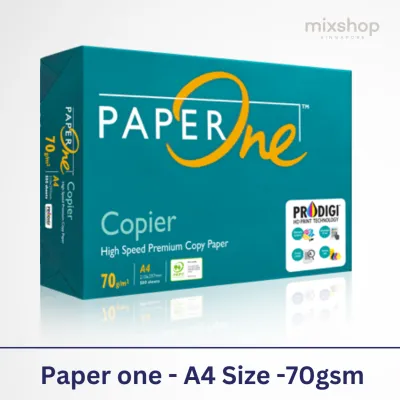
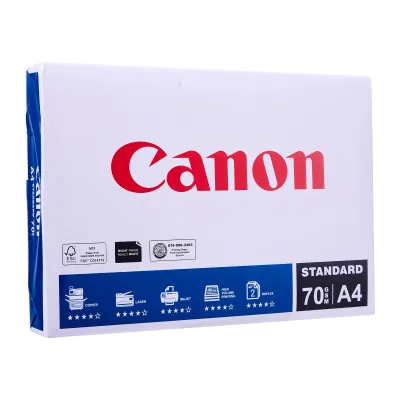
Products mentioned in this guide



![[SG] FujiXerox A4 x EverydayCopier Paper | 80gsm | 1 Carton | MAX 2 CARTONS/ORDER [Evergreen Stationery]](https://img.lazcdn.com/g/p/0125993f2367983b77308ed48045bba3.jpg_400x400q80.jpg_.webp)

![PaperOne A3 A4 A5 Printing Paper | Double A A4 Printing Paper | Fujifilm A4 Printing Paper [70gsm | 80gsm | 100gsm]](https://img.lazcdn.com/g/p/e6656a7d0c70606a115a8596caf6a15d.png_400x400q80.png_.webp)
Prices are valid at publication and may change. Please refer to the product page for the latest price.
It is also important to note that GSM does not dictate other critical paper quality metrics. Attributes such as brightness, surface smoothness, and specialized coatings for inkjet or laser printing are independent of the paper’s weight. A heavy paper can still perform poorly if its surface finish is not optimized for your specific printer type.
Because A4 paper dimensions are standardized at 210mm x 297mm, they represent exactly 1/16th of an A0 sheet (which is exactly one square meter). This geometric relationship means you can easily calculate the physical weight of a single sheet of A4 paper. For example, a single sheet of 80gsm A4 paper weighs exactly 5 grams (80 grams divided by 16), which helps in estimating shipping weights for bulk mailings.
Comparing Common A4 Paper Weights: 70gsm vs 80gsm vs 100gsm
In the stationery market, you will primarily encounter three main weight classes for A4 paper. Each class serves a distinct purpose and carries specific trade-offs in terms of cost, print quality, and handling.

70gsm A4 Paper: Best for High-Volume Drafts
This lightweight paper is highly cost-effective and is typically sold in bulk cartons for utility printing. It is the ideal choice for high-volume, single-sided printing such as internal memos, rough drafts, and temporary reference sheets where presentation quality is not a priority.
However, 70gsm paper has significant limitations. Its low opacity creates a high risk of show-through, where text printed on one side is clearly visible on the reverse. This makes double-sided printing highly impractical. Additionally, the paper feels thin and flimsy, which may not project the desired professional image for external communications.
Lightweight paper also presents mechanical challenges in some office equipment. Because 70gsm paper lacks structural stiffness, it can bend too easily inside high-speed printers. If your printer’s pickup rollers are slightly worn, or if the paper path has sharp turns, this thin paper is more prone to multi-sheet feeding and frequent paper jams.
80gsm A4 Paper: The Standard for Everyday Office Use
This weight class is the universal standard for business, academic, and home printing. It offers an optimal balance of stiffness, opacity, and value, making it highly reliable for everyday documents.
With 80gsm paper, the opacity is high enough to support double-sided printing of standard text and simple graphics without distracting show-through. It possesses the necessary structural rigidity to feed smoothly through almost all standard home and office laser or inkjet printers, minimizing the risk of misfeeds.
Choose 80gsm paper for standard reports, contracts, essays, invoices, and general correspondence. It is the safest, most versatile option to keep stocked in your printer tray for daily operations.
100gsm (and above) A4 Paper: For Premium Presentations
This heavier paper class is designed to make a strong impression. It features a premium, substantial tactile feel and excellent opacity, ensuring that even heavy ink or toner coverage does not bleed through to the other side.
Use 100gsm or heavier paper for client-facing proposals, resumes, certificates, formal letters, and documents containing rich color graphics or charts. The extra weight gives the document a professional, high-end feel that immediately stands out.
Before printing on 100gsm paper, verify your printer’s hardware compatibility. Thicker sheets require a more robust feeding mechanism and a straighter paper path. Standard home printers with tight, U-shaped paper paths can struggle to bend heavier sheets, which can lead to jams unless you utilize the manual bypass tray or rear feed slot.
How to Choose the Right A4 Paper Weight for Your Printer and Needs
Selecting the right paper weight requires balancing your document’s purpose with your printer’s physical capabilities and environmental conditions.
- Check Printer Specifications: Always consult your printer's user manual to find the maximum supported paper weight (usually listed in gsm). Exceeding this limit can cause persistent paper jams, damage the pickup rollers, or cause premature wear on the internal feed mechanism.
- Inkjet vs. Laser Considerations: Inkjet printers deposit liquid ink, which thin paper (70gsm) absorbs rapidly, leading to paper buckling, curling, and ink feathering. For inkjet printing, 80gsm or higher is recommended. Laser printers use heat to fuse dry toner; very thick paper (100gsm+) acts as a heat sink and can prevent the toner from fusing properly. If you use heavy paper in a laser printer, adjust your printer driver settings to "Heavy Paper" so the machine slows down the feed rate to ensure proper heat distribution.
- Environmental Storage (Singapore Context): Singapore's tropical, high-humidity climate has a direct impact on paper performance. Paper is highly hygroscopic, meaning it absorbs moisture from the air. Lightweight papers (especially 70gsm) are particularly vulnerable to moisture absorption, which degrades their stiffness and causes them to curl or stick together in the paper tray. Always store your paper reams in a cool, dry place, keep the protective wrapper sealed with tape until ready to use, and avoid leaving large stacks of paper exposed in the printer tray for long periods.
- Cost vs. Value: Optimize your stationery budget by matching the paper weight to the document's shelf life. Use 70gsm paper for internal, short-lived drafts to save money and reduce shipping weight. Standardize on 80gsm for general office correspondence and double-sided printing. Reserve 100gsm paper exclusively for final external presentations, marketing materials, and formal documentation where client perception is critical.
- Perform a Test Print: Because bleed resistance, drying speed, and surface smoothness depend on the exact combination of your printer's ink and the paper's chemical sizing, always perform an observable trial run. Print a single test page on your chosen paper weight to verify that the ink does not feather, bleed, or cause the paper to warp before committing to a large print job.
Frequently Asked Questions (FAQ)
Can I use 100gsm paper in a standard home printer?
Yes, most modern home printers can handle 100gsm paper, but you must verify your specific model’s maximum weight limit in the user manual first. If your printer features a tight, U-shaped paper path, 100gsm paper may experience feeding resistance. To prevent paper jams, feed the heavier sheets through the printer’s rear manual feed slot or bypass tray, which provides a straighter path that does not force the thick paper to bend sharply.
Does a higher GSM guarantee that the paper won't bleed through?
While a higher GSM provides greater opacity and reduces show-through, it does not completely guarantee that liquid ink will not bleed through the fibers. Bleed-through is heavily influenced by the paper’s surface sizing, chemical coatings, and the type of ink you use. Standard copy paper lacks the specialized barrier coatings found on inkjet-specific or photo paper; consequently, heavy liquid ink from a fountain pen or an inkjet printer may still bleed or feather even on a 100gsm sheet. For optimal results with liquid inks, perform a test print or look for paper explicitly rated for inkjet printing.
Community discussion
Share your experience or ask a question. Comments are reviewed before publication.