
When buying A4 paper for your home or office, the term “GSM” is the most critical specification you will encounter. GSM stands for Grams per Square Meter, and it is the universal metric used to measure paper weight and density. Choosing the right GSM directly determines how well your printer handles the paper, how professional your documents look, and whether your ink will bleed through to the other side.
For most everyday printing tasks, 80 GSM is the standard benchmark, offering a balanced combination of durability, opacity, and smooth printer feeding. However, lighter options like 70 GSM are highly economical for high-volume drafts, while heavier weights of 100 GSM and above are reserved for premium presentations, certificates, and marketing materials. Understanding how this specification interacts with your specific printer technology is key to avoiding paper jams and achieving crisp, high-quality prints.
What GSM Actually Means for A4 Paper
To make an informed decision when purchasing stationery, it is essential to understand that GSM measures the weight of a paper sheet over a standardized area, rather than its physical thickness.
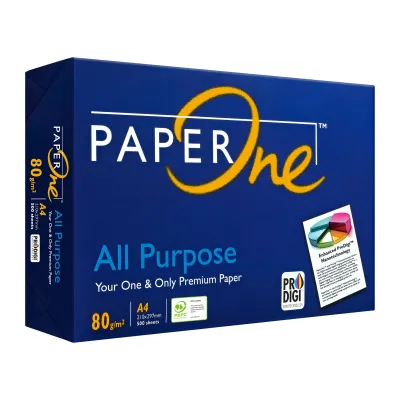
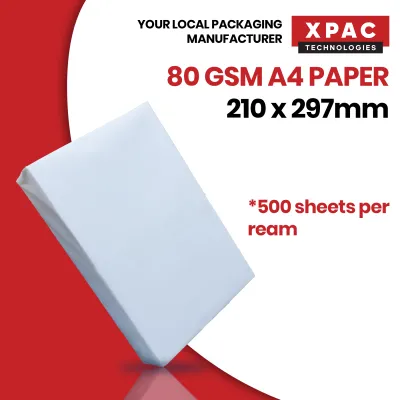
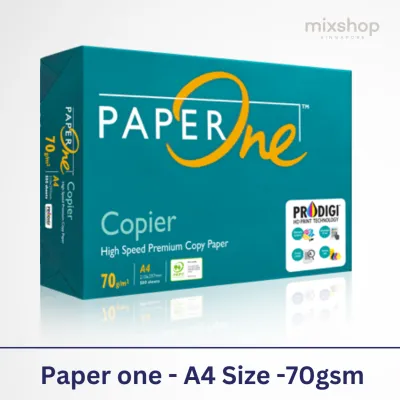
Products mentioned in this guide

![PaperOne™ Copier Paper 70gsm / 75gsm Copy Paper A4 [2 Reams]](https://img.lazcdn.com/g/p/f3cf1c76beaab92a1010bb2f08235177.jpg_400x400q80.jpg_.webp)


Prices are valid at publication and may change. Please refer to the product page for the latest price.
Because an A4 sheet measures exactly 210 mm by 297 mm, its surface area is precisely one-sixteenth (1/16) of a square meter. This geometric relationship makes calculating the physical weight of a single sheet straightforward. For example, a single sheet of standard 80 GSM A4 paper weighs exactly 5 grams (80 divided by 16), while a lighter 70 GSM sheet weighs approximately 4.38 grams.
While higher GSM values generally correlate with a stiffer, more substantial sheet, GSM and physical thickness (often referred to as caliper, measured in microns) are not identical. The actual thickness of a sheet depends heavily on the manufacturing process, the type of wood pulp used, and how the fibers are pressed. For instance, paper made from 100% virgin wood pulp is often denser and smoother than recycled paper of the exact same GSM. Additionally, highly calendered (heavily rolled and compressed) papers might feel thinner than uncalendered sheets, despite having the same weight. When choosing paper, you must consider both the weight and the finish to ensure it suits your specific writing or printing medium.
How Paper Weight Impacts Print Quality and Printer Health
Selecting the wrong paper weight can lead to poor visual results and mechanical issues inside your printer. The interaction between your printer’s ink or toner and the paper fibers changes dramatically across different GSM levels.

Ink Absorption and Bleed-Through Inkjet printers rely on liquid-based inks that saturate the paper fibers. On lighter sheets, such as 70 GSM, the liquid ink can easily penetrate the thin fiber network. This causes “feathering”—where the edges of text look fuzzy—and severe “bleed-through,” where the ink shows clearly on the reverse side of the page. If you plan to print double-sided (duplex) documents, a minimum of 80 GSM is highly recommended to maintain opacity and ensure readability on both sides. To verify the bleed resistance of your paper-ink combination, perform a simple test: print a solid block of color or write with a wet gel pen on one side, and observe if the medium shadows or penetrates through to the back.
Paper Stiffness and Jamming Printers are precision mechanical devices engineered with specific feed rollers, tension springs, and paper paths. If the paper is too light (below 60 GSM), it lacks the structural rigidity required to push past the internal sensors and rollers smoothly. This often results in the paper curling, crumpling, or feeding multiple sheets at once. Conversely, if the paper is too heavy (above 120 GSM) and placed in a standard paper cassette, it may fail to bend around the tight curves of the internal paper path, leading to immediate roller slippage and stubborn paper jams.
Fuser Temperature and Curling in Laser Printers Laser printers use high fuser temperatures, often exceeding 150°C, to melt toner powder onto the page. In tropical climates like Singapore, where relative humidity is consistently high, paper stored in open trays quickly absorbs moisture from the air. When this moist paper passes through a hot laser fuser, the rapid evaporation of water causes the paper fibers to shrink unevenly, resulting in severe curling. Lighter 70 GSM papers are particularly susceptible to this thermal warping, whereas heavier 80 GSM and 100 GSM papers possess the structural integrity to remain relatively flat after printing.
Tactile Quality and Professionalism The physical feel of a document sends an immediate message to the recipient. Flimsy, lightweight paper can make business proposals, legal contracts, or resumes feel cheap and temporary. Upgrading to a heavier, more rigid sheet instantly conveys attention to detail and professionalism. The tactile feedback of a crisp, heavy sheet of paper enhances the perceived value of the information printed upon it.
Standard A4 Paper Weights and Their Best Use Cases
A4 paper is widely available across several standard weight classes. Matching these categories to your daily tasks will help you optimize your stationery budget while maintaining high print quality.
70 GSM: High-Volume and Internal Drafts
The 70 GSM weight class is the lightest standard copy paper widely used in modern offices. It is highly cost-effective, typically retailing in Singapore for around S$4.00 to S$5.00 per ream of 500 sheets. This makes it the ideal choice for high-volume printing, internal office memos, rough drafts, and archival storage where minimizing physical filing space is a priority.
However, 70 GSM paper comes with notable trade-offs. It offers lower opacity, making it unsuitable for double-sided printing or documents with heavy graphic elements. It also has a noticeably flimsy feel and a slightly higher risk of paper jams in high-speed commercial photocopiers.
80 GSM: Premium Everyday and Client-Facing Documents
At 80 GSM, you reach the industry standard for daily business and personal correspondence. This weight strikes an excellent balance between performance and affordability, with standard reams usually priced between S$5.50 and S$7.50 in the local market.
This paper provides sufficient opacity for standard double-sided text documents, ensuring that letters and reports remain highly readable. Its increased stiffness reduces the likelihood of multi-feeding and paper jams, and it resists heat-induced curling much better than 70 GSM alternatives. It is the go-to choice for invoices, client letters, standard contracts, and daily office printing.
100 GSM and Above: Specialty, Photo, and Presentation Paper
Papers weighing 100 GSM, 120 GSM, and up to 200+ GSM fall into the premium and specialty categories. These sheets are exceptionally smooth, thick, and bright, making them perfect for high-profile documents such as formal business proposals, CVs, brochures, and certificates.
Because these papers are thick and opaque, they handle heavy ink coverage from inkjet printers and high fuser temperatures from laser printers without any bleed-through or warping. However, before loading these heavier stocks, you must verify your printer’s maximum weight compatibility. Standard input trays are usually calibrated for weights up to 105 GSM; feeding heavier cardstock through these trays can damage the feed rollers.
How to Match Paper Weight to Your Printer and Project
To avoid mechanical issues and ensure your documents look their best, follow these practical steps when selecting and using different paper weights.
Check Printer Specifications Always consult your printer’s user manual or the manufacturer’s online specification sheet to find the supported GSM range. Most standard home and office printers feature a primary paper cassette designed to handle 60 to 105 GSM paper. If you need to print on heavier specialty paper (such as 120 GSM to 220 GSM cardstock), use the printer’s manual feed tray or bypass slot. This slot bypasses the tight internal U-bend of the standard paper path, allowing the thick paper to travel in a straighter line, which prevents jams and fuser errors.
Match Paper to Printer Technology Inkjet and laser printers interact with paper differently. Inkjet printers require paper that can absorb liquid ink quickly without spreading; therefore, if you are printing high-resolution photos or detailed graphics on 100+ GSM paper, look for sheets specifically labeled as “inkjet compatible” or “coated.” Laser printers, on the other hand, require paper that can withstand intense heat and pressure. Ensure your heavier laser paper is rated to handle fuser heat to prevent the toner from peeling or the paper from scorching.
Balance Cost and Purpose Optimize your stationery budget by aligning paper quality with the target audience and lifespan of the document. For temporary internal documents, high-volume shipping labels, or rough drafts, standard 70 GSM paper is highly economical. For client-facing proposals, contracts, and external correspondence, standardizing on 80 GSM ensures a professional presentation. Reserve premium 100 GSM or heavier papers exclusively for special projects, marketing collaterals, and high-impact presentations where tactile quality is paramount.
Frequently Asked Questions (FAQ)
Is 80 GSM paper always thicker than 70 GSM?
Not necessarily. While 80 GSM paper is heavier per square meter and usually feels more substantial, physical thickness (caliper) is determined by how the paper is manufactured. A highly compressed, smooth, or calendered 80 GSM sheet can actually be thinner than a bulkier, less compressed 70 GSM sheet made from recycled fibers.
Can I use 100 GSM paper in a standard office printer?
Yes, most standard office printers can easily handle 100 GSM paper, but you should check your device’s specifications first. While 100 GSM is usually fine for the main paper tray, any paper exceeding 105 GSM should generally be loaded into the manual bypass tray to prevent paper jams and minimize wear on the feed rollers.
Community discussion
Share your experience or ask a question. Comments are reviewed before publication.