
When choosing a paper cutter a4 model for your home office, craft studio, or classroom in Singapore, understanding its physical cutting limits is essential to protect your investment. The weight of the paper you intend to cut directly dictates the type of machine you need. A standard A4 paper cutter can typically handle paper weights from lightweight 70 GSM office sheets up to heavyweight 300+ GSM cardstock or canvas paper, but the exact capacity depends entirely on the cutting mechanism and the maximum physical thickness rating of the device.
Using the wrong tool for thick materials can lead to jagged edges, ruined paper, and permanent damage to your cutter’s blade or alignment. By understanding how paper weight translates to physical thickness and how different cutting mechanisms operate, you can achieve clean, professional cuts every time without risking your equipment.
Decoding Cutter Specs: GSM vs. Sheet Capacity for Your Paper Cutter A4
To choose the right tool, you must first understand how paper weight is measured. GSM stands for Grams per Square Meter, which is a measure of paper density and weight rather than its direct physical thickness. While a higher GSM generally indicates a thicker sheet, the manufacturing process, fiber density, and surface coatings also play massive roles in the final thickness of the sheet.
Products mentioned in this guide
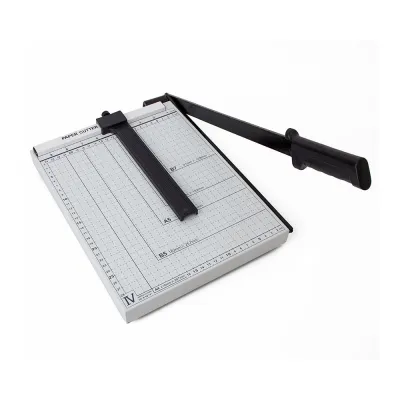
![[SG stock] Professional Paper Cutter A4 Paper 12-Inch Paper Trimmer Stationery Cutt](https://img.lazcdn.com/g/p/5aedf1742e04c67a7853682b52d27ce7.jpg_400x400q80.jpg_.webp)
Prices are valid at publication and may change. Please refer to the product page for the latest price.
When you look at the specifications of a standard A4 paper cutter, you will often see a rating like “10-sheet capacity” or “20-sheet capacity.” It is crucial to know that this industry-standard rating specifically refers to standard 80 GSM copy paper. It does not mean you can safely cut 20 sheets of 200 GSM cardstock.
Physical thickness, often measured in millimeters or microns (caliper), is the most accurate and reliable metric for determining whether a cutter can handle heavyweight cardstock, art paper, or canvas paper. Two different papers can share the same 300 GSM rating, yet one might be significantly thicker and loftier than the other due to its fiber composition.
Assuming a cutter can handle its maximum rated sheet capacity regardless of the paper weight is a common mistake. Forcing a thick stack of high-GSM paper through a cutter designed only for standard office sheets will quickly dull the blade, warp the cutting arm, or misalign the guide rail.
How Cutting Mechanisms Dictate GSM Limits
The physical design of your A4 paper cutter determines how much cutting force it can generate and how it interacts with different paper fibers. Choosing between a guillotine and a rotary cutter depends largely on the weight of the materials you work with most frequently.

Guillotine (Lever) Cutters for Heavier Stocks
Guillotine cutters feature a long lever arm with a blade that slices downward in a chopping motion against a stationary metal edge. This mechanical design provides a significant leverage advantage, making guillotines highly efficient at cutting through thick, dense materials like heavy cardstock, chipboard, or light illustration board.
While guillotines excel at slicing through thick single sheets, their stack-cutting capacity drops off sharply as the paper’s GSM increases. Trying to cut a thick stack of high-GSM paper can cause the sheets to slide or compression-creep, resulting in an angled, uneven edge on the bottom sheets.
For clean cuts on dense art papers, a sturdy hinge assembly and a sharp, high-carbon steel blade are essential. The blade must remain perfectly parallel to the cutting edge without flexing outward under pressure, which is why heavy-duty metal or wood-base guillotines are preferred for heavy art stocks.
Rotary and Sliding Cutters for Precision and Lighter Papers
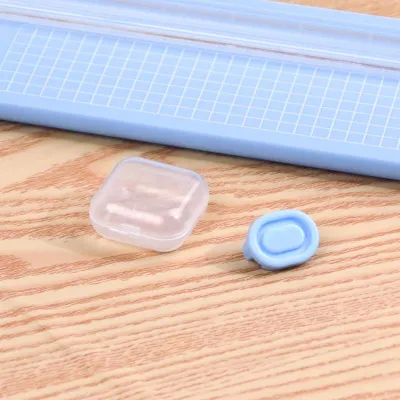
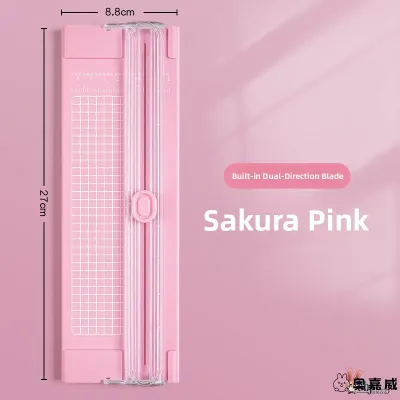
Rotary cutters utilize a circular blade enclosed in a plastic carriage that slides along a metal guide rail. The blade rolls and slices through the paper as you push the carriage across the board. This rolling action provides exceptional precision and prevents edge fraying, making it ideal for standard and lightweight papers up to roughly 160 GSM.
However, rotary cutters typically struggle with high-GSM papers above 200 GSM or dense canvas papers. Because the blade relies on a sliding motion, thick fibers can cause the blade to drag, tear the edges, or stall the carriage entirely.
These cutters are best suited for delicate craft projects, trimming photographs, or making highly precise, straight cuts on standard-weight materials. They are not designed for heavy-duty material processing or cutting thick, multi-layered stacks of cardstock.
Matching GSM Ranges to Office, Craft, and Art Papers
To make practical decisions in your workshop or office, it helps to translate abstract GSM numbers into the real-world paper types you encounter daily.
- 70–100 GSM (Standard Office & Sketching): This range includes everyday copy paper, standard notebooks, tracing paper, and light sketching sheets. Any standard A4 paper cutter can easily handle these papers in moderate stacks of 10 to 20 sheets, depending on the machine's rated capacity.
- 120–200 GSM (Light Cardstock & Premium Crafts): This category covers premium flyers, brochures, light scrapbooking paper, and heavy drawing papers like Canson XL Croquis or Fabriano Accademia. Guillotine cutters can handle small stacks of 3 to 5 sheets of this weight, while rotary cutters should be limited to single sheets or very small stacks to prevent blade drift.
- 250–350+ GSM (Heavy Cardstock, Watercolor & Canvas Paper): This includes thick illustration boards, heavyweight watercolor sheets (such as Arches 300 GSM), and loose canvas papers (like Clairefontaine Fontaine or Canson Figueras). These dense materials require a heavy-duty guillotine cutter and must be cut strictly as single sheets. Note that stretched canvas wrapped around wooden frames cannot be cut on standard paper cutters under any circumstances.
When working with specialty art brands, always check the specific paper packaging for both the GSM and the physical thickness (caliper). Because manufacturing processes vary, a highly textured cold-pressed watercolor paper will feel much thicker and offer more cutting resistance than a smooth, hot-pressed paper of the exact same GSM.
How to Verify Your Cutter's True Thickness Limits
Before attempting to cut any unfamiliar or exceptionally thick material, you should verify your cutter’s physical limits to prevent damage to the blade or the paper itself.
First, locate the manufacturer’s manual or the specification plate on the base of your A4 cutter. Look for the maximum cutting thickness, which is typically listed in millimeters (for example, “Max 0.8mm” or “Max 1.0mm”).
Next, measure your paper stack or single thick sheet. You can use a digital caliper or a precise ruler to check the physical thickness. If the measurement of your paper stack exceeds the manufacturer’s millimeter limit, you must reduce the stack size or find a more robust cutting tool.
Never perform a “force test” by pressing down with extreme physical force to see if the blade will bite through a thick material. Forcing a cut can chip the blade edge, warp the sliding rail, misalign the cutting arm, or void your warranty. If the paper type is unidentified or the manufacturer’s specifications are unavailable, stop and consult the manufacturer, or use a professional cutting service for thick art boards.
Best Practices for Cutting Heavyweight Paper Cleanly
To achieve clean, professional edges on heavy art papers while preserving the life of your A4 paper cutter, follow these practical, low-risk techniques:
- Reduce Stack Size: Cut fewer sheets at a time. For papers above 250 GSM, cut single sheets to ensure a clean, burr-free edge. In Singapore's humid climate, paper can absorb ambient moisture, making it slightly softer and more fibrous. This makes cutting single sheets even more important, as damp fibers are highly prone to tearing under a dull blade.
- Secure the Paper: Use the cutter's integrated paper clamp or backstop firmly. Stiff, heavy papers tend to shift under the pressure of the blade, which can ruin your alignment and result in crooked cuts.
- Blade Maintenance: Cutting high-GSM papers dulls blades much faster than standard copy paper. Regularly inspect the blade edge for micro-nicks and replace rotary blades or sharpen guillotine blades according to the manufacturer's maintenance schedule.
- Consider Paper Grain: When working with heavy art papers, cutting parallel to the paper grain (when identifiable) reduces cutting resistance. This results in a much smoother, cleaner edge and requires less physical effort.
Frequently Asked Questions (FAQ)
Can I cut loose canvas paper or illustration board on a standard A4 cutter?
Yes, loose, unmounted canvas paper or thin illustration board can be cut on a heavy-duty guillotine A4 cutter, provided the physical thickness of the material in millimeters does not exceed the machine’s rated limit. However, stretched canvas wrapped around wooden frames or extremely thick mounting boards cannot be cut on standard paper cutters. These materials require specialized tools such as a utility knife, a mat cutter, or heavy-duty industrial shears.
Why does my cutter struggle with 300 GSM paper even if it physically fits under the blade?
Physical clearance does not equal cutting capacity. While a thick sheet of 300 GSM watercolor paper may easily slide under a raised blade, the cutter’s hinge and blade angle might not generate enough downward shear force to slice through the dense, tightly bound fibers. This mismatch results in crushed edges, tearing, or blade stalling. Always check the manufacturer’s maximum thickness rating in millimeters rather than relying solely on physical clearance.
Community discussion
Share your experience or ask a question. Comments are reviewed before publication.