
Selecting the right office stationery often comes down to understanding a single, critical specification printed on the packaging: GSM. When purchasing A4 bond paper, this metric dictates how the paper feels, how it feeds through your machine, and how your printed text or images will look. Selecting the wrong thickness can lead to frustrating paper jams, messy ink bleeding, or documents that feel flimsy and unprofessional.
Finding the ideal paper weight requires balancing your specific printing needs with your budget and equipment capabilities. While it is tempting to assume that a higher weight always equals better quality, the reality is more nuanced. The optimal choice depends entirely on whether you are running high-volume draft prints, standard office correspondence, or high-stakes client presentations.
What Does GSM Mean for A4 Bond Paper?
GSM stands for Grams per Square Meter. This metric is the global standard for measuring paper weight and density. To visualize this, imagine a single sheet of paper cut to exactly one meter by one meter; if you place that sheet on a scale, its weight in grams is its GSM rating. For standard A4 bond paper, which is the default choice for daily office printing and copying, the most common weights range from 70gsm to 100gsm.
Products mentioned in this guide
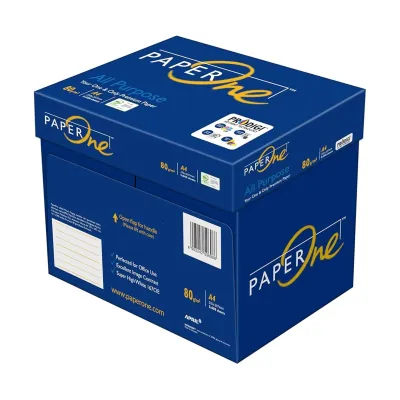

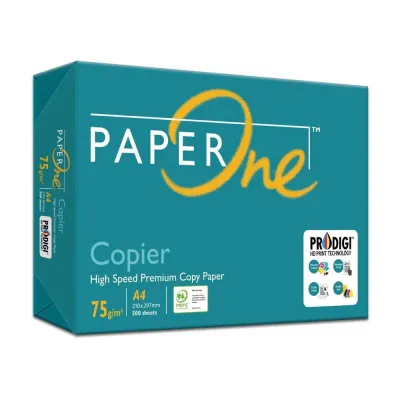
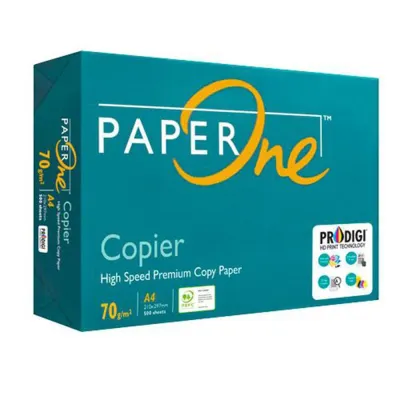
![PaperOne™ Copier Paper 70gsm / 75gsm Copy Paper A4 [2 Reams]](https://img.lazcdn.com/g/p/f3cf1c76beaab92a1010bb2f08235177.jpg_400x400q80.jpg_.webp)
Prices are valid at publication and may change. Please refer to the product page for the latest price.
GSM measures mass per unit area, not physical thickness (caliper). While heavier papers are generally thicker, two different brands of 80gsm paper can have slightly different thicknesses depending on wood pulp composition, fiber density, and manufacturing. For example, paper that has undergone heavy calendering—pressed between rollers for an ultra-smooth finish—might feel thinner than a rougher sheet of the exact same weight.
Understanding this distinction helps you avoid the trap of buying the heaviest paper available under the assumption that it is inherently superior. A well-manufactured 80gsm sheet with high density and excellent fiber formation will often perform better, resist tearing more effectively, and feel smoother than a cheaply produced 100gsm sheet that relies on heavy mineral fillers rather than quality wood fibers. Your choice should always align with the specific requirements of your document rather than a simple “heavier is better” rule.
How Paper Weight Impacts Print Quality and Handling
The weight of your A4 bond paper directly influences how it interacts with ink, toner, and the mechanical rollers inside your printer. One of the most immediate differences you will notice between various paper weights is opacity, which refers to how much light passes through the sheet. Lower GSM papers, such as 70gsm, have lower opacity, meaning that text printed on one side is easily visible from the back. This “show-through” or shadowing effect makes thin paper highly unsuitable for double-sided (duplex) printing, as the overlapping text compromises legibility.

Stiffness and tactile feedback also change dramatically as weight increases. Heavier papers have more structural rigidity, allowing them to stand upright without sagging. When you hand a client a contract or a resume, the physical stiffness of a 100gsm sheet immediately conveys a sense of premium quality and professionalism. Conversely, a flimsy 70gsm sheet can feel cheap and temporary, which might subtly detract from the importance of the message printed on it.
Ink absorption and structural stability are also closely tied to GSM. When printing documents with heavy ink coverage, such as charts, diagrams, or solid headers, standard inkjet inks can saturate thin paper fibers. This moisture saturation often causes the paper to warp, ripple, or curl as it dries. While standard bond paper is primarily designed for text and light graphics, choosing a slightly heavier weight provides the structural integrity needed to absorb ink without warping.
In tropical, high-humidity environments like Singapore, paper handling becomes even more critical. Unused paper naturally absorbs moisture from the surrounding air, which can cause thin 70gsm sheets to lose their stiffness quickly, leading to frequent misfeeds and paper jams in office copiers. Opting for a denser 80gsm or 100gsm sheet, and storing your paper in its original moisture-resistant wrapper until the moment you load it, will significantly improve printer reliability and reduce downtime.
Which GSM Should You Choose for Different Documents?
Matching the paper weight to your document’s purpose simplifies the selection process. Standardizing your office on one or two key weights streamlines purchasing while ensuring every print job looks its best.
70 GSM (Everyday Drafts & Internal Memos): This is the most lightweight and economical option available for standard office use. It is highly suited for high-volume, single-sided printing where cost efficiency is the primary concern. Use it for temporary internal drafts, rough notes, email printouts, or high-volume packing slips. Because of its lower opacity, avoid using it for double-sided prints or any client-facing correspondence.
80 GSM (Standard Office & Professional Documents): This is the universal standard for everyday business correspondence, reports, student assignments, and double-sided printing. It offers an optimal balance of opacity, stiffness, and affordability. It is heavy enough to handle double-sided printing with minimal show-through, yet light enough to feed flawlessly through almost any home or office printer. If you want a single, safe default paper to buy in bulk for mixed office use, 80gsm is the ideal choice.
100 GSM and Above (Presentations, Resumes & Certificates): When you need to make a strong impression, heavier paper is essential. This weight class is reserved for external-facing documents, formal contracts, resumes, corporate proposals, and marketing flyers. The high density ensures complete opacity with zero show-through, even when printing colorful charts or graphics. It feels substantial and premium, immediately elevating the perceived value of your physical documents.
Before committing to a bulk purchase, evaluate your weekly print volume and the nature of your output. Many efficient offices keep a high-volume supply of 80gsm paper as their daily workhorse, while maintaining a smaller stock of premium 100gsm paper specifically for client presentations and official correspondence.
How to Check If Your Printer Supports Heavier Paper
Before upgrading to a heavier paper stock, verify that your printing equipment can handle the added stiffness. Standard printers are engineered to feed typical office papers smoothly, but exceeding limits can cause mechanical strain. Check your printer’s user manual or the manufacturer’s online specification sheet to locate the supported paper weight range, usually designated in gsm.
Most standard desktop inkjet and laser printers handle weights between 70gsm and 90gsm effortlessly through their primary paper cassettes. When you load 100gsm or heavier paper into a standard tray, the printer’s pickup rollers may struggle to grip the stiffer surface, resulting in paper jams, multi-sheet feeds, or roller slippage. If your printer has a manual feed slot or a rear bypass tray, use it for heavier sheets; these pathways are typically straighter, reducing the sharp bends that cause thick paper to get stuck.
It is also wise to perform a small trial run before initiating a large print job on heavy paper. Load five to ten sheets of your chosen paper and print a test page to observe how the rollers grip the paper and whether the ink or toner adheres properly. Denser papers can sometimes require slightly longer drying times or specific printer settings—such as selecting “Heavy Paper” or “Cardstock” in your print dialogue box—to ensure the fuser unit applies enough heat to bond the toner correctly.
Frequently Asked Questions (FAQ)
Is 80gsm paper noticeably thicker than 70gsm?
Yes, most people can easily feel the difference in stiffness and weight when holding the two side-by-side. An 80gsm sheet feels significantly sturdier and is less prone to flopping or tearing than a 70gsm sheet. However, the exact physical thickness can vary slightly between brands depending on their specific manufacturing processes, wood fiber types, and how heavily the paper was pressed during production.
Can I use 100gsm bond paper in a standard home printer?
Many standard home printers can handle 100gsm bond paper, but it is critical to verify your specific model’s maximum supported paper weight first. To minimize the risk of paper jams and reduce wear on your printer’s internal rollers, load heavier sheets through the manual bypass tray or rear feed slot if your printer features one, as this provides a straighter, less demanding paper path.
Community discussion
Share your experience or ask a question. Comments are reviewed before publication.