
Choosing between an A3 and an A4 laminator depends on the maximum size of the items you need to protect and your workspace constraints. While an A4 laminator handles daily office sheets, an A3 laminator offers future-proof versatility for larger formats.
Assess Your Document Sizes and Laminating Habits
To make an informed decision, you must first establish a physical baseline by understanding standard paper dimensions. In Singapore, the international ISO 216 standard dictates paper sizes. A standard A4 sheet measures exactly 210 x 297 mm. In contrast, an A3 sheet measures 297 x 420 mm—effectively doubling the surface area of an A4 page by joining two of them side-by-side along their longer edges.
Take a moment to measure the items you regularly handle. Are you laminating standard business letters, ID cards, flashcards, or small certificates? Or do your projects frequently involve larger materials like classroom charts, safety posters, restaurant menus, or engineering diagrams? Measuring the physical width and length of your most common mediums prevents the frustration of buying a machine that is too narrow.
Products mentioned in this guide
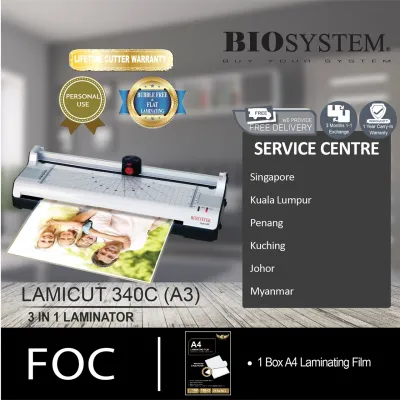
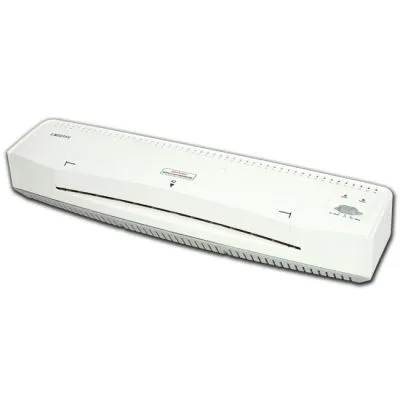
![[SG] GBC 240HS Home Office A3 Laminator | Fast Warm-Up Jam-Free Technology [Evergreen Stationery]](https://img.lazcdn.com/g/p/6d9e8892e7124e1b78cc71c262f1b954.jpg_400x400q80.jpg_.webp)
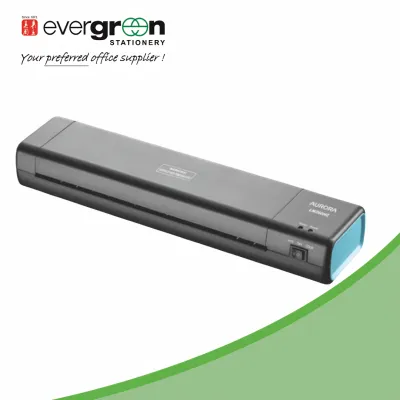
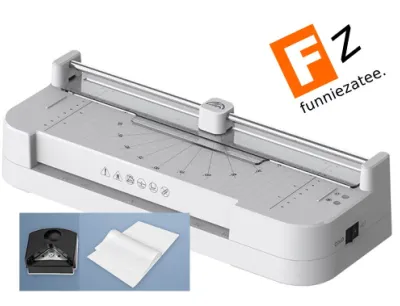
![[SG] Aurora A4/A3 Laminator with free A4 pouch | LM4231H / LM3231H [Evergreen Stationery]](https://img.lazcdn.com/g/p/7b2b08d6b08ceeefef45053321586356.jpg_400x400q80.jpg_.webp)
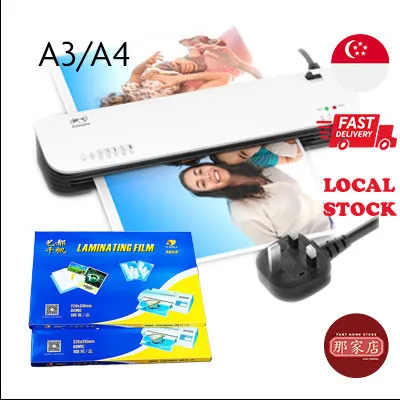
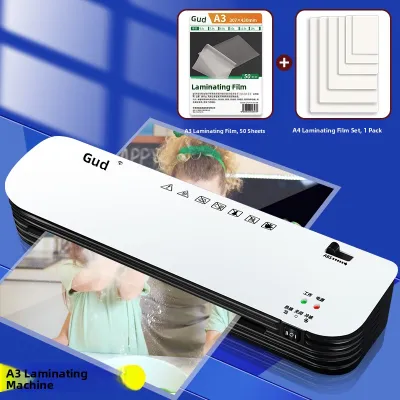
Prices are valid at publication and may change. Please refer to the product page for the latest price.
Beyond physical dimensions, track the frequency and volume of your tasks. A home user laminating a few recipe cards or school projects once a month has vastly different requirements than a busy administrative office or a preschool teacher preparing weekly learning aids. High-volume environments require robust machines, whereas occasional users can prioritize compact storage.
When an A4 Laminator Is the Right Choice
For many households, home offices, and small businesses, a standard A4 laminator is not just a compromise; it is the most practical and efficient tool for the job. The vast majority of daily documentation—including standard letters, student worksheets, recipe sheets, and printable schedules—fits comfortably within the 210 mm entry width of an A4 machine.

Additionally, smaller items like national registration identity cards, driver’s licenses, membership cards, and photographs (such as 4R or 5R prints) are easily accommodated. Because these smaller items require less plastic and heat, an A4 machine handles them with ease, provided you use the appropriate small-format pouches.
One of the primary benefits of choosing an A4 model is the lower upfront cost. In Singapore, entry-level A4 laminators are highly affordable, often priced under S$40, making them an easy addition to a home study or small office budget. The ongoing operational costs are also lower, as A4 laminating pouches are significantly cheaper and more widely available in bulk packs than their larger A3 counterparts.
Space efficiency is another critical factor. A4 laminators feature a compact footprint, allowing them to sit unobtrusively on a small desk, inside a cabinet, or on a shelf in a compact HDB flat. They are lightweight and highly portable, meaning you can easily pack them away when they are not in use.
Furthermore, A4 laminators generally feature faster warm-up times. Because the heating rollers are smaller, they require less energy and time to reach the optimal operating temperature—often ready to use in under three minutes. This speed is ideal for quick, ad-hoc laminating tasks where you do not want to wait around.
However, you must respect the strict physical limitations of these machines. An A4 laminator has an entry slot designed specifically for a maximum width of around 220 mm to 230 mm (to allow a small margin for an A4 pouch). It is physically impossible to feed an A3 sheet or any document wider than this slot through the machine. Trying to force an oversized item, even folded, will ruin the document and likely destroy the internal roller mechanism.
Signs You Actually Need an A3 Laminator
While an A4 machine covers the basics, certain professional and creative environments demand the expanded capacity of an A3 laminator. If your workflow involves creating large-format materials, a “laminator a3” is an indispensable asset rather than a luxury.
Consider the specific documents that require a larger surface area. Educational posters for classrooms, retail window signs, restaurant menus, architectural blueprints, and corporate presentation flowcharts all rely on the 297 x 420 mm dimensions of A3 paper to remain legible from a distance. Laminating these items protects them from tears, spills, and fingerprints, ensuring they can be reused multiple times.
One of the greatest operational advantages of an A3 laminator is its downward compatibility. An A3 machine features an entry slot width of approximately 320 mm to 330 mm. This wide opening means you can easily process A4 sheets, A5 flyers, index cards, and tiny ID badges. It offers a versatile, all-in-one solution for mixed workflows, eliminating the need to own multiple machines for different projects.
You can even increase your productivity by feeding two A5 sheets or multiple small ID cards side-by-side through an A3 machine simultaneously, provided they are arranged correctly within a carrier or pouch. This technique can save significant time in high-volume environments like schools or marketing agencies.
However, these advantages come with physical and financial trade-offs. An A3 laminator requires a much larger desk footprint. You must ensure you have a dedicated, stable workspace that can accommodate a wider, heavier machine, along with sufficient clearance space behind the unit for the hot, laminated document to exit flat without bending.
Financially, A3 models represent a higher initial investment, typically starting around S$70 and reaching over S$250 for heavy-duty professional models. The consumable costs are also higher; A3 laminating pouches contain more plastic and are priced accordingly. If you rarely print or display anything larger than A4, these extra costs and space requirements may not be justified.
Beyond Width: Other Specifications to Verify
Choosing the right laminator involves looking beyond the physical entry width. To ensure your machine can handle your specific projects, you must evaluate several technical specifications, starting with pouch thickness compatibility.
Laminating pouches are measured in microns (sometimes denoted as mic or mil). Standard office laminators typically support pouches ranging from 75 to 125 microns per flap. If you need to create rigid, heavy-duty signage, outdoor displays, or reusable menus, you will require a machine that can handle thicker pouches, such as 150 to 250 microns.
Using thicker pouches requires more heat and slower speeds to melt the adhesive properly. Therefore, look for a laminator with adjustable temperature settings or dedicated mode selectors (e.g., a “125 mic” setting and a “75/80 mic” setting). Running a thick pouch through a low-heat setting results in a cloudy, incomplete seal, while running a thin pouch through a high-heat setting can melt the plastic onto the rollers, causing a catastrophic jam.
Pay close attention to operational speed and warm-up times. Entry-level models may take five to ten minutes to heat up and laminate at a modest speed of 250 mm per minute. High-end professional models can warm up in under a minute and process documents at speeds exceeding 500 mm per minute. If you regularly laminate large batches, a faster processing speed will save you hours of idle waiting.
Another essential feature to verify is the jam-release or reverse function. Even with careful feeding, pouch misalignments can happen, leading to wraps around the internal rollers. A manual jam-release lever or an electronic reverse button allows you to back the pouch out of the feed path safely, saving your document and protecting the machine’s heating elements from damage.
Finally, remember that the final quality—including smoothness, bubble-free sealing, and water resistance—depends heavily on the exact material combination of your paper and the pouch. Glossy photo paper, thick cardstock, and standard copy paper all react differently to heat. Before running an irreplaceable document, always perform an observable trial run using a scrap piece of the same paper medium and pouch thickness to verify the temperature and feed alignment.
Final Decision: Choosing the Right Laminator for Your Setup
To finalize your purchase, run through this quick decision checklist to match your daily workflow with the correct machine specifications:
- Document Size: Do you regularly handle items larger than 210 mm in width? If yes, choose an A3 model.
- Workspace Capacity: Do you have a wide, stable desk with at least 30 cm of clear space behind the machine for document exit? If space is highly restricted, an A4 model is safer.
- Budget & Consumables: Are you prepared for the higher cost of A3 machines and larger pouches? If you are on a tight budget, stick to A4.
- Versatility Needs: Do you want a single machine that can handle posters today and small ID badges tomorrow? An A3 model provides this future-proof flexibility.
Choose an A4 laminator if your tasks are strictly limited to standard household documents, school worksheets, small photos, or basic office paperwork. Its compact size, rapid heating, and budget-friendly price point make it the ideal choice for light, straightforward use.
Choose an A3 laminator if you run a school, retail shop, restaurant, or creative studio where large signs, menus, and posters are common. The downward compatibility ensures you lose no functionality, giving you the freedom to scale up your projects whenever business needs arise.
Before finalizing your purchase from local Singaporean office supply stores or online marketplaces, double-check the physical dimensions of the machine against your available desk space. Ensure you purchase compatible, high-quality pouches in the correct micron thickness to achieve the clean, professional finish your documents deserve.
Frequently Asked Questions (FAQ)
Can I laminate A4 documents in an A3 laminator?
Yes, laminating smaller documents like A4 sheets in an A3 laminator is entirely possible and highly common. Because the entry slot of an A3 machine is wider, it easily accommodates smaller formats. However, to ensure a smooth seal, you must properly align the document inside the pouch. If you use a larger A3 pouch for an A4 document, you will end up with a wide plastic border that must be trimmed afterward, which can waste material. Alternatively, you can purchase A4-sized pouches and feed them through the A3 machine, aligning them carefully according to the manufacturer’s feed guides.
Do A3 laminators consume significantly more power?
While A3 laminators feature larger heating elements to cover the wider roller surface, the difference in electricity consumption for typical office or home use is generally marginal. An A3 machine may draw slightly more wattage during its initial warm-up phase, but this does not translate to a noticeable impact on your monthly utility bill in Singapore. To optimize efficiency, look for models equipped with energy-saving features, such as an auto-sleep or auto-shutoff mode that powers down the heating element after a period of inactivity. Always check the specific wattage rating on the product label or manufacturer specifications sheet.
What happens if I try to laminate an oversized document in an A4 machine?
Attempting to force an oversized document, such as an A3 sheet, into an A4 laminator is highly risky and should be avoided. The narrow entry slot will physically block or fold the document, leading to severe paper jams, misaligned feeding, and melted plastic wrapping around the internal rollers. This can permanently damage the machine’s heating elements and void your manufacturer’s warranty. If you have an oversized document, you must either trim it down to fit within the strict A4 width limits or use an appropriately sized A3 machine to ensure a safe, flat, and professional seal.
Community discussion
Share your experience or ask a question. Comments are reviewed before publication.