
Navigating Singapore’s highly efficient public transport system is incredibly straightforward once you have the right payment tool in hand. The most common and convenient way to pay for your journeys on buses and trains is by using an ez-link card. This contactless smart card streamlines your daily commute, allowing you to breeze through transit gantries and pay for various retail purchases with a simple tap. Getting and funding your first card is a quick process, provided you know where to go and which options best suit your lifestyle.
What Is an EZ-Link Card and Where Can You Use It?
An EZ-Link card is a contactless stored-value smart card that operates on the Singapore Standard for Contactless e-Purse Application (CEPAS). Physically, the card measures exactly 85.60 mm by 53.98 mm, conforming to the standard ID-1 credit card size. This standardized dimension ensures it fits perfectly into standard wallets, cardholders, and travel lanyards. It contains an embedded microchip and antenna that communicate with card readers via radio frequency identification (RFID) technology when tapped, making it a highly durable and reliable tool for daily use.
The primary function of this card is to facilitate seamless travel across the country’s comprehensive public transport network. Every time you board a public bus or pass through the fare gates of the Mass Rapid Transit (MRT) and Light Rail Transit (LRT) systems, you tap your card against the designated reader. The system automatically calculates your distance-based fare and deducts it from your card balance when you tap out. This contactless method eliminates the need to purchase single-journey tickets for every trip.
Products mentioned in this guide
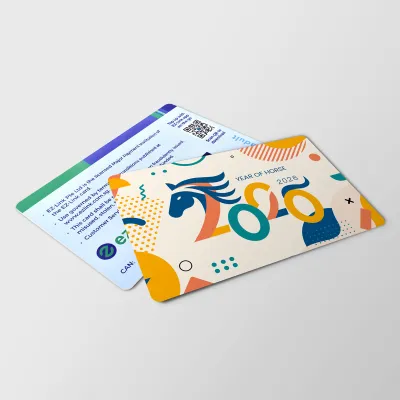
Prices are valid at publication and may change. Please refer to the product page for the latest price.
Beyond trains and buses, the card serves as a versatile micropayment tool. You can use it to pay at thousands of retail outlets across the island, including major convenience stores, supermarkets, fast-food outlets, and selected food stalls in hawker centres. It is also widely accepted at vending machines, public libraries, and for Electronic Road Pricing (ERP) and carpark charges if you use a compatible dual-mode in-vehicle unit (IU) in your vehicle.
When acquiring a card, you will encounter different variations. Standard anonymous cards are sold over the counter and do not require personal identification to purchase, making them ideal for short-term visitors or those who prefer immediate utility. Personalized cards, on the other hand, require registration with your personal details. The major advantage of a personalized card is balance protection; if you lose your card, you can report it lost to secure the remaining funds, whereas lost anonymous cards cannot have their balances recovered.
Where and How to Buy Your First EZ-Link Card
Acquiring your first card can be done through several convenient physical and digital channels across Singapore. Understanding where to buy and what to expect during the transaction ensures a smooth purchase experience.

Physical Locations
- SimplyGo Ticket Offices: Located at major MRT stations and bus interchanges, these offices are staffed by customer service representatives who can sell you standard cards and assist with personalized concession cards.
- Passenger Service Centres: Situated inside MRT stations, these centres can guide you on card purchases, though their direct sales inventory may vary depending on the station.
- Authorized Retail Partners: Convenience stores such as 7-Eleven and Cheers, as well as Singapore Post (SingPost) outlets, regularly stock standard cards at their checkout counters.
Online Options
If you prefer to have your card ready before you arrive or want to browse special-edition designs, you can purchase cards online. The official brand store operates on major local e-commerce platforms and online marketplaces. While buying online gives you access to unique collectible designs, you must factor in delivery times—usually three to five working days within Singapore—and any applicable domestic shipping fees.
Preparation and Payment
When purchasing a standard anonymous card at a physical retail counter or ticket office, no identification is required. However, if you are applying for a personalized card or a specific concession card (such as for students, senior citizens, or persons with disabilities), you must present valid identification, such as a National Registration Identity Card (NRIC) or passport. Accepted payment methods at physical counters typically include cash, NETS, and local credit or debit cards, though some smaller retail outlets may restrict transit card purchases to cash or NETS only.
Cost Verification
It is highly recommended to verify the current purchase price and cost structure before buying, as these figures are subject to adjustments by the issuer. Generally, a standard card purchased at an MRT station costs S$10, which includes a non-refundable card fee of S$5 and S$5 of pre-loaded stored value that you can use immediately. If you purchase the card at a convenience store, the price is often S$10 or S$12, containing a S$5 non-refundable fee and the remaining balance as usable credit. Always confirm the exact breakdown at the point of purchase to ensure you have sufficient funds for your initial journeys.
Step-by-Step Methods to Top Up Your Card
Maintaining a healthy balance on your card is essential to avoid disruptions during your daily commute. Singapore features a robust top-up ecosystem that caters to both traditional cash-preferring users and tech-savvy individuals who prefer completely digital, hands-free solutions.
Before choosing a top-up method, it is wise to check your preferred payment option. Physical machines and retail counters accept a variety of payment types, including cash, local bank cards, and credit cards. Digital solutions rely on credit cards, debit cards, or local digital payment applications linked to your smartphone.
Topping Up at Transit Stations and Retail Counters
Physical top-up points are widely distributed across Singapore, making it simple to add funds while you are on the go.
Using General Ticketing Machines (GTMs) and SimplyGo Kiosks
These self-service machines are located at every MRT and LRT station, as well as major bus interchanges.
- Step 1: Place your physical card onto the designated yellow reader slot on the machine. Do not remove it until the transaction is complete.
- Step 2: The screen will display your current card details, including the card number and remaining balance. Select the "Top Up" or "Add Value" option on the touchscreen.
- Step 3: Choose your preferred payment method. These machines typically support NETS, local debit cards, and credit cards. Some older machines may still accept cash notes, but many have transitioned to cashless payments.
- Step 4: Select or enter your desired top-up amount.
- Step 5: Insert your payment card or cash as prompted, and follow the on-screen instructions to authorize the payment.
- Step 6: Wait for the screen to confirm that the transaction is successful and displays your updated balance before retrieving your card.
Retail Counters and Petrol Stations
If you are not near a train station, you can request a top-up at authorized retail locations. These include convenience stores like 7-Eleven and Cheers, major supermarkets, and selected petrol stations. Simply present your card to the cashier, state the amount you wish to add, and complete the payment.
Limits and Fees
When topping up at physical locations, keep in mind that minimum and maximum transaction limits apply. At station machines, the minimum top-up amount is typically S$2 or S$10, depending on the machine type. Additionally, be aware of transaction fees: while topping up at station machines is free of administrative charges, certain third-party retail partners may charge a small convenience fee (often around S$0.50 per transaction) for processing over-the-counter top-ups.
Using the Mobile App and Auto-Top-Up Features
For ultimate convenience, you can bypass physical queues entirely by managing your card digitally through your smartphone.
Mobile App Top-Up
The official mobile application (such as the SimplyGo app or the EZ-Link app) allows you to top up your physical card instantly using an NFC-enabled smartphone.
- Step 1: Download the official app from your device's app store and register an account.
- Step 2: Enable the Near Field Communication (NFC) function in your smartphone's system settings. Ensure your device runs a compatible operating system (iOS or Android) to communicate with the card's embedded chip.
- Step 3: Open the app, select the top-up option, and enter your payment details (credit card, debit card, or mobile wallet).
- Step 4: When prompted, hold your physical card firmly against the NFC antenna on the back of your smartphone. Keep it still for a few seconds until the app detects the card, processes the payment, and writes the new balance to the card's chip.
Auto-Top-Up (EZ-Reload)
If you want to ensure you never run out of funds at a transit gantry, you can set up the auto-top-up service, commonly known as EZ-Reload. This service links your card directly to a credit card, debit card, or bank account. You can configure the system to automatically trigger a pre-selected top-up amount (such as S$20, S$30, or S$50) whenever your card balance falls below a specific threshold (typically S$3). This process is entirely automated and occurs instantly as you tap through a transit gantry.
Verification
To verify that your digital top-up or auto-top-up setup was successful, you can check the transaction history directly within the mobile app. Alternatively, the next time you tap your card at a transit station reader or a General Ticketing Machine, the screen will display your updated balance, confirming the funds have been correctly credited.
Managing Your Card: Checking Balances and Replacements
Proper management of your card ensures you are always prepared for travel and protects you from losing your funds due to card expiry or physical damage.
Checking Balances
Monitoring your remaining funds is simple and can be done in real time. The quickest way is to observe the display screen on the transit gantry or bus card reader when you tap out at the end of your journey; the screen briefly displays the fare deducted and your remaining balance. You can also place your card on any General Ticketing Machine or SimplyGo Kiosk to view your balance. For instant access anywhere, registering your card on the official mobile app allows you to view your balance on your phone’s screen at any time.
Card Expiry
An EZ-Link card generally has a lifespan of five years from its date of encoding. You can find the expiry date printed on the back of the physical card, or check it digitally via the mobile app or at station ticketing machines. Once a card expires, it can no longer be used for transit or retail payments. To replace an expiring card, visit a SimplyGo Ticket Office. The customer service staff can transfer any remaining stored value from your old card to a new one. Depending on current promotional campaigns or issuer policies, a replacement fee may apply, so it is best to check the latest terms at the ticket counter.
Lost or Damaged Cards
If your card is physically damaged and fails to read at gantries, or if you lose your card, immediate action is required. For lost cards that you have previously registered on the mobile app or personalized with your identity details, you can log into the app or call the customer service hotline to block the card immediately. This prevents unauthorized usage of your funds. You can then apply for a refund of the remaining balance or have it transferred to a new card. Note that anonymous, unregistered cards cannot be blocked or refunded if lost. The issuer may charge an administrative fee for processing refunds or card replacements, which will be deducted directly from your remaining balance.
Frequently Asked Questions (FAQ)
Can I use my EZ-Link card for payments outside of Singapore?
Standard cards are designed exclusively for use within Singapore’s local transit network and participating domestic merchants. They cannot be used on international public transport networks or at overseas retail outlets. If you plan to travel cross-border, such as to Malaysia, you must use specialized co-branded cards designed specifically for cross-border motoring and transit, or utilize alternative local payment methods accepted in those regions.
Is there a maximum stored value limit on the card?
Yes, there is a maximum limit to prevent excessive financial loss in case of theft or card misplacement. For standard anonymous and registered cards, the maximum stored value limit is typically capped at S$500. It is highly recommended not to top up your card to this maximum limit unless you anticipate heavy daily usage, as unregistered cards do not offer balance recovery if lost. Always verify the current limits on the official app as policies can be updated.
What happens if my card has insufficient funds at the transit gantry?
If your card balance falls below the minimum required travel fare (typically around S$3 for trains), the transit gantry or bus reader will flash a red light, display an error message, and deny you entry or exit. If this occurs at an entry gantry, you must proceed to the nearest General Ticketing Machine or SimplyGo Kiosk to top up your card before you can enter. If you encounter this issue at an exit gantry, visit the Passenger Service Centre at the station, where the staff will help you settle the outstanding fare and top up your card so you can exit the station.
Community discussion
Share your experience or ask a question. Comments are reviewed before publication.