
Selecting the right a4 copier paper 80gsm is more than just a matter of grabbing the cheapest ream on the shelf. The 80gsm (grams per square meter) weight is the standard for everyday printing, offering an optimal balance between weight, thickness, and cost-effectiveness. However, different brands utilize varying wood pulp sources, bleaching techniques, surface treatments, and manufacturing standards, which directly impact how the paper interacts with your specific printer. Choosing the wrong paper can lead to frequent paper jams, poor print clarity, excessive toner consumption, and accelerated hardware wear. To make an informed decision, you must evaluate how these papers perform across key technical metrics, how they withstand Singapore’s unique tropical climate, and how their upfront cost translates to long-term operational value.
Quick Answer: Matching a4 copier paper 80gsm Profiles to Your Needs
Finding the best paper is not about identifying a single, universal brand; instead, it is about aligning a paper’s specific physical profile with your daily printing demands, hardware specifications, and budget.
For premium applications—such as client-facing proposals, official contracts, or high-density double-sided documents—you require a premium 80gsm paper. These papers are characterized by high ISO brightness (typically 98% or higher), exceptional CIE whiteness, and an ultra-smooth surface finish. These characteristics ensure sharp text contrast, vibrant color reproduction, and minimal show-through, making them ideal for high-speed laser printers and multi-function copiers.
Products mentioned in this guide
![PaperOne A4 Printing Paper - All Purpose Paper 80gsm [Available in Single Ream / Box]](https://img.lazcdn.com/g/p/27dcdcd07b80cf8dfb582f4178a0997b.png_400x400q80.png_.webp)
![[2 REAMS] A4 PaperOne Copier Papers 80gsm Printing Papers - Plain - Office Supplies](https://img.lazcdn.com/g/p/4423a9fbe2ff198d8701511f17f420ad.png_400x400q80.png_.webp)

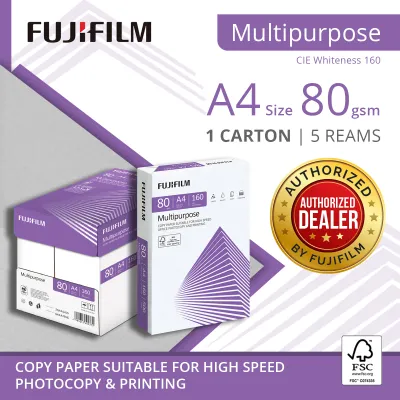
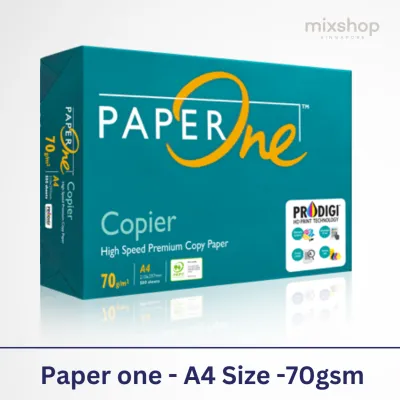
Prices are valid at publication and may change. Please refer to the product page for the latest price.
Conversely, for high-volume, everyday office tasks—such as internal drafts, reference guides, single-sided black-and-white printouts, or packing slips—a standard 80gsm paper is highly sufficient. These products offer moderate brightness (typically 90% to 95% ISO) and a slightly rougher texture, providing a highly cost-effective solution without compromising basic readability or machine reliability.
In Singapore’s highly humid climate, operational reliability is heavily influenced by how well the paper resists moisture absorption. Even a premium brand can perform poorly if its packaging fails to keep out ambient humidity. Therefore, evaluating the protective wrapping of the ream is just as critical as evaluating the paper’s technical specifications when matching a paper profile to your office workflow.
Key Quality Metrics: How to Read Paper Specifications
To move beyond subjective marketing claims, you must learn to interpret the technical specifications printed on the paper packaging or detailed in manufacturer datasheets. Understanding these metrics allows you to compare different brands objectively.

Brightness and Whiteness
While brightness and whiteness are often used interchangeably in casual conversation, they refer to distinct optical measurements. ISO brightness measures the reflectance of blue light at a specific wavelength (457 nanometers) under controlled laboratory conditions. Standard 80gsm copier papers usually feature an ISO brightness rating between 90% and 94%, which is perfectly adequate for clear, legible text. Premium papers often boast ratings of 98% to 100% or higher, resulting in a more vivid contrast between the paper and dark toner.
CIE whiteness, on the other hand, measures the paper’s reflectance across the entire visible light spectrum, simulating how the human eye perceives the paper under natural daylight. A higher CIE whiteness rating (typically 150 to 165+ for premium grades) indicates a cooler, bluer-white appearance, which makes colors pop and text look exceptionally crisp. When comparing brands, check the packaging for these specific ratings: if your workflow involves color graphics or client presentations, prioritize papers with both high ISO brightness and high CIE whiteness.
Smoothness and Surface Finish
The surface smoothness of paper directly influences how toner is transferred and how ink is absorbed. Smoothness is commonly measured using the Bekk method (expressed in seconds) or the Bendtsen method (expressed in milliliters per minute). A higher Bekk score indicates a smoother surface because it measures the time it takes for a fixed volume of air to travel across the paper’s surface under a vacuum; a smoother sheet restricts air travel, resulting in a higher time value.
For laser printers, a smooth surface is essential because it allows the dry toner powder to distribute evenly across the page before being fused by heat and pressure. If the paper is too rough, toner may fail to adhere to microscopic valleys in the sheet, leading to patchy text or faded graphics. For inkjet printers, however, a moderate level of surface structure is beneficial to help control liquid ink absorption, preventing the ink from feathering or spreading along the paper fibers. You should check the manufacturer’s specifications to ensure the paper’s smoothness matches your primary printing technology.
Opacity and Show-Through
Opacity refers to the paper’s ability to obstruct the passage of light through the sheet, expressed as a percentage. An opacity rating of 100% means the paper is completely opaque, while lower ratings indicate varying degrees of translucency. For standard 80gsm paper, opacity typically ranges from 90% to 94%.
If your office frequently utilizes duplex (double-sided) printing to save on paper costs and reduce waste, opacity is a critical metric. Low-opacity paper leads to show-through, where text printed on one side is visible from the other, severely compromising readability. To perform a practical, real-world evaluation of a paper’s opacity before buying in bulk, place a printed sheet of text directly underneath a blank sheet of the candidate paper under standard office lighting. If you can easily read the text through the blank sheet, the paper’s opacity may be insufficient for double-sided printing.
Caliper and Stiffness
Although 80gsm indicates the grammage (the weight of the paper per square meter), it does not dictate the paper’s physical thickness, known as caliper. Caliper is measured in micrometers (microns) or thousandths of an inch (mils). Two different brands of 80gsm paper can have different calipers depending on the wood pulp density, the ratio of hardwood to softwood fibers, and the pressure applied during the calendering (smoothing) stage of manufacturing.
Stiffness is the paper’s resistance to bending, and it is closely related to caliper. High stiffness is essential for modern, high-speed office copiers that feed paper through complex, winding paper paths at rapid speeds. If a sheet lacks sufficient stiffness, it is prone to buckling, wrinkling, or misfeeding as it passes through the printer’s rollers. Conversely, paper that is too thick or stiff may struggle with tight bends in smaller desktop printers. When comparing brands, look for a balanced caliper (typically between 100 and 110 microns for 80gsm) to ensure smooth mechanical feeding.
Evaluating Value: Calculating the True Cost Per Page
When purchasing office supplies, it is easy to fall into the trap of choosing the brand with the lowest upfront price per ream. However, a comprehensive value analysis requires looking beyond the initial purchase price to calculate the true cost of printing.
Price Per Ream vs. Price Per Page
A standard ream of A4 copier paper contains exactly 500 sheets. To establish a baseline for your comparison, calculate the cost per single sheet of paper. For example, if a single ream of a budget brand costs S$5.50, the cost per page is: S$5.50 / 500 sheets = S$0.011 per page
If a premium brand costs S$7.50 per ream, the cost per page is: S$7.50 / 500 sheets = S$0.015 per page
While a difference of S$0.004 per page may seem negligible, it quickly scales up. For an office printing 10,000 pages per month, this difference equates to S$40.00 monthly or S$480.00 annually.
To optimize these costs, consider purchasing paper by the carton (which typically contains 5 reams, or 2,500 sheets) or in bulk pallets. Office supply retailers and online marketplaces in Singapore frequently offer significant volume discounts on carton purchases. A carton that retails for S$27.00 brings the cost per ream down to S$5.40, narrowing the price gap between standard and premium options and allowing you to access higher-quality paper at a lower unit cost.
Hidden Costs of Poor Quality
While budget-friendly paper can reduce your initial procurement expenses, low-quality paper often introduces hidden operational costs that far outweigh the upfront savings. Poorly manufactured paper is more prone to causing paper jams. Every time a printer jams, you lose not only the damaged sheet of paper but also the time spent clearing the jam, resetting the print queue, and restarting the print job.
Furthermore, when a laser printer experiences a jam, it often has to purge its internal system, which can waste a significant amount of toner. In severe cases, clearing stubborn jams can cause physical damage to delicate printer components, such as the fuser assembly or the pick-up rollers. If a cheap brand of paper leads to just one additional paper jam per week, the cumulative cost of wasted toner, lost employee productivity, and potential hardware maintenance will quickly exceed the savings achieved by buying the cheaper paper.
Yield and Waste
Another critical factor in the value equation is the actual usable yield of each ream. High-quality brands maintain strict quality control standards, ensuring that every sheet is cut precisely to standard A4 dimensions (210mm x 297mm) with clean, sharp edges. Budget brands may exhibit slight dimensional variances or rough, frayed edges from worn cutting blades.
Frayed edges cause sheets to cling together due to physical interlocking or static electricity, leading to multi-sheet feeding where the printer pulls two or more sheets simultaneously. This not only causes immediate jams but also results in blank pages passing through the printer, wasting paper and disrupting document collation. Additionally, if the ream packaging is fragile or poorly sealed, the top and bottom sheets of the ream can easily become bent, creased, or soiled during shipping and storage, rendering them unusable. When evaluating value, factor in the percentage of wasted, unusable sheets to determine the true cost of the usable paper.
Reliability in Humid Climates: Preventing Jams and Printer Dust
Singapore’s tropical climate presents unique challenges for paper storage and printer performance. With relative humidity levels frequently exceeding 80% outside of climate-controlled environments, understanding how paper interacts with moisture is vital for maintaining a trouble-free printing workflow.
Moisture Content and Curling
Paper is a highly hygroscopic material, meaning it readily absorbs and releases moisture from and into the surrounding air to reach an equilibrium moisture content. During the manufacturing process, high-quality copier paper is dried to a precise moisture content (typically between 4.5% and 5.5%) and sealed in moisture-barrier wrappers.
When a ream of paper is opened and exposed to Singapore’s humid air, the cellulose fibers in the paper begin to absorb water vapor, causing them to swell. This swelling is rarely uniform across the sheet, leading to physical distortion known as paper curling. When this moisture-laden paper is fed into a laser printer, it is subjected to intense heat (often exceeding 180°C) and pressure within the fuser unit to melt and bond the toner. The sudden heat causes the absorbed moisture to vaporize rapidly, resulting in severe, immediate curling as the paper exits the fuser. This post-print curl can cause the paper to jam in the output tray or make double-sided printing virtually impossible, as the curled sheet cannot be cleanly re-routed through the duplexing unit. To prevent this, always verify that the paper packaging features a protective polyethylene (PE) coating or a moisture-resistant barrier wrapper.
Paper Dust and Roller Wear
The process of cutting large master rolls of paper down to individual A4 sheets generates microscopic cellulose particles, commonly referred to as paper dust. While all paper manufacturing produces some dust, premium brands utilize advanced rotary cutting technology and dust-extraction systems to minimize the amount of loose dust left on the edges of the sheets. Budget brands may use older or less frequently maintained cutting machinery, resulting in a higher concentration of paper dust clinging to the ream.
As paper is fed through your printer, this dust is transferred to the internal components. Over time, paper dust accumulates on the rubber pick-up rollers, drying out the rubber and reducing its friction coefficient. When the rollers lose their grip, they fail to pull sheets cleanly from the tray, leading to frequent misfeed errors. Furthermore, paper dust can settle on delicate optical sensors inside the machine, blocking the light beams used to track paper movement and triggering false paper jam alerts. This requires manual cleaning and increases printer downtime. Checking packaging for “low-dust” or “rotary-cut” claims can help safeguard your printing equipment.
Storage Best Practices
Regardless of the brand of 80gsm paper you purchase, implementing proper storage practices is essential to preserve its quality and ensure reliable feeding in Singapore’s humid environment.
- Keep Sealed: Never open a new ream of paper until you are ready to load it directly into the printer's paper tray. The original wrapper is designed to act as a moisture barrier; once broken, the paper is immediately exposed to ambient humidity.
- Store Flat: Always store paper reams and cartons flat on a level surface. Storing reams on their edges can cause the paper to sag and develop a permanent warp, which will lead to feeding issues.
- Elevate Off the Floor: Avoid storing paper cartons directly on concrete floors, as concrete can transmit dampness up into the packaging. Place cartons on shelves, pallets, or in cabinets.
- Climate Control: Store your paper in a room with stable temperature and humidity levels, ideally in an air-conditioned space. Avoid storing paper near open windows, external doors, or directly underneath air conditioning vents where cold air drafts can cause localized condensation.
- Manage Tray Capacity: Do not overfill your printer’s paper tray. If your printing volume is low, only load enough paper for a day or two of use. Leaving a large stack of paper sitting in an open tray for weeks allows it to absorb moisture and increases the likelihood of jams.
Verifying Environmental and Sourcing Claims
As sustainability becomes a core priority for businesses and consumers in Singapore, many paper brands highlight their environmental credentials on their packaging. Understanding how to verify these claims ensures you are making a genuinely responsible purchase rather than falling victim to greenwashing.
Forest Certification Schemes
The most reliable way to verify that your paper comes from responsibly managed forests is to look for recognized, third-party forest certification logos on the packaging.
The Forest Stewardship Council (FSC) is a global non-profit organization that promotes responsible forest management. An FSC-certified label (such as FSC Mix or FSC 100%) guarantees that the wood fibers used in the paper can be traced back to forests managed in an environmentally appropriate, socially beneficial, and economically viable manner.
The Programme for the Endorsement of Forest Certification (PEFC) is another widely respected international certification system. Like the FSC, PEFC works to ensure sustainable forest management through independent third-party auditing. When comparing brands, look for the official FSC or PEFC registration numbers printed alongside their logos on the wrapper, which allows you to verify the validity of the certificate on the respective organization’s public database.
Bleaching Processes
To achieve the bright white finish required for office printing, wood pulp must undergo a bleaching process to remove lignin, a natural organic polymer that causes paper to yellow over time. Historically, elemental chlorine gas was used for bleaching, which produced highly toxic organochlorine byproducts, including dioxins, that polluted waterways.
Modern, environmentally conscious paper brands utilize safer bleaching methods:
- Elemental Chlorine-Free (ECF): This process replaces elemental chlorine gas with chlorine dioxide. It significantly reduces the formation of chlorinated organic compounds, making it a much safer option for the environment. Most mainstream 80gsm papers sold in Singapore today are ECF-certified.
- Totally Chlorine-Free (TCF): This process completely eliminates chlorine compounds, using oxygen, ozone, or hydrogen peroxide instead. TCF bleaching is the most environmentally benign method, though it is typically found only in select premium or specialty niche brands due to higher production costs.
Recycled Content vs. Virgin Pulp
Choosing 80gsm paper made from recycled post-consumer waste is an excellent way to reduce your environmental footprint, as it diverts waste from landfills and lowers water and energy consumption during manufacturing. However, recycled paper involves certain performance trade-offs that you must consider.
Recycling processes break down and shorten the cellulose fibers in the paper. Shorter fibers result in a sheet with lower tensile strength and stiffness compared to paper made from virgin wood pulp. Consequently, recycled paper may exhibit a slightly higher rate of paper jams in high-speed, high-volume office copiers. Additionally, recycled paper often has a lower ISO brightness rating (typically 85% to 90%) and may contain microscopic specks or variations in color.
Virgin pulp paper, sourced from sustainably managed plantations, offers superior structural integrity, higher brightness, and lower dust generation, making it the preferred choice for high-speed, trouble-free office operations. For organizations committed to sustainability, a balanced approach is to use high-quality virgin pulp paper with FSC or PEFC certification for high-speed copiers and client documents, while reserving recycled paper for low-speed desktop printers and internal drafting.
Decision Framework: Which Paper Profile Fits Your Workflow?
To simplify your procurement process, use this structured decision framework to match your specific office requirements with the appropriate paper profile.
Choose Premium 80gsm Paper If:
- Your daily operations rely heavily on high-speed, multi-function office copiers and laser printers.
- You frequently print professional, client-facing documents, such as proposals, contracts, marketing briefs, and presentations.
- You utilize duplex (double-sided) printing extensively and require high opacity to eliminate distracting text show-through.
- You require vibrant color reproduction and sharp, high-contrast text for fine-print documents.
- Verification Step: Confirm the packaging specifies an ISO brightness of 98% or higher, a CIE whiteness of 160 or higher, and features a robust, moisture-resistant PE-coated wrapper.
Choose Standard 80gsm Paper If:
- Your printing volume is high, but the vast majority of output is for internal use, such as drafts, reference guides, everyday memos, and transactional receipts.
- You primarily print single-sided, black-and-white documents where ultimate brightness and color pop are not required.
- You operate on a tight budget and need to minimize your upfront office supply expenses.
- Verification Step: Look for reputable, established brands that offer volume discounts on carton or pallet purchases, and verify that the paper maintains a standard caliper of 100 to 105 microns to ensure reliable feeding.
Choose Recycled 80gsm Paper If:
- Your organization operates under strict corporate social responsibility (CSR) mandates or environmental sustainability targets.
- Your printing equipment consists of low-to-medium speed desktop printers that are less sensitive to minor variations in paper stiffness and dust levels.
- You are comfortable with a slightly lower brightness level and potential minor visual imperfections on the page.
- Verification Step: Ensure the paper is certified by a recognized environmental body and check your printer manufacturer's manual to confirm compatibility with recycled media.
Verify First If:
- You are considering purchasing a new, unfamiliar, or generic budget brand of paper in bulk.
- Action Plan: Never purchase multiple cartons of an untested paper brand. Buy a single trial ream first. Run a test batch of at least 100 double-sided pages through your primary office printer. Observe whether the paper curls excessively upon exiting, check for any multi-sheet feeding or jamming issues, and inspect the printed pages for toner adhesion, text crispness, and show-through. Only commit to a bulk purchase once the paper has proven its compatibility with your specific hardware and office environment.
Frequently Asked Questions (FAQ)
Is 80gsm paper suitable for double-sided printing?
Yes, 80gsm paper is generally suitable for double-sided (duplex) printing, but its performance depends heavily on the paper’s opacity and the type of printer you use. Standard 80gsm papers usually have an opacity rating between 90% and 93%, which is sufficient for basic text-only double-sided printing. However, if you are printing documents with heavy graphics, bold headings, or dark color blocks, you may experience noticeable show-through, where the print on the reverse side distracts from readability. For high-density double-sided documents, look for premium 80gsm papers with an opacity rating of 94% or higher. Additionally, because inkjet printers deposit liquid ink that can saturate and weaken thin paper fibers, laser printers are generally better suited for duplex printing on 80gsm paper.
How should I store A4 paper in a humid climate?
To maintain the quality and performance of A4 paper in Singapore’s humid climate, you must protect it from moisture absorption. Keep paper reams completely sealed in their original moisture-barrier wrappers until the exact moment you load them into the printer’s paper tray. Store the reams flat on a raised shelf, cabinet, or pallet, and never place them directly on concrete floors which can conduct dampness. Keep your paper storage in a climate-controlled room with stable temperatures, away from open windows, external doors, or direct drafts from air conditioning units. Finally, avoid loading more paper into your printer tray than you expect to use within a day or two; leaving a large stack of paper exposed in an open tray allows it to absorb ambient humidity, leading to curling and feeding jams.
Community discussion
Share your experience or ask a question. Comments are reviewed before publication.