
Choosing the right letter paper weight depends entirely on your specific printing task, budget, and equipment. For high-volume internal drafts where cost is the priority, 70GSM is the most economical choice. For standard daily office use, student assignments, and reliable double-sided printing, 80GSM serves as the versatile baseline. When producing formal proposals, certificates, or documents with heavy ink coverage that require a premium feel and zero show-through, 100GSM is the appropriate upgrade. Your final decision should balance the required document formality, your printer’s supported weight range, and whether you need to print on both sides of the page.
Selecting the ideal paper weight for your office or home printer is more than just a matter of feel; it directly impacts print quality, machine reliability, and overall operating costs. The weight of letter paper determines how the sheet behaves as it feeds through rollers, how much ink or toner it can absorb without warping, and how professional the final document looks to a client or evaluator.
Using the wrong paper weight can lead to frustrating issues such as frequent paper jams, ink bleeding through to the back of the page, or a flimsy presentation that fails to make a strong impression. By understanding the practical differences between 70GSM, 80GSM, and 100GSM options, you can optimize your printing workflow, protect your equipment, and ensure every document serves its intended purpose effectively.
Products mentioned in this guide
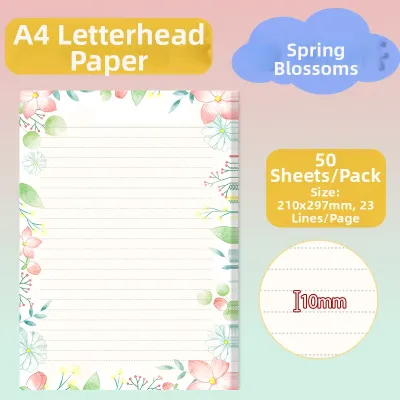
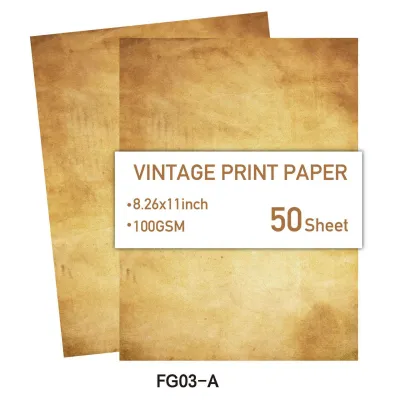
Prices are valid at publication and may change. Please refer to the product page for the latest price.
Understanding GSM: How Paper Weight Affects Your Printouts
GSM stands for Grams per Square Meter, which is the standard metric unit used globally to measure the density and weight of paper. It represents the actual weight of a single sheet of paper measuring one square meter. In practical terms, a higher GSM rating indicates a heavier, denser, and typically thicker sheet of paper.
This measurement directly influences the physical handling characteristics of the paper. As the GSM increases, the paper becomes stiffer and less prone to bending or tearing under normal handling conditions. This stiffness is crucial for documents that will be passed around, filed, or displayed frequently.
Another critical factor affected by GSM is opacity, which refers to how much light can pass through the sheet. Higher GSM paper generally offers greater opacity, meaning text and images printed on one side are less visible from the reverse side. This makes heavier paper essential for double-sided printing where show-through can ruin readability.
However, it is important to note that GSM measures weight rather than direct thickness. Because different manufacturers use varying wood pulp mixtures, binding agents, and surface finishes, two different brands of 80GSM paper might have slightly different physical thicknesses or textures. Testing a small sample is often a reliable way to verify the exact feel.
70GSM Letter Paper: When to Use It for High-Volume Drafts
At 70GSM, letter paper is lightweight, thin, and highly economical. This weight is primarily engineered for high-volume, single-sided printing where minimizing cost per page is the overriding priority. It is the go-to option for large-scale operations that consume thousands of sheets of paper weekly.

The ideal use cases for 70GSM paper include internal office memos, rough drafts, temporary worksheets, and bulk text-heavy documents that will be read once and recycled. It is also highly suitable for personal note-taking, quick reference guides, and packing slips that do not require a premium presentation.
The primary trade-off with 70GSM paper is its relatively low opacity. Because the paper is thin, ink from standard inkjet printers or even heavy toner from laser printers can easily show through to the other side. This makes 70GSM highly unsuitable for double-sided printing, as the overlapping text becomes difficult to read.
Handling characteristics also reflect the lighter weight. While you can fit more sheets of 70GSM paper into a standard printer tray or storage box compared to heavier weights, the individual sheets can feel flimsy. For external client distribution, formal correspondence, or official reports, this weight may convey an unintended impression of low quality.
80GSM Letter Paper: The Reliable Standard for Everyday Printing
The 80GSM weight is widely recognized as the standard baseline for everyday office, home, and academic printing. It represents a carefully engineered balance between cost, performance, and physical substance, making it the most common paper weight found in copy machines worldwide.
This versatile paper is ideal for standard business reports, student essays, everyday emails, and general external correspondence. It provides sufficient stiffness to feed smoothly through almost all consumer and commercial printers without folding or jamming, even during high-speed print runs.
One of the main advantages of 80GSM paper is its suitability for standard double-sided printing. While there may be a very faint shadow of text visible from the reverse side under bright light, it is generally opaque enough to allow comfortable reading of double-sided text documents without distraction.
Furthermore, 80GSM paper offers a professional feel that is highly acceptable for general client handouts, meeting agendas, and standard letters. It does not carry the premium price tag of heavier specialty stocks, allowing businesses to maintain a professional standard while keeping their ongoing stationery expenses manageable.
100GSM Letter Paper: Elevating Formal Documents and Presentations
When a document needs to command attention, convey high quality, or handle heavy ink coverage, upgrading to 100GSM letter paper is the appropriate choice. This weight is significantly heavier and thicker than standard office paper, providing an immediate tactile sense of importance and premium quality.
Ideal applications for 100GSM paper include formal business proposals, resumes, legal contracts, certificates, and marketing materials. It is also highly recommended for documents containing colorful charts, detailed graphics, or heavy ink coverage, as the dense fibers absorb ink beautifully without warping or wrinkling.
The primary benefit of 100GSM paper is its exceptional opacity. It completely prevents bleed-through and show-through, ensuring that double-sided documents with rich graphics look clean, sharp, and professional on both sides. The added stiffness also prevents the corners from curling after printing.
However, 100GSM paper does come with specific limitations. It is more expensive per sheet than lighter weights, which can add up quickly during large print runs. Additionally, some older or basic home printers may struggle to feed the stiffer sheets smoothly, potentially leading to misfeeds if the printer’s paper path is not rated for heavier media.
How to Choose: Matching Paper Weight to Your Printing Needs
Selecting the right paper weight is a matter of matching the document’s purpose with the appropriate balance of cost, appearance, and printer compatibility. A simple way to decide is to evaluate the target audience and the printing method you plan to use.
If you are printing high-volume, single-sided documents for internal review or temporary use, 70GSM is the most cost-effective choice. For standard daily operations, double-sided text documents, and general correspondence, 80GSM provides the most reliable and versatile performance. When the document is intended for external clients, formal presentations, or contains heavy graphics, investing in 100GSM ensures a premium, professional result.
The following comparison table outlines the key attributes of each paper weight to help guide your selection:
| Paper Weight (GSM) | Relative Cost | Opacity Level | Double-Sided Suitability | Ideal Use Cases |
|---|---|---|---|---|
| 70GSM | Low | Low | Poor (High show-through) | Internal drafts, memos, high-volume single-sided printing |
| 80GSM | Moderate | Medium | Good (Minimal show-through) | Daily office documents, student homework, standard reports |
| 100GSM | High | High | Excellent (No show-through) | Resumes, formal proposals, certificates, heavy graphic prints |
Ultimately, the most suitable paper weight is the one that fulfills your specific document requirements without exceeding your budget or pushing your printing hardware beyond its operational limits. Keeping a ream of each weight on hand allows you to switch easily depending on the task.
Printer Compatibility and Handling Tips for Different Weights
Before purchasing a large quantity of heavier paper, it is essential to verify that your printer can handle the specific weight. Most standard office laser printers and inkjet printers easily support weights up to 120GSM, but some compact home models or older devices may have lower limits.
To prevent paper jams and ensure optimal print quality, check your printer’s user manual or the specification label inside the paper tray door. Look for the supported media weight range, which is typically listed in GSM. If you are printing on 100GSM paper, you may need to adjust your printer’s software settings.
In your computer’s print dialog box, look for the “Media Type” or “Paper Type” setting and select options such as “Heavy Paper,” “Thick Paper,” or “Cardstock” if available. This adjustment tells the printer to slow down the feeding speed or increase the fuser temperature, ensuring that toner or ink adheres cleanly to the thicker sheet.
Proper storage is also critical for maintaining paper quality across all weights, especially in humid climates like Singapore. Keep your paper in its original moisture-resistant wrapper until you are ready to load it into the printer. Store the reams flat in a dry, temperature-controlled environment, as exposure to high humidity can cause the edges to absorb moisture and curl, leading to frequent misfeeds and jams.
Frequently Asked Questions (FAQ)
Can I mix different GSM papers in the same printer tray?
Mixing different paper weights in a single printer tray is not recommended. Printers rely on consistent friction and paper stiffness to pull a single sheet from the stack at a time. When you mix 70GSM, 80GSM, or 100GSM papers in the same tray, the pickup rollers may pull multiple sheets at once, leading to misfeeds, crooked prints, or severe paper jams. If you need to switch between different paper weights, it is recommended to use separate paper trays or utilize the printer’s manual bypass feed slot for individual heavy sheets.
Does higher GSM always mean better print quality for text documents?
A higher GSM rating does not automatically guarantee sharper or clearer text. While heavier paper improves the overall feel, stiffness, and opacity of the document, the actual sharpness of printed text depends more on the paper’s surface smoothness and the printer’s resolution. A high-quality, smooth 80GSM paper can produce text that is just as sharp as a 100GSM paper. For the optimal text clarity, look for paper with a smooth, bright finish that is specifically rated for your printer type, whether laser or inkjet.

Community discussion
Share your experience or ask a question. Comments are reviewed before publication.