
Selecting the right 70gsm A4 paper in Singapore requires balancing cost, print quality, and machine compatibility. Because 70gsm (grams per square meter) is a lighter weight than the standard 80gsm, choosing the wrong profile can lead to frequent paper jams, ink bleed-through, or limp documents. The ideal choice depends entirely on your specific printing application.
For high-volume draft printing and everyday internal documents, a standard-brightness, cost-effective paper profile is highly efficient. If you frequently print double-sided reports, you should prioritize a high-opacity variant to prevent distracting ink show-through. For client-facing proposals, certificates, or documents with heavy color coverage, look for a premium-brightness, ultra-smooth paper that ensures sharp text contrast. Before committing to a large purchase, always verify current stock, bulk pricing tiers, and delivery terms on local e-commerce platforms or through stationery retailers.
Key Dimensions for Comparing 70gsm A4 Paper Quality
To evaluate 70gsm A4 paper objectively, you must look beyond the brand name and examine specific physical and optical properties. These dimensions directly affect how the paper behaves in your printer and how the final print looks to the reader.
Products mentioned in this guide
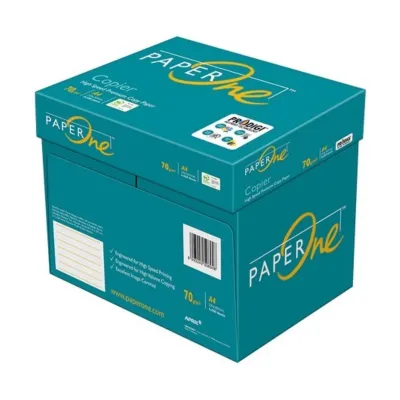
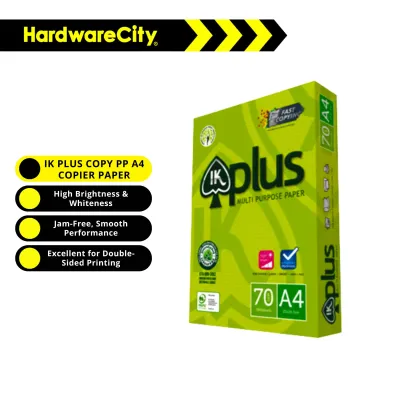


![[SG]Perfect Print A4 Size 70gsm White Copier Paper [Evergreen Stationery] (5 Reams per Carton) | MAX 2 CARTONS/ORDER](https://img.lazcdn.com/g/p/5b68d91431474af3ae7b65825324d08d.png_400x400q80.png_.webp)
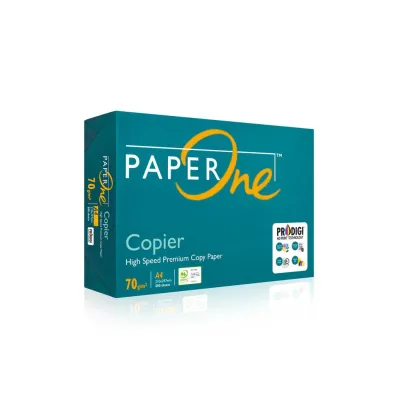
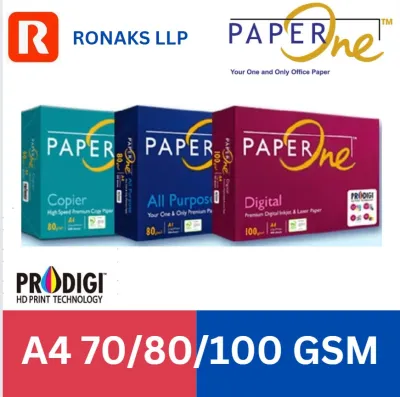
![[SG] Fujifilm A4 70gsm Everyday Copier Paper 1 Carton | MAX 2 CARTONS/ORDER [Evergreen Stationery]](https://img.lazcdn.com/g/p/6c0da9aef6095ba243aedb3b797bb59d.png_400x400q80.png_.webp)
Prices are valid at publication and may change. Please refer to the product page for the latest price.
Brightness and Whiteness: While often used interchangeably, brightness and whiteness refer to different optical measurements. Brightness measures the reflectance of a specific blue light wavelength, while whiteness measures the reflection of all wavelengths across the visible spectrum. Higher brightness (typically rated between 95% and 100%+) provides a starker contrast against black toner, making text appear sharper and colors more vibrant. Standard-brightness papers (around 90% to 94%) are perfectly adequate for internal reading but may make color graphics look slightly muted.
Opacity: Opacity is the measure of how much light is prevented from passing through the sheet. For 70gsm paper, which is naturally thinner than 80gsm, opacity is a critical quality differentiator. High-quality 70gsm sheets utilize advanced filler materials, such as calcium carbonate, to increase opacity without adding weight. If the opacity is too low, text printed on one side will be visible on the other, rendering the paper unsuitable for double-sided printing.
Surface Smoothness and Dust Levels: The tactile finish of the paper determines how evenly toner or ink is transferred. A smoother surface allows for precise toner adhesion, resulting in crisp edges on fine fonts and solid fills. Conversely, rougher papers can cause micro-gaps in printing. Furthermore, the manufacturing process dictates the level of paper dust left on the sheets. Low-dust paper is essential for office environments; excessive paper dust accumulates on printer feed rollers and optical sensors, leading to misfeeds, multi-sheet pulls, and premature hardware wear.
Moisture Content and Curling Resistance: Paper is highly hygroscopic, meaning it readily absorbs moisture from the surrounding air. In Singapore’s hot and humid climate, this characteristic is particularly challenging. High-quality 70gsm paper is manufactured with a controlled moisture content (typically between 4.5% and 5.5%) and treated with anti-curl chemistry. This ensures that when the paper is exposed to the intense heat of a laser printer’s fuser unit, it does not warp, curl, or jam in the output tray.
Matching Paper Profiles to Your Printing Needs
Not every printing task demands premium-grade paper. By matching your daily document requirements to the appropriate paper profile, you can optimize your stationery budget without sacrificing presentation quality.

Everyday Internal Memos and Drafts: For internal communications, packing slips, and temporary drafts, visual perfection is secondary to cost and reliable feeding. For these tasks, prioritize standard-brightness paper with reliable runnability. Choosing a budget-friendly, high-volume paper ensures you do not waste money on optical properties that add no value to temporary documents.
Double-sided Reports and Manuals: Printing on both sides of a 70gsm sheet requires careful selection. You must seek out paper profiles specifically labeled with high opacity or designated for duplex printing. Additionally, look for brands that emphasize precise factory cutting. Clean, straight edges prevent sheets from clinging together due to static or physical interlocking, which is a common cause of double-feeding during duplex cycles.
External Proposals and Client Presentations: When documents leave your office, they represent your brand. For external proposals, contracts, and marketing materials, select a premium-brightness paper with an ultra-smooth finish. The high whiteness level ensures that your company logo and color charts stand out, while the smooth texture provides a professional, high-quality tactile feel.
Equipment Compatibility: Always check your printer manufacturer’s guidelines before purchasing paper. High-volume laser printers rely on rapid heat and pressure to fuse dry toner to the paper, requiring a sheet that can withstand high temperatures without curling. Inkjet printers, on the other hand, spray liquid ink, which requires a paper surface designed to absorb moisture quickly without feathering or bleeding. Many modern 70gsm papers are multi-purpose, but verifying compatibility on the packaging is a safe practice.
Evaluating Price and Value for 70gsm A4 Paper
Finding the best value involves looking beyond the initial price tag of a single ream. A comprehensive cost analysis factors in bulk pricing, distribution logistics, and the indirect costs of printer downtime.
Calculating True Unit Cost: When comparing options, calculate the cost per sheet and cost per ream (which standardly contains 500 sheets). For example, if a carton of five reams (2,500 sheets) costs S$22, the cost per ream is S$4.40, and the cost per sheet is S$0.0088. Comparing these unit rates across different brands and package sizes prevents you from being misled by non-standard packaging sizes.
Sourcing Channels and Logistics: Local stationery suppliers and online marketplaces offer different advantages. Offline suppliers often provide personalized service and reliable contract pricing for businesses, while online platforms may offer competitive spot pricing. However, paper is heavy; a single carton of five reams weighs approximately 11 kilograms. When buying online, always factor in delivery fees and minimum order thresholds for free shipping, as high delivery costs can quickly wipe out any savings on the paper itself.
The Cost of Cheap Paper: Opting for the cheapest unbranded paper can be a false economy. Low-grade paper often suffers from inconsistent thickness, high dust levels, and poor moisture control. These deficiencies lead to frequent paper jams, wasted toner, and increased wear on your printer’s maintenance kit. If a cheap paper causes a jam every fifty pages, the lost productivity and wasted materials will quickly exceed the small savings made at purchase.
Packaging Integrity: In Singapore’s humid environment, the wrapper surrounding each ream is your first line of defense. Premium brands package their paper in moisture-barrier wrappers, often lined with a thin plastic film or wax coating. Budget brands may use simple paper wrappers that allow humidity to penetrate during storage. A ruined, damp carton of paper represents a total loss, making robust packaging a key value factor.
How to Verify Paper Quality Before Buying in Bulk
Before committing to a large bulk order of several cartons, implementing a simple verification process can save your office from costly purchasing mistakes.
Test a Single Ream: Purchase a single ream of your shortlisted paper before ordering in bulk. Run a test batch of at least 100 sheets through your office printer at high speed. Observe whether the paper feeds smoothly, if there are any multi-sheet pulls, or if the sheets exhibit static cling when exiting the machine.
Inspect the Delivery Packaging: When your sample or bulk order arrives, inspect the outer carton and individual ream wrappers. The packaging should be completely sealed, with no tears, crushed corners, or signs of moisture exposure. Damaged packaging often indicates that the paper inside has been exposed to ambient humidity or physical deformation, both of which compromise runnability.
Perform Visual and Tactile Checks: Open a fresh ream and run your fingers along the edges of the stack. The cut should feel perfectly smooth, with no loose paper fibers or dust transferring to your hands. Fan the stack slightly to check if the sheets separate easily or if they stick together. Look closely at a single sheet under bright light to check for uniform fiber distribution and the absence of dark specks.
Run a Double-Sided Print Test: Print a sample document containing both dense black text and a few simple color graphics on both sides of a sheet. Examine the reverse side under normal office lighting. If the text from the opposite side is easily readable or if the ink has feathered into the paper fibers, the paper’s opacity and surface treatment are insufficient for double-sided tasks.
Frequently Asked Questions (FAQ)
Is 70gsm A4 paper suitable for double-sided printing?
Yes, but suitability depends on the paper’s opacity and your print content rather than its weight alone. High-quality 70gsm paper engineered with high opacity can handle double-sided printing of standard text documents quite well. However, you should check the product packaging for specific manufacturer claims regarding duplex compatibility. If your documents contain heavy ink coverage, solid color blocks, or detailed graphics, upgrading to 80gsm paper is recommended to prevent distracting show-through.
How should I store A4 paper to prevent jamming in Singapore's humidity?
To maintain optimal runnability, keep your paper sealed in its original moisture-proof wrapper until the moment you load it into the printer tray. Store unopened reams flat on a shelf or in a cabinet off the floor, in a cool, dry room away from direct sunlight, open windows, or direct air-conditioning drafts. Before loading the paper into your printer, gently fan the stack of sheets to break any static bonds and introduce a small cushion of air between them, which helps the printer’s feed rollers grab one sheet at a time.

Community discussion
Share your experience or ask a question. Comments are reviewed before publication.